Inuti ett asset bundle

Introduktion till Databricks Lakehouse

Gang Wang

Senior Data Scientist

Bundleprojektets struktur

$$

my_project/
|-- databricks.yml
|-- src/
|   |-- etl_pipeline.py
|   |-- data_quality.py
|-- resources/
|   |-- jobs/
|   |   |-- nightly_etl.yml
|   |-- pipelines/
|       |-- sales_pipeline.yml
|-- tests/
    |-- test_etl.py

$$

  • databricks.yml – den centrala konfigurationsfilen
  • src/ – dina notebooks och din kod
  • resources/jobb- och pipelinedefinitioner
  • tests/ – valfria testfiler
Introduktion till Databricks Lakehouse

Filen databricks.yml

bundle:
  name: sales_analytics

workspace:
  host: https://myworkspace.databricks.com

targets:
  dev:
    default: true
    workspace:
      root_path: /Users/me/dev
  production:
    workspace:
      root_path: /Shared/production
    permissions:
      - level: CAN_MANAGE
        group_name: data_engineers
Introduktion till Databricks Lakehouse

Definiera resurser

$$

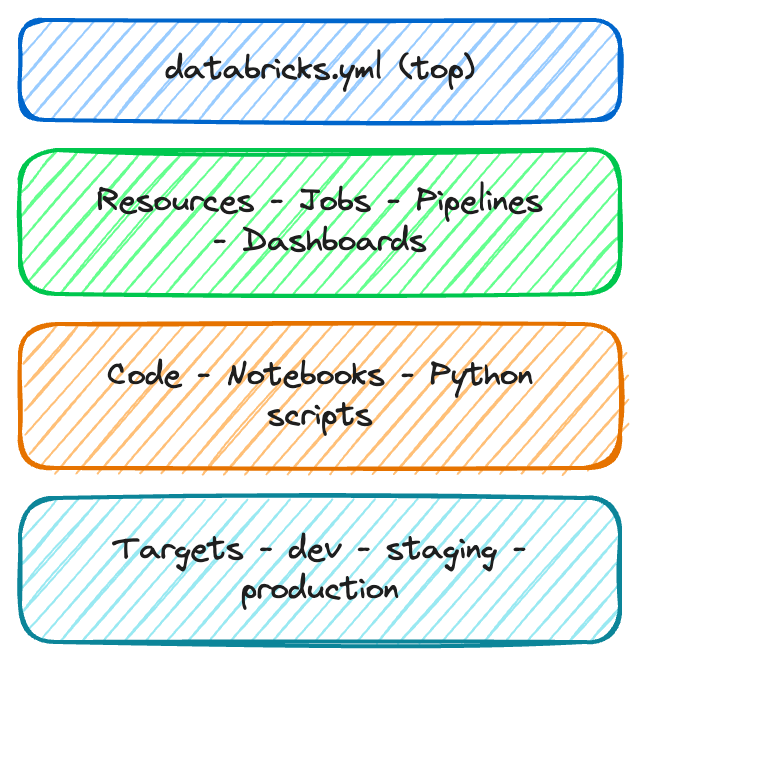
lager: databricks.yml (överst), Resources – Jobs – Pipelines – Dashboards, Code – Notebooks – Python-skript, Targets – dev – staging – production

$$

resources:
  jobs:
    nightly_etl:
      name: "Nightly ETL Pipeline"
      schedule:
        quartz_cron: "0 0 2 * * ?"
      tasks:
        - task_key: ingest
          notebook_task:
            notebook_path: src/etl.py
Introduktion till Databricks Lakehouse

Bundle CLI-kommandon

$$

Kommando Syfte
bundle validate Kontrollera konfigurationen för fel
bundle deploy Driftsätt till ett mål
bundle run Starta ett driftsatt jobb
bundle destroy Ta bort driftsatta resurser

$$

# Validate before deploying
databricks bundle validate

# Deploy to production
databricks bundle deploy \
  --target production

# Trigger a run
databricks bundle run nightly_etl
Introduktion till Databricks Lakehouse

Driftsättningsarbetsflöde

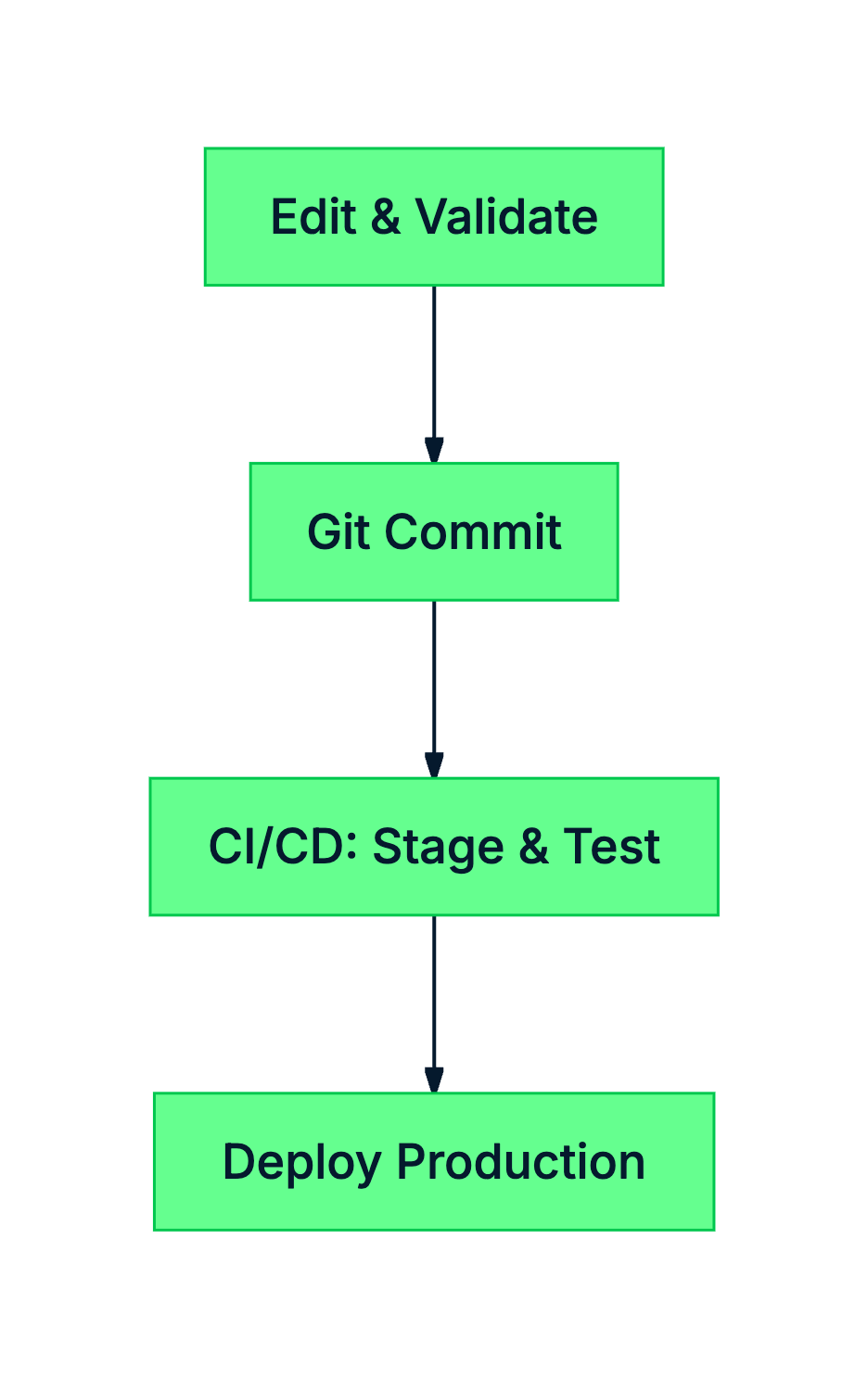
flödesschema: Driftsättningsarbetsflöde

$$

  • Lokal utveckling – redigera kod och validera konfigurationer
  • Versionskontroll – spara ändringar i Git
  • CI/CD-automatisering – driftsätt till staging och kör tester
  • Produktionssättning – driftsätt med tillförsikt
Introduktion till Databricks Lakehouse

Sammanfattning

$$

  • databricks.yml definierar ditt projekt, mål och resurser
  • Resurser omfattar jobb, pipelines och dashboards
  • Mål motsvarar miljöer (dev, staging, production)
  • CLI-kommandon: validate, deploy, run, destroy
Introduktion till Databricks Lakehouse

Nu kör vi en övning!

Introduktion till Databricks Lakehouse

Preparing Video For Download...