ข้อมูลนำเข้า

TensorFlow เบื้องต้นใน Python

Isaiah Hull

Visiting Associate Professor of Finance, BI Norwegian Business School
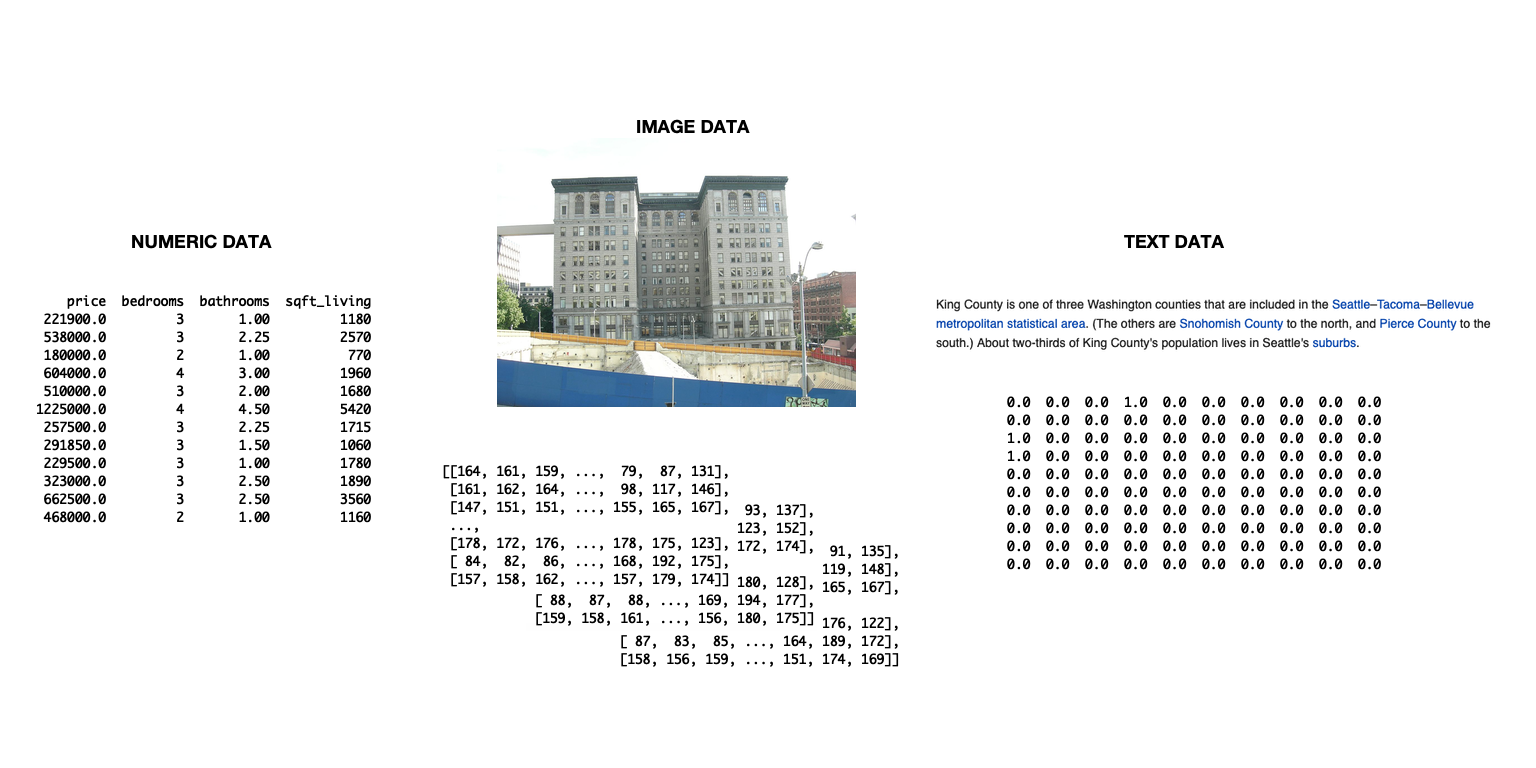
สไลด์แสดงไดอะแกรมของข้อมูล 3 ประเภท ได้แก่ ข้อมูลข้อความ ข้อมูลรูปภาพ และข้อมูลตัวเลข

TensorFlow เบื้องต้นใน Python

การนำเข้าข้อมูลเพื่อใช้ใน TensorFlow

  • นำเข้าข้อมูลด้วย tensorflow
    • เหมาะสำหรับจัดการ pipeline ที่ซับซ้อน
    • ไม่จำเป็นสำหรับบทนี้
  • วิธีที่ใช้ในบทนี้
    • นำเข้าข้อมูลด้วย pandas
    • แปลงเป็น numpy array
    • ใช้งานใน tensorflow ได้เลย
TensorFlow เบื้องต้นใน Python

วิธีนำเข้าและแปลงข้อมูล

# Import numpy and pandas
import numpy as np
import pandas as pd

# Load data from csv
housing = pd.read_csv('kc_housing.csv')

# Convert to numpy array
housing = np.array(housing)
  • บทนี้จะเน้นข้อมูลในรูปแบบ csv
  • pandas ยังมีเมธอดสำหรับรูปแบบอื่น ๆ ด้วย
    • เช่น read_json(), read_html(), read_excel()
TensorFlow เบื้องต้นใน Python

พารามิเตอร์ของ read_csv()

พารามิเตอร์ คำอธิบาย ค่าเริ่มต้น
filepath_or_buffer รับ path ของไฟล์หรือ URL None
sep ตัวคั่นระหว่างคอลัมน์ ,
delim_whitespace Boolean สำหรับการคั่นด้วยช่องว่าง False
encoding ระบุ encoding ที่ต้องการใช้ None
TensorFlow เบื้องต้นใน Python

การใช้ชุดข้อมูลแบบผสมประเภท

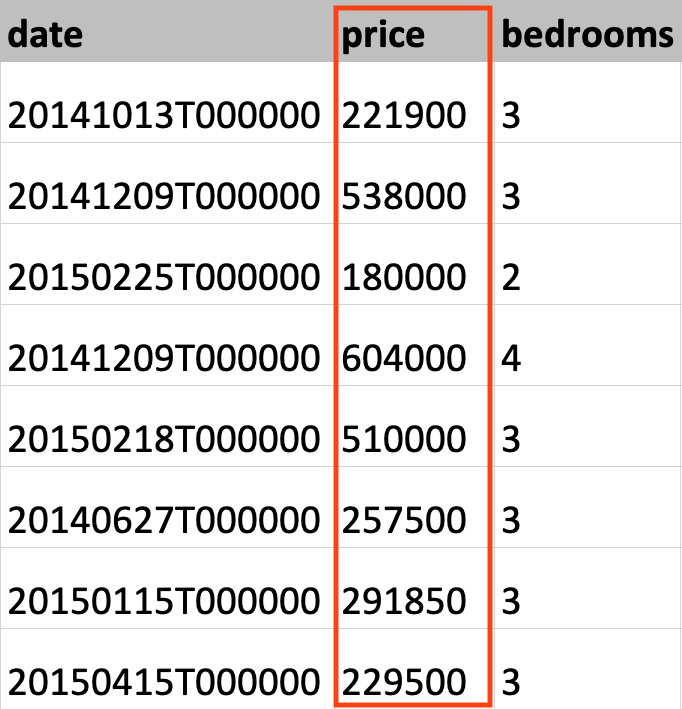
ภาพแสดงข้อมูลจากชุดข้อมูลที่อยู่อาศัย King County โดยไฮไลต์คอลัมน์ราคาบ้าน

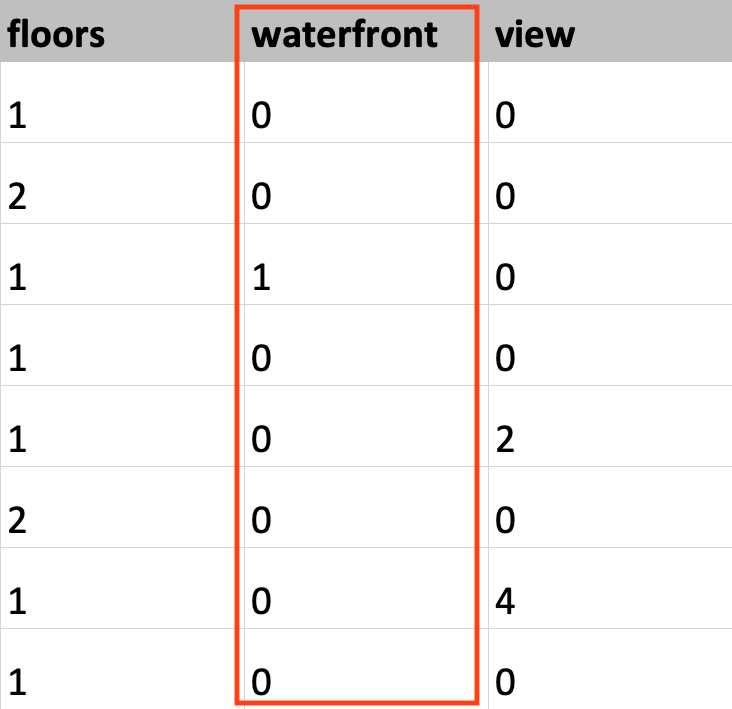
ภาพแสดงข้อมูลจากชุดข้อมูลที่อยู่อาศัย King County โดยไฮไลต์คอลัมน์ waterfront

TensorFlow เบื้องต้นใน Python

การกำหนดชนิดข้อมูล

# Load KC dataset
housing = pd.read_csv('kc_housing.csv')

# Convert price column to float32
price = np.array(housing['price'], np.float32)

# Convert waterfront column to Boolean
waterfront = np.array(housing['waterfront'], np.bool)
TensorFlow เบื้องต้นใน Python

การกำหนดชนิดข้อมูล

# Load KC dataset
housing = pd.read_csv('kc_housing.csv')

# Convert price column to float32
price = tf.cast(housing['price'], tf.float32)

# Convert waterfront column to Boolean
waterfront = tf.cast(housing['waterfront'], tf.bool)
TensorFlow เบื้องต้นใน Python

มาฝึกกันเถอะ!

TensorFlow เบื้องต้นใน Python

Preparing Video For Download...