การ fine-tuning โมเดลด้วย Hugging Face
Fine-Tuning กับ Llama 3

Francesca Donadoni
Curriculum Manager, DataCamp
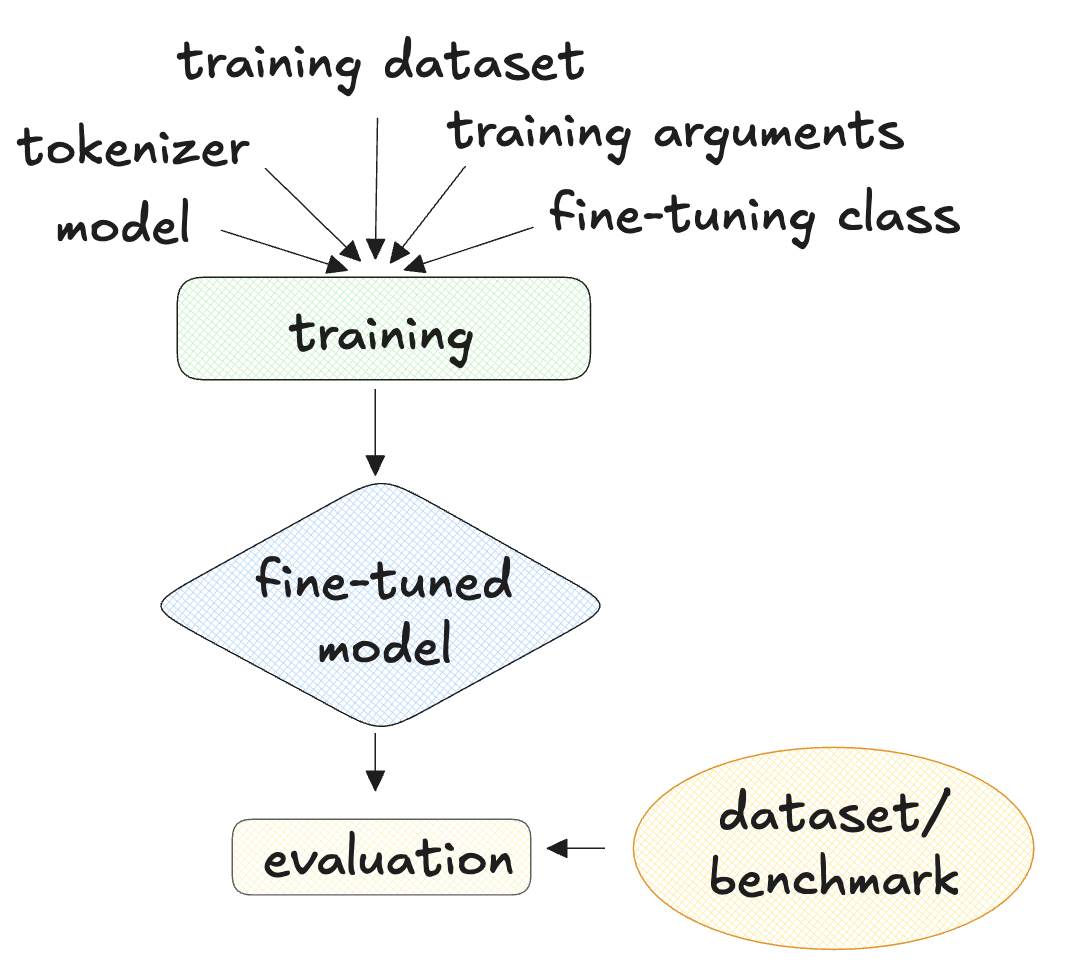
ต้องมีอะไรบ้างในการทำ fine-tuning?
- โมเดลภาษา + tokenizer (โมเดล LLama เช่น TinyLLama-v0)
- ชุดข้อมูลสำหรับฝึก (Bitext customer service dataset)
- อาร์กิวเมนต์สำหรับการฝึก
- ดำเนินการ fine-tuning (SFTTrainer จาก TRL)
- เกณฑ์มาตรฐานหรือชุดข้อมูลสำหรับประเมินผล
วิธีโหลดโมเดลและ tokenizer ด้วย Auto classes
model_name="Maykeye/TinyLLama-v0" model = AutoModelForCausalLM.from_pretrained(model_name) tokenizer = AutoTokenizer.from_pretrained(model_name)tokenizer.pad_token = tokenizer.eos_token
1 https://huggingface.co/docs/transformers/main/en/model_doc/auto
การกำหนดพารามิเตอร์การฝึกด้วย TrainingArguments
training_arguments = TrainingArguments(per_device_train_batch_size=1,learning_rate=2e-3,max_grad_norm=0.3,max_steps=200,... gradient_accumulation_steps=2, save_steps=10,)
1 https://huggingface.co/docs/transformers/v4.40.1/en/main_classes/trainer#transformers.TrainingArguments
วิธีตั้งค่าการฝึกด้วย SFTTrainer
trainer = SFTTrainer(model=model, tokenizer=tokenizer,train_dataset=dataset, dataset_text_field='conversation',max_seq_length=250,args=training_arguments)
ทำความเข้าใจผลลัพธ์การ fine-tuning ด้วย SFTTrainer
trainer.train()
TrainOutput(global_step=200, training_loss=1.9401231002807617,
            metrics={'train_runtime': 142.5501,
                     'train_samples_per_second': 2.806,
                     'train_steps_per_second': 1.403,
                     'total_flos': 1461265827840.0,
                     'train_loss': 1.9401231002807617,
                     'epoch': 2.0})
วิธีประเมินโมเดลที่ฝึกแล้วโดยใช้ ROUGE-1
- ROUGE-1: อัตราส่วนของคำที่ซ้อนทับกันระหว่างข้อความอ้างอิงกับข้อความที่สร้างขึ้น
import evaluaterouge = evaluate.load('rouge')predictions = ["hello there", "general kenobi"] references = ["hello there", "master yoda"]results = rouge.compute(predictions=predictions, references=references) print(results)
{'rouge1': 0.5, 'rouge2': 0.5, 'rougeL': 0.5, 'rougeLsum': 0.5}
1 https://huggingface.co/spaces/evaluate-metric/rouge
วิธีใช้คะแนน ROUGE-1
- ใช้ชุดข้อมูลประเมินใน
evaluation_dataset
def generate_predictions_and_reference(dataset): predictions = [] references = [] for row in dataset: inputs = tokenizer.encode(row["instruction"], return_tensors="pt")outputs = model.generate(inputs)decoded_outputs = tokenizer.decode(outputs[0, inputs.shape[1]:], skip_special_tokens = True)references += [row["response"]] predictions += [decoded_outputs] return references, predictions
วิธีรัน ROUGE-1 บนชุดข้อมูลประเมิน
references, predictions = generate_predictions_and_reference(evaluation_dataset)
rouge = evaluate.load('rouge')
results = rouge.compute(predictions=predictions, references=references)
print(results)
เปรียบเทียบ: มีและไม่มีการ fine-tuning
Fine-tuned แล้ว
{'rouge1': 0.22425812699023645,
 'rouge2': 0.039502543246449,
 'rougeL': 0.1501513006868983,
 'rougeLsum': 0.18685597710721613}
ไม่มีการ fine-tuning
{'rouge1': 0.1310928764315105,
 'rouge2': 0.04581654122835097,
 'rougeL': 0.08415351421221628,
 'rougeLsum': 0.1224749866097021}
มาฝึกกันเถอะ!
Fine-Tuning กับ Llama 3

