结合词汇图与向量搜索

使用 LangChain 和 Neo4j 的 Graph RAG

Adam Cowley

Manager, Developer Education at Neo4j

在语义搜索中利用关系

在 Neo4j 工作是种怎样的体验?
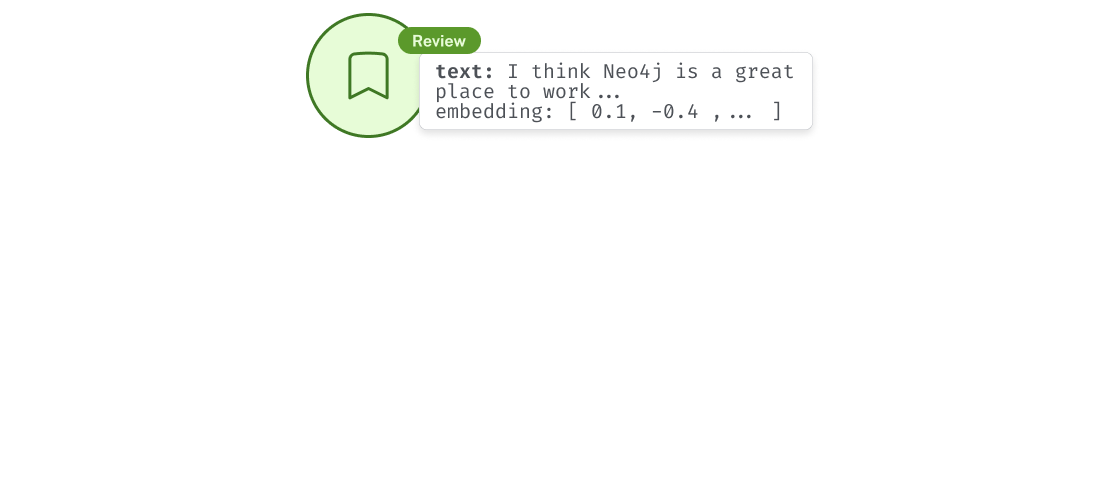
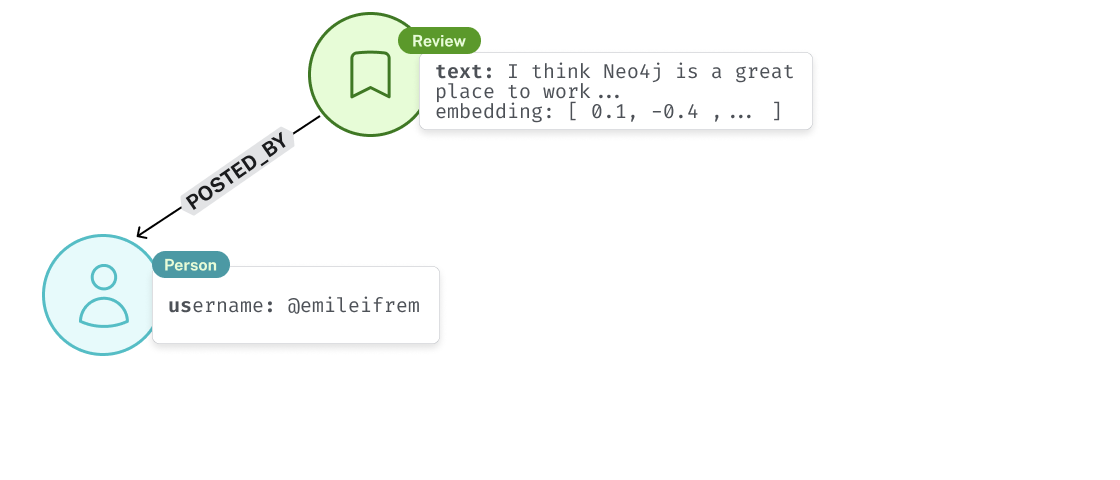
包含一个 Review 节点及文本属性 "Neo4j is a great place to work" 的图示

使用 LangChain 和 Neo4j 的 Graph RAG

在语义搜索中利用关系

在 Neo4j 工作是种怎样的体验?

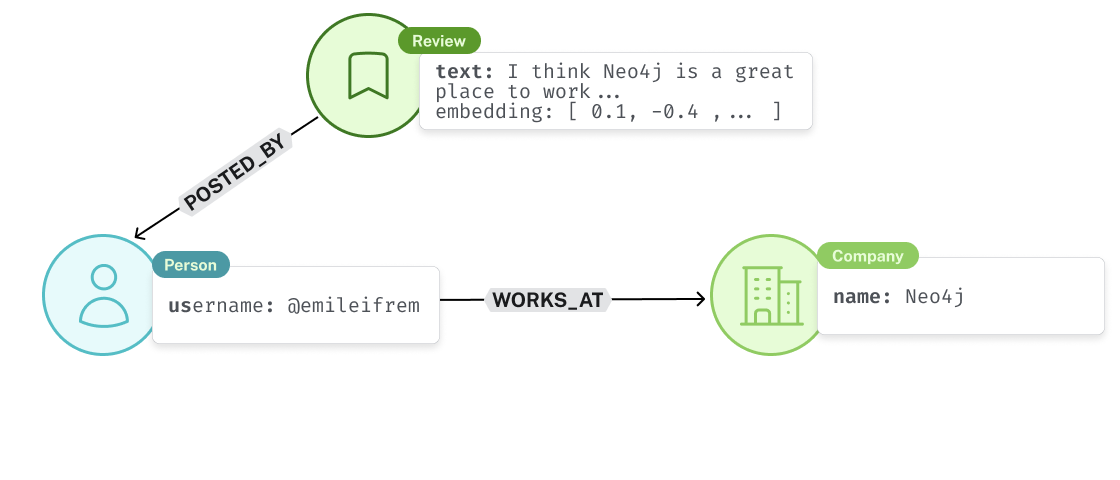
该评价由屏幕名为 @emileifrem 的 Person 发布

使用 LangChain 和 Neo4j 的 Graph RAG

在语义搜索中利用关系

在 Neo4j 工作是种怎样的体验?

Emil Eifrem 与名称为 Neo4j 的 Company 节点存在 WORKS_AT 关系

使用 LangChain 和 Neo4j 的 Graph RAG

将文本属性转为嵌入


  • text 属性创建节点嵌入

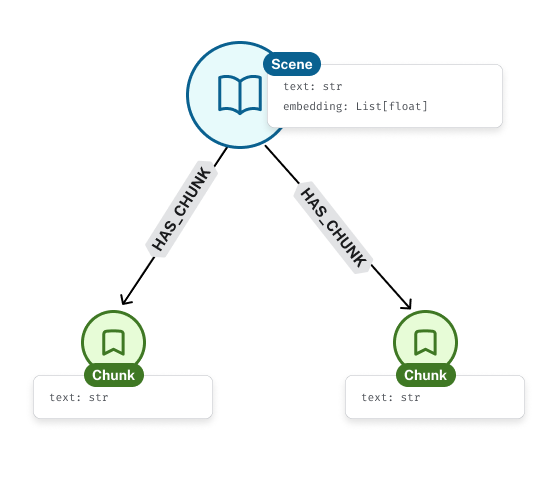
一个 Scene 与多个 Chunk 节点通过 HAS_CHUNK 相连,且含字符串属性

使用 LangChain 和 Neo4j 的 Graph RAG

将文本属性转为嵌入


  • text 属性创建节点嵌入
  • 在嵌入上进行向量搜索
  • 使用关系提供上下文

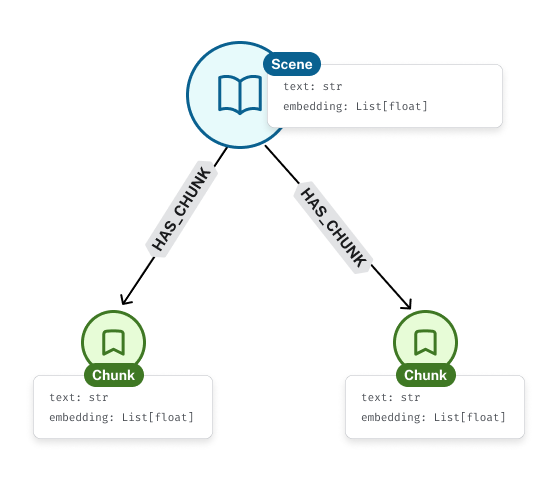
节点上的文本属性用于创建嵌入

使用 LangChain 和 Neo4j 的 Graph RAG

将 Neo4j 用作向量存储

from langchain_neo4j import Neo4jVector


  • Neo4jVector.from_documents():从 Document 创建节点及底层索引
  • Neo4jVector.from_existing_graph():在现有标签与属性组合上创建索引
使用 LangChain 和 Neo4j 的 Graph RAG

对现有节点属性进行分块

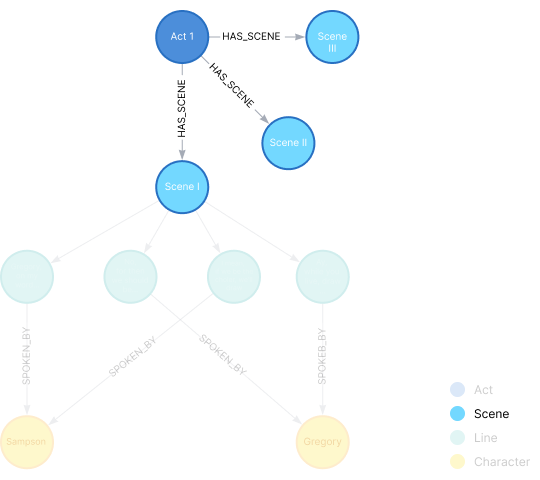
知识图谱示意图,突出显示从 Act 节点到 Scene 节点的 HAS_SCENE 关系

res = graph.query("""

MATCH (s:Scene)
WHERE NOT {(s)-[:HAS_LINE]->()}
RETURN s.id AS id, s.text AS text
""")
for scene in res: # Create chunks from scene['text']
使用 LangChain 和 Neo4j 的 Graph RAG

对现有节点属性进行分块

  • "\n\n" 分割 text
  • 舞台提示只有一行
  • 台词以角色名开头
    • 随后的行是所说的内容
 Enter Sampson and Gregory armed with swords..

SAMPSON.
Gregory, on my word...
GREGORY. No, for then we should...
SAMPSON. I mean, if we be in choler, we'll draw...
使用 LangChain 和 Neo4j 的 Graph RAG

对现有节点属性进行分块

# Split text into lines
lines = [
    line.strip() for line in text.split("\n\n")

if "\n" in line
]
for line in lines: parts = line.split("\n")
character = parts[0]
text = "\n".join(parts[1:])
使用 LangChain 和 Neo4j 的 Graph RAG

对现有节点属性进行分块

# ...Continuing loop over scenes

line_node = Node(type="Line", id=f"{scene.id}-line-{i}", properties={})
character_node = Node(type="Character", id=character, properties={})


# (:Scene)-[:HAS_LINE]->(:Line) graph_document.relationships.append( Relationship(source=scene, target=line_node, type="HAS_LINE"))
# (:Line)-[:SPOKEN_BY]->(:Character) graph_document.relationships.append(Relationship( source=line_node, target=characters[character], type="SPOKEN_BY"))
使用 LangChain 和 Neo4j 的 Graph RAG

为现有图创建向量索引

from langchain.embeddings import init_embeddings
store = Neo4jVector.from_existing_graph(

init_embeddings("openai:text-embedding-3-small"),
url=NEO4J_URI, username=NEO4J_USERNAME, password=NEO4J_PASSWORD,
node_label="Line",
text_node_properties=["text"],
embedding_node_property="embedding",
index_name="lines",
)
使用 LangChain 和 Neo4j 的 Graph RAG

使用 LCEL 进行向量检索

# Create retriever
retriever = store.as_retriever()

# Invoke manually retriever.invoke("What does Romeo think of Juliet?") # [ Document, Document, ... ]
使用 LangChain 和 Neo4j 的 Graph RAG

让我们一起练习吧!

使用 LangChain 和 Neo4j 的 Graph RAG

Preparing Video For Download...