Fallstudie: Skapa ett rapportarkiv

Introduktion till AWS Boto i Python

Maksim Pecherskiy

Data Engineer

Slutprodukt
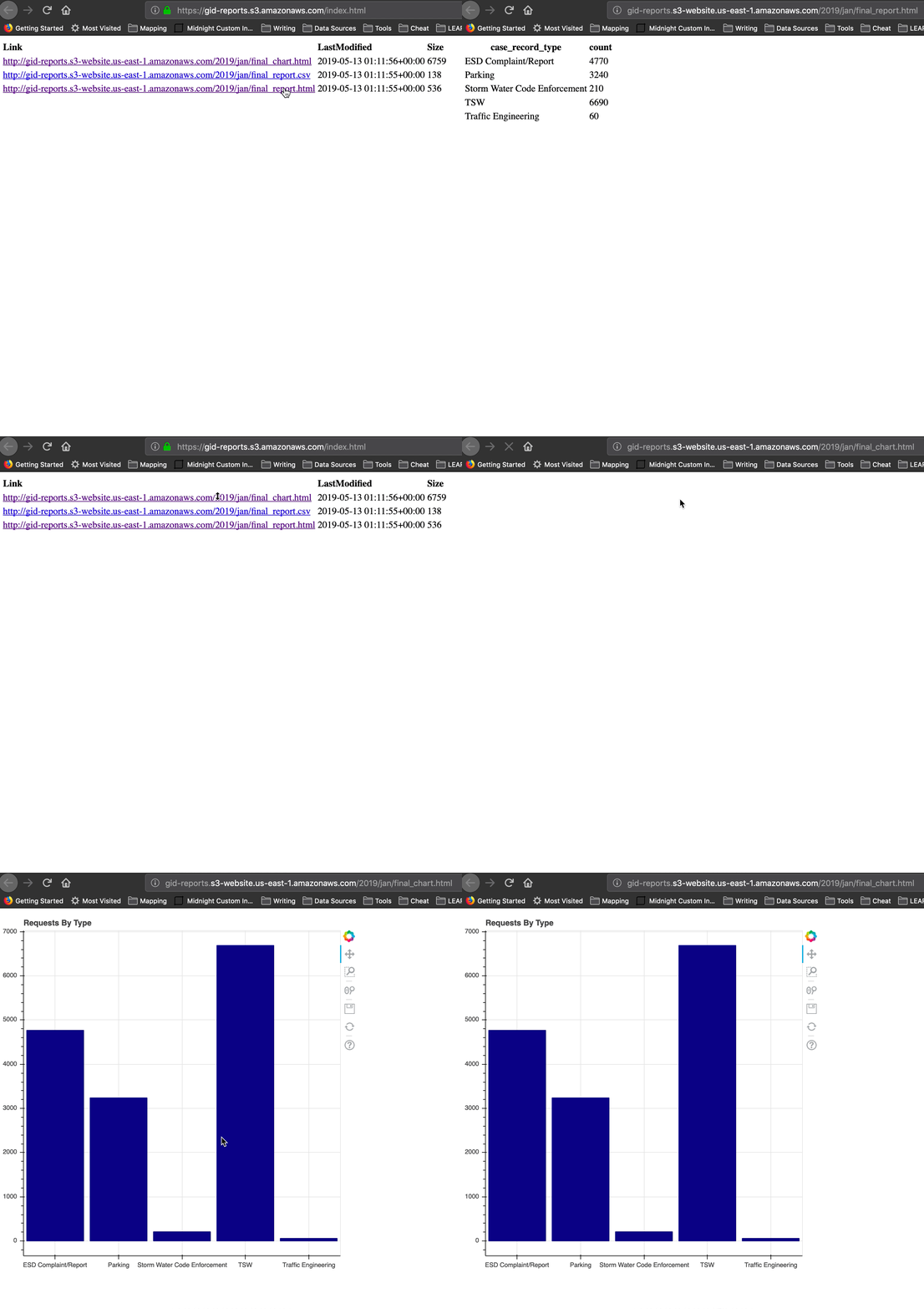
Slutprodukt

Introduktion till AWS Boto i Python

Stegen

Förbered data
  • Ladda ned månadens filer från rådata-bucket
  • Sammanfoga dem till en csv
  • Skapa en aggregerad DataFrame
Introduktion till AWS Boto i Python

Stegen

Skapa rapporten
  • Skriv DataFrame till CSV och HTML
  • Generera ett Bokeh-diagram, spara som HTML
Introduktion till AWS Boto i Python

Stegen

Ladda upp rapporten till en delbar webbplats
  • Skapa gid-reports-bucket
  • Ladda upp alla tre filer för månaden till S3
  • Generera en index.html-fil som listar alla filer
  • Hämta webbplatsens URL!
Introduktion till AWS Boto i Python

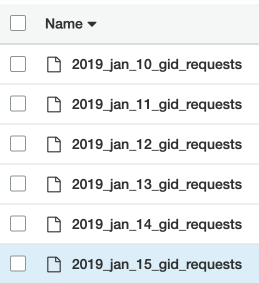
Rådata-bucket

Rådata-bucket

  • Privata filer
  • Dagliga CSV:er med förfrågningar från appen
  • Rådata

Gid-förfrågningar bucket

Introduktion till AWS Boto i Python

Läs in rådata-filer

# Create list to hold our DataFrames
df_list = []

# Request the list of csv's from S3 with prefix; Get contents response = s3.list_objects( Bucket='gid-requests', Prefix='2019_jan')
# Get response contents request_files = response['Contents']
Introduktion till AWS Boto i Python

Läs in rådata-filer

# Iterate over each object
for file in request_files:
    obj = s3.get_object(Bucket='gid-requests', Key=file['Key'])

# Read it as DataFrame obj_df = pd.read_csv(obj['Body'])
# Append DataFrame to list df_list.append(obj_df)
Introduktion till AWS Boto i Python

Läs in rådata-filer

# Concatenate all the DataFrames in the list
df = pd.concat(df_list)

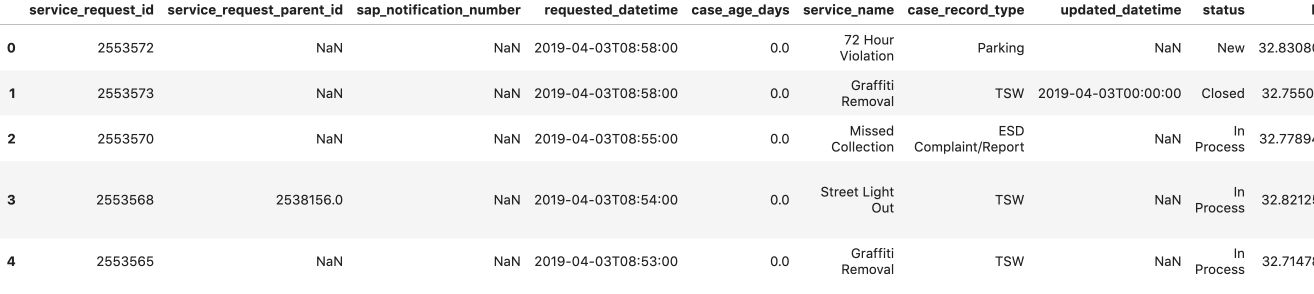
# Preview the DataFrame df.head()

Förhandsgranskning av DataFrame

Introduktion till AWS Boto i Python

Skapa aggregerade rapporter

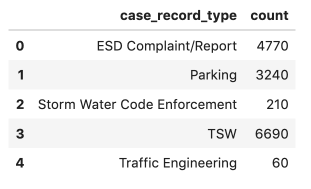
  • Utför aggregering
  • df.to_csv('jan_final_report.csv')
  • df.to_html('jan_final_report.html')
  • jan_final_chart.html

Aggregerade rapporter

Introduktion till AWS Boto i Python

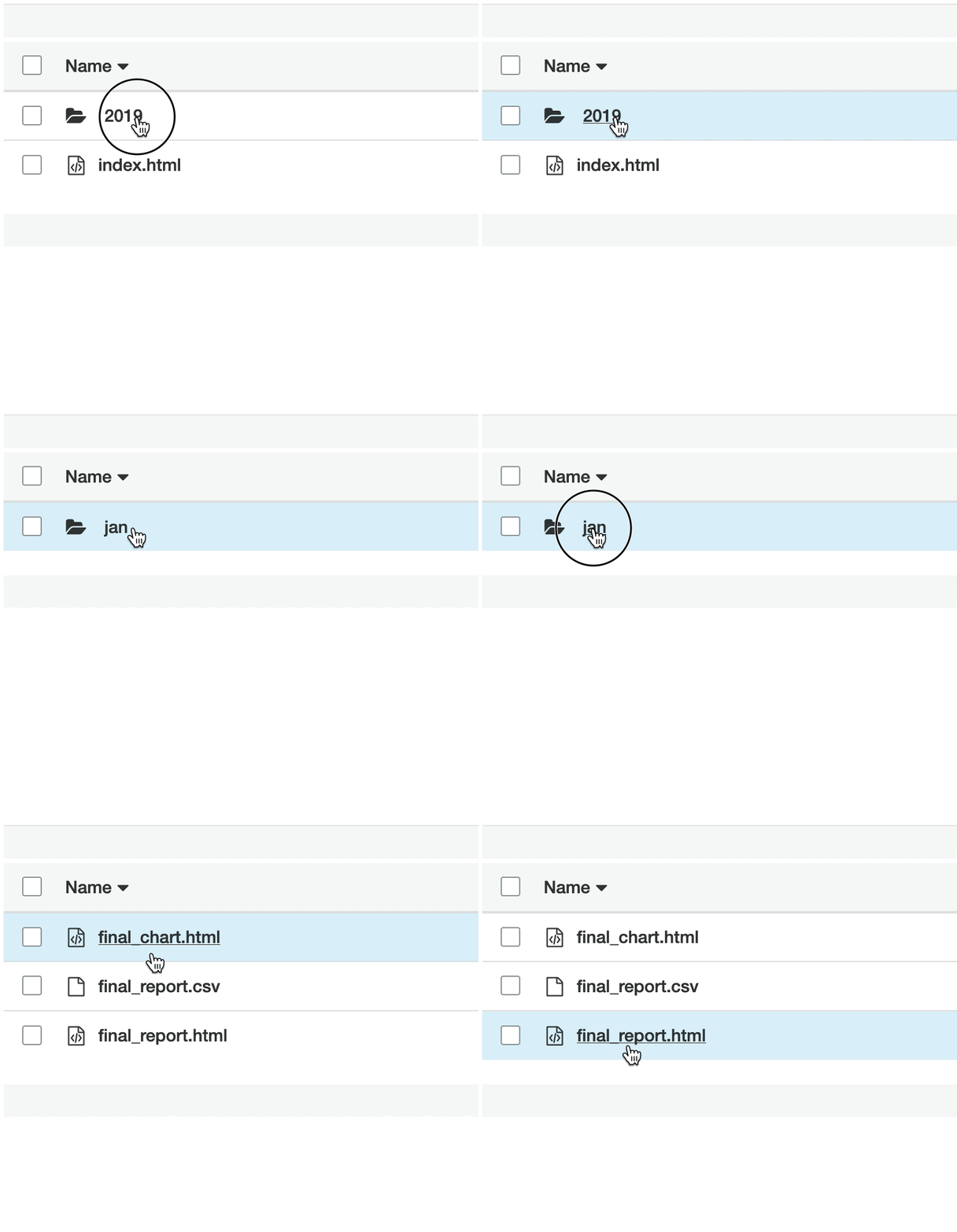
Rapport-bucket

Rapport-bucket

  • Bucket-webbplats
  • Offentligt tillgänglig
  • Aggregerad data och HTML-rapporter

Rapport-bucket

Introduktion till AWS Boto i Python

Ladda upp aggregerad CSV

# Upload Aggregated CSV to S3
s3.upload_file(Filename='./jan_final_report.csv', 
                      Key='2019/jan/final_report.csv', 
                      Bucket='gid-reports',
                      ExtraArgs = {'ACL': 'public-read'})
Introduktion till AWS Boto i Python

Ladda upp HTML-tabell

# Upload HTML table to S3
s3.upload_file(Filename='./jan_final_report.html', 
                      Key='2019/jan/final_report.html', 
                      Bucket='gid-reports',
                      ExtraArgs = {
                        'ContentType': 'text/html',
                        'ACL': 'public-read'})
Introduktion till AWS Boto i Python

Ladda upp HTML-diagram

# Upload Aggregated Chart to S3
s3.upload_file(Filename='./jan_final_chart.html', 
                      Key='2019/jan/final_chart.html', 
                      Bucket='gid-reports',
                      ExtraArgs = {
                        'ContentType': 'text/html',
                        'ACL': 'public-read'})
Introduktion till AWS Boto i Python

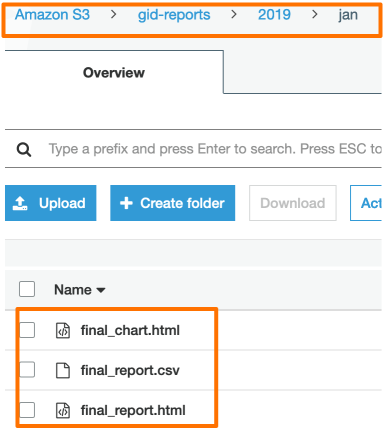
Uppladdade rapporter

Uppladdade rapporter

Introduktion till AWS Boto i Python

Skapa index.html

# List the gid-reports bucket objects starting with 2019/
r = s3.list_objects(Bucket='gid-reports', Prefix='2019/')

# Convert the response contents to DataFrame objects_df = pd.DataFrame(r['Contents'])
# Create a column "Link" that contains website url + key base_url = "https://gid-reports." objects_df['Link'] = base_url + objects_df['Key']
Introduktion till AWS Boto i Python

Skapa index.html

# Write DataFrame to html
objects_df.to_html('report_listing.html', 
                   columns=['Link', 'LastModified', 'Size'],
                   render_links=True)

Skriv DF till html

Introduktion till AWS Boto i Python

Ladda upp index.html

# Upload the file to gid-reports bucket root.
s3.upload_file(
  Filename='./report_listing.html', 
  Key='index.html', 
  Bucket='gid-reports',
  ExtraArgs = {
    'ContentType': 'text/html', 
    'ACL': 'public-read'
  })
Introduktion till AWS Boto i Python

Hämta indexsidans URL!

Bucket-webbplatsens URL *


"http://gid-reports.index.html"
Introduktion till AWS Boto i Python

Nu finjusterar vi!

Introduktion till AWS Boto i Python

Preparing Video For Download...