กรณีศึกษา: การสร้างคลังรายงาน

Python เบื้องต้นสำหรับ AWS Boto

Maksim Pecherskiy

Data Engineer

ผลลัพธ์สุดท้าย
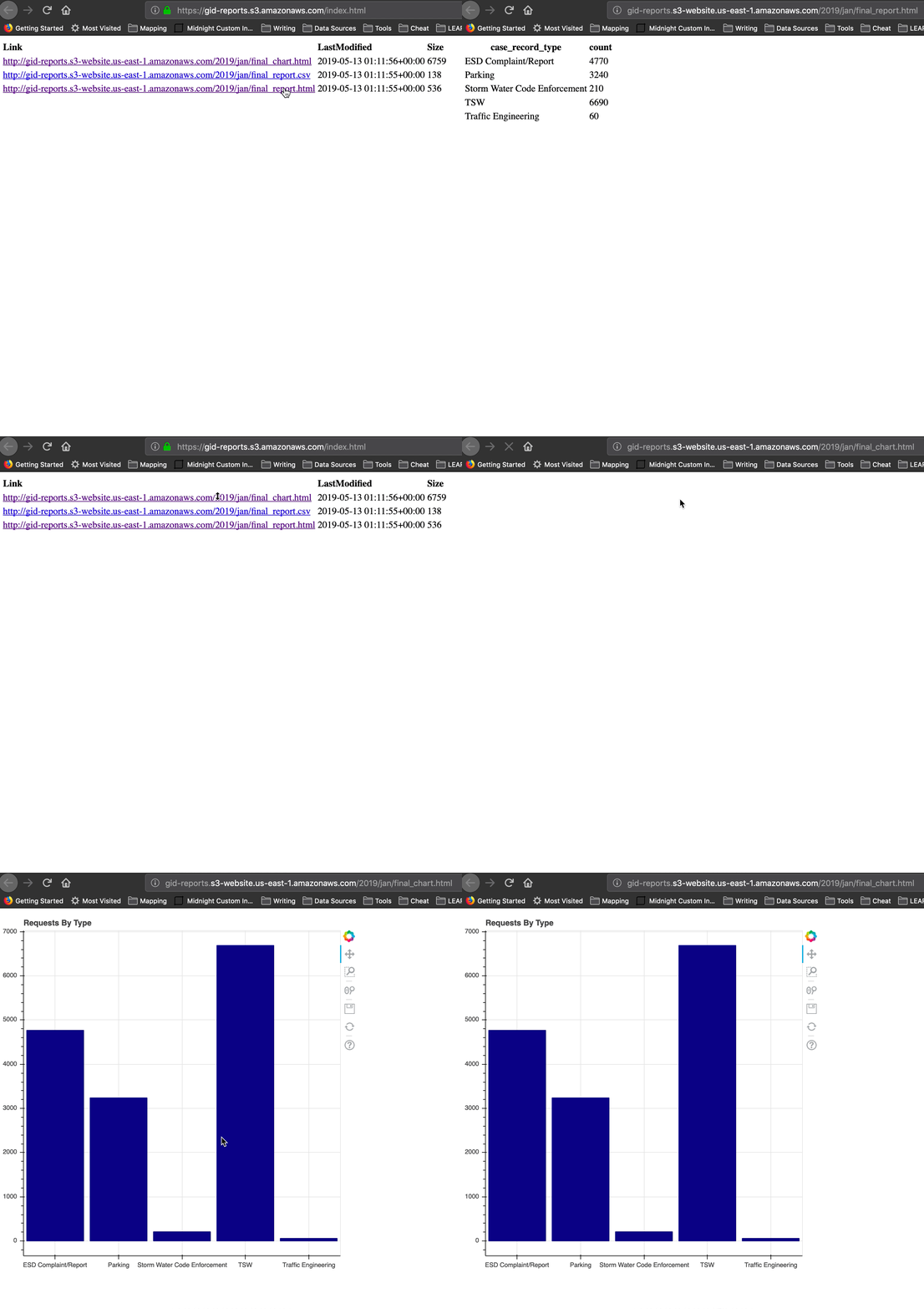
ผลลัพธ์สุดท้าย

Python เบื้องต้นสำหรับ AWS Boto

ขั้นตอน

เตรียมข้อมูล
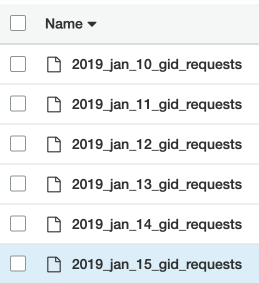
  • ดาวน์โหลดไฟล์ของเดือนจาก raw data bucket
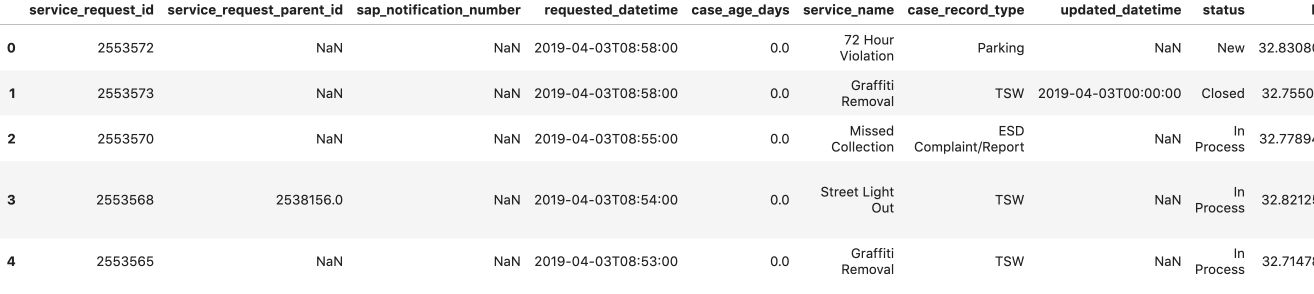
  • นำมาต่อกันเป็น csv ไฟล์เดียว
  • สร้าง DataFrame แบบรวม
Python เบื้องต้นสำหรับ AWS Boto

ขั้นตอน

สร้างรายงาน
  • เขียน DataFrame เป็น CSV และ HTML
  • สร้างกราฟ Bokeh แล้วบันทึกเป็น HTML
Python เบื้องต้นสำหรับ AWS Boto

ขั้นตอน

อัปโหลดรายงานขึ้นเว็บไซต์
  • สร้าง gid-reports bucket
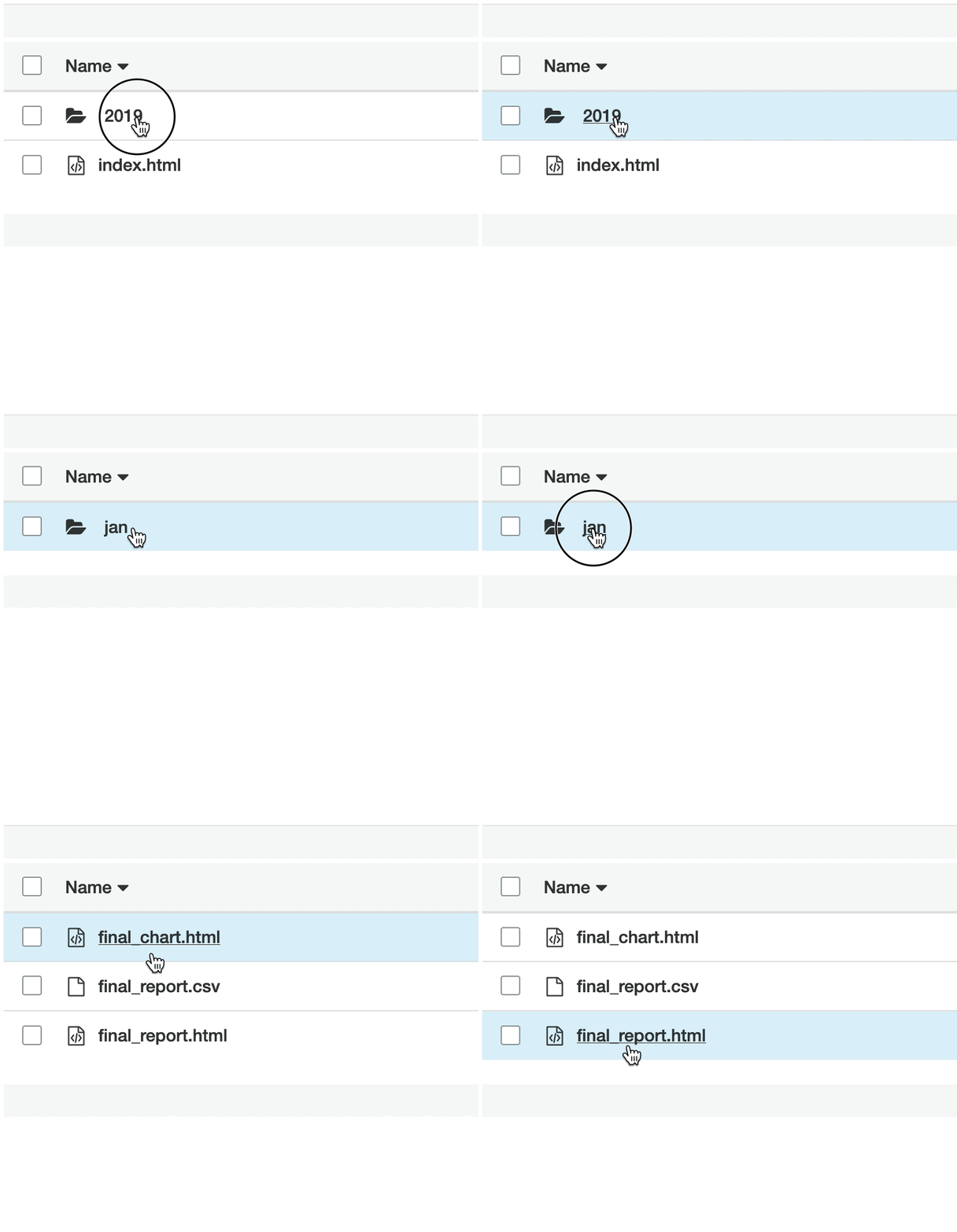
  • อัปโหลดไฟล์ทั้งสามของเดือนขึ้น S3
  • สร้างไฟล์ index.html ที่แสดงรายการไฟล์ทั้งหมด
  • รับ URL ของเว็บไซต์!
Python เบื้องต้นสำหรับ AWS Boto

Raw data bucket

Raw data bucket

  • ไฟล์ส่วนตัว
  • CSV รายวันของคำขอจากแอป
  • ข้อมูลดิบ

Gid requests bucket

Python เบื้องต้นสำหรับ AWS Boto

อ่านไฟล์ข้อมูลดิบ

# Create list to hold our DataFrames
df_list = []

# Request the list of csv's from S3 with prefix; Get contents response = s3.list_objects( Bucket='gid-requests', Prefix='2019_jan')
# Get response contents request_files = response['Contents']
Python เบื้องต้นสำหรับ AWS Boto

อ่านไฟล์ข้อมูลดิบ

# Iterate over each object
for file in request_files:
    obj = s3.get_object(Bucket='gid-requests', Key=file['Key'])

# Read it as DataFrame obj_df = pd.read_csv(obj['Body'])
# Append DataFrame to list df_list.append(obj_df)
Python เบื้องต้นสำหรับ AWS Boto

อ่านไฟล์ข้อมูลดิบ

# Concatenate all the DataFrames in the list
df = pd.concat(df_list)

# Preview the DataFrame df.head()

ตัวอย่าง DataFrame

Python เบื้องต้นสำหรับ AWS Boto

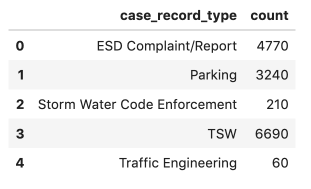
สร้างรายงานแบบรวม

  • ทำการรวมข้อมูล
  • df.to_csv('jan_final_report.csv')
  • df.to_html('jan_final_report.html')
  • jan_final_chart.html

รายงานแบบรวม

Python เบื้องต้นสำหรับ AWS Boto

Report bucket

Report bucket

  • เว็บไซต์ bucket
  • เข้าถึงได้สาธารณะ
  • ข้อมูลรวมและรายงาน HTML

Report Bucket

Python เบื้องต้นสำหรับ AWS Boto

อัปโหลด CSV แบบรวม

# Upload Aggregated CSV to S3
s3.upload_file(Filename='./jan_final_report.csv', 
                      Key='2019/jan/final_report.csv', 
                      Bucket='gid-reports',
                      ExtraArgs = {'ACL': 'public-read'})
Python เบื้องต้นสำหรับ AWS Boto

อัปโหลดตาราง HTML

# Upload HTML table to S3
s3.upload_file(Filename='./jan_final_report.html', 
                      Key='2019/jan/final_report.html', 
                      Bucket='gid-reports',
                      ExtraArgs = {
                        'ContentType': 'text/html',
                        'ACL': 'public-read'})
Python เบื้องต้นสำหรับ AWS Boto

อัปโหลดกราฟ HTML

# Upload Aggregated Chart to S3
s3.upload_file(Filename='./jan_final_chart.html', 
                      Key='2019/jan/final_chart.html', 
                      Bucket='gid-reports',
                      ExtraArgs = {
                        'ContentType': 'text/html',
                        'ACL': 'public-read'})
Python เบื้องต้นสำหรับ AWS Boto

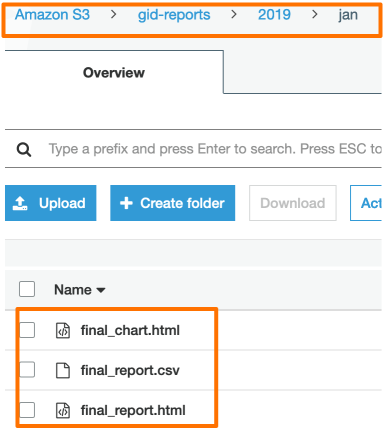
รายงานที่อัปโหลดแล้ว

รายงานที่อัปโหลดแล้ว

Python เบื้องต้นสำหรับ AWS Boto

สร้าง index.html

# List the gid-reports bucket objects starting with 2019/
r = s3.list_objects(Bucket='gid-reports', Prefix='2019/')

# Convert the response contents to DataFrame objects_df = pd.DataFrame(r['Contents'])
# Create a column "Link" that contains website url + key base_url = "https://gid-reports." objects_df['Link'] = base_url + objects_df['Key']
Python เบื้องต้นสำหรับ AWS Boto

สร้าง index.html

# Write DataFrame to html
objects_df.to_html('report_listing.html', 
                   columns=['Link', 'LastModified', 'Size'],
                   render_links=True)

เขียน DF เป็น html

Python เบื้องต้นสำหรับ AWS Boto

อัปโหลด index.html

# Upload the file to gid-reports bucket root.
s3.upload_file(
  Filename='./report_listing.html', 
  Key='index.html', 
  Bucket='gid-reports',
  ExtraArgs = {
    'ContentType': 'text/html', 
    'ACL': 'public-read'
  })
Python เบื้องต้นสำหรับ AWS Boto

รับ URL ของ index!

URL เว็บไซต์ bucket *


"http://gid-reports.index.html"
Python เบื้องต้นสำหรับ AWS Boto

มาปรับแต่งกันเถอะ!

Python เบื้องต้นสำหรับ AWS Boto

Preparing Video For Download...