Python บนคอมมานด์ไลน์

การประมวลผลข้อมูลบน Command Line

Susan Sun

Data Person

พื้นฐาน Python

Python

  • ติดตั้งมาพร้อมกับ MacOS และ Linux
  • ต้องติดตั้งเองบน Windows ดูวิธีได้ที่นี่
  • ใช้ผ่าน GUI ได้ เช่น Jupyter Notebook, Spyder, PyCharm
  • เข้าถึงได้โดยตรงผ่านคอมมานด์ไลน์
การประมวลผลข้อมูลบน Command Line

การใช้เอกสารประกอบ Python

เอกสารประกอบ:

man python
...
-V ,  --version 
    Prints the Python version number of the executable and exits.
python --version
Python 3.5.2
การประมวลผลข้อมูลบน Command Line

การใช้เอกสารประกอบ Python

ตัวอย่าง: ใช้ Python แบบ native

which python
/usr/bin/python
การประมวลผลข้อมูลบน Command Line

Python interactive session

เปิด Python interactive session ใน terminal:

python
Python 3.5.2 (default, Nov 23 2017, 16:37:01)
[GCC 5.4.0 20160609] on linuxType "help", "copyright", "credits" or 
"license" for more information.
>>>
การประมวลผลข้อมูลบน Command Line

Python interactive session

ภายใน interactive session ใช้ได้เฉพาะ Python syntax:

>>> print('hello world')
hello world

ออกจาก Python session และกลับสู่ terminal:

>>> exit()
$
การประมวลผลข้อมูลบน Command Line

ทางเลือกแทน Python interactive session

Python interactive session:

  • เปิดใช้งานง่าย ใช้งานได้ทันที
  • ไม่เหมาะสำหรับการทำโค้ดให้ reproducible

ทางเลือก:

  • บันทึกคำสั่ง Python ลงในสคริปต์ .py
  • รันสคริปต์โดยใช้ python + ชื่อสคริปต์
การประมวลผลข้อมูลบน Command Line

การรันสคริปต์ Python บนคอมมานด์ไลน์

วิธีที่ 1

  • สร้างไฟล์ .py ด้วย text editor บนคอมมานด์ไลน์ เช่น nano, Vim, Emacs
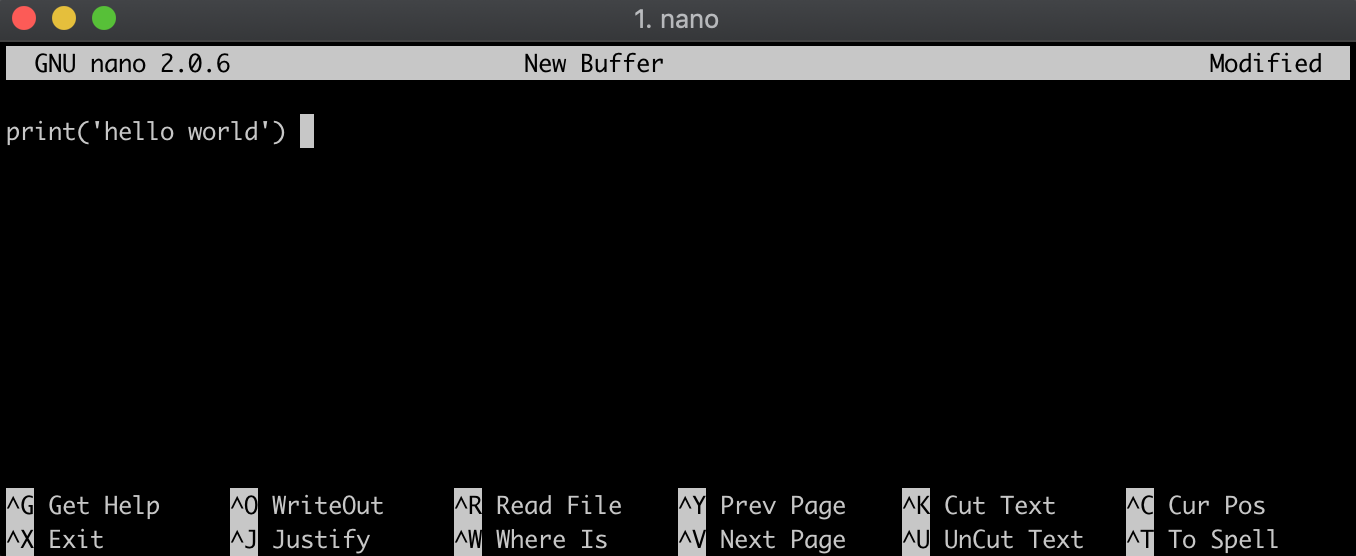
ภาพหน้าจอ text editor nano ใน Terminal พื้นหลังมืด

การประมวลผลข้อมูลบน Command Line

การรันสคริปต์ Python บนคอมมานด์ไลน์

วิธีที่ 2

  • สร้างไฟล์ .py โดยใช้ echo เขียน Python syntax ลงในไฟล์ hello_world.py ในขั้นตอนเดียว
echo "print('hello world')" > hello_world.py

ตรวจสอบเนื้อหาในไฟล์:

cat hello_world.py
print('hello world')
การประมวลผลข้อมูลบน Command Line

การรันสคริปต์ Python บนคอมมานด์ไลน์

ตรวจสอบว่าอยู่ใน directory เดียวกับไฟล์ .py:

ls
hello_world.py

รันไฟล์ .py โดยใส่ python นำหน้าชื่อไฟล์:

python hello_world.py
hello world
การประมวลผลข้อมูลบน Command Line

มาฝึกกันเถอะ!

การประมวลผลข้อมูลบน Command Line

Preparing Video For Download...