กลุ่มฟังก์ชัน map

Machine Learning ใน Tidyverse

Dmitriy (Dima) Gorenshteyn

Lead Data Scientist, Memorial Sloan Kettering Cancer Center

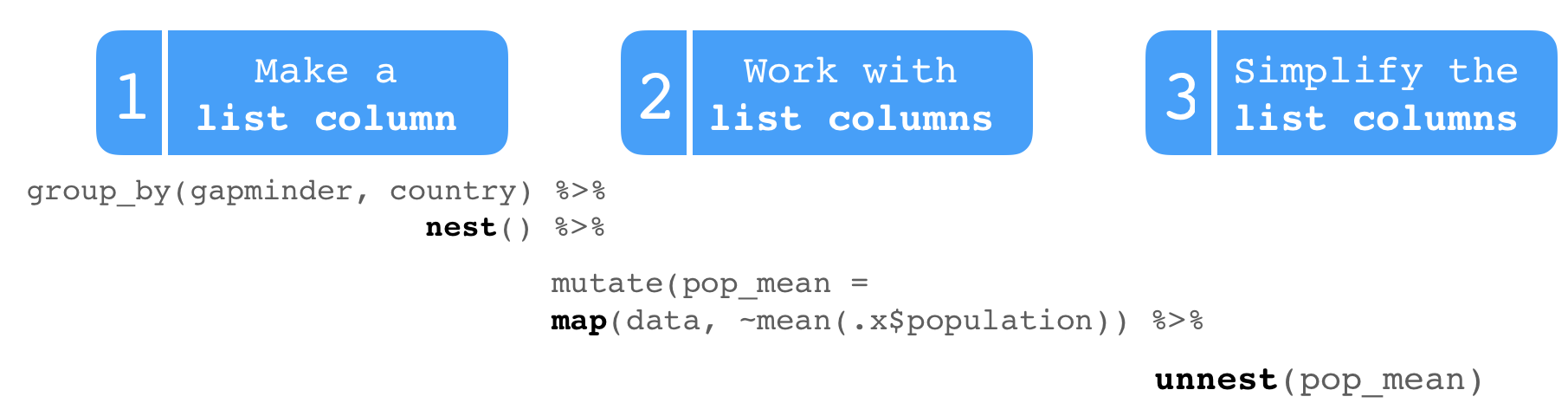
ขั้นตอนการทำงานกับ List Column

Machine Learning ใน Tidyverse

ขั้นตอนการทำงานกับ List Column

Machine Learning ใน Tidyverse

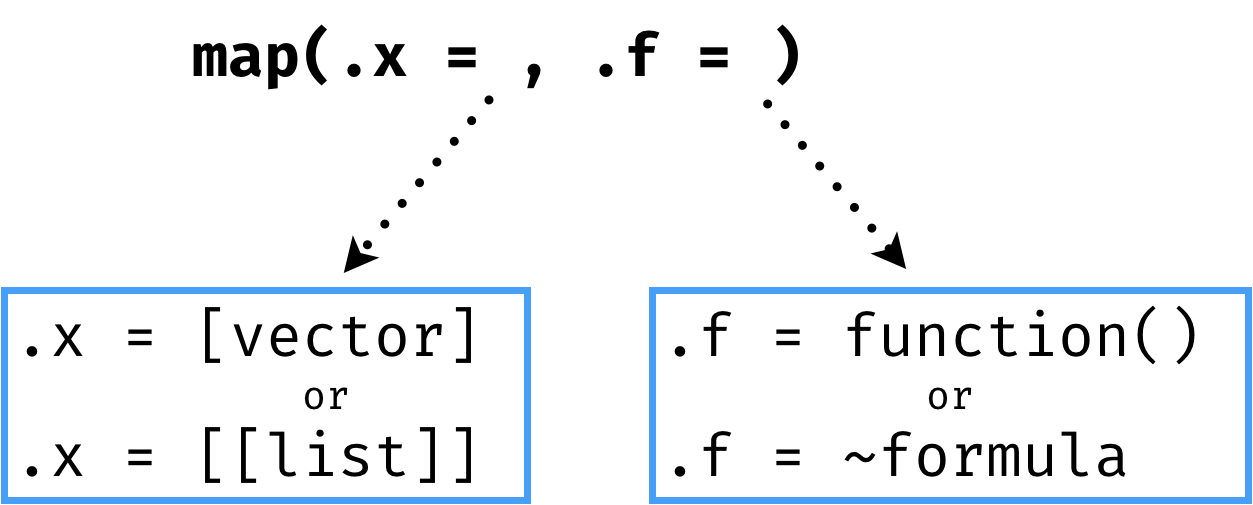
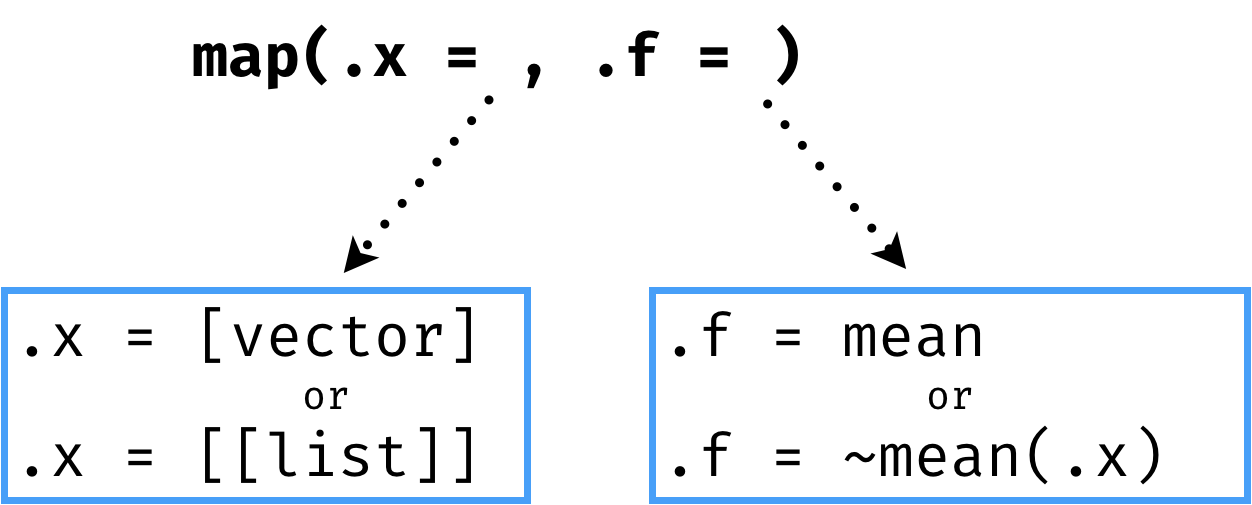
ฟังก์ชัน map

Machine Learning ใน Tidyverse

ฟังก์ชัน map

Machine Learning ใน Tidyverse

ฟังก์ชัน map

Machine Learning ใน Tidyverse

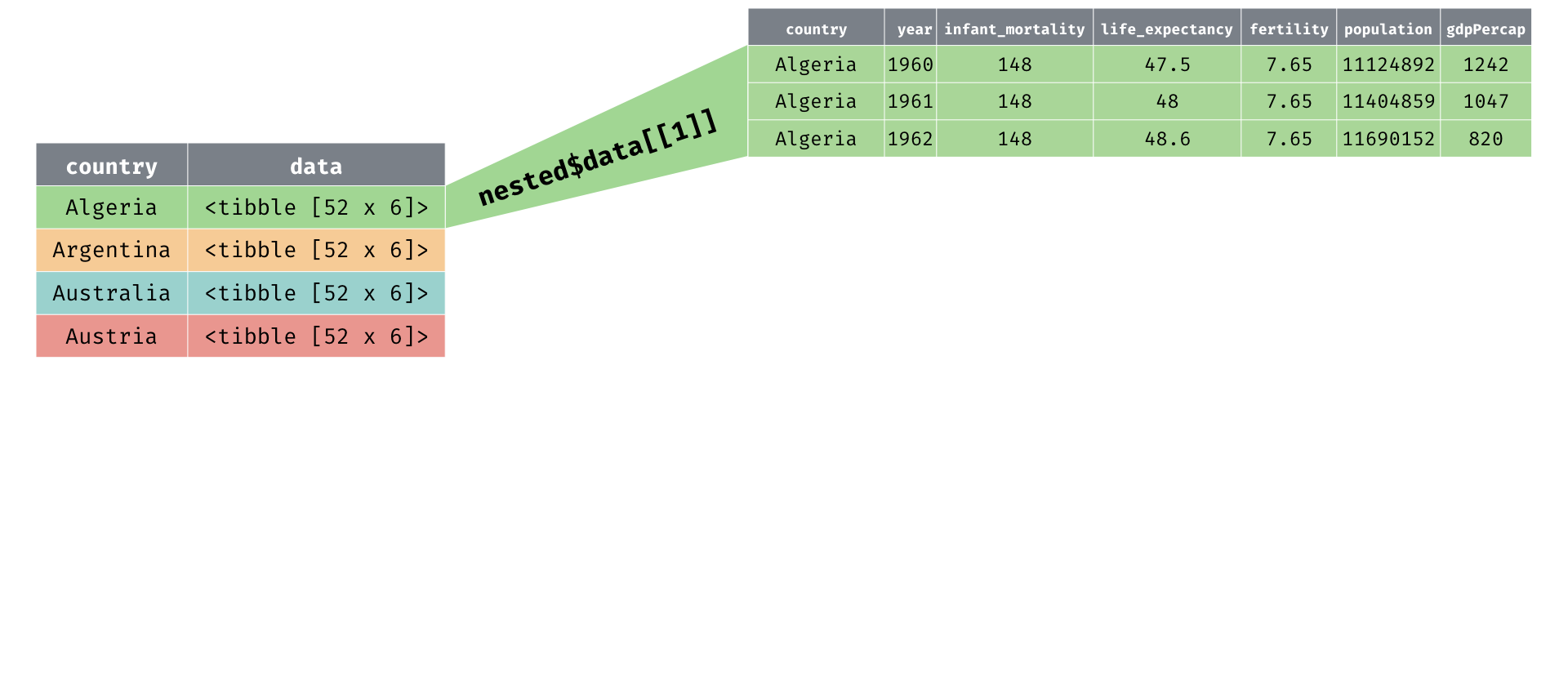
ค่าเฉลี่ยประชากรแยกตามประเทศ

mean(nested$data[[1]]$population)
[1] 23129438
Machine Learning ใน Tidyverse

ค่าเฉลี่ยประชากรแยกตามประเทศ

map(.x = nested$data, .f = ~mean(.x$population))
[[1]]
[1] 23129438

[[2]]
[1] 30783053

[[3]]
[1] 16074837

[[4]]
[1] 7746272
Machine Learning ใน Tidyverse

2: ทำงานกับ List Column ด้วย map() และ mutate()

pop_df <- nested %>% 
  mutate(pop_mean = map(data, ~mean(.x$population)))

pop_df
# A tibble: 77 x 3
   country    data              pop_mean 
   <fct>      <list>            <list>   
 1 Algeria    <tibble [52 × 6]> <dbl [1]>
 2 Argentina  <tibble [52 × 6]> <dbl [1]>
 3 Australia  <tibble [52 × 6]> <dbl [1]>
 4 Austria    <tibble [52 × 6]> <dbl [1]>
 5 Bangladesh <tibble [52 × 6]> <dbl [1]>
Machine Learning ใน Tidyverse

3: ลดรูป List Column ด้วย unnest()

pop_df %>% 
  unnest(pop_mean)
# A tibble: 77 x 3
   country    data               pop_mean
   <fct>      <list>                <dbl>
 1 Algeria    <tibble [52 × 6]>  23129438
 2 Argentina  <tibble [52 × 6]>  30783053
 3 Australia  <tibble [52 × 6]>  16074837
 4 Austria    <tibble [52 × 6]>   7746272
 5 Bangladesh <tibble [52 × 6]>  97649407
Machine Learning ใน Tidyverse

ขั้นตอนการทำงานกับ List Column

Machine Learning ใน Tidyverse

ทำงานและลดรูป List Column ด้วย map_*()

ฟังก์ชัน ค่าที่คืนกลับ
map() list
map_dbl() double
map_lgl() logical
map_chr() character
map_int() integer
Machine Learning ใน Tidyverse

ทำงานและลดรูป List Column ด้วย map_dbl()

nested %>% 
  mutate(pop_mean = map_dbl(data, ~mean(.x$population)))
# A tibble: 77 x 3
   country    data               pop_mean
   <fct>      <list>                <dbl>
 1 Algeria    <tibble [52 × 6]>  23129438
 2 Argentina  <tibble [52 × 6]>  30783053
 3 Australia  <tibble [52 × 6]>  16074837
 4 Austria    <tibble [52 × 6]>   7746272
 5 Bangladesh <tibble [52 × 6]>  97649407
Machine Learning ใน Tidyverse

สร้างโมเดลด้วย map()

nested %>%
   mutate(model = map(data, ~lm(formula = population~fertility, 
             data = .x)))
# A tibble: 77 x 3
   country    data              model   
   <fct>      <list>            <list>  
 1 Algeria    <tibble [52 × 6]> <S3: lm>
 2 Argentina  <tibble [52 × 6]> <S3: lm>
 3 Australia  <tibble [52 × 6]> <S3: lm>
 4 Austria    <tibble [52 × 6]> <S3: lm>
 5 Bangladesh <tibble [52 × 6]> <S3: lm>
Machine Learning ใน Tidyverse

มาฝึกกันเถอะ!

Machine Learning ใน Tidyverse

Preparing Video For Download...