รู้จัก Redshift ฐานข้อมูลแบบคอลัมน์

Introduction to Redshift

Jason Myers

Principal Architect

ภาพรวมของ Redshift

  • แบบกระจาย
  • ฐานข้อมูลแบบคอลัมน์
  • ใช้ syntax ของ PostgreSQL 9 พร้อมการปรับปรุงเพิ่มเติม
  • รองรับทั้งแบบ Serverless และ Provisioned Clusters

โลโก้ Redshift

Introduction to Redshift

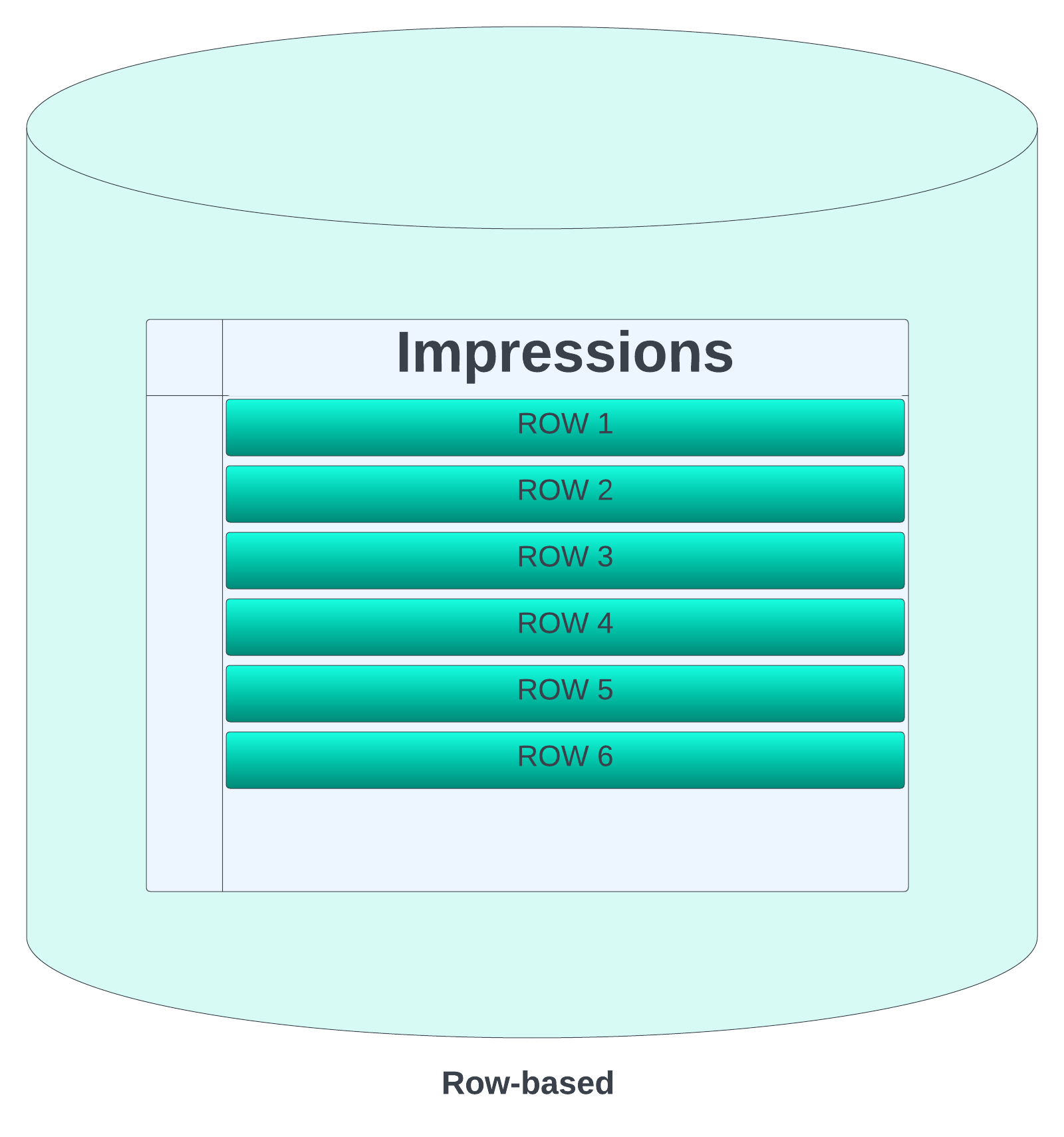
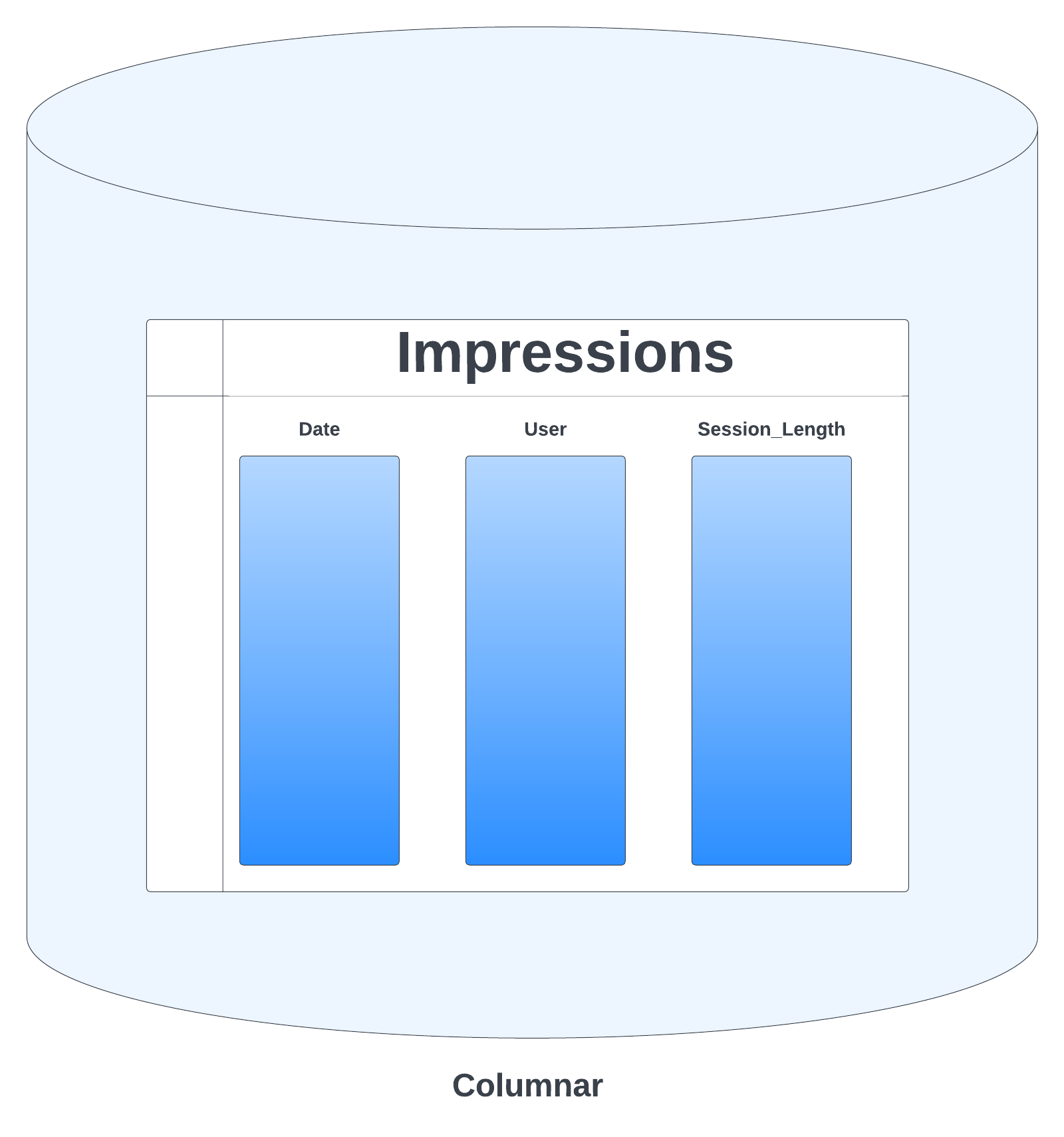
ฐานข้อมูลแบบคอลัมน์ vs แบบแถว

แบบแถว

ตัวอย่างฐานข้อมูลแบบแถว

แบบคอลัมน์

ตัวอย่างฐานข้อมูลแบบคอลัมน์

Introduction to Redshift

ตำแหน่งของ Redshift ใน AWS Ecosystem

  • คลังข้อมูล SQL หลัก
  • เป็นศูนย์กลางของ AWS environment สำหรับ Data Lakehouse
  • รองรับ External Schemas ใน
    • AWS RDS สำหรับ PostgreSQL
    • AWS Aurora PostgreSQL-compatible edition
    • Amazon EMR สำหรับรองรับ Hive
    • Amazon Kinesis สำหรับ Streaming Data
Introduction to Redshift

ตำแหน่งของ Redshift ใน AWS Ecosystem

  • Federated Queries กับฐานข้อมูล AWS RDS อื่น ๆ และอีกมาก
  • เชื่อมต่อกับ Amazon SageMaker ผ่าน Redshift ML เพื่อรองรับนักวิทยาศาสตร์ข้อมูล
Introduction to Redshift

คู่แข่ง

  • Snowflake, BigQuery, Databricks Lakehouse, Azure Synapse Analytics

ข้อดี

  • การผสานกับ AWS: แชร์ข้อมูลกับบริการอื่นโดยไม่ต้องคัดลอก
  • สถาปัตยกรรมแบบ Share-Nothing
  • ประสิทธิภาพสูงสำหรับคิวรีที่ใช้ซ้ำ
  • ราคาแบบ Reserved Instance (RI)

ข้อเสีย

  • ใช้ได้เฉพาะบน AWS
  • ประสิทธิภาพคิวรีที่ไม่ได้รับการปรับแต่ง
  • รองรับไฟล์ภายนอกได้แต่มีค่าใช้จ่ายเพิ่มเติม
Introduction to Redshift

ดูฐานข้อมูลและ Schema

  • ใช้ SVV_REDSHIFT_SCHEMAS (ภายใน) หรือ SVV_ALL_SCHEMAS (ภายในและภายนอก)
-- View the database and schema names with the schema type
SELECT database_name, 
       schema_name, 
       schema_type 
  -- From the internal schemas view
  FROM SVV_REDSHIFT_SCHEMAS;
database_name        | schema_name         | schema_type
=====================|=====================| ===========
datacamp_course_prod | information_schema  | local
datacamp_course_prod | pg_catalog          | local
datacamp_course_prod | public              | local
dev                  | information_schema  | local
dev                  | pg_catalog          | local
dev                  | public              | local
Introduction to Redshift

ดูตารางใน Schema

  • ใช้ SVV_REDSHIFT_TABLES (ภายใน) หรือ SVV_ALL_TABLES (ภายในและภายนอก)
-- View the table name
SELECT table_name 
  -- Using a view with both internal and external tables
  FROM SVV_ALL_TABLES
 -- In the external spectrumdb schema
 WHERE schema_name = 'spectrumdb';
table_name            
======================
ecommerce_sales
global_power_plant_db
coffee_county_weather
idaho_site_id         
idaho_samples
Introduction to Redshift

มาฝึกกันเถอะ!

Introduction to Redshift

Preparing Video For Download...