Introduction to Redshift
Jason Myers
Principal Architect
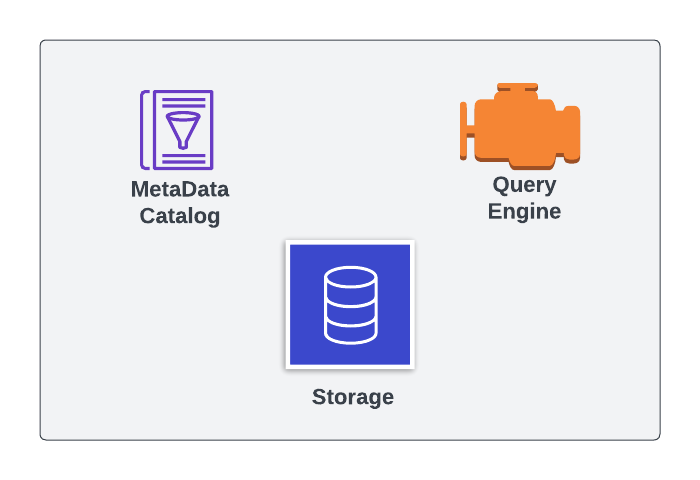
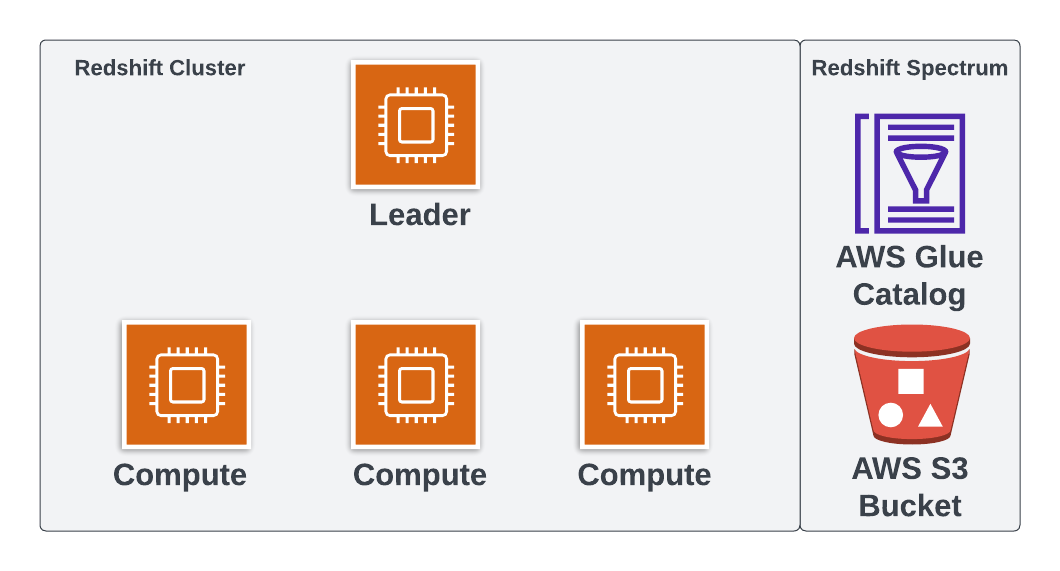
องค์ประกอบของฐานข้อมูล

Redshift Spectrum

| รูปแบบไฟล์ | แบบ Columnar | รองรับการอ่านแบบขนาน |
|---|---|---|
| Parquet | Yes | Yes |
| ORC | Yes | Yes |
| TextFile | No | No |
| OpenCSV | No | Yes |
| JSON | No | No |
CREATE TABLE spectrumdb.IDAHO_SITE_ID ( 'pk_siteid' INTEGER PRIMARY KEY, -- Cutting the rest of columns for space )-- CSV rows are comma delimited ROW FORMAT DELIMITED-- CSV fields are terminated by a comma FIELDS TERMINATED BY ','-- CSVs are a type of text file STORED AS TEXTFILE-- This is where the data is in AWS S3 LOCATION 's3://spectrum-id/idaho_sites/'-- This file has headers that we want to skip TABLE PROPERTIES ('skip.header.line.count'='1');
EXPLAIN จะแสดงผลต่างออกไปDISTKEY หรือ SORTKEY$path - แสดง path ของไฟล์ที่เก็บข้อมูลของแถวนั้น$size - แสดงขนาดไฟล์ของแถวนั้นSELECT "$path",
"$size",
pk_siteid
FROM spectrumdb.idaho_site_id;
$path | $size | pk_siteid
================================|=======|==========
's3://spectrum-id/idaho_sites/' | 1616 | 1
's3://spectrum-id/idaho_sites/' | 1616 | 2
's3://spectrum-id/idaho_sites/' | 1616 | 3
รูปแบบที่นิยม:
อ่านได้อย่างเดียว
internal หรือ externalSELECT schema_name,
schema_type
FROM SVV_ALL_SCHEMAS
ORDER BY SCHEMA_NAME;
schema_name | schema_type
======================|=============
public_intro_redshift | internal
spectrumdb | external
TABLE หรือ EXTERNAL TABLESELECT table_name,
table_type
FROM SVV_ALL_TABLES
WHERE schema_name = 'public_intro_redshift';
table_name | table_type
==========================|================
coffee_county_weather | TABLE
idaho_monitoring_location | TABLE
idaho_samples | TABLE
ecommerce_sales | EXTERNAL_TABLE
Introduction to Redshift