สถานะ สี และธีม
การสร้างแดชบอร์ดด้วย shinydashboard

Png Kee Seng
Researcher
การตกแต่งร้านอาหาร

1 Image by Freepik
สถานะใน shinydashboard
- ออบเจกต์บางส่วนใน shinydashboard มีพรอพเพอร์ตี้
status - กำหนดสถานะได้โดยระบุอาร์กิวเมนต์
status<object>(status = <status>, ...)

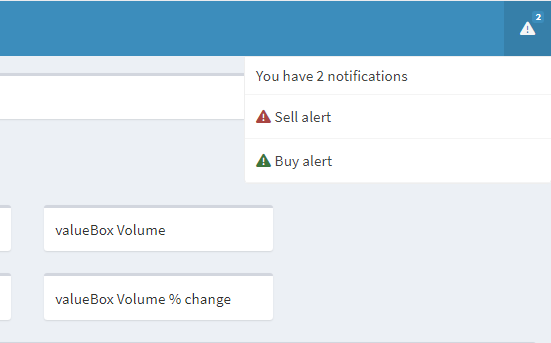
สถานะใน notificationItems
- เพิ่ม notification item สองรายการในส่วนหัว
- กำหนด buy alert เป็นข้อความ success
- กำหนด sell alert เป็นข้อความ danger
- สถานะเริ่มต้นของ
notificationItem()คือ"success"
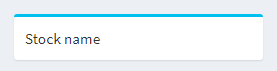
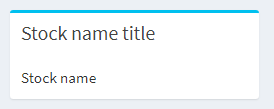
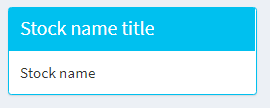
สถานะใน boxes
การเพิ่มสีใน shinydashboard
- ออบเจกต์บางส่วนใน shinydashboard รองรับการกำหนด
color - สมมติว่าราคา
closeลดลง 2% จากเมื่อวาน- แสดง
valueBox()ด้วยสีแดงเพื่อแจ้งเตือน Sally
- แสดง

สีเพิ่มเติม
- สีที่ใช้ได้ใน shinydashboard:
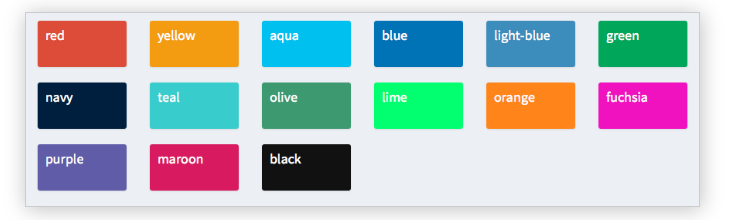
- ตรวจสอบสถานะและสีที่รองรับได้ด้วย
?validStatusesและ?validColors
ทดลองใช้ธีมต่างๆ


