รูปแบบ Reactive Dataframe

การสร้างแดชบอร์ดด้วย flexdashboard

Elaine McVey

Director of Data Science

การสร้าง Sidebar
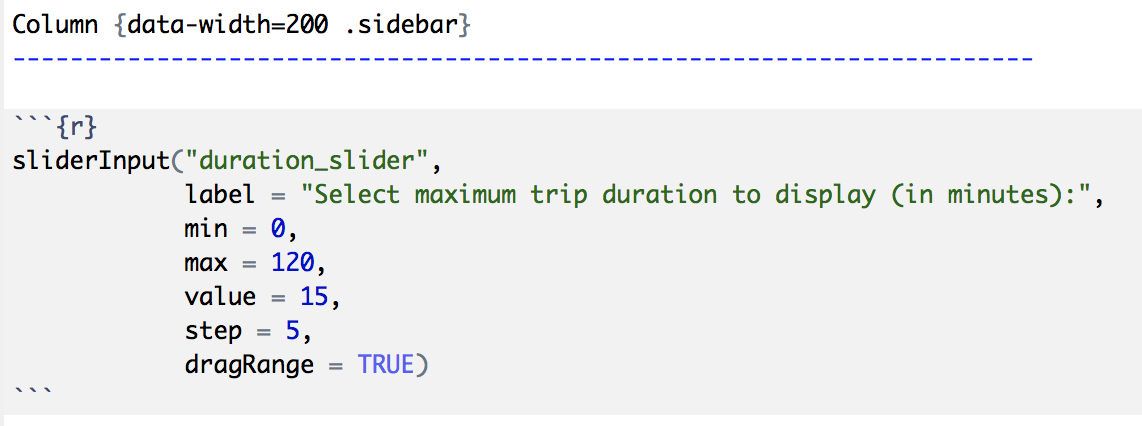
Column {data-width=200 .sidebar}
การสร้างแดชบอร์ดด้วย flexdashboard

การสร้าง Sidebar

alt text

การสร้างแดชบอร์ดด้วย flexdashboard

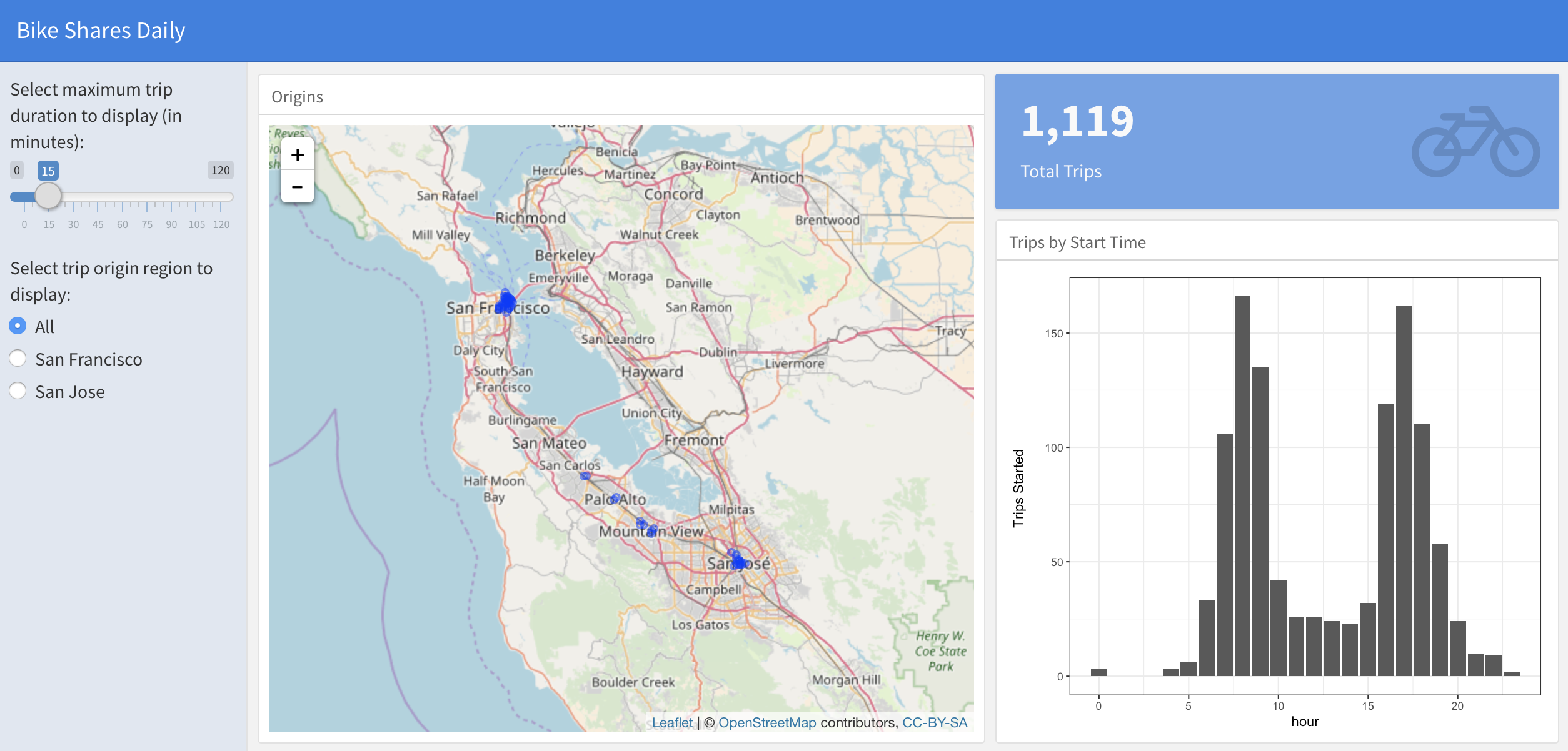
การเพิ่ม Input ของผู้ใช้

alt text

การสร้างแดชบอร์ดด้วย flexdashboard

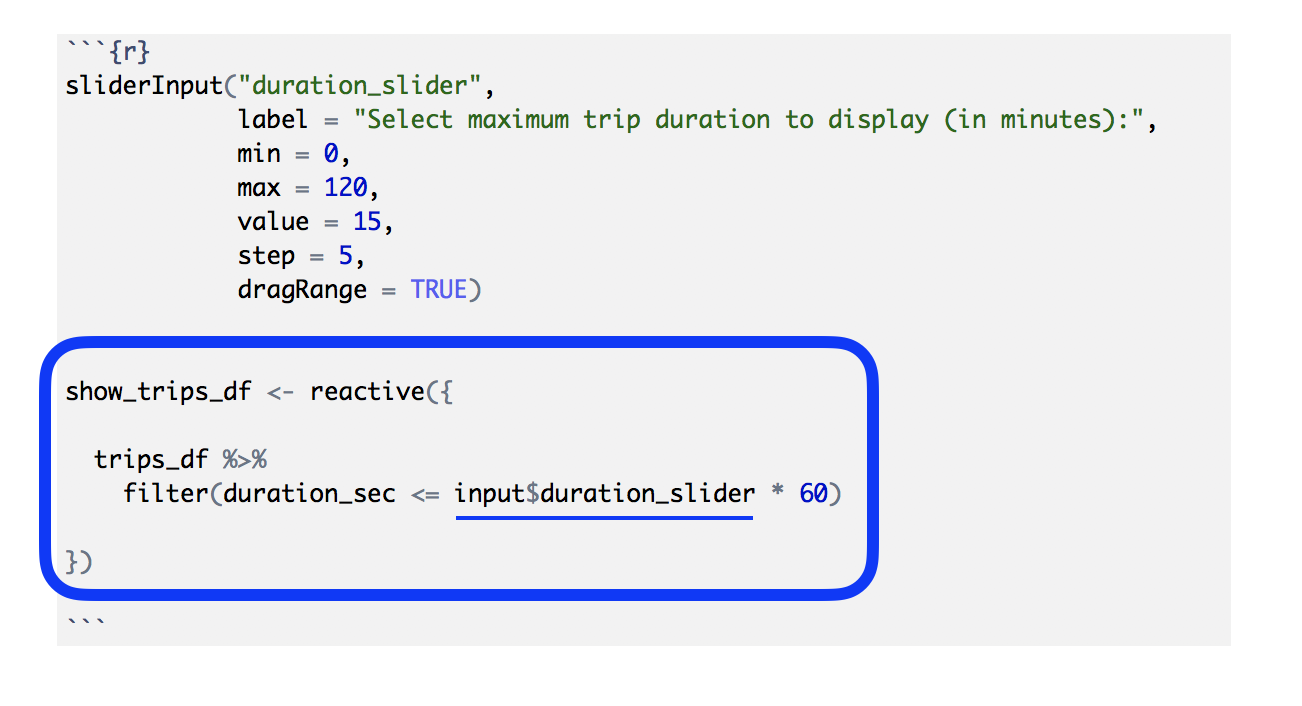
ทำให้ Dataframe เป็น Reactive

alt text

การสร้างแดชบอร์ดด้วย flexdashboard

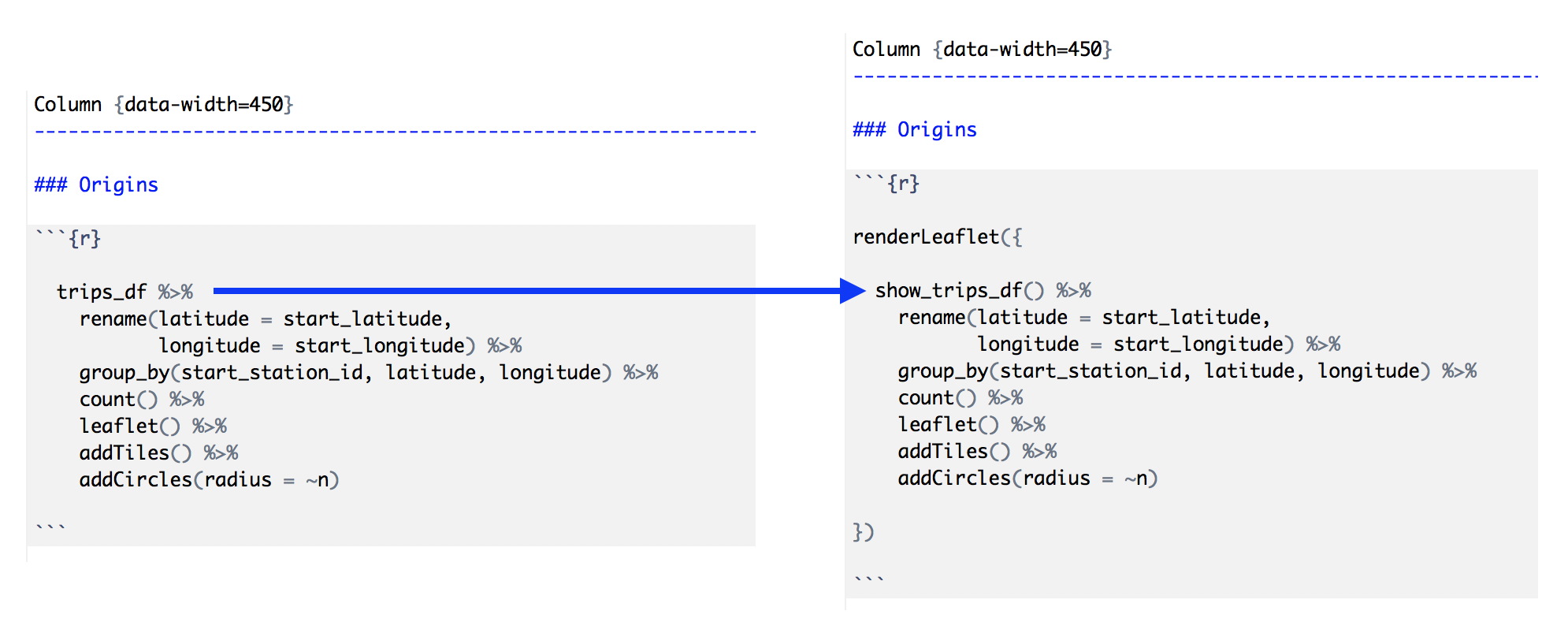
การใช้ Reactive Dataframe

alt text

การสร้างแดชบอร์ดด้วย flexdashboard

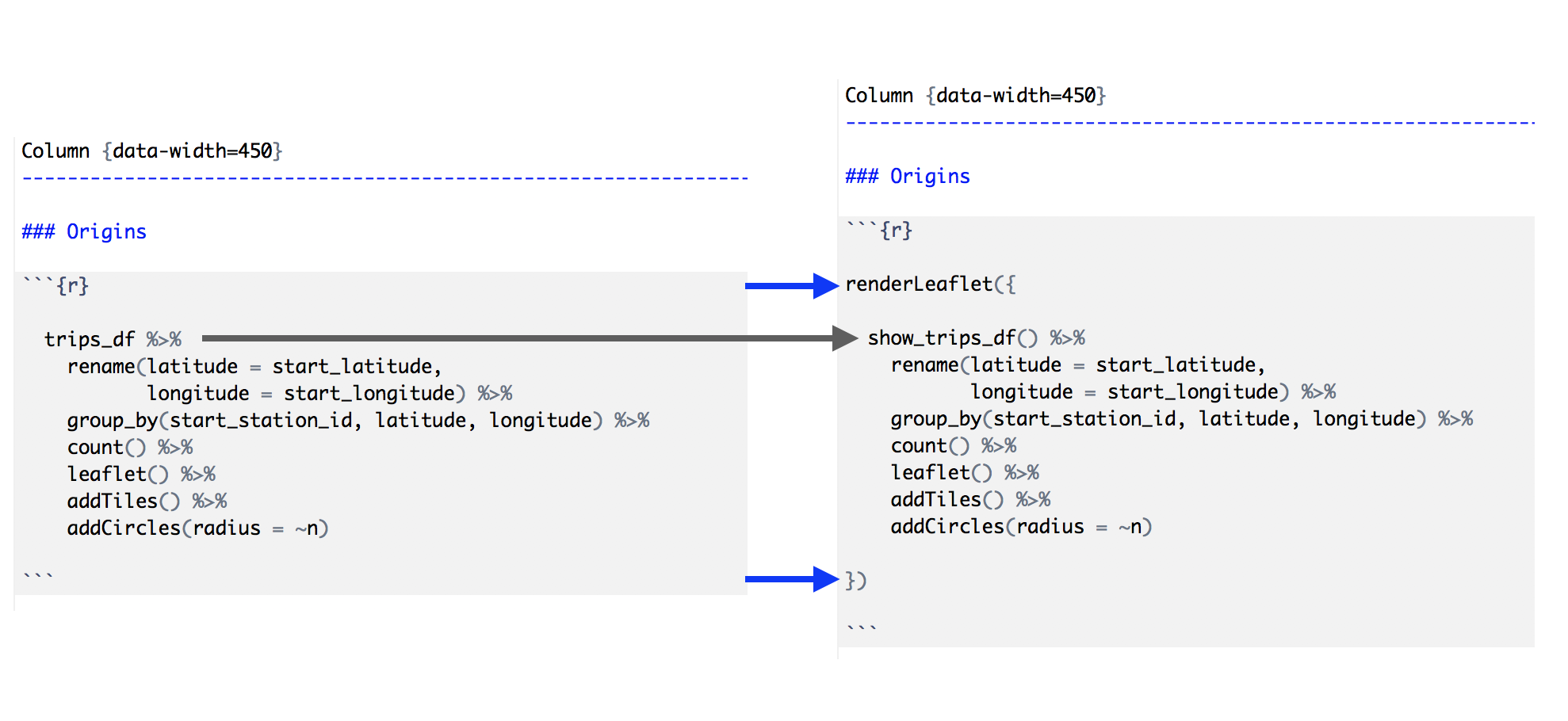
ทำให้ส่วนประกอบของ Dashboard เป็น Reactive
alt text

การสร้างแดชบอร์ดด้วย flexdashboard

ขั้นตอนของรูปแบบ Reactive Dataframe

  1. สร้างคอลัมน์ Sidebar (โดยใช้ .sidebar)
  2. เพิ่ม Input ของผู้ใช้ใน Sidebar (โดยใช้ Widget xyzInput() ของ Shiny)
  3. สร้าง "dataframe" ที่ตอบสนองต่อ Input ของผู้ใช้ (โดยใช้ reactive())
  4. แทนที่ dataframe ในโค้ดส่วนประกอบของ Dashboard ด้วยเวอร์ชัน Reactive
  5. ครอบแต่ละ Output ของ Dashboard ด้วยฟังก์ชัน Shiny ที่เหมาะสม (renderXyz())
การสร้างแดชบอร์ดด้วย flexdashboard

มาฝึกกันเถอะ!

การสร้างแดชบอร์ดด้วย flexdashboard

Preparing Video For Download...