การทำแผนที่ข้อมูลประชากรขั้นสูง

การวิเคราะห์ข้อมูลสำมะโนประชากรสหรัฐฯ ใน R

Kyle Walker

Instructor

ตัวแปรภาพในงานทำแผนที่
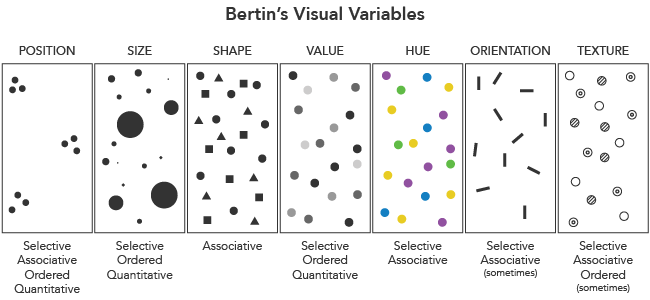
ตัวแปรภาพโดย Axis Maps

การวิเคราะห์ข้อมูลสำมะโนประชากรสหรัฐฯ ใน R

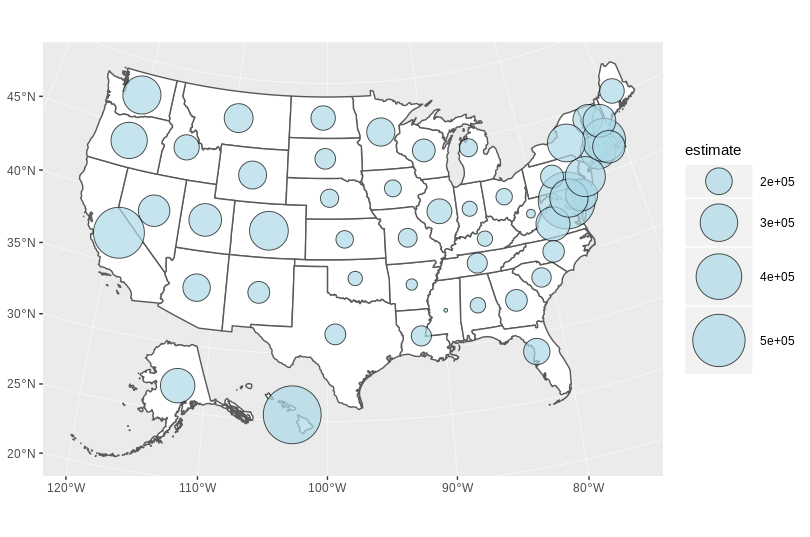
แผนที่สัญลักษณ์แบบขั้นบันได

library(sf)

centers <- st_centroid(state_value)

ggplot() + geom_sf(data = state_value, fill = "white") + geom_sf(data = centers, aes(size = estimate), shape = 21, fill = "lightblue", alpha = 0.7, show.legend = "point") + scale_size_continuous(range = c(1, 20))
การวิเคราะห์ข้อมูลสำมะโนประชากรสหรัฐฯ ใน R

สัญลักษณ์แบบขั้นบันได

การวิเคราะห์ข้อมูลสำมะโนประชากรสหรัฐฯ ใน R

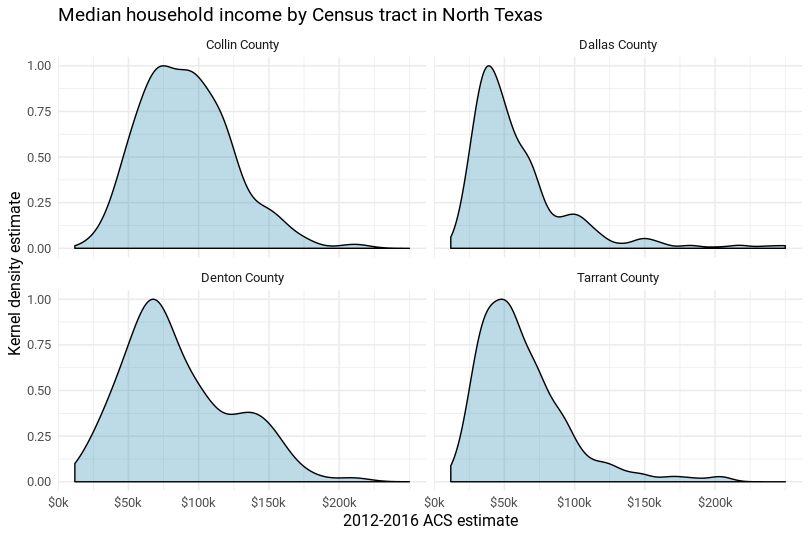
กราฟแบบ facet

การวิเคราะห์ข้อมูลสำมะโนประชากรสหรัฐฯ ใน R

แผนที่แบบ facet ด้วย ggplot2

ggplot(dc_race, aes(fill = percent, color = percent)) + 
  geom_sf() + 
  coord_sf(datum = NA) + 
  facet_wrap(~variable)
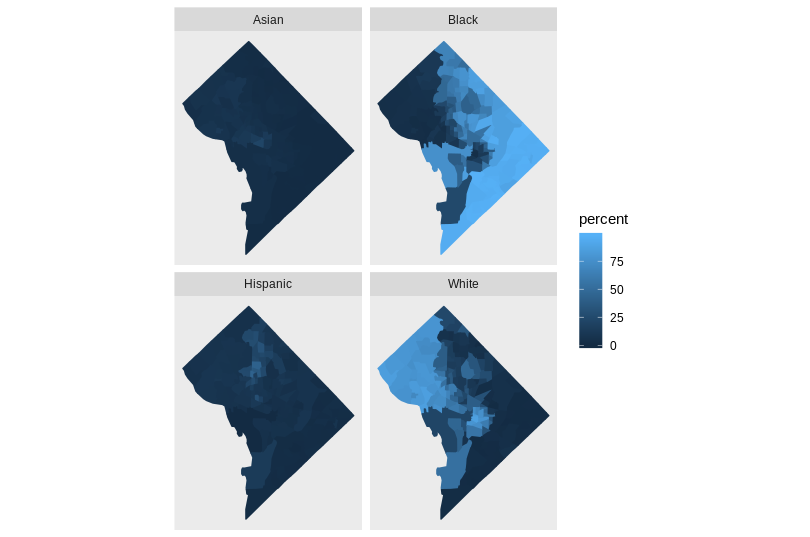
แผนที่แบบ facet

การวิเคราะห์ข้อมูลสำมะโนประชากรสหรัฐฯ ใน R

การแสดงผลแบบโต้ตอบ

  • กราฟิกบนเว็บช่วยให้โต้ตอบกับข้อมูลได้

  • ตัวเลือกใน R:

    • leaflet
    • plotly
    • htmlwidgets
การวิเคราะห์ข้อมูลสำมะโนประชากรสหรัฐฯ ใน R

แผนที่แบบโต้ตอบด้วย mapview

library(mapview)
mapview(cook_value, zcol = "estimate", legend = TRUE)
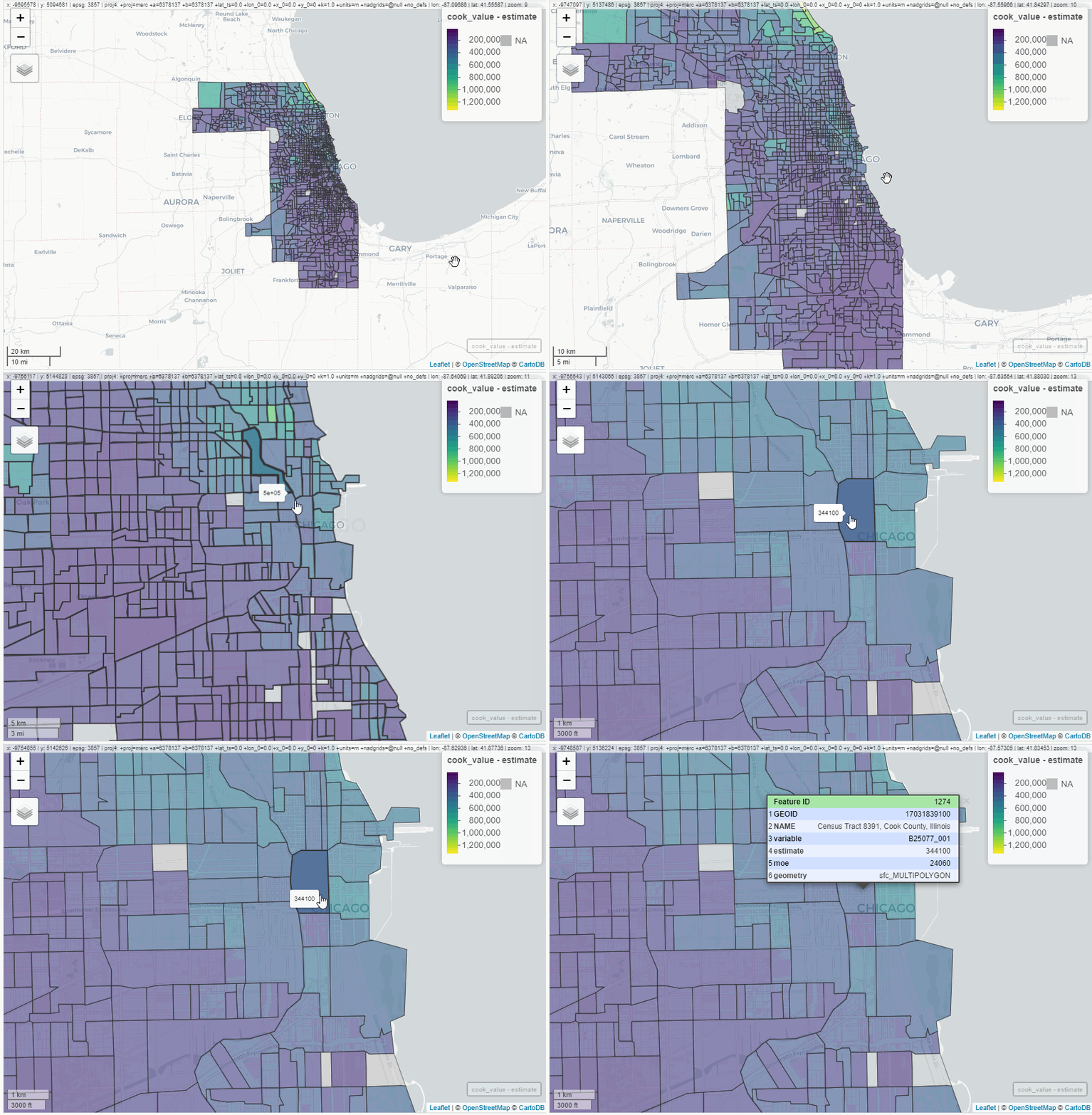
mapview GIF

การวิเคราะห์ข้อมูลสำมะโนประชากรสหรัฐฯ ใน R

มาฝึกกันเถอะ!

การวิเคราะห์ข้อมูลสำมะโนประชากรสหรัฐฯ ใน R

Preparing Video For Download...