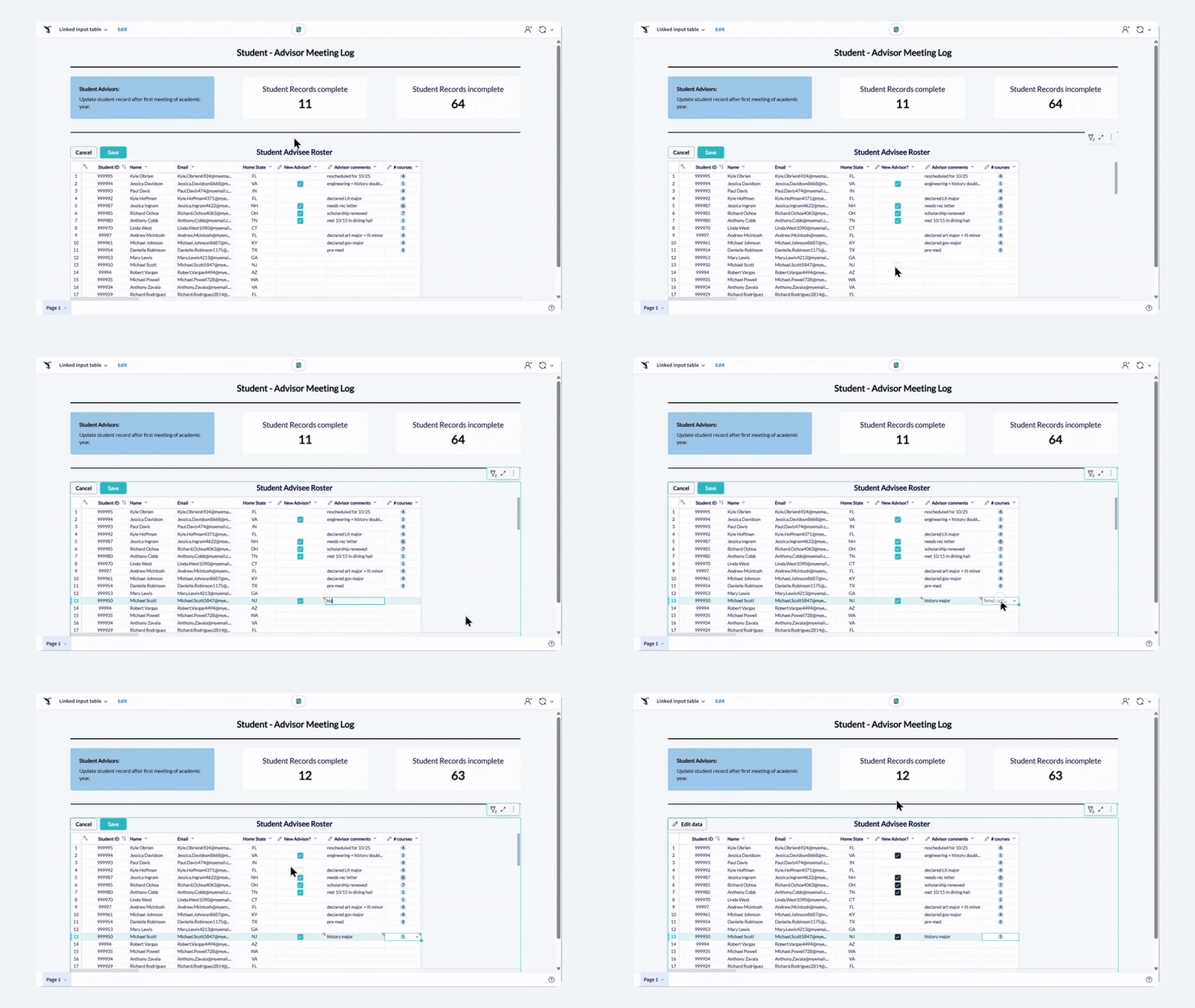
การเพิ่มข้อมูลด้วย linked input table ที่เชื่อมต่อกัน

Introduction to AI Apps in Sigma

Mandy Gray

Solutions and Enablement Lead, Aimpoint Digital

Linked input table
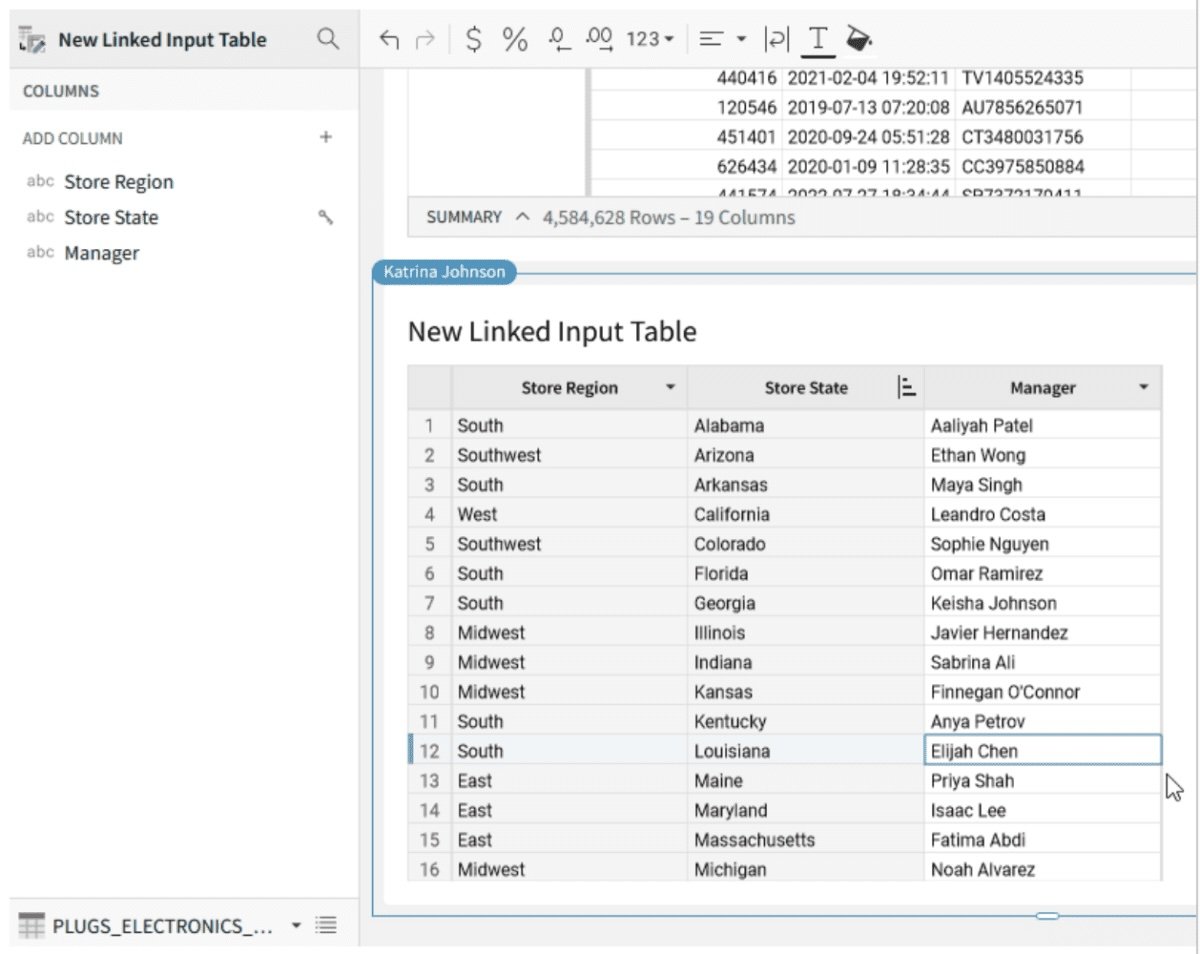
linked input table

Introduction to AI Apps in Sigma

สถานการณ์

Oakmark_bank_logo.png

  • ตารางรายละเอียดสินเชื่อลูกค้า
  • ต้องการตรวจสอบใบสมัครแต่ละรายการ (อนุมัติ/ปฏิเสธ)

$$ $$ $$ $$

ผลลัพธ์ที่ต้องการ:

  • แสดงข้อมูลที่มีอยู่
  • เพิ่มการตัดสินใจอนุมัติ/ปฏิเสธในแต่ละแถว
Introduction to AI Apps in Sigma

ประโยชน์ของ linked input table

$$

input table

$$ $$

  • Linked input table รองรับการเพิ่มคอลัมน์ใหม่ที่รับข้อมูลแบบกำหนดเองได้
  • ต่างจากตารางปกติที่แต่ละแถวใช้ลอจิกเดียวกันทั้งหมด
Introduction to AI Apps in Sigma

การสร้าง linked input table

  • สร้างเป็น child element
  • เพิ่มคอลัมน์ใหม่ใน linked input table เพื่อขยายข้อมูล
  • ไม่มีการแก้ไขข้อมูลเดิมในตาราง parent

input table

Introduction to AI Apps in Sigma

ข้อควรพิจารณาสำคัญ

  • Input table ไม่เขียนทับข้อมูลเดิม
  • จัดเก็บใน schema เฉพาะโดยไม่ทำสำเนาตารางที่มีอยู่
  • คอลัมน์ที่เพิ่มจะถูกเก็บแยกจากข้อมูล parent

Linked input table ช่วยให้จัดการตารางได้โดยไม่ต้องกังวลเรื่องการเขียนทับโดยไม่ตั้งใจ

key considerations

Introduction to AI Apps in Sigma

มาฝึกกันเถอะ!

Introduction to AI Apps in Sigma

Preparing Video For Download...