TaskFlow API

使用 Airflow 构建数据流水线

Volker Janz

Senior Developer Advocate at Astronomer

传统方式

def extract_data():
    return {"users": 150, "events": 4200}

with DAG("etl_pipeline") as dag: t1 = PythonOperator(task_id="extract", python_callable=extract_data) t2 = PythonOperator(task_id="summary", python_callable=print_summary)
t1 >> t2
使用 Airflow 构建数据流水线

TaskFlow 方式

from airflow.sdk import dag, task

@dag def etl_pipeline(): @task def extract_data(): return {"users": 150}
data = extract_data() print_summary(data)
使用 Airflow 构建数据流水线

为何选择 TaskFlow?


  • 更少样板代码,用装饰器替代算子实例
  • 隐式依赖,返回值自动串联任务
  • 可读性强,Dag 如同 Python 脚本
  • 经典算子仍可用于 provider 集成

TaskFlow API - visual

使用 Airflow 构建数据流水线

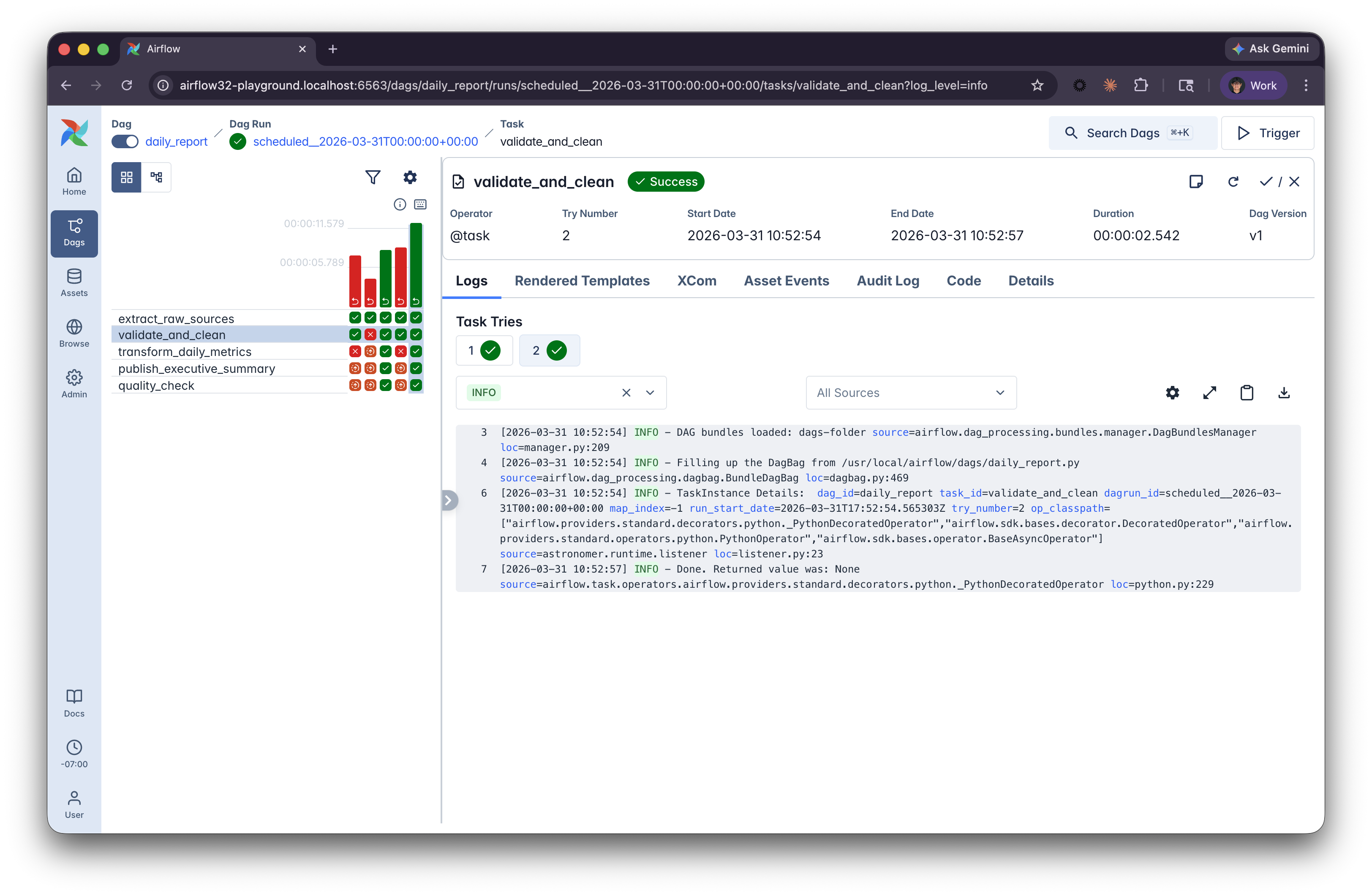
Airflow 界面:Grid 视图

Airflow Grid view


  • 每列代表一次 Dag 运行
  • 每行代表一个 任务
  • 颜色表示状态:绿色 = 成功,红色 = 失败
  • 点击方块查看 日志与详情
使用 Airflow 构建数据流水线

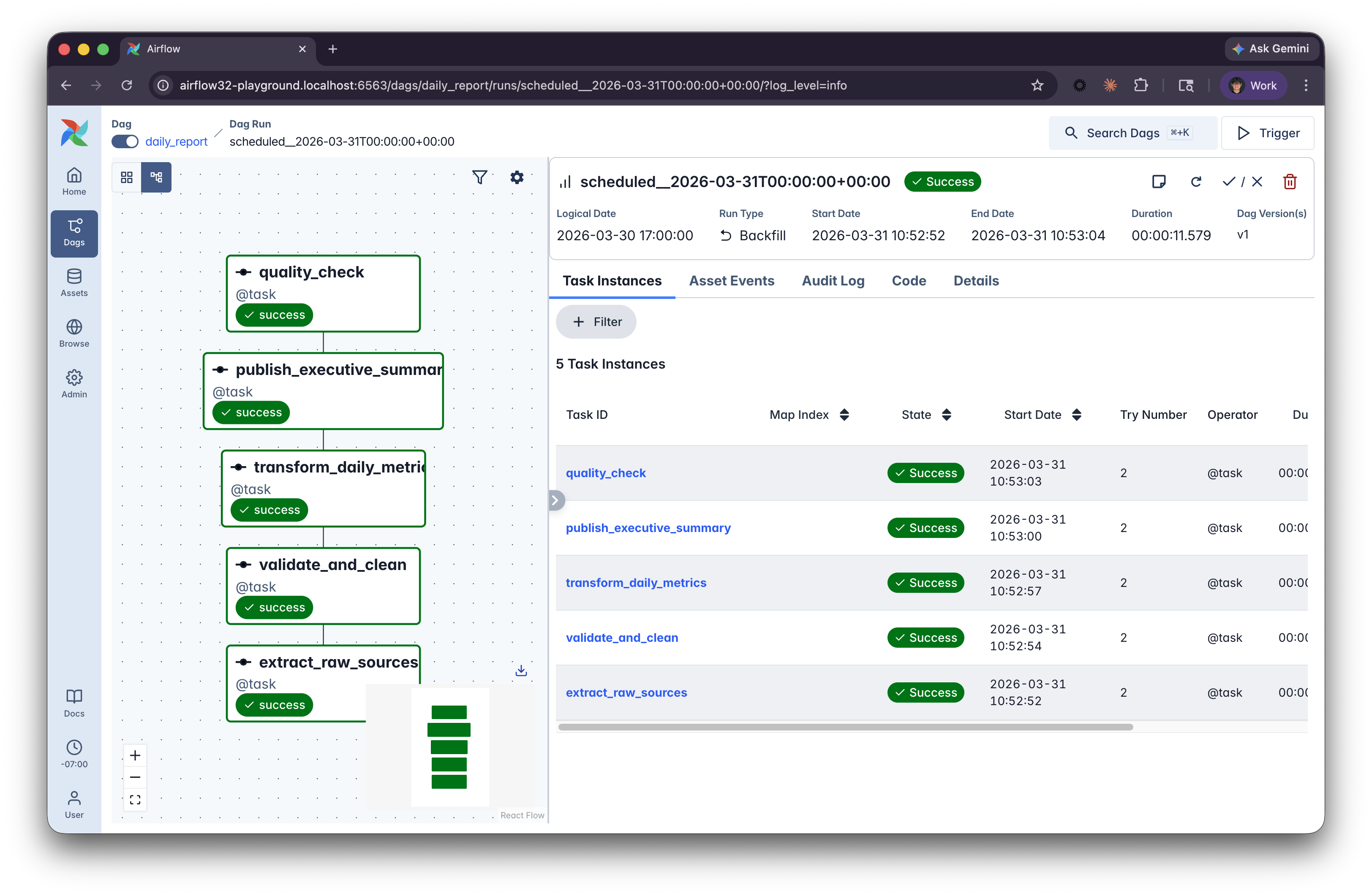
Airflow 界面:Graph 视图

Airflow Grid view


  • 聚焦单次 Dag 运行
  • 展示 依赖关系与并行执行
  • 可在设置中调整细节
使用 Airflow 构建数据流水线

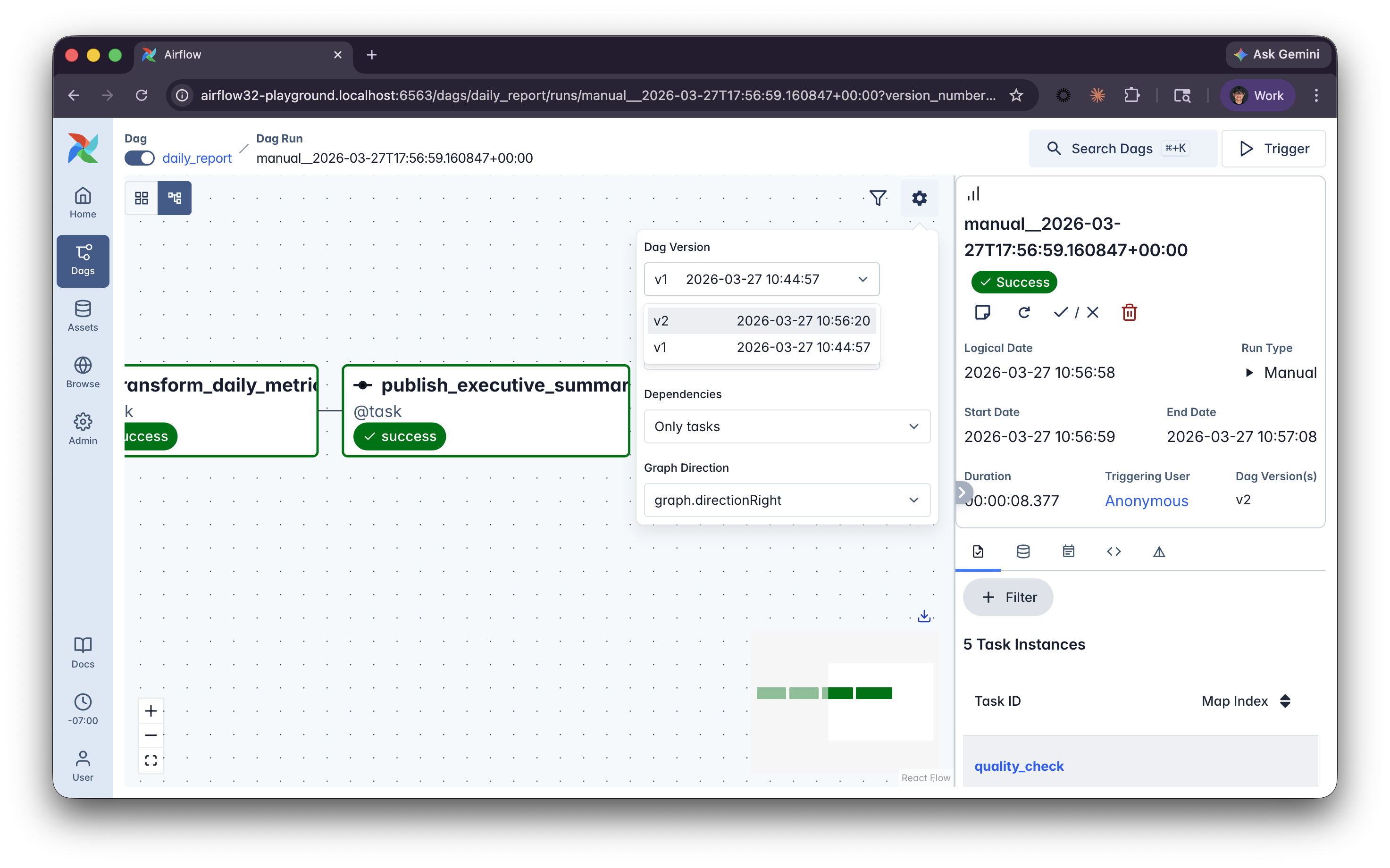
Airflow 界面:Dag 版本管理

Dag version indicator in Airflow UI


  • 自动跟踪 结构性变更
  • 每次运行关联当时 生效版本
  • Dag 详情 面板查看版本
使用 Airflow 构建数据流水线

让我们一起练习吧!

使用 Airflow 构建数据流水线

Preparing Video For Download...