Congratulations!

Introduction to Snowflake CoCo CLI

James Cha-Earley

Senior Developer Advocate, Snowflake

Meet CoCo
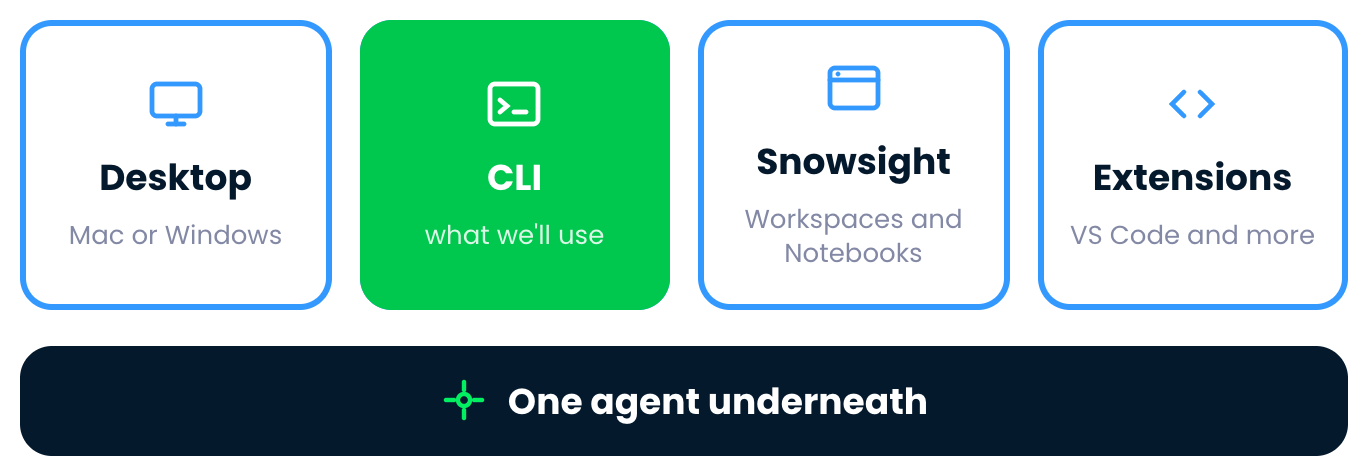
 

The four CoCo surfaces, with the CLI marked, above one agent underneath

Introduction to Snowflake CoCo CLI

Exploring data


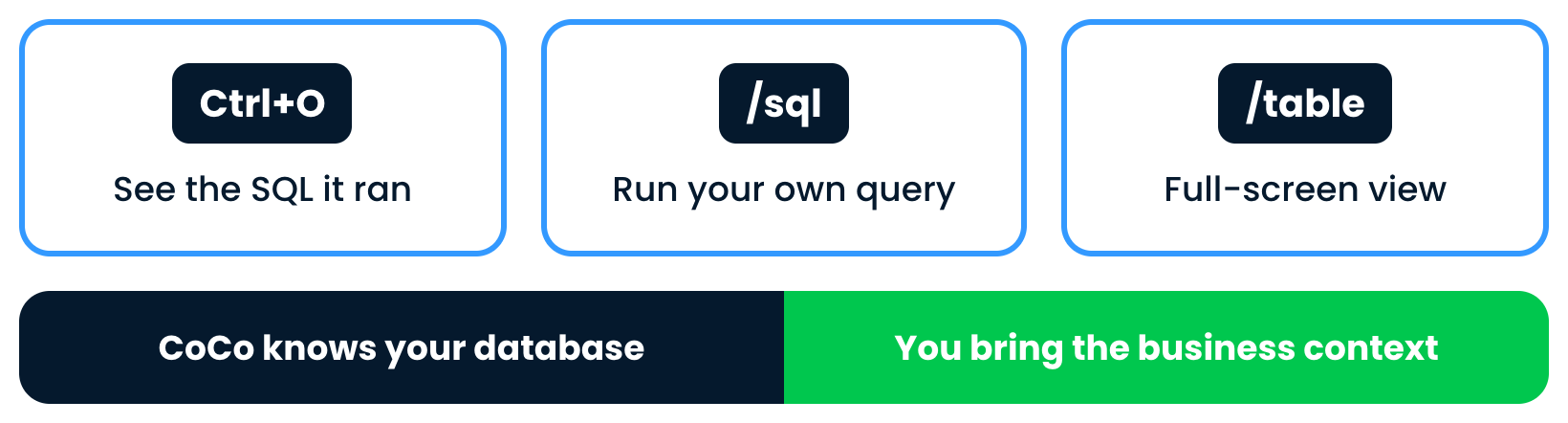
Three tools, Ctrl+O, the sql command and the table command, above a band: CoCo knows your database, you bring the business context

Introduction to Snowflake CoCo CLI

You're in control


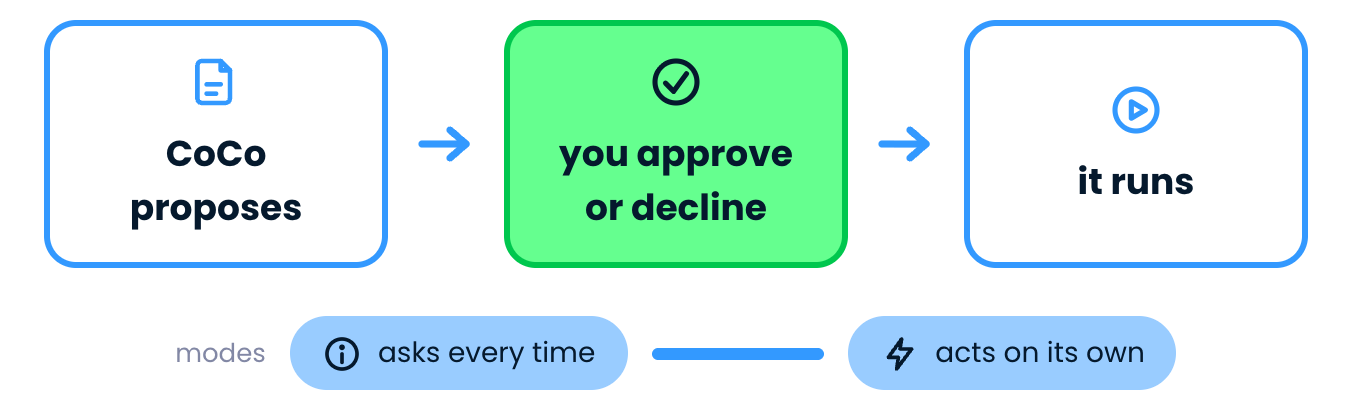
CoCo proposes, you approve or decline, then it runs, with a scale of modes

Introduction to Snowflake CoCo CLI

AI workflows


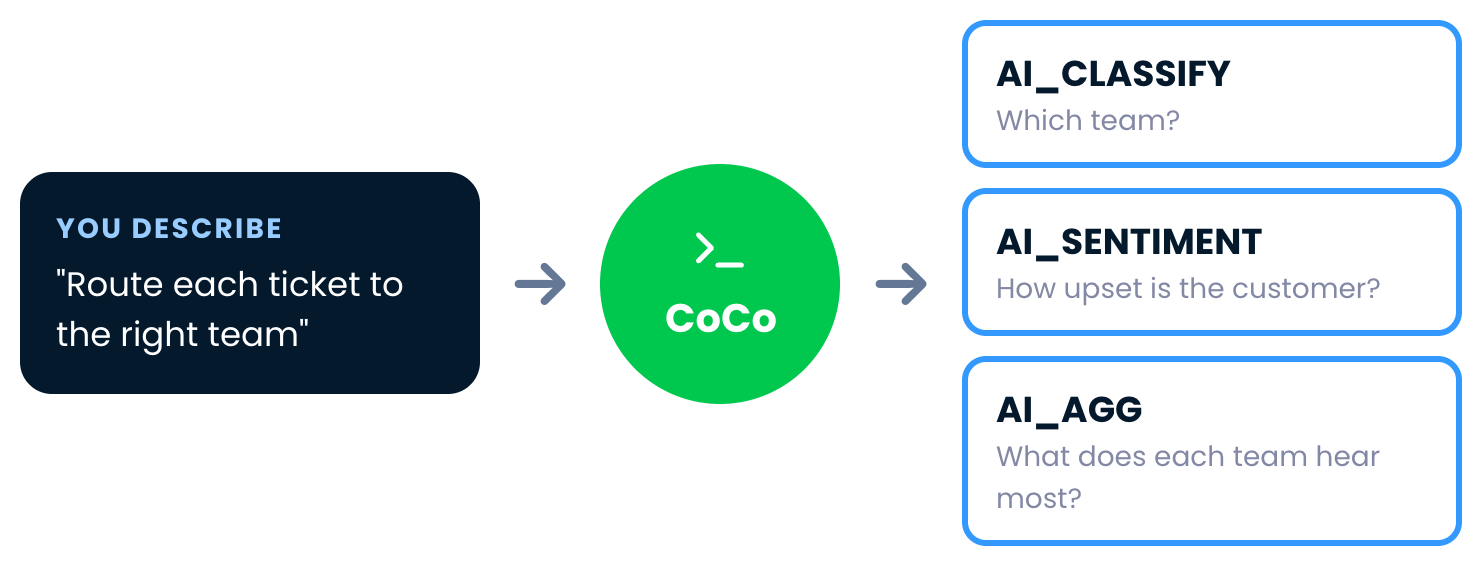
A plain-language request goes to CoCo, which chains AI_CLASSIFY, AI_SENTIMENT and AI_AGG

Introduction to Snowflake CoCo CLI

Scripts


Your work as a script, plus CoCo inside a script with no session needed

Introduction to Snowflake CoCo CLI

Pipelines


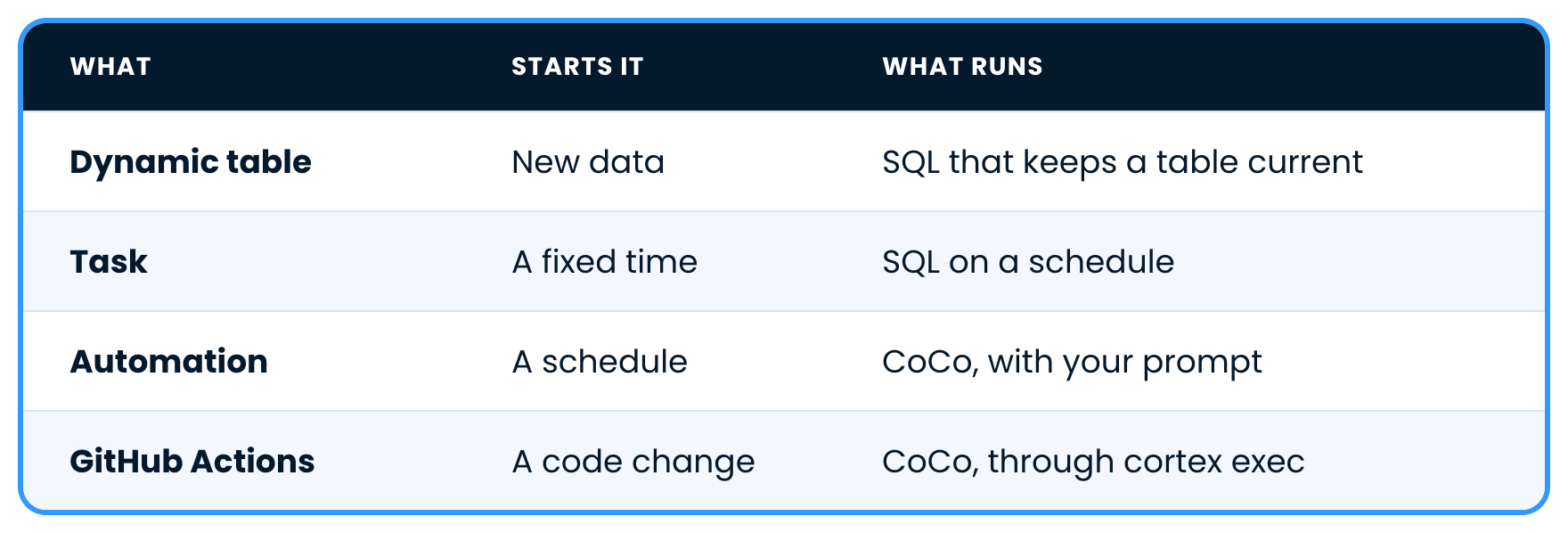
Dynamic tables, tasks, automations and GitHub Actions, with what starts each one and what runs

Introduction to Snowflake CoCo CLI

What's next

Introduction to Snowflake CoCo CLI

Congratulations!

Introduction to Snowflake CoCo CLI

Preparing Video For Download...