CoCo in pipelines

Introduction to Snowflake CoCo CLI

James Cha-Earley

Senior Developer Advocate, Snowflake

From answers to pipelines

 

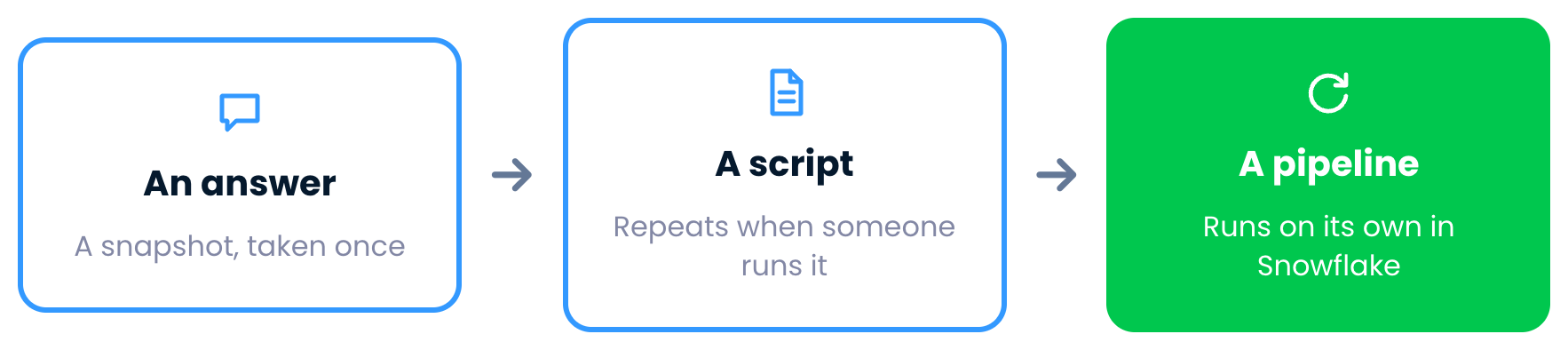
An answer from CoCo, a snapshot taken once

Introduction to Snowflake CoCo CLI

From answers to pipelines


A script, which repeats the work when someone runs it

Introduction to Snowflake CoCo CLI

From answers to pipelines


A pipeline, which runs on its own inside Snowflake

Introduction to Snowflake CoCo CLI

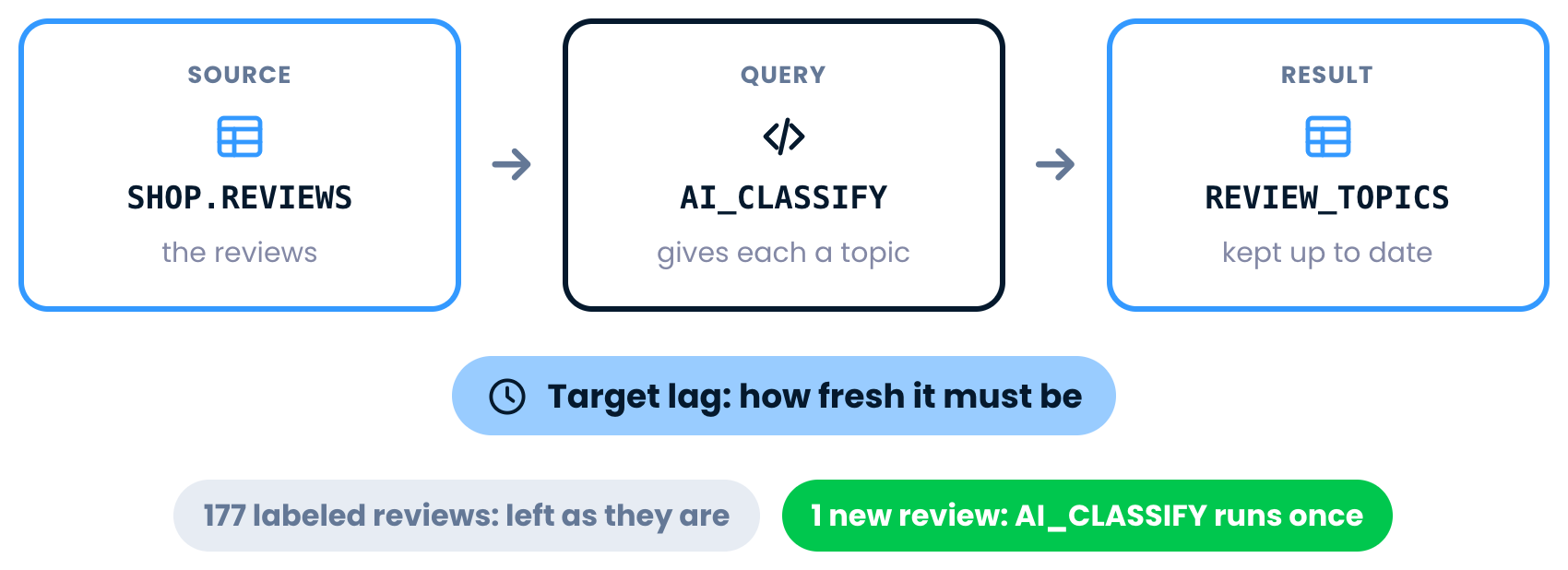
Dynamic tables


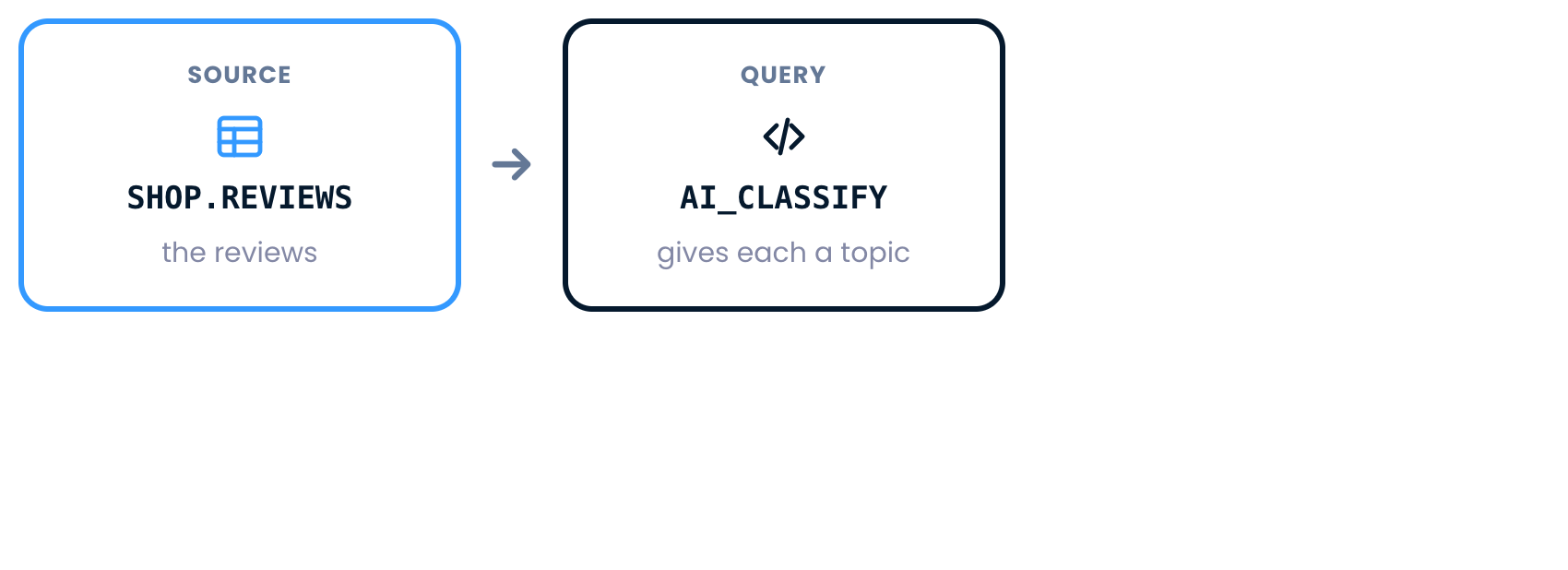
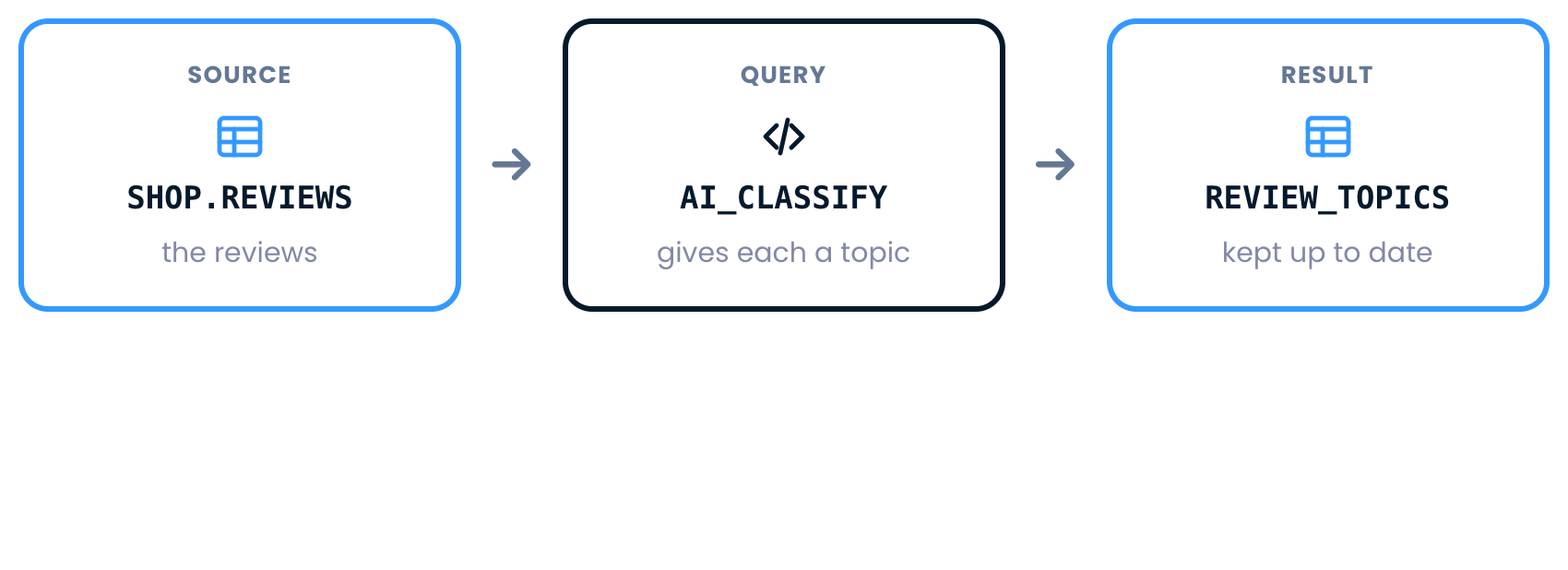
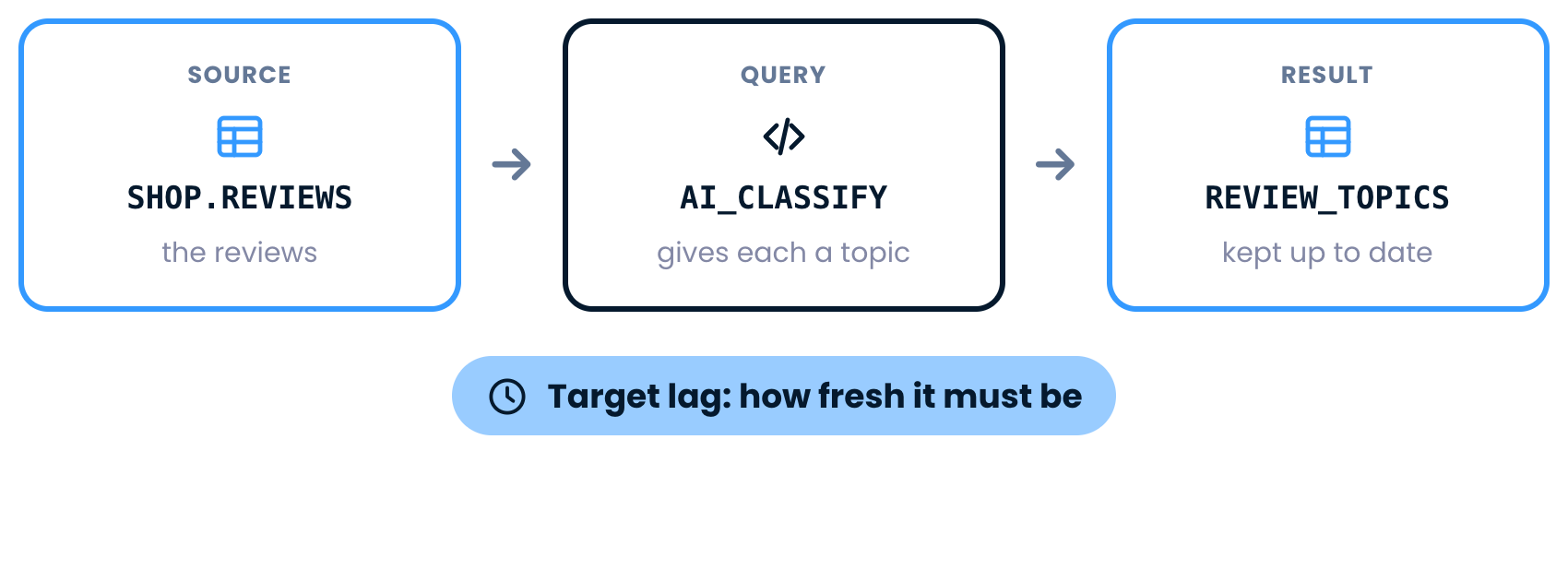
The source table, SHOP.REVIEWS

Introduction to Snowflake CoCo CLI

Dynamic tables


A query on top that uses AI_CLASSIFY to give each review a topic

Introduction to Snowflake CoCo CLI

Dynamic tables


The result, REVIEW_TOPICS, kept up to date

Introduction to Snowflake CoCo CLI

Dynamic tables


A target lag sets how fresh the result must be

Introduction to Snowflake CoCo CLI

Dynamic tables


177 labeled reviews are left as they are, and AI_CLASSIFY runs once for the new review

Introduction to Snowflake CoCo CLI

Ask for the outcome


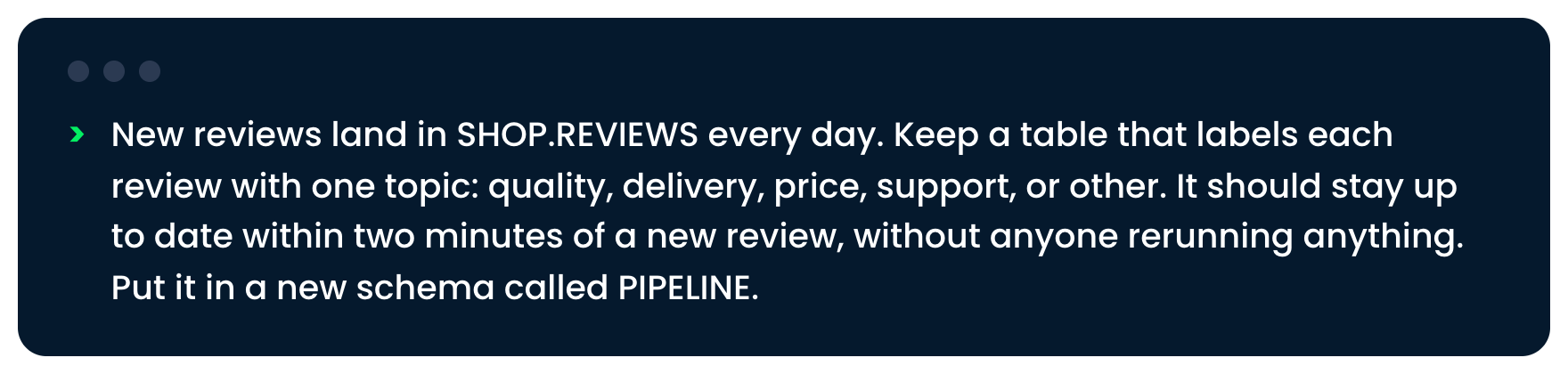
The request for a review topics table, in a new schema called PIPELINE

Introduction to Snowflake CoCo CLI

Ask for the outcome


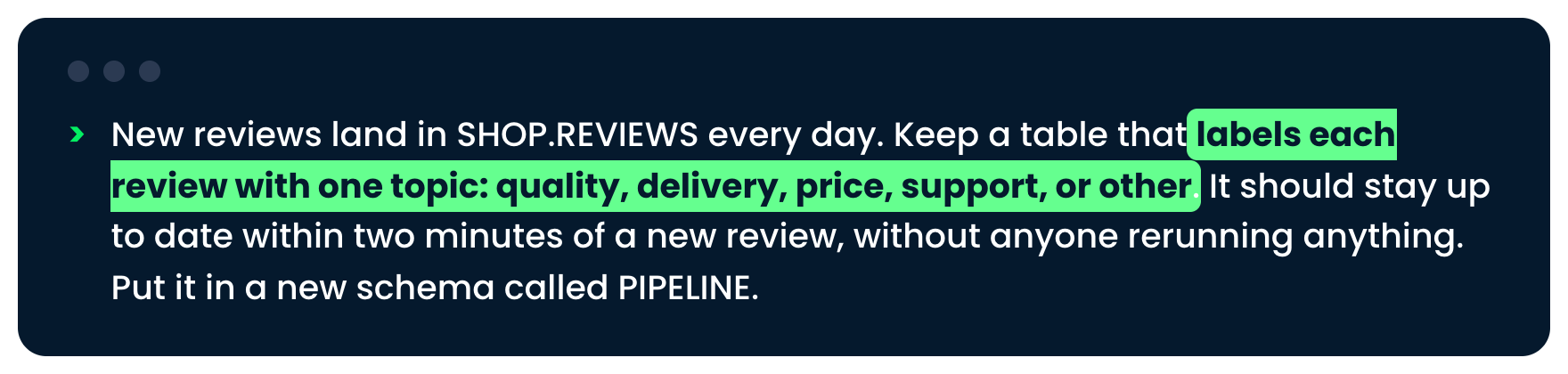
The request, with one topic for each review highlighted

Introduction to Snowflake CoCo CLI

Ask for the outcome


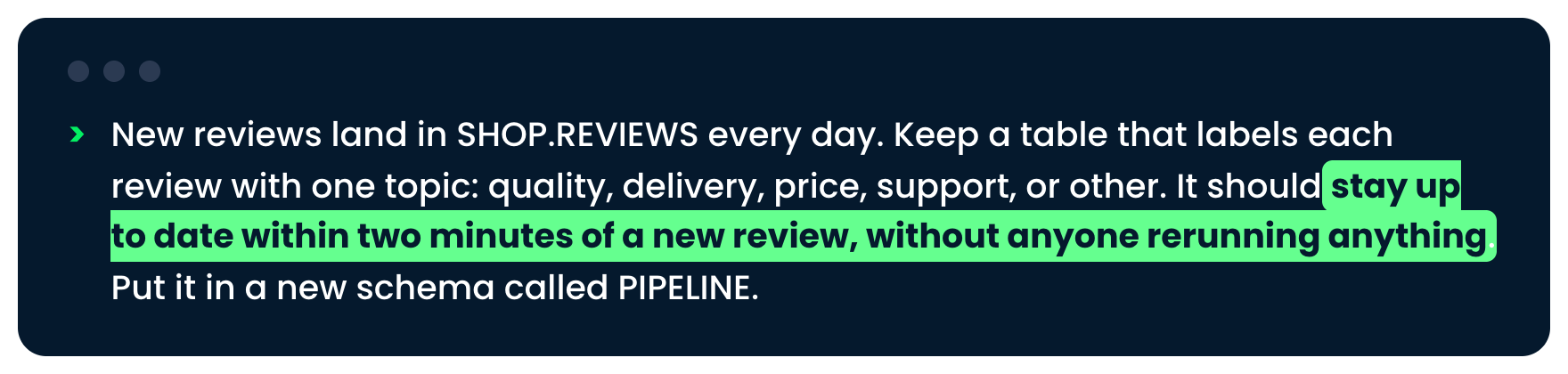
The request, with staying up to date within two minutes highlighted

Introduction to Snowflake CoCo CLI

Review before approving


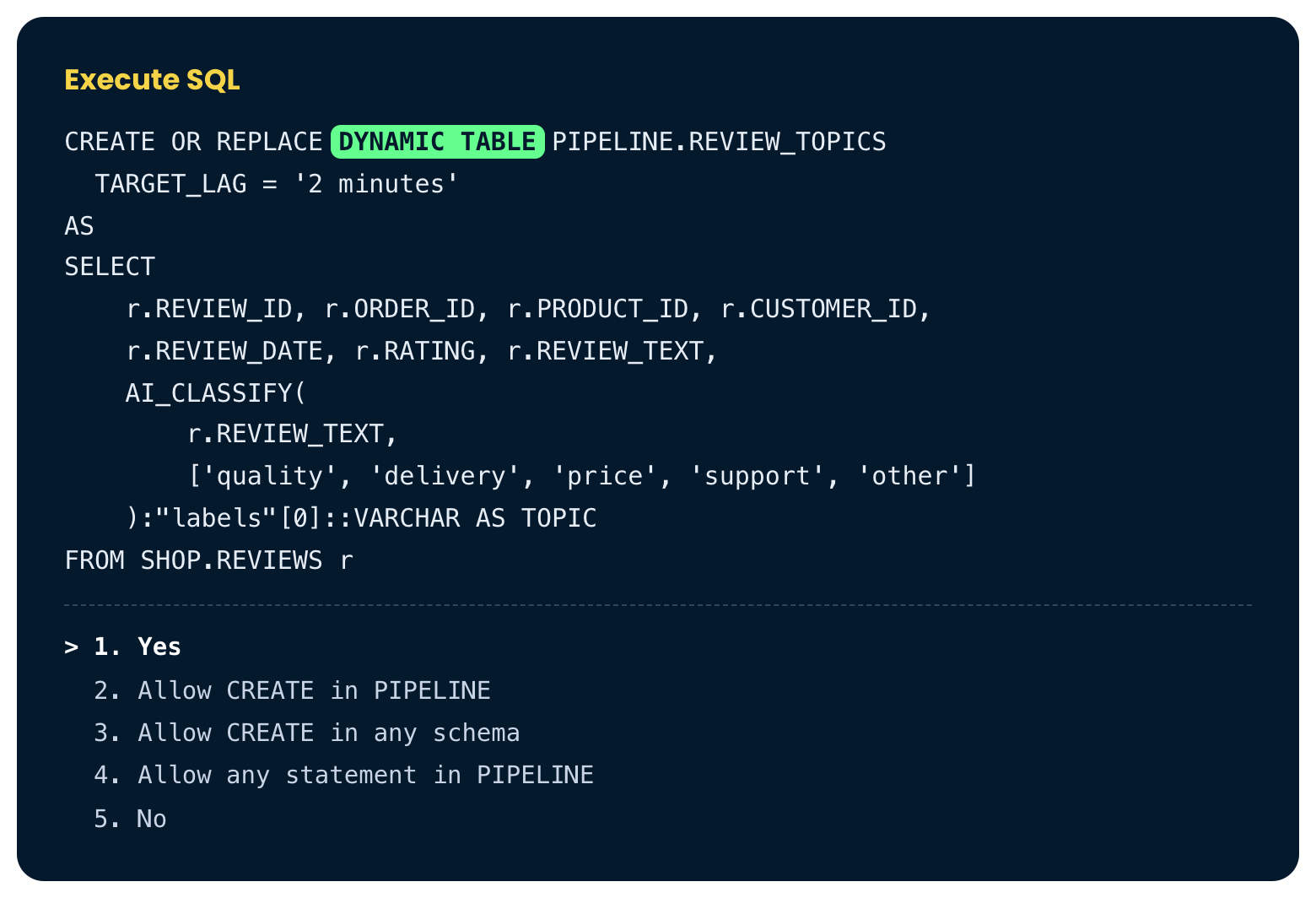
The Execute SQL box, with DYNAMIC TABLE highlighted

Introduction to Snowflake CoCo CLI

Review before approving


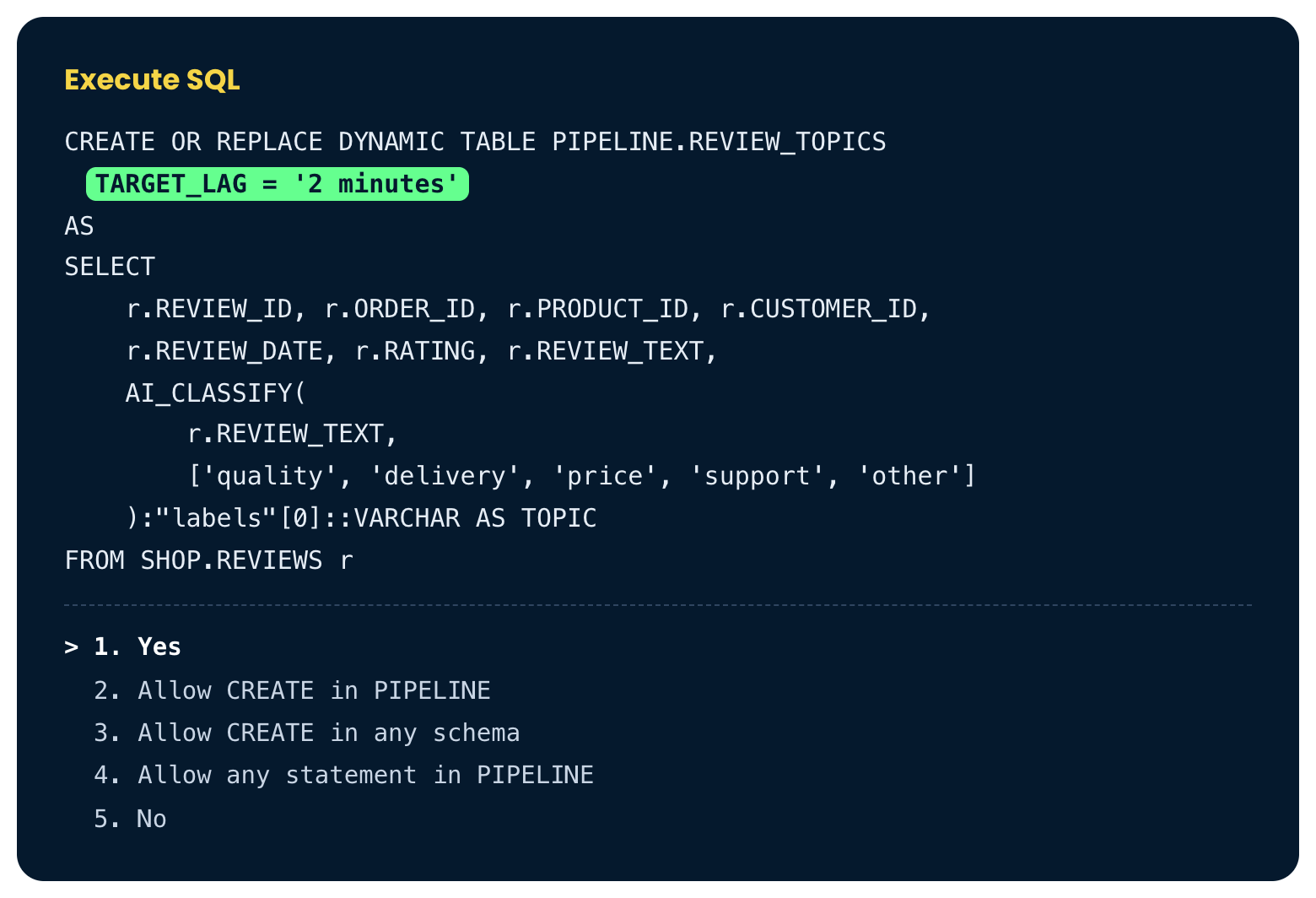
The Execute SQL box, with the two-minute target lag highlighted

Introduction to Snowflake CoCo CLI

Review before approving


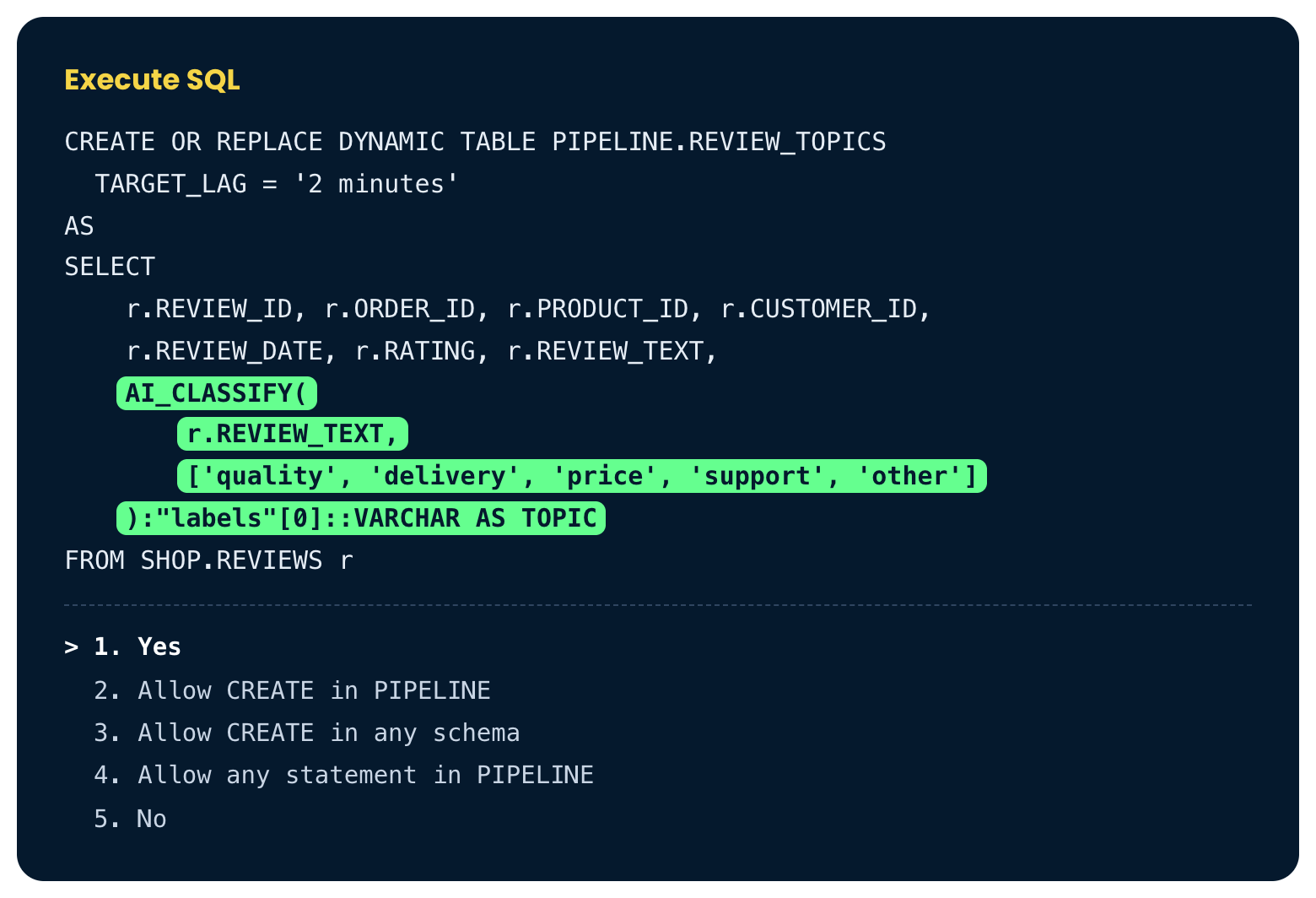
The Execute SQL box, with AI_CLASSIFY and the five topics highlighted

Introduction to Snowflake CoCo CLI

Review before approving


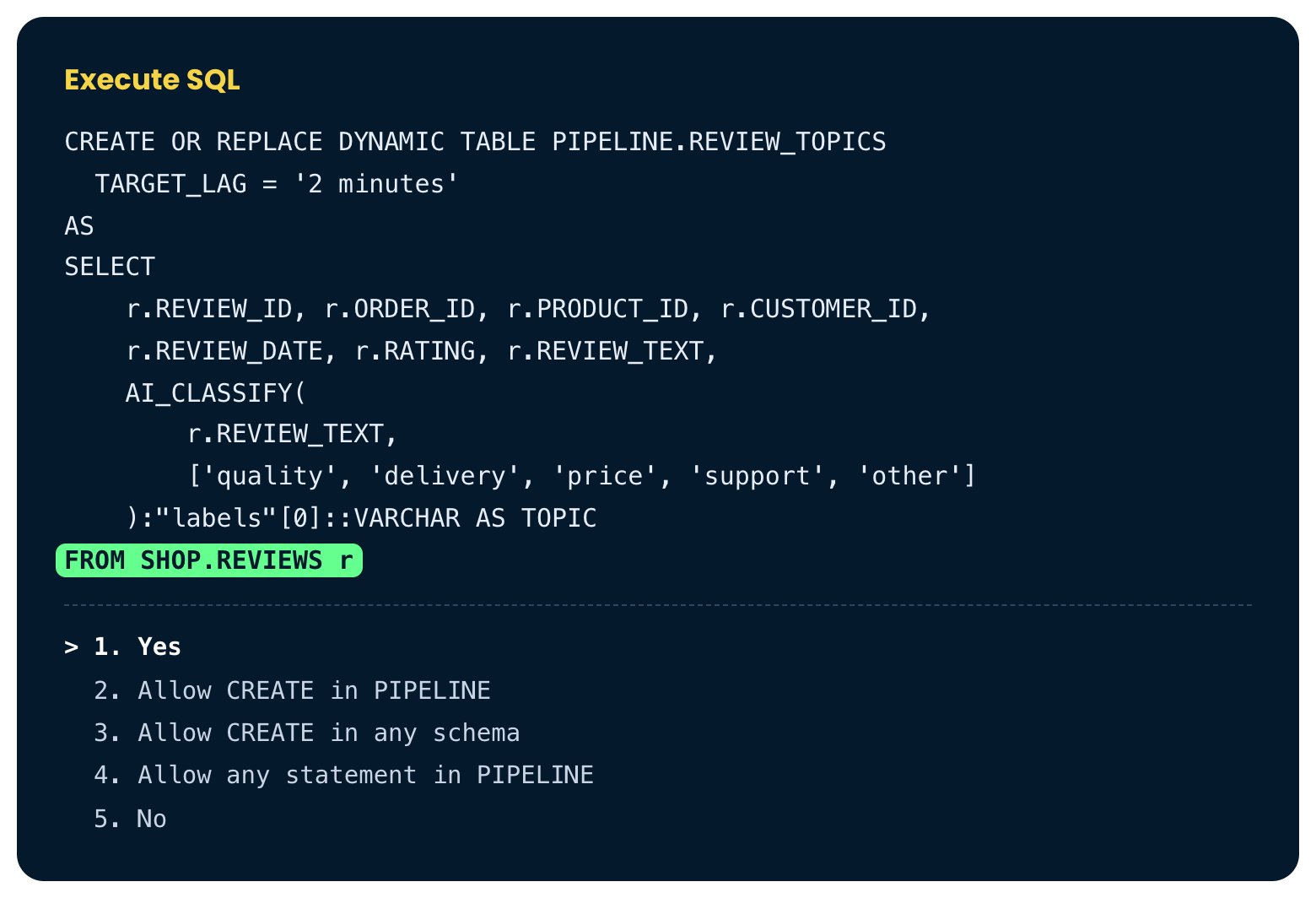
The Execute SQL box, with the reviews table highlighted

Introduction to Snowflake CoCo CLI

A new review arrives


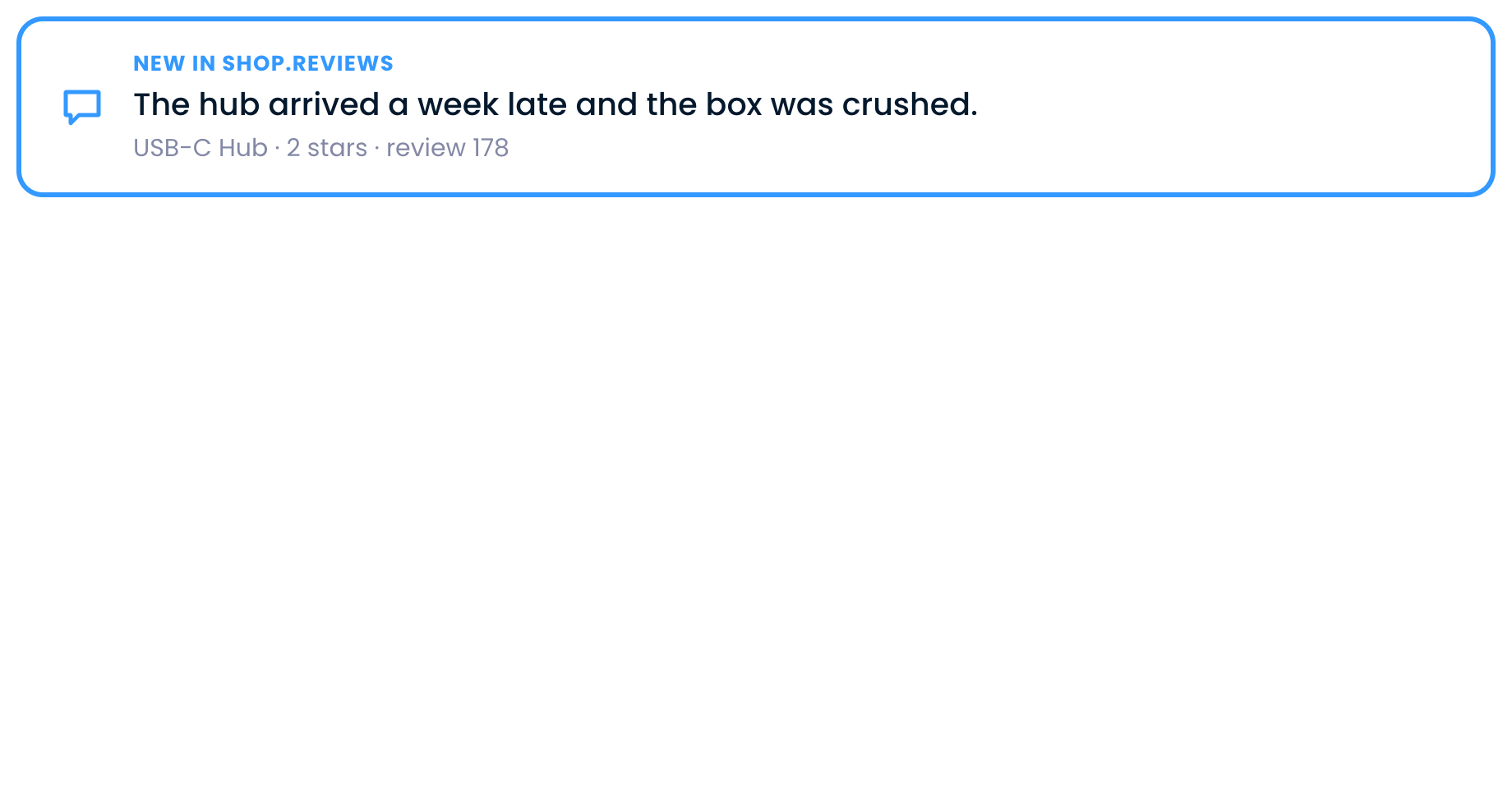
A new two-star review of the USB-C Hub lands in SHOP.REVIEWS

Introduction to Snowflake CoCo CLI

A new review arrives


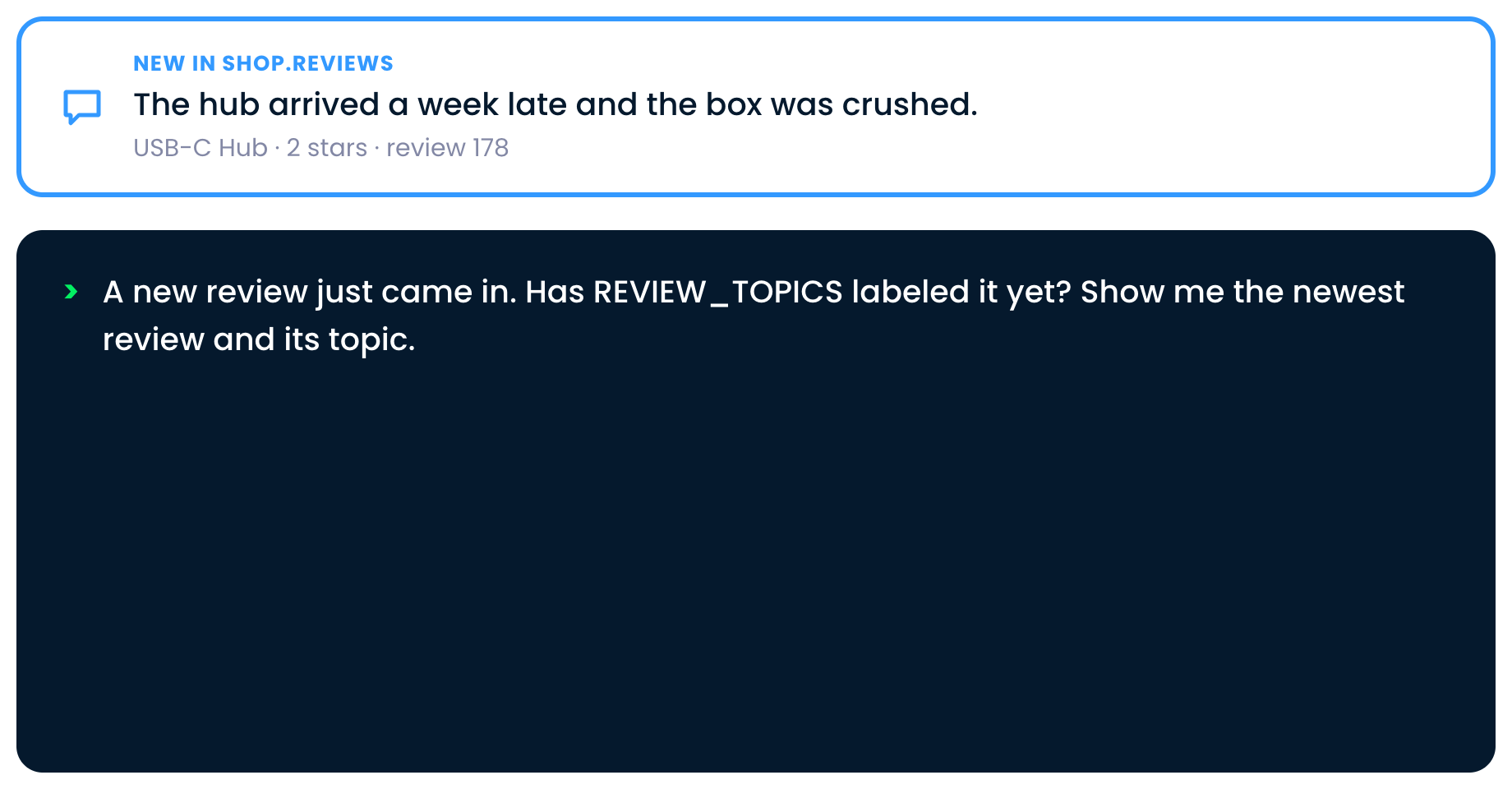
We ask CoCo whether REVIEW_TOPICS has labeled the new review

Introduction to Snowflake CoCo CLI

A new review arrives


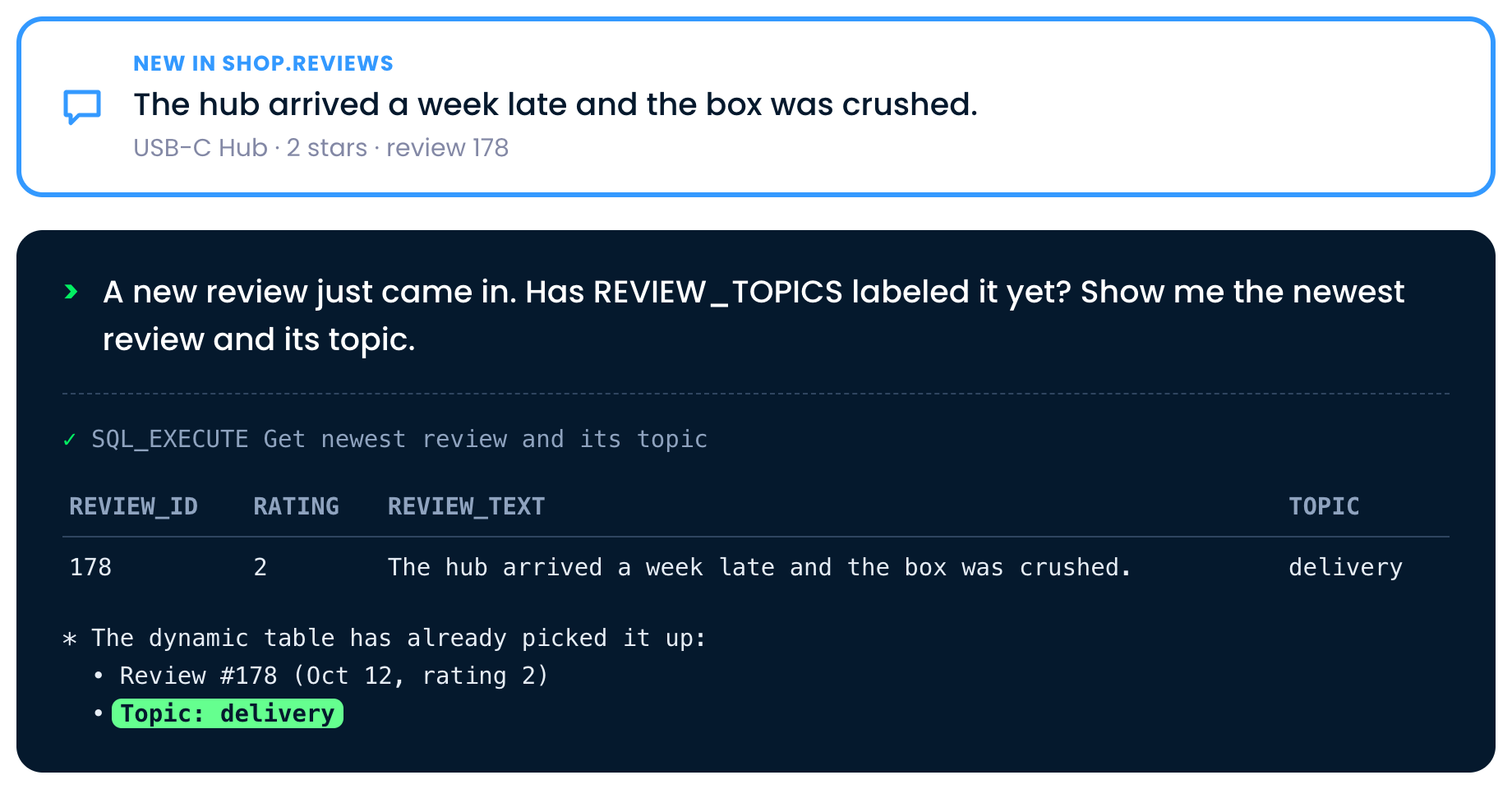
CoCo shows review 178 in REVIEW_TOPICS with the topic delivery

Introduction to Snowflake CoCo CLI

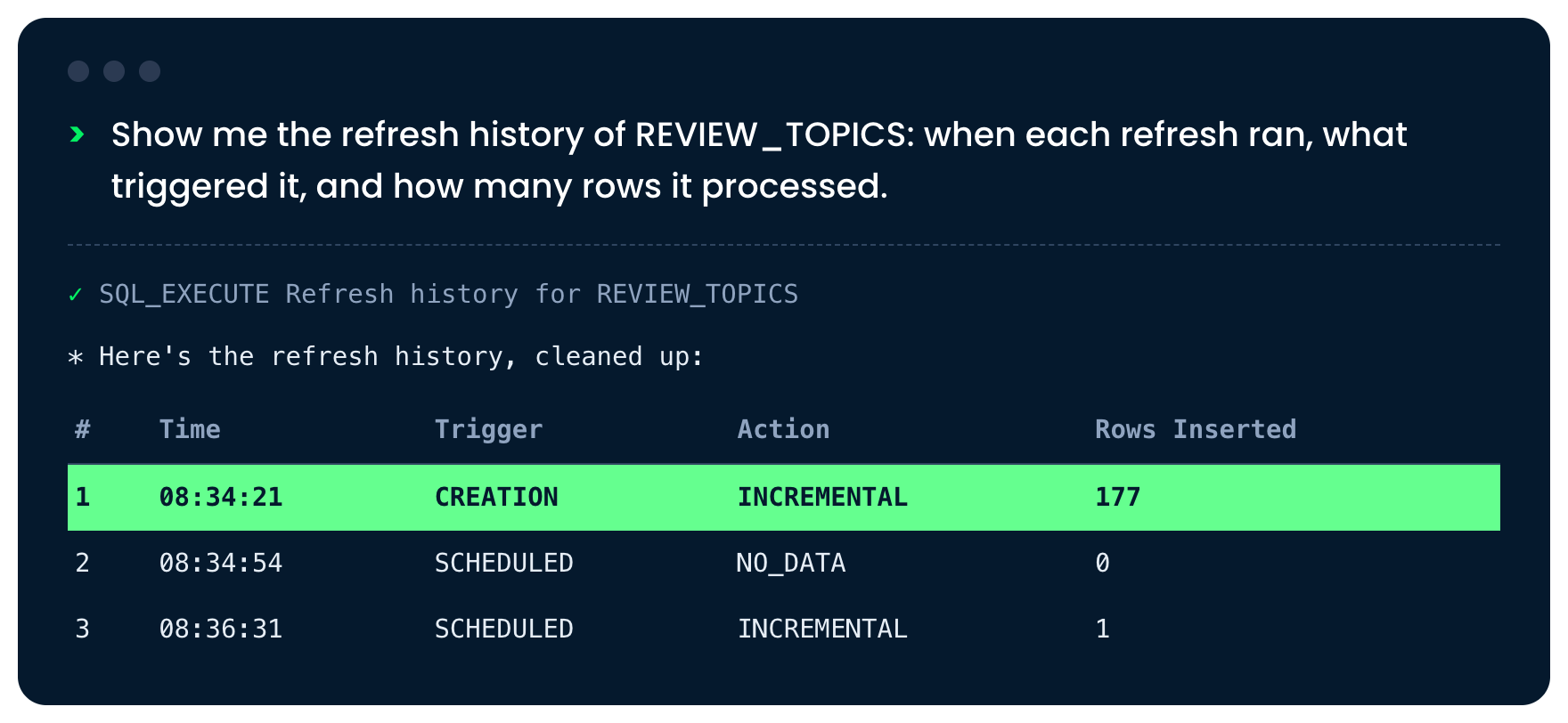
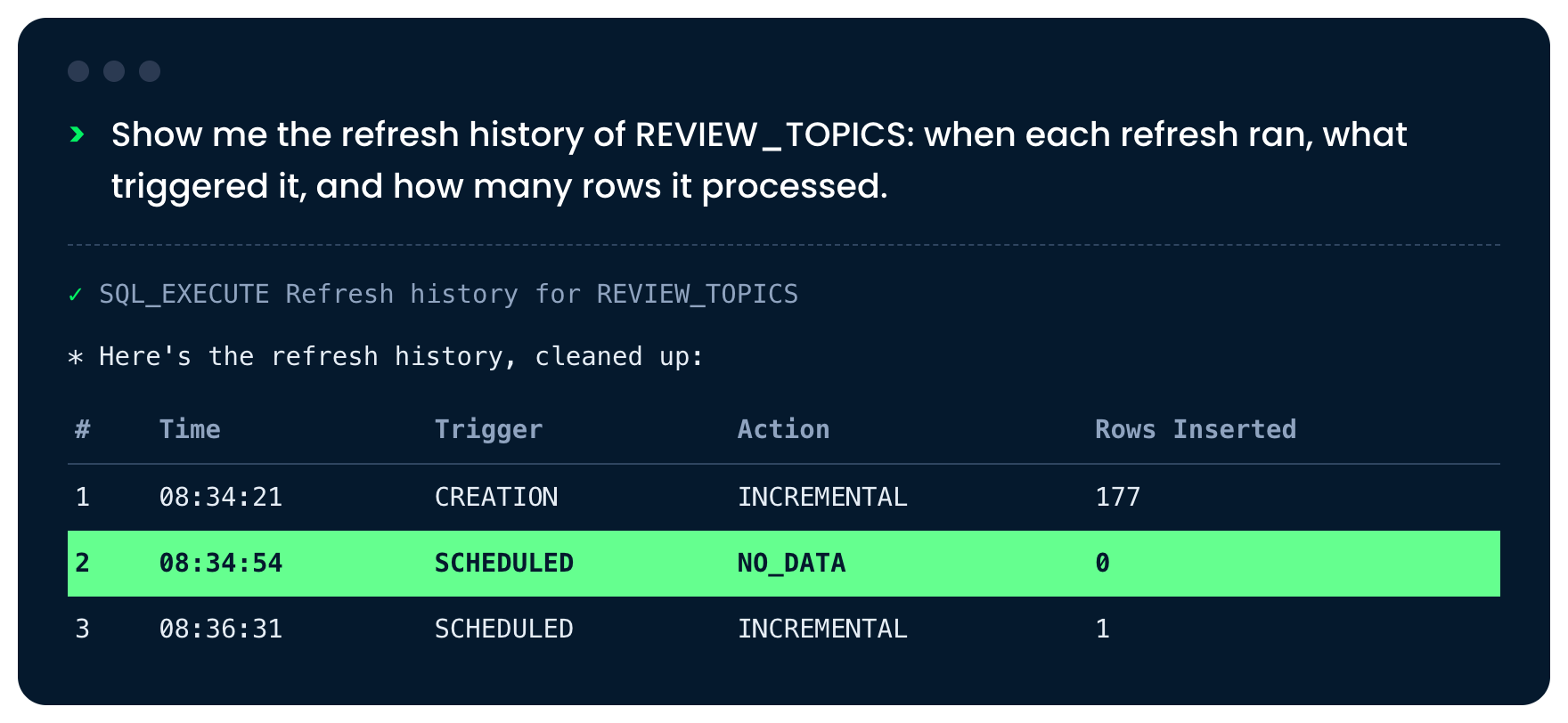
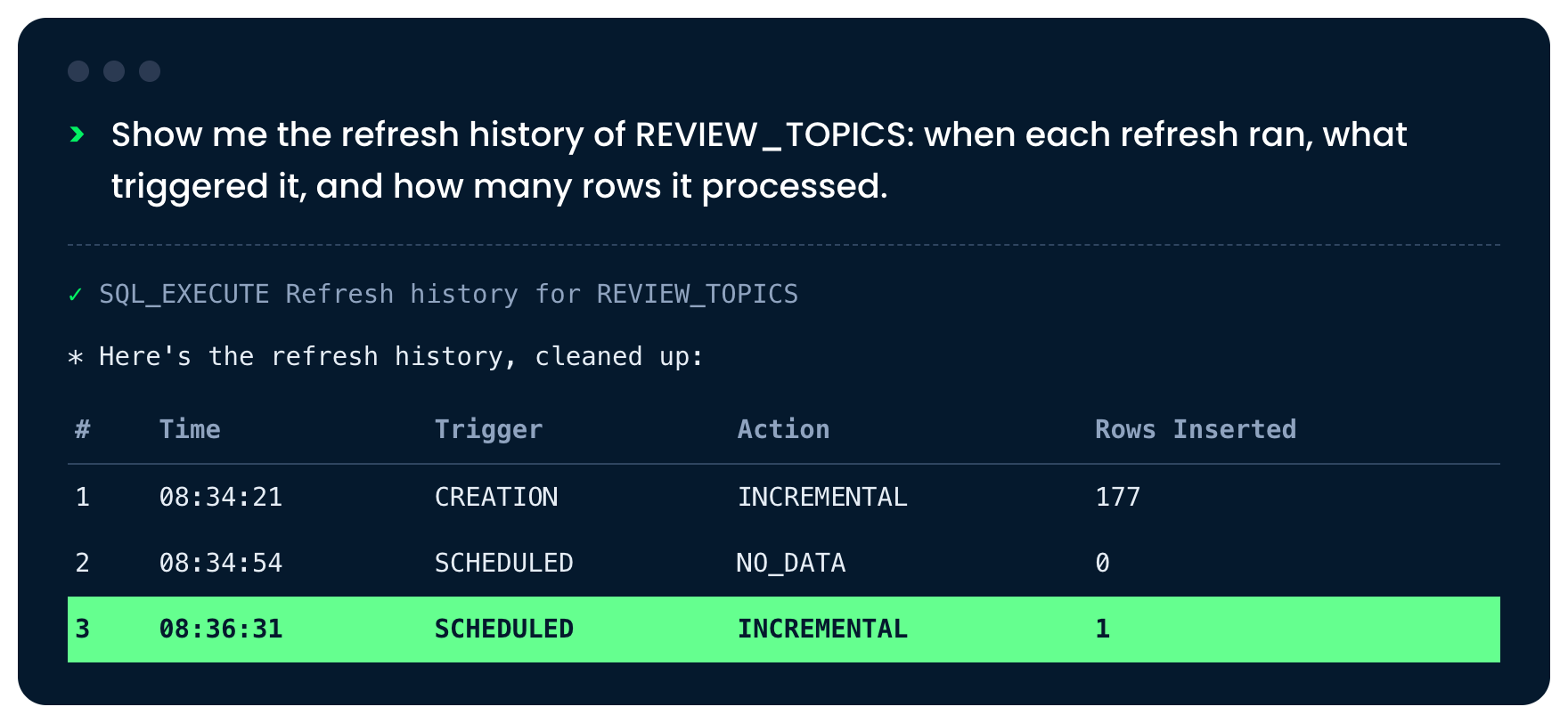
Check the refresh history


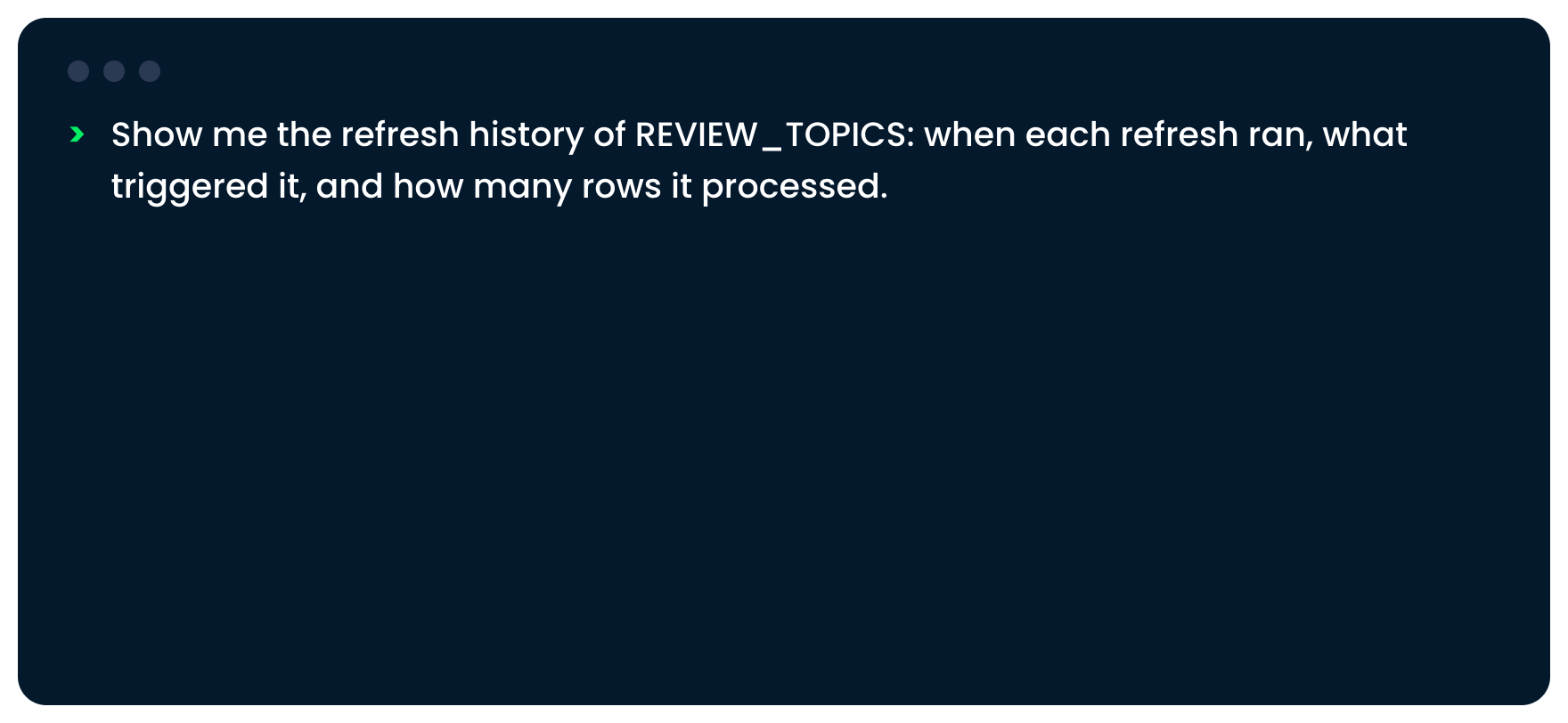
We ask CoCo for the refresh history of REVIEW_TOPICS

Introduction to Snowflake CoCo CLI

Check the refresh history


The first refresh, at creation, inserted 177 rows

Introduction to Snowflake CoCo CLI

Check the refresh history


A scheduled refresh found no data and inserted nothing

Introduction to Snowflake CoCo CLI

Check the refresh history


A scheduled refresh inserted one row, the new review

Introduction to Snowflake CoCo CLI

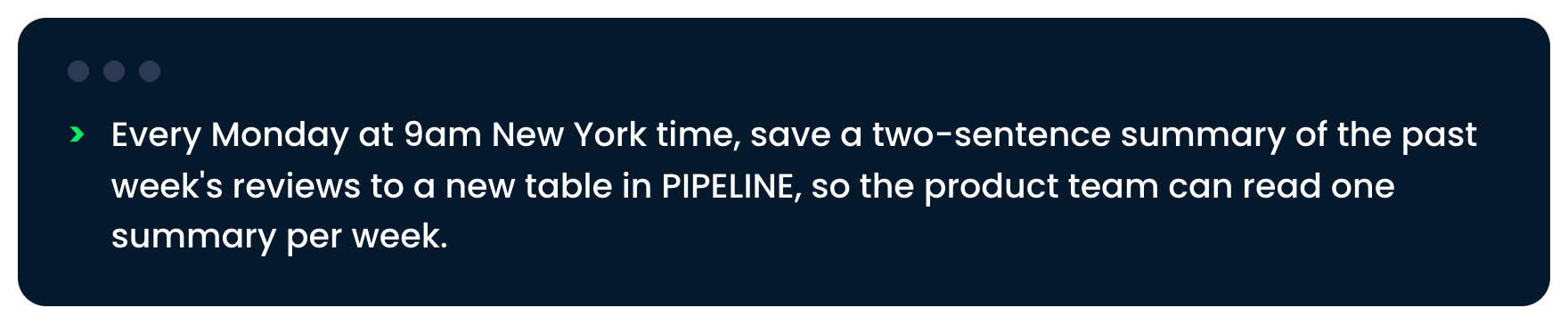
A scheduled task


The request for a weekly summary of reviews

Introduction to Snowflake CoCo CLI

A scheduled task


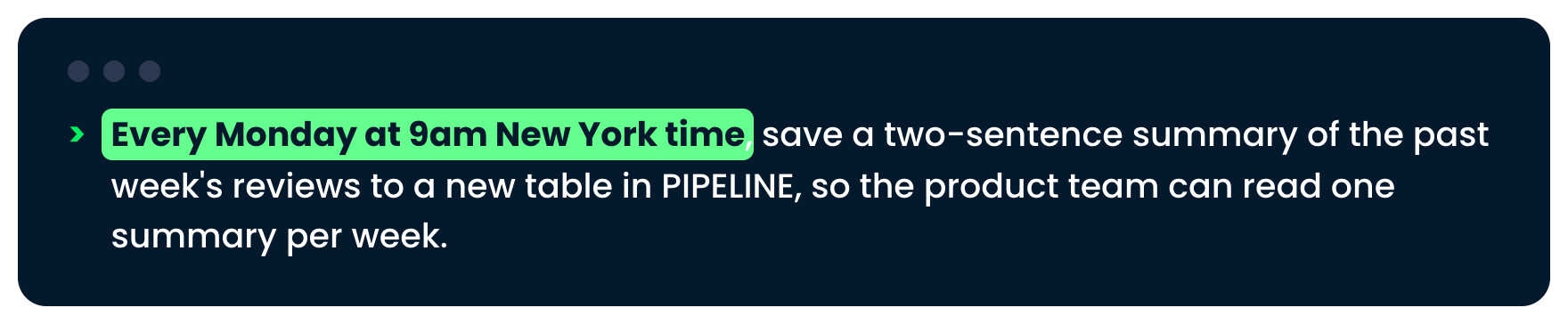
The request, with every Monday at 9am New York time highlighted

Introduction to Snowflake CoCo CLI

A scheduled task


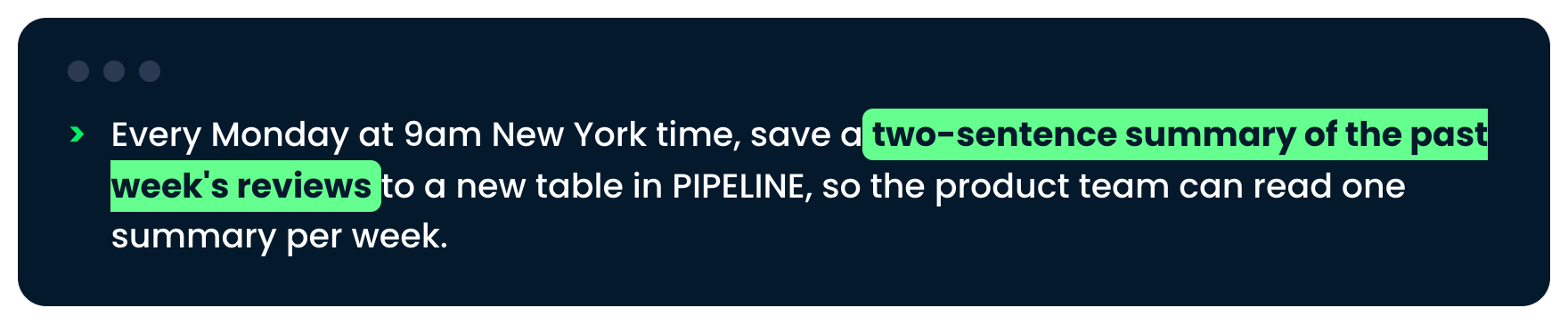
The request, with a two-sentence summary of the past week highlighted

Introduction to Snowflake CoCo CLI

Inside the task


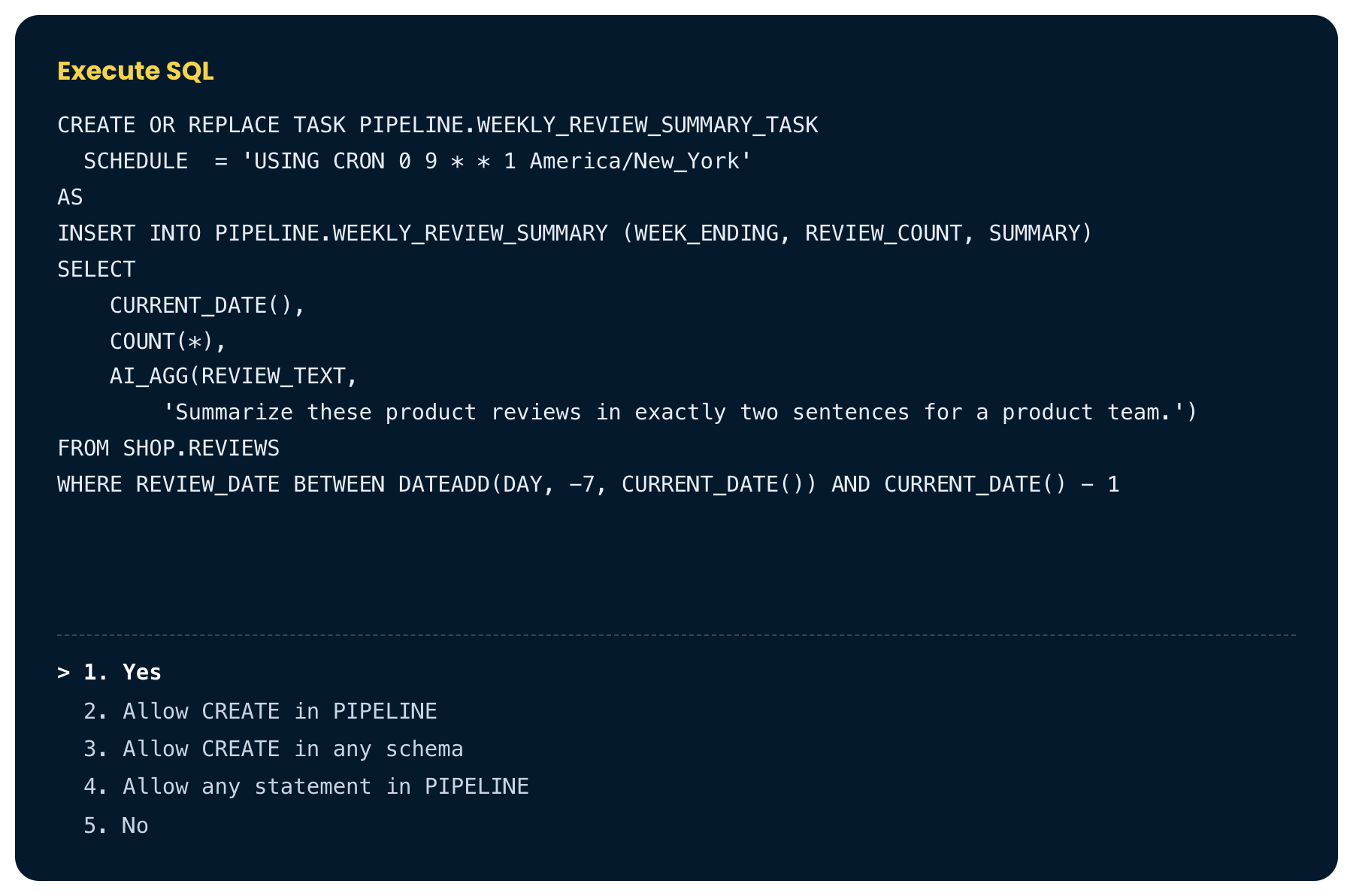
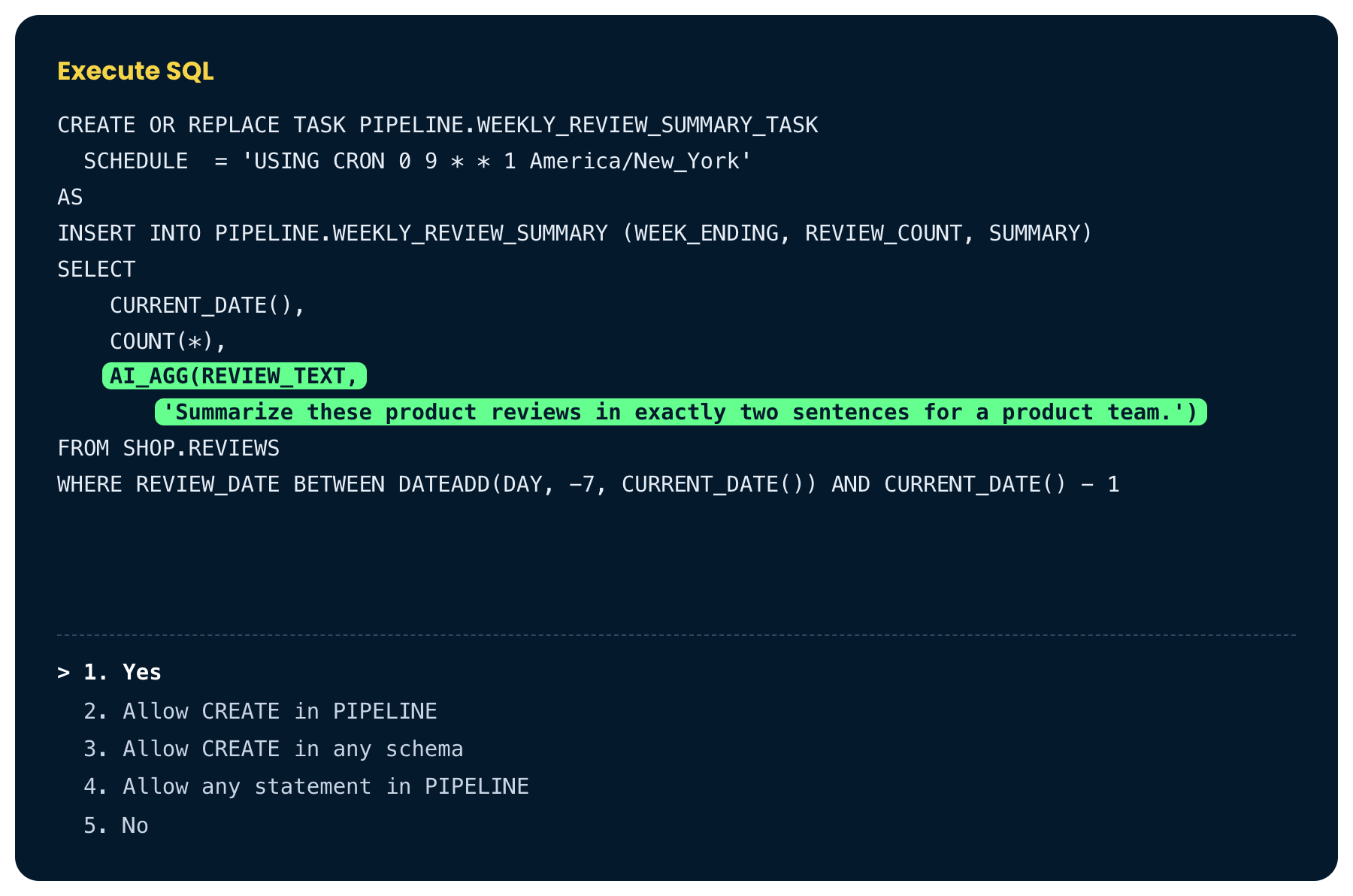
The Execute SQL box for the task

Introduction to Snowflake CoCo CLI

Inside the task


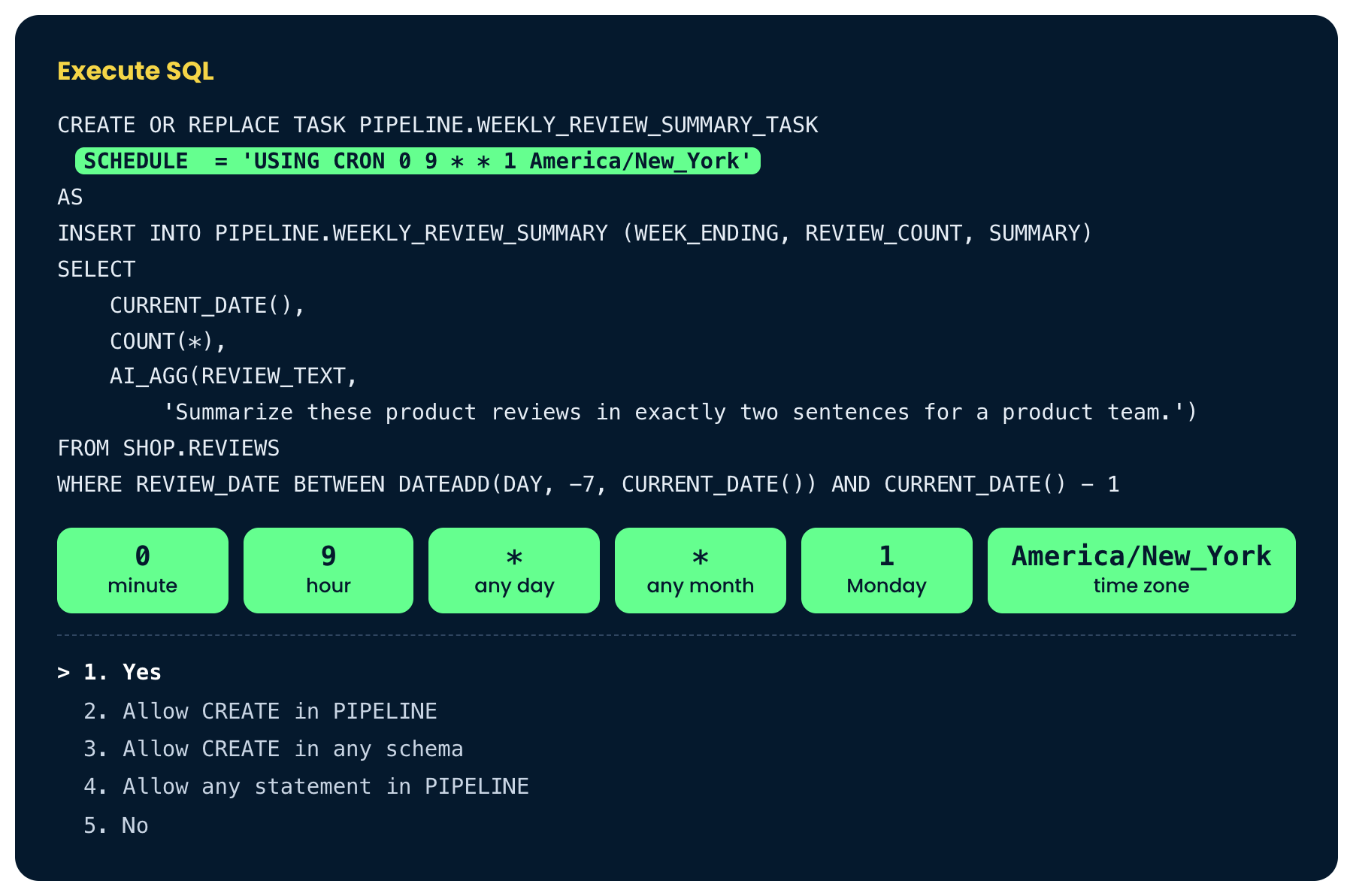
The Execute SQL box, with the cron schedule highlighted and its fields explained

Introduction to Snowflake CoCo CLI

Inside the task


The Execute SQL box, with AI_AGG highlighted

Introduction to Snowflake CoCo CLI

Turn the task on


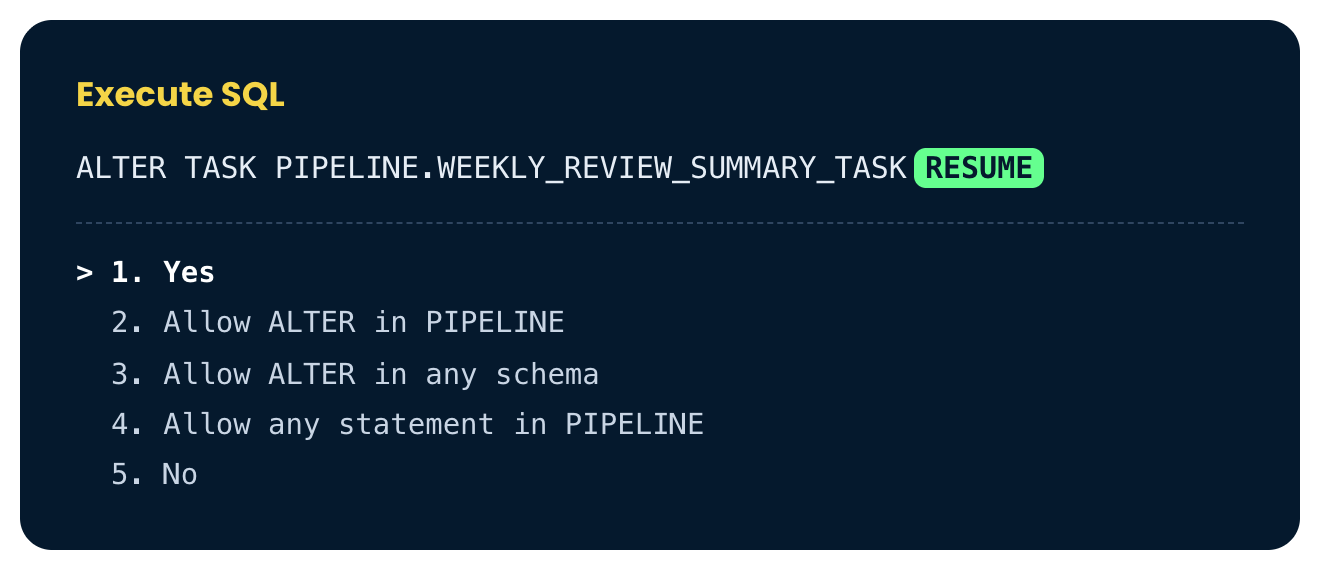
The Execute SQL box to resume the task, with RESUME highlighted

Introduction to Snowflake CoCo CLI

Test it once


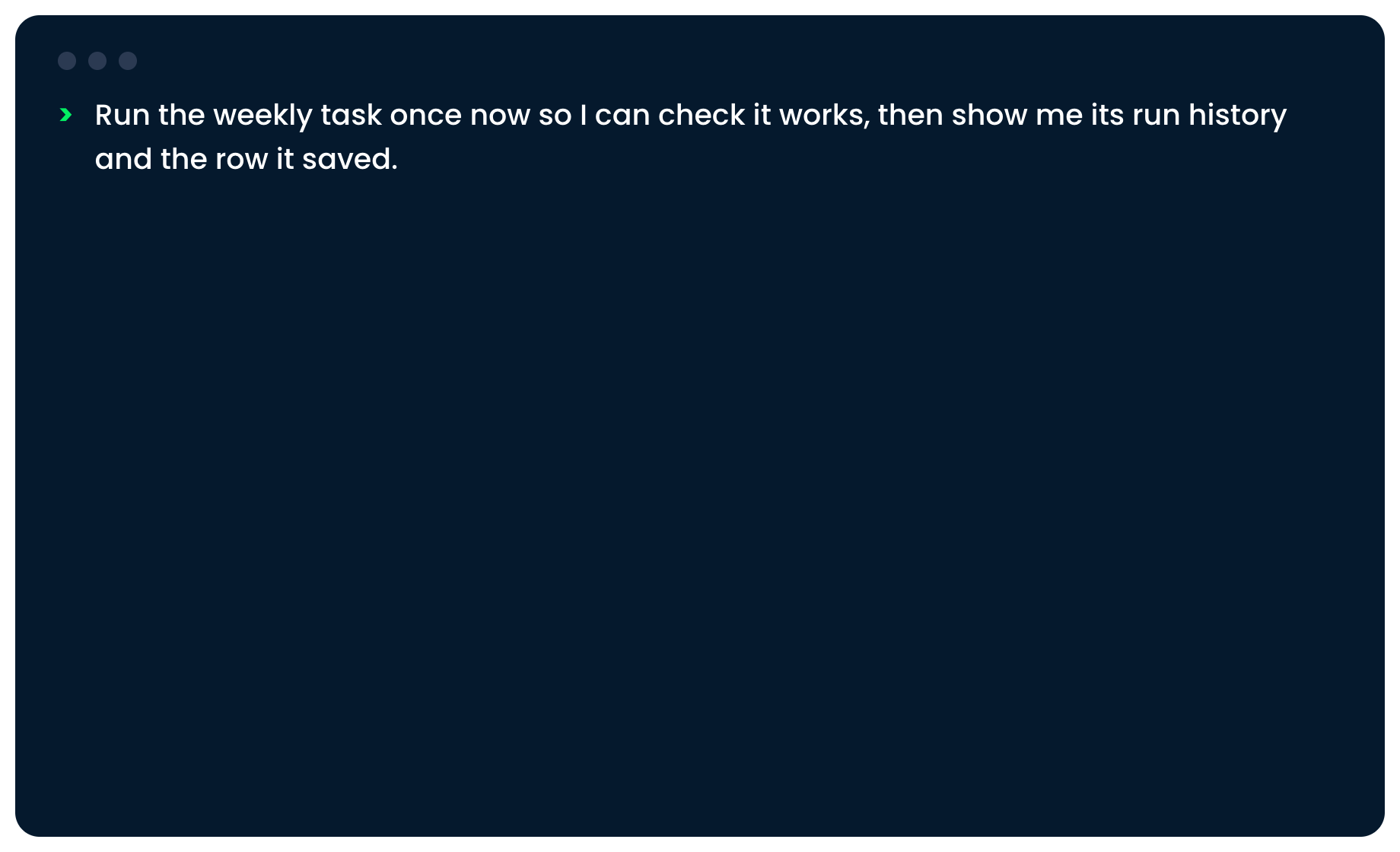
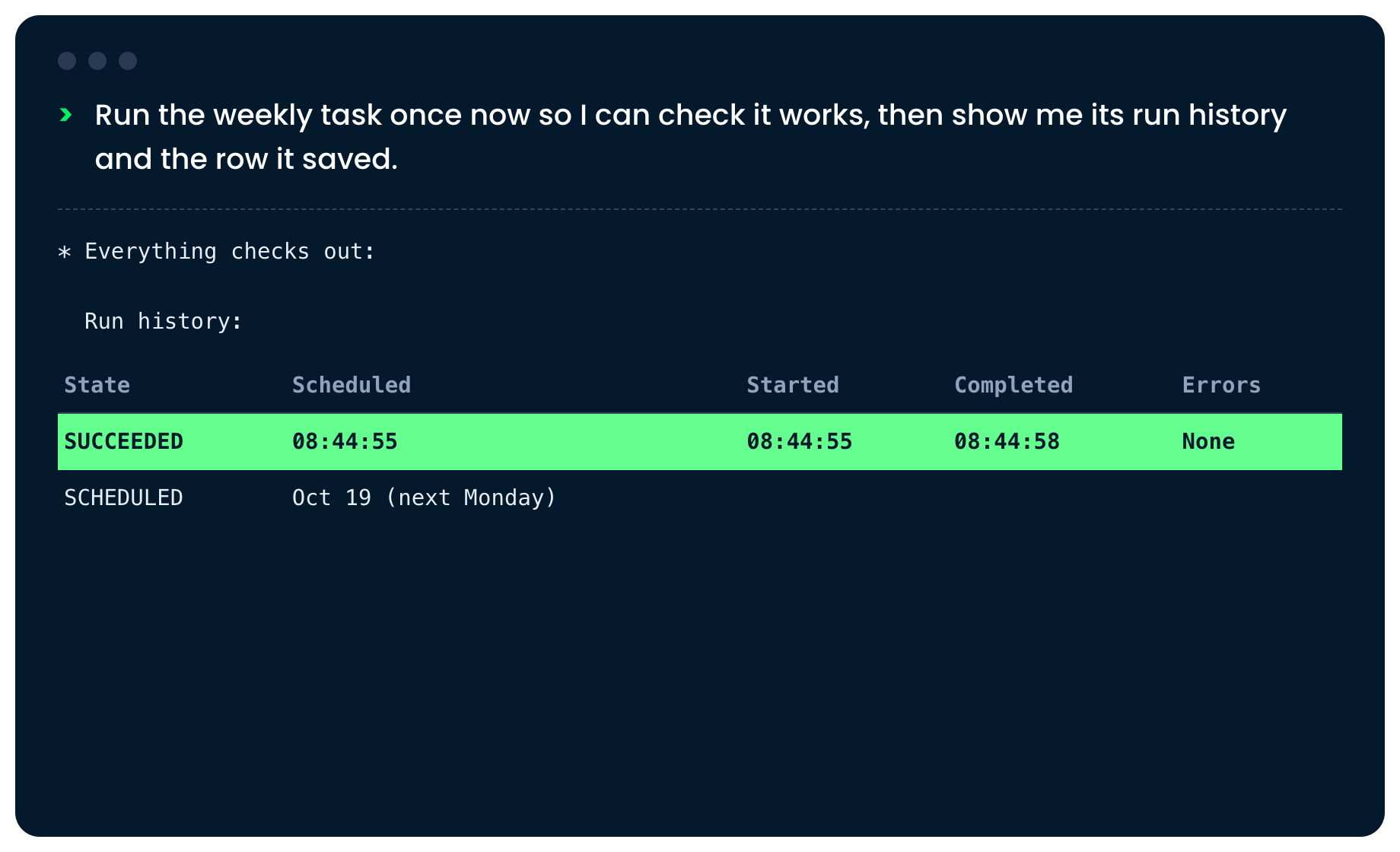
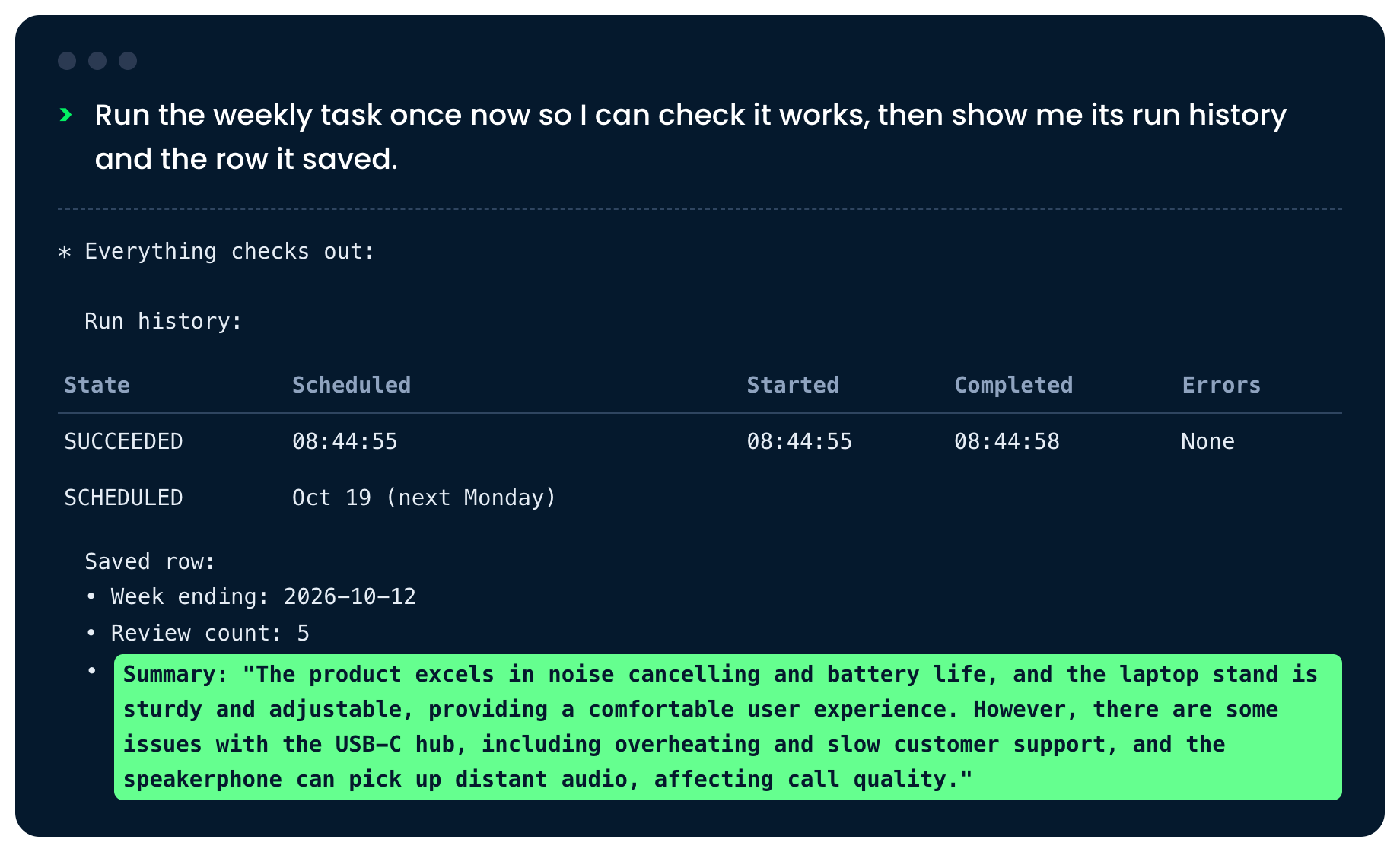
We ask CoCo to run the task once and show the run history and the saved row

Introduction to Snowflake CoCo CLI

Test it once


The run history, with the successful run highlighted

Introduction to Snowflake CoCo CLI

Test it once


The saved summary, highlighted

Introduction to Snowflake CoCo CLI

Pause when needed


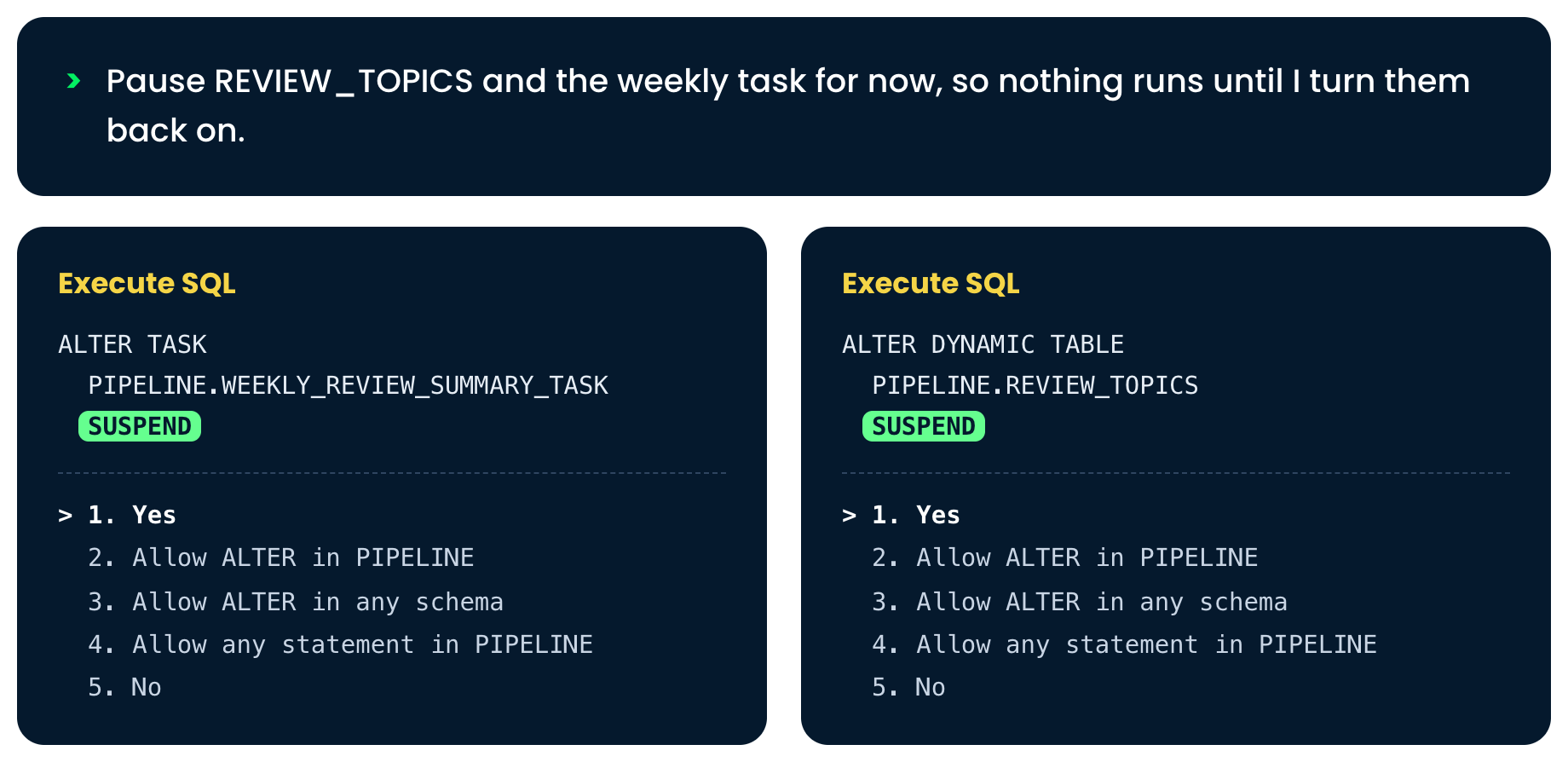
We ask CoCo to pause REVIEW_TOPICS and the weekly task

Introduction to Snowflake CoCo CLI

Pause when needed


Two Execute SQL boxes, with SUSPEND highlighted in each

Introduction to Snowflake CoCo CLI

CoCo inside the pipeline


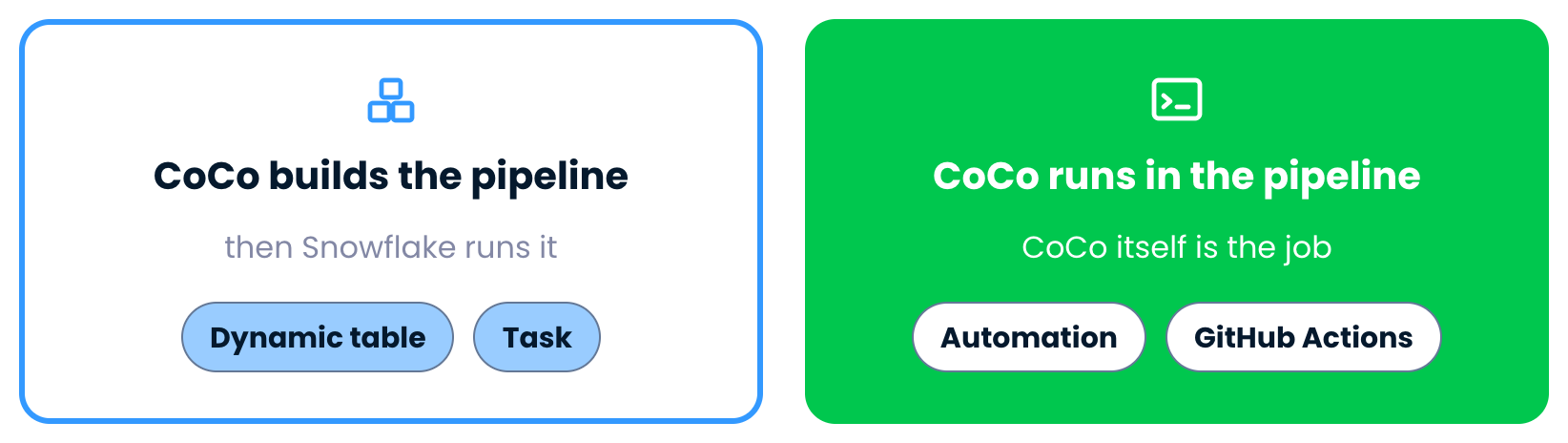
CoCo builds the pipeline, then Snowflake runs it

Introduction to Snowflake CoCo CLI

CoCo inside the pipeline


CoCo itself runs inside the pipeline

Introduction to Snowflake CoCo CLI

Automations


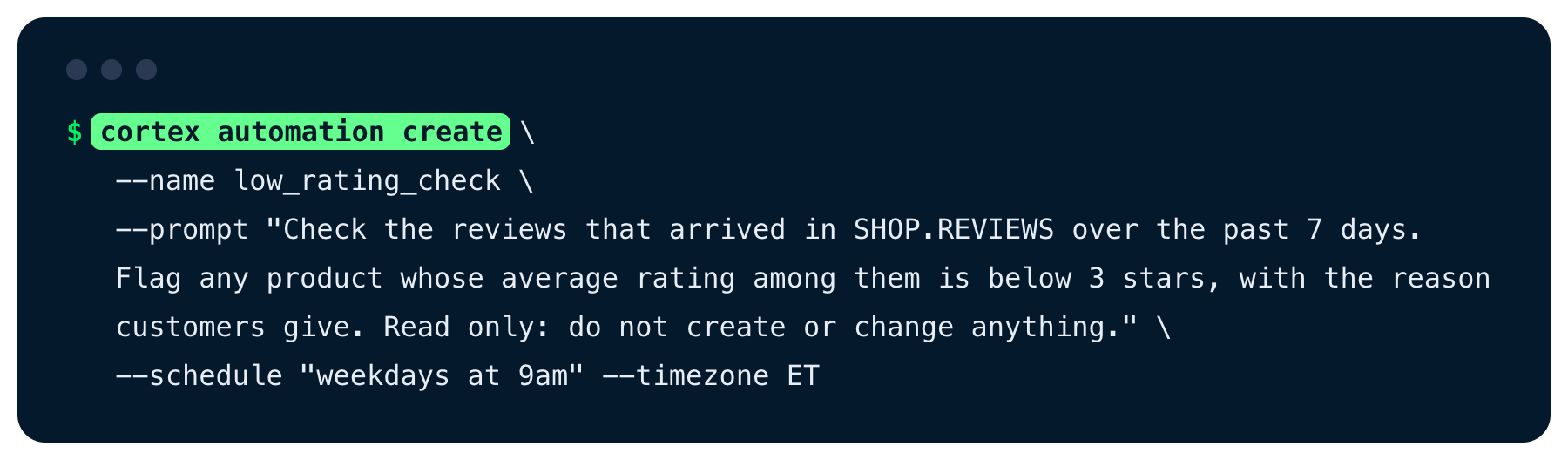
The cortex automation create command

Introduction to Snowflake CoCo CLI

Automations


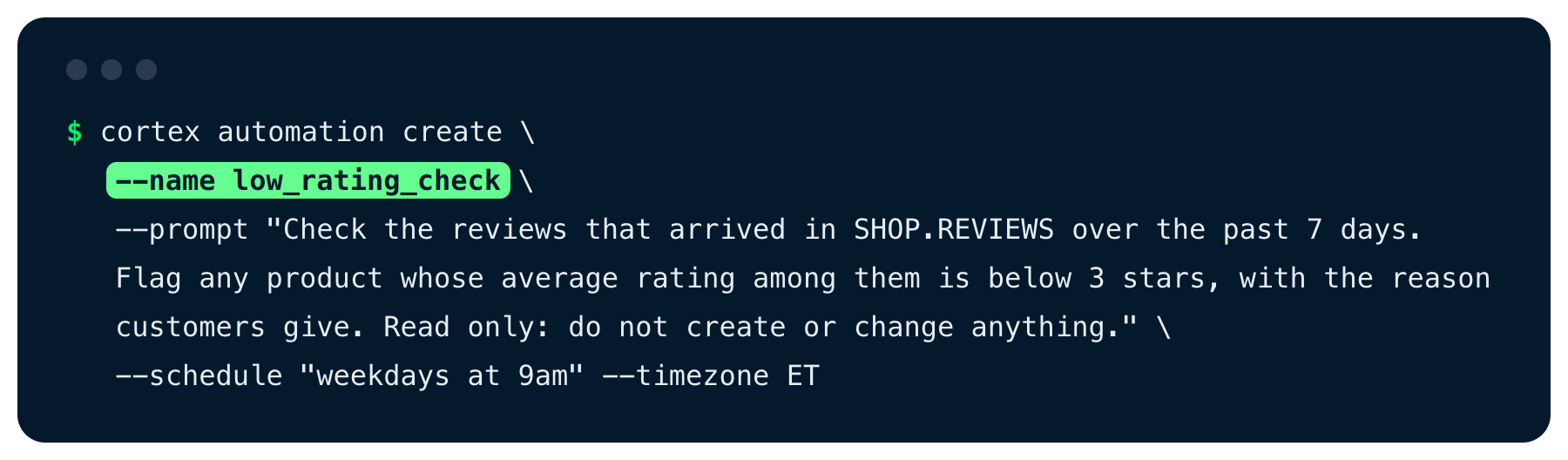
The command, with the name highlighted

Introduction to Snowflake CoCo CLI

Automations


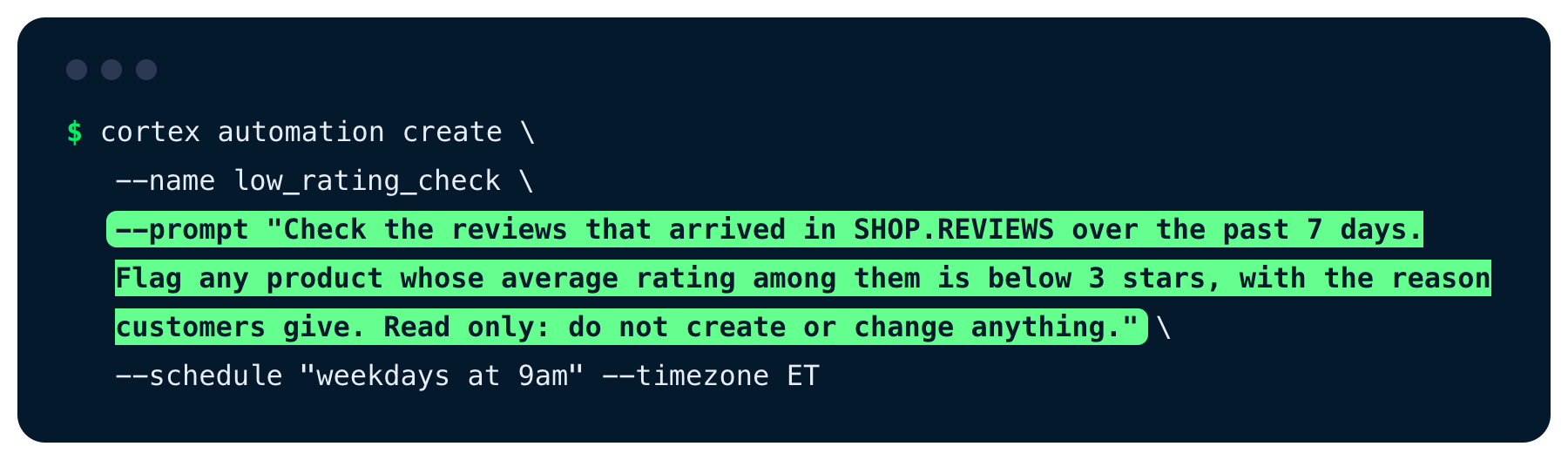
The command, with the prompt highlighted

Introduction to Snowflake CoCo CLI

Automations


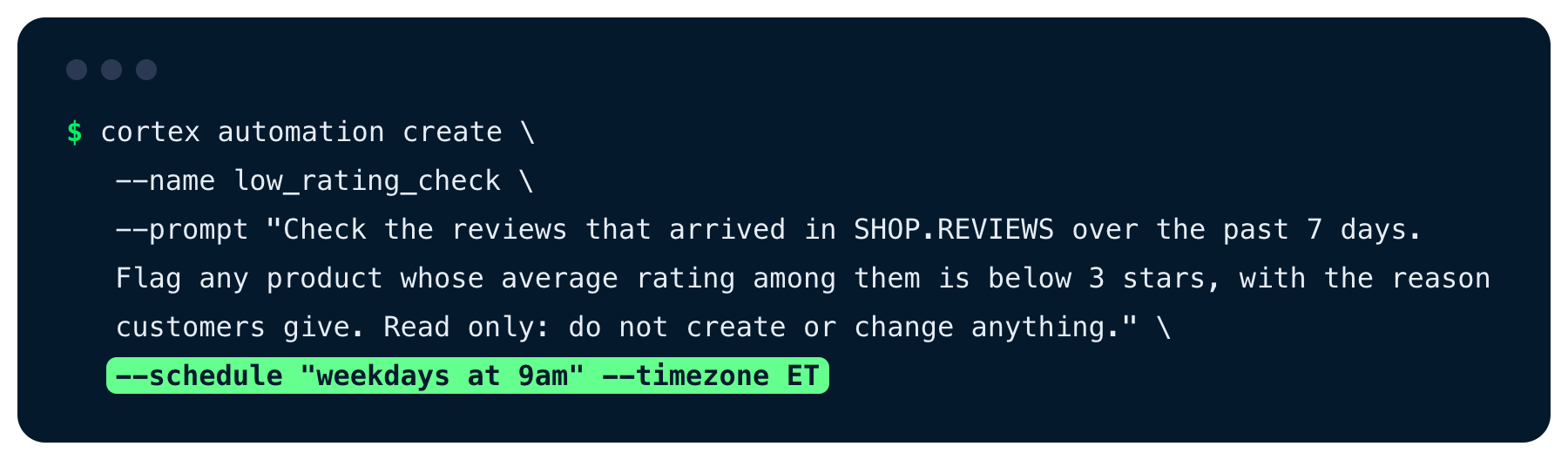
The command, with the weekday schedule highlighted

Introduction to Snowflake CoCo CLI

A report in your inbox


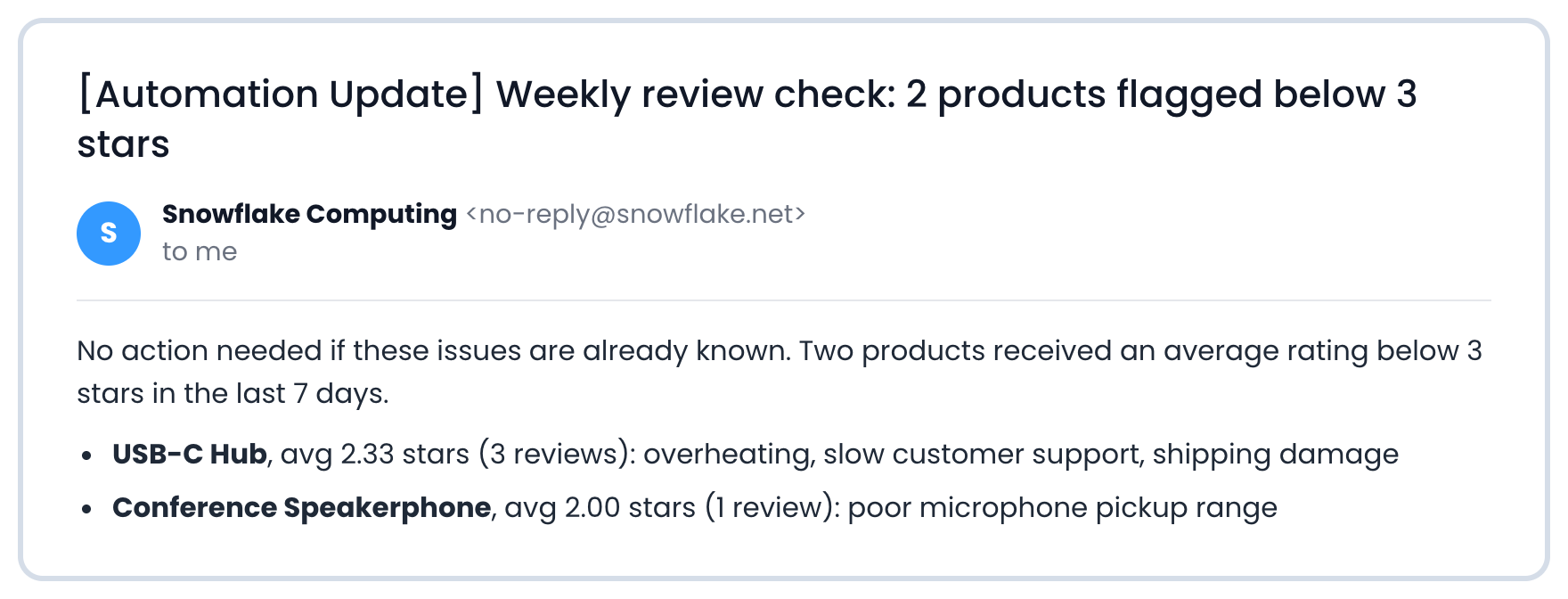
The automation report email

Introduction to Snowflake CoCo CLI

A report in your inbox


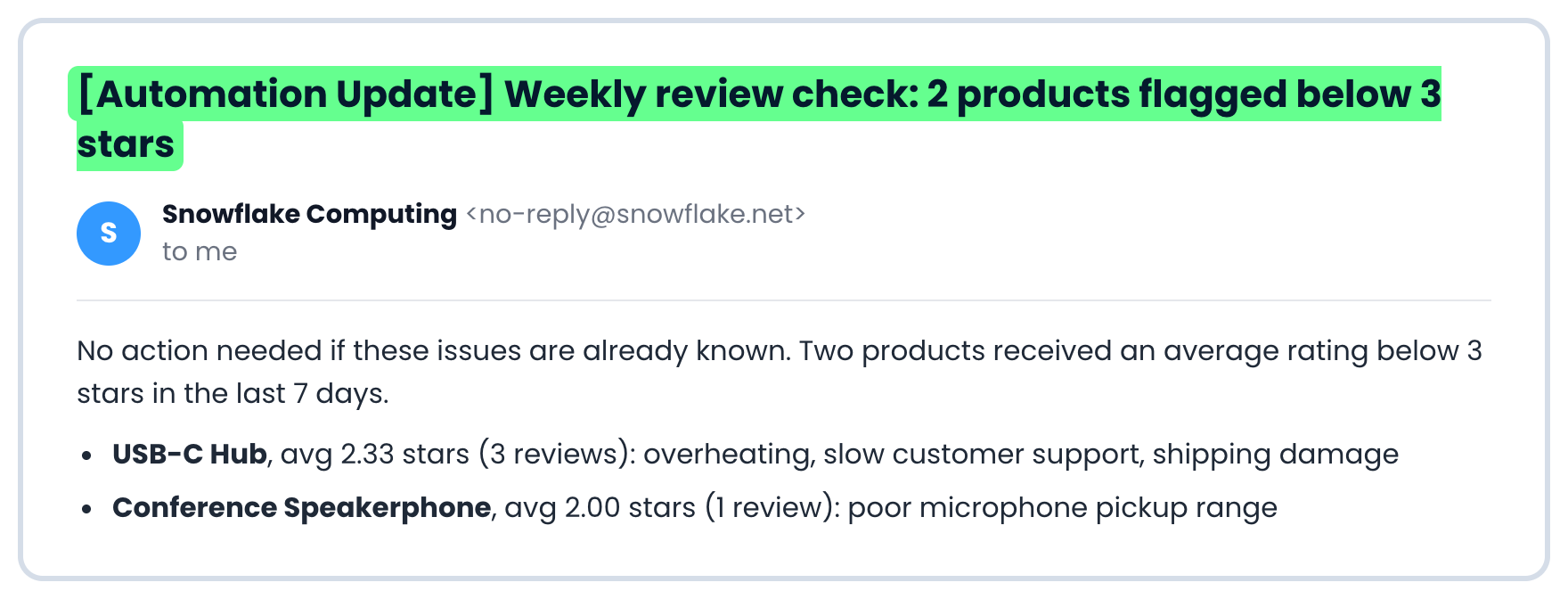
The email subject, highlighted

Introduction to Snowflake CoCo CLI

A report in your inbox


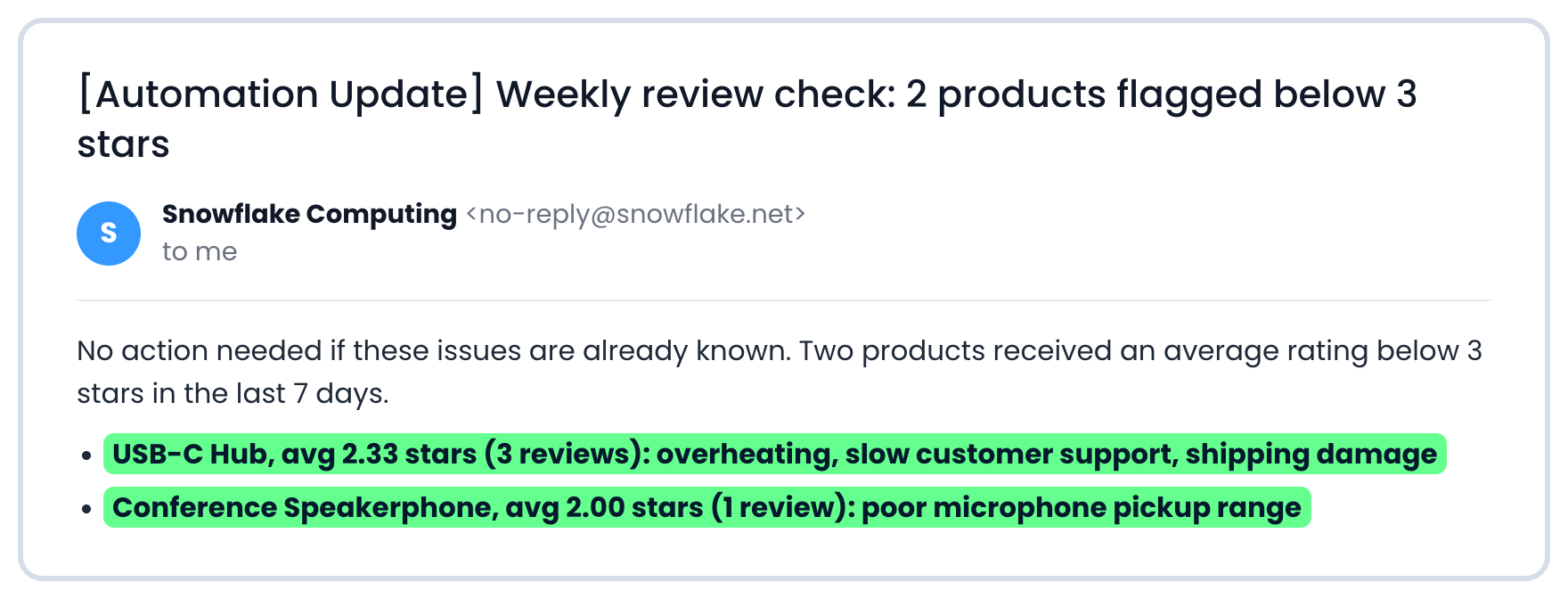
The two flagged products in the email body, highlighted

Introduction to Snowflake CoCo CLI

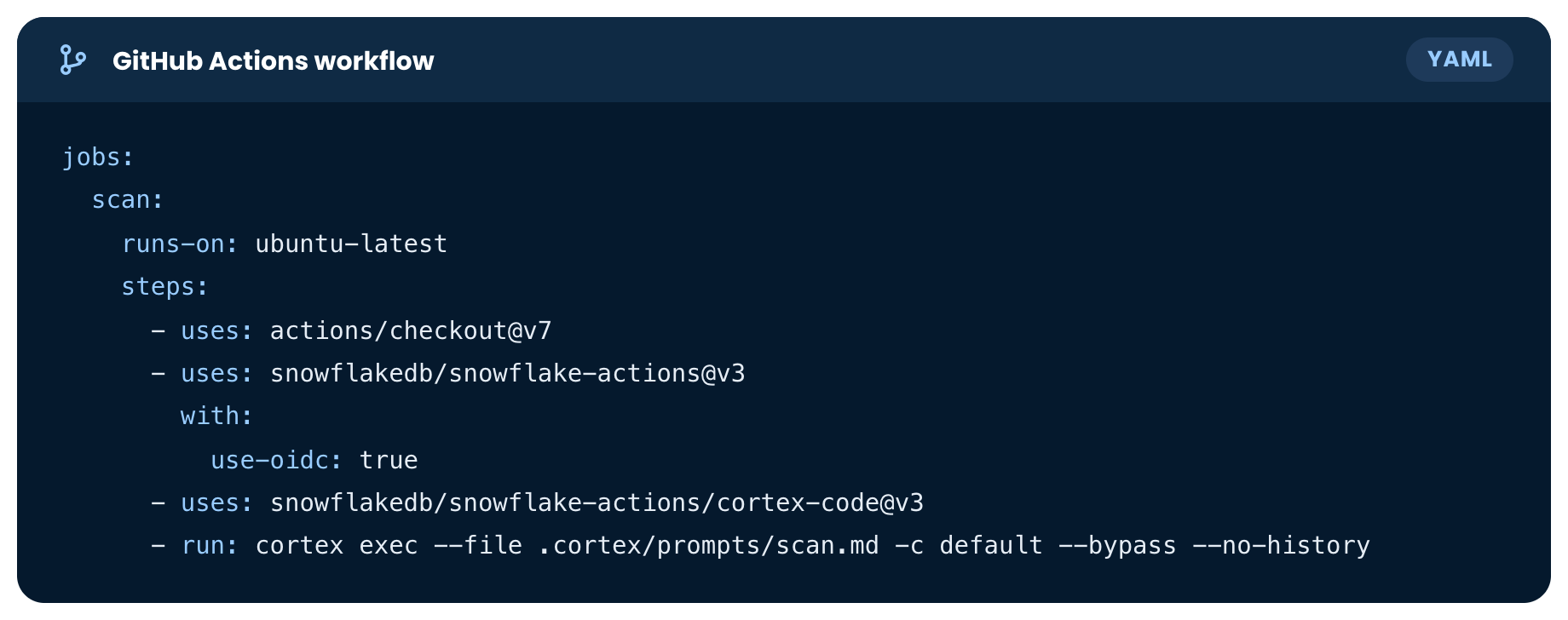
CoCo in GitHub Actions


GitHub Actions runs jobs on your repository automatically, for example each time the code changes

Introduction to Snowflake CoCo CLI

Snowflake example workflow


Snowflake example GitHub Actions workflow, a YAML file

1 https://github.com/snowflakedb/snowflake-actions
Introduction to Snowflake CoCo CLI

Snowflake example workflow


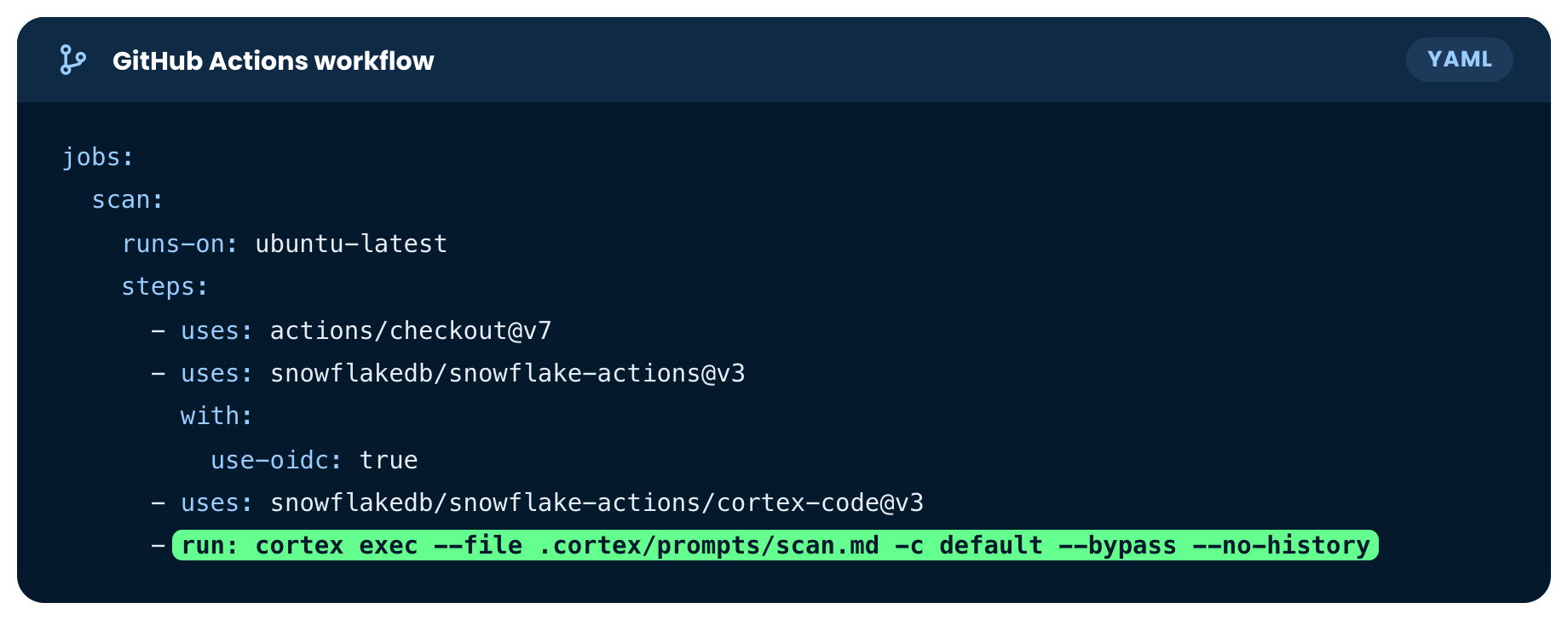
The workflow, with the cortex exec step highlighted

1 https://github.com/snowflakedb/snowflake-actions
Introduction to Snowflake CoCo CLI

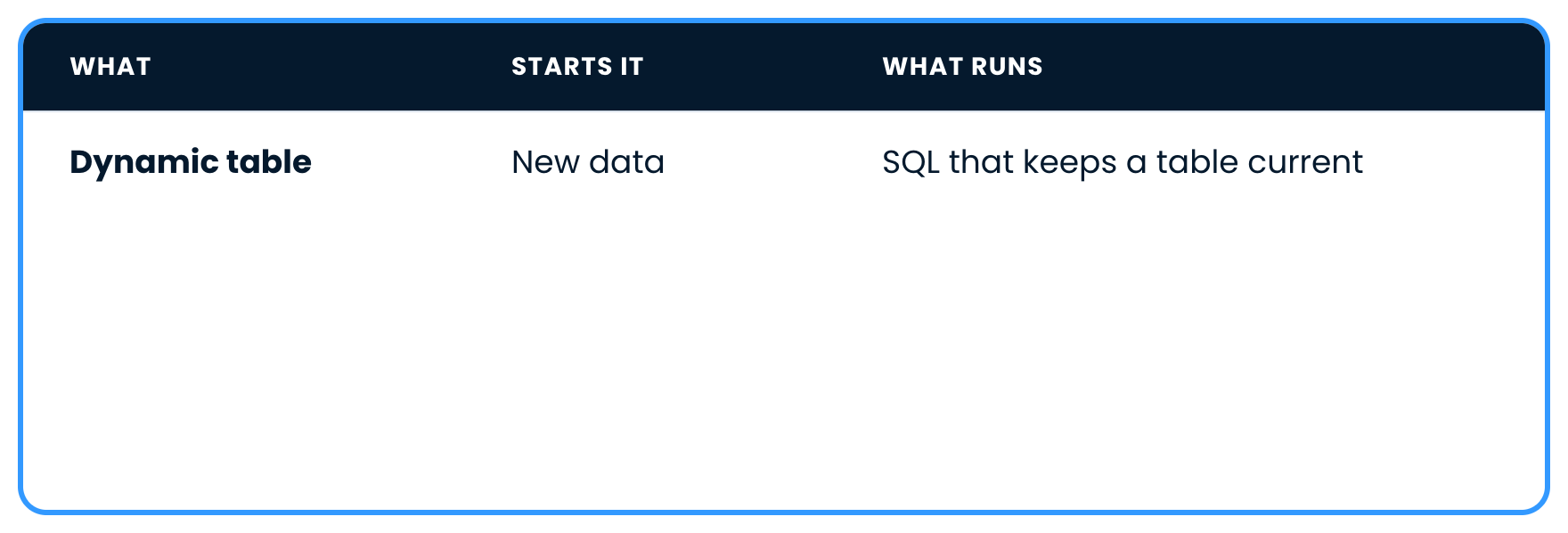
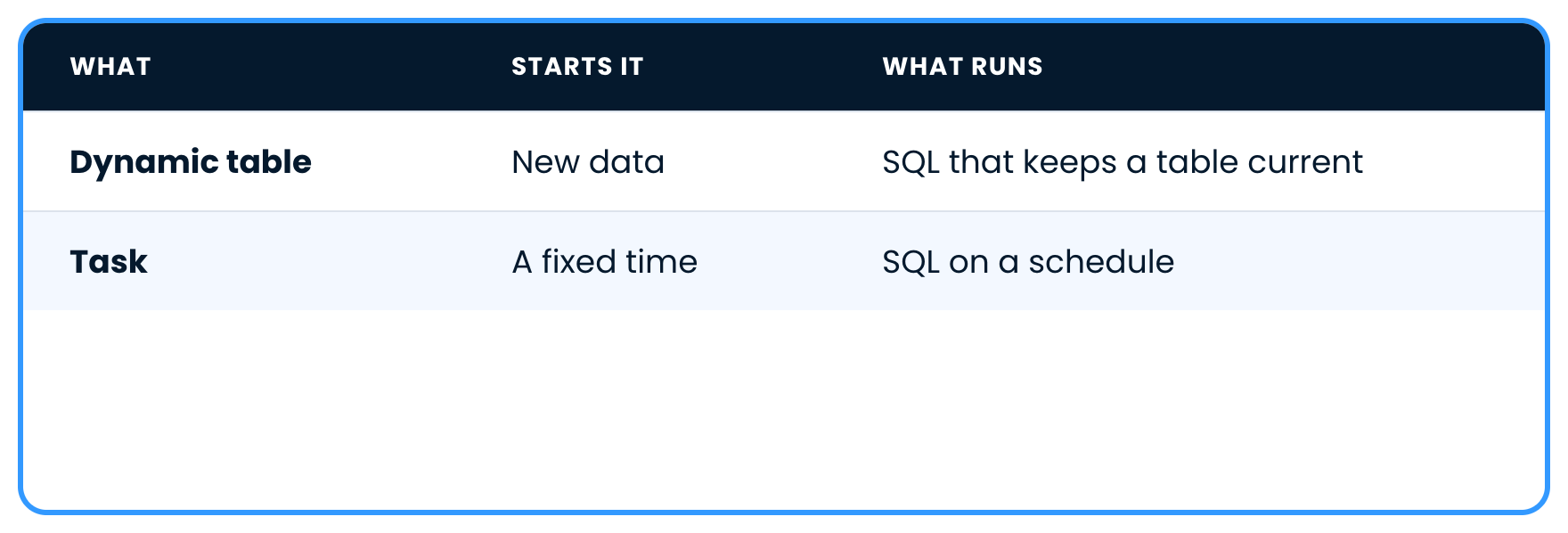
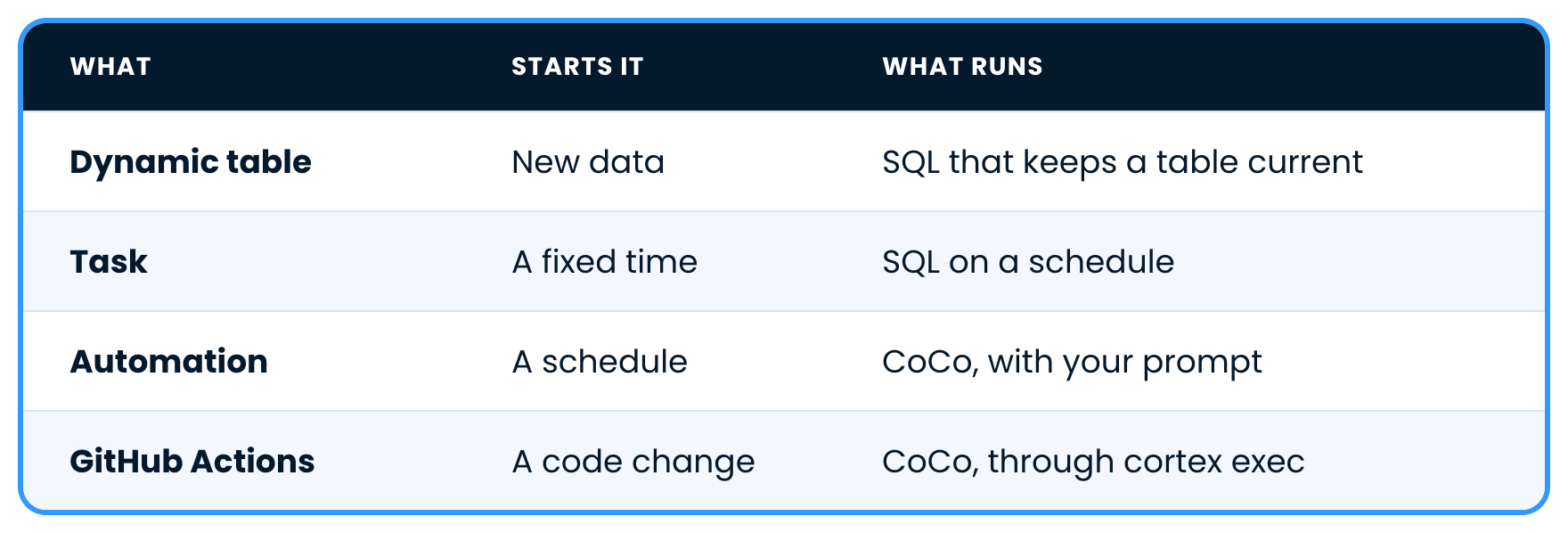
The full picture


Dynamic tables keep a table current as data arrives

Introduction to Snowflake CoCo CLI

The full picture


Tasks run SQL at a fixed time

Introduction to Snowflake CoCo CLI

The full picture


Automations and GitHub Actions run CoCo itself

Introduction to Snowflake CoCo CLI

Let's practice!

Introduction to Snowflake CoCo CLI

Preparing Video For Download...