合併分支

Git 中級

George Boorman

Curriculum Manager, DataCamp

分支的用途

  • 每個分支都應有明確目的

    • 開發新功能
    • 偵錯修正
  • 任務完成後,將變更納入正式環境

    • 通常是 main 分支——「單一真實來源」
Git 中級

來源與目標

  • 合併兩個分支時:

    • 各分支最後一次提交稱為 父提交(parent commits)
    • source—要從哪個分支合併出來
    • destination—要合併進去哪個分支
  • 當把 ai-assistant 合併進 main

    • ai-assistant = source
    • main = destination
Git 中級

合併分支

  • 切換到目標分支:
git switch main
  • 使用 git merge source

  • mainai-assistant 合併進 main

git merge ai-assistant
  • 從其他分支執行:git merge source destination
git merge ai-assistant main
Git 中級

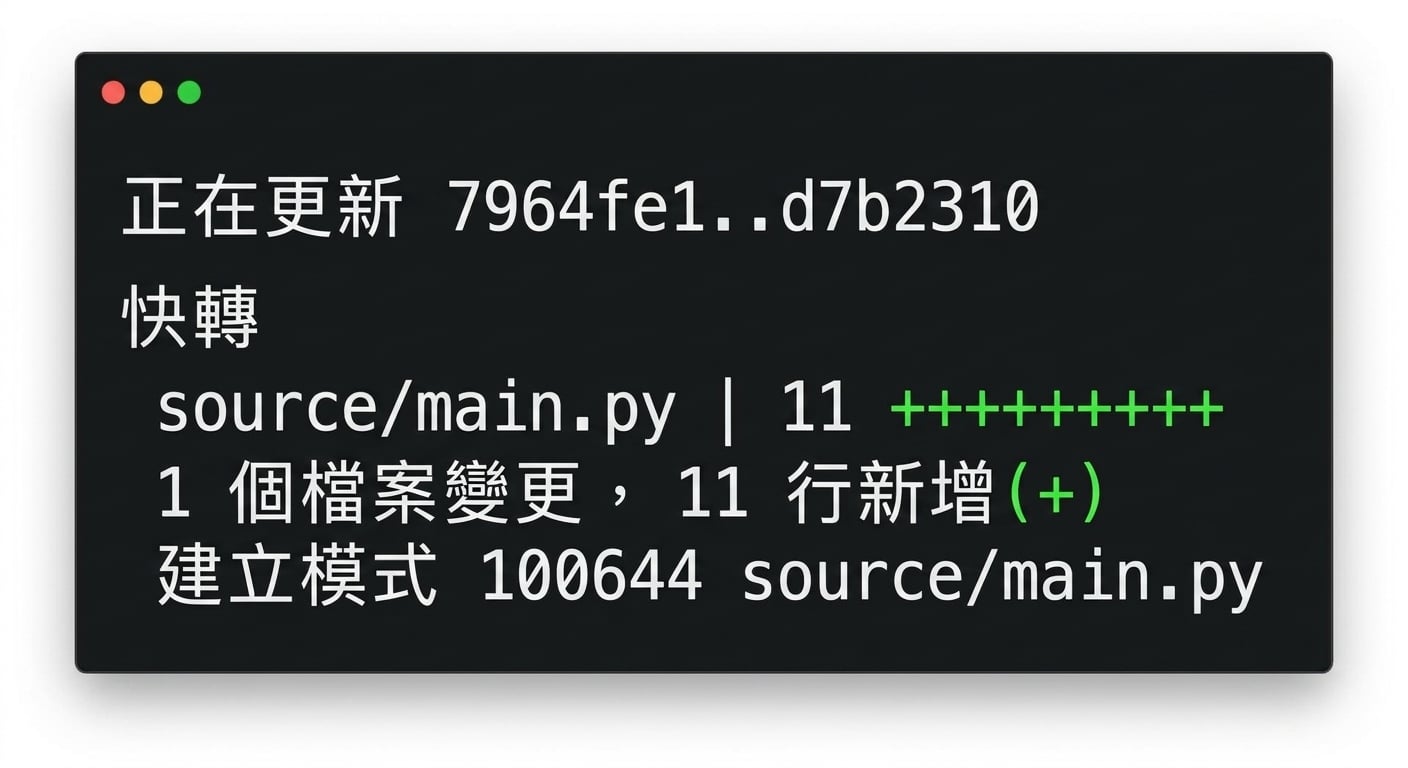
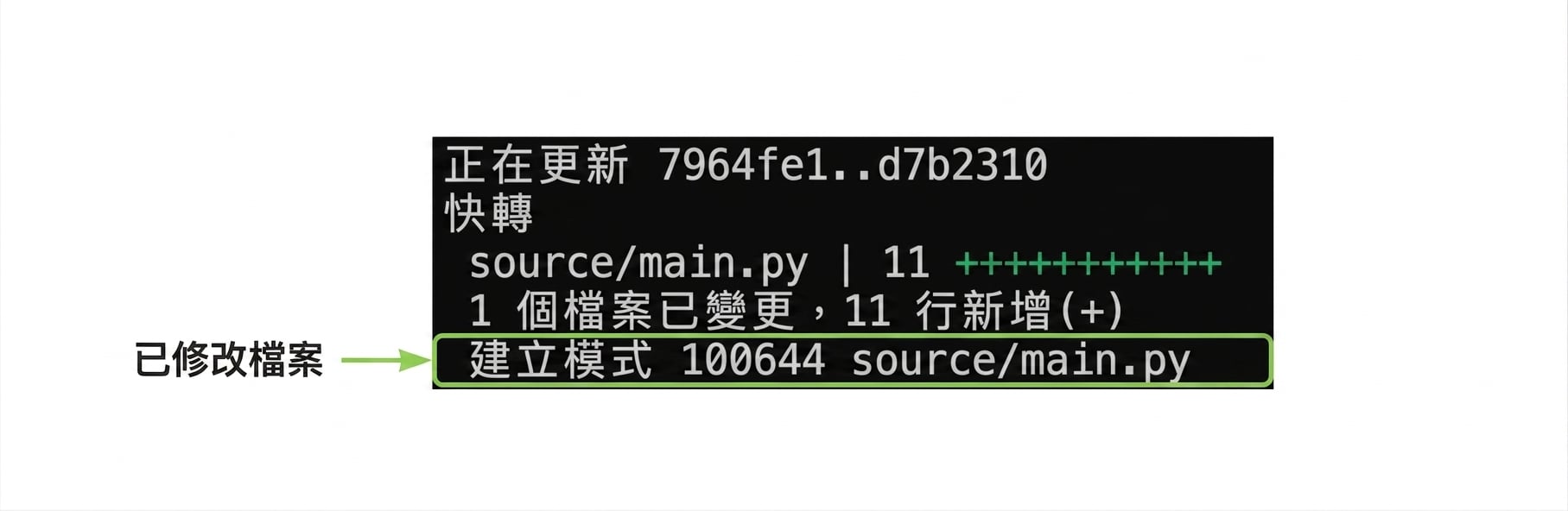
Git merge 輸出

git merge 指令的輸出

Git 中級

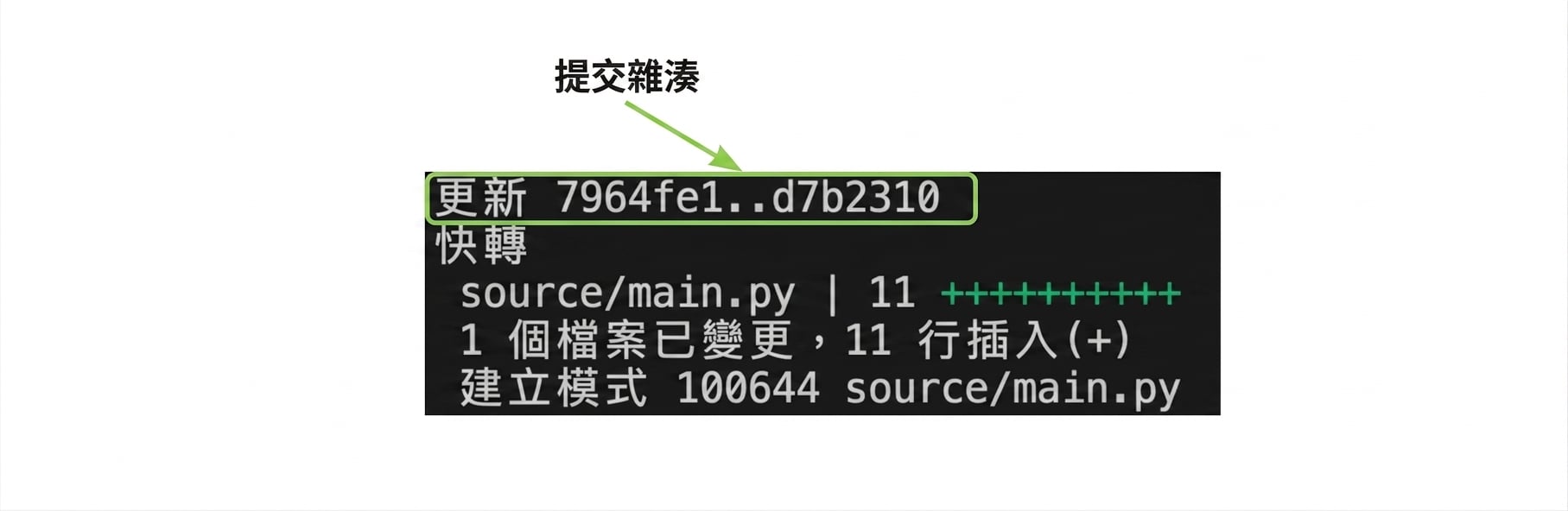
Git merge 輸出

git_merge_output,反白顯示提交雜湊值

  • 父提交
Git 中級

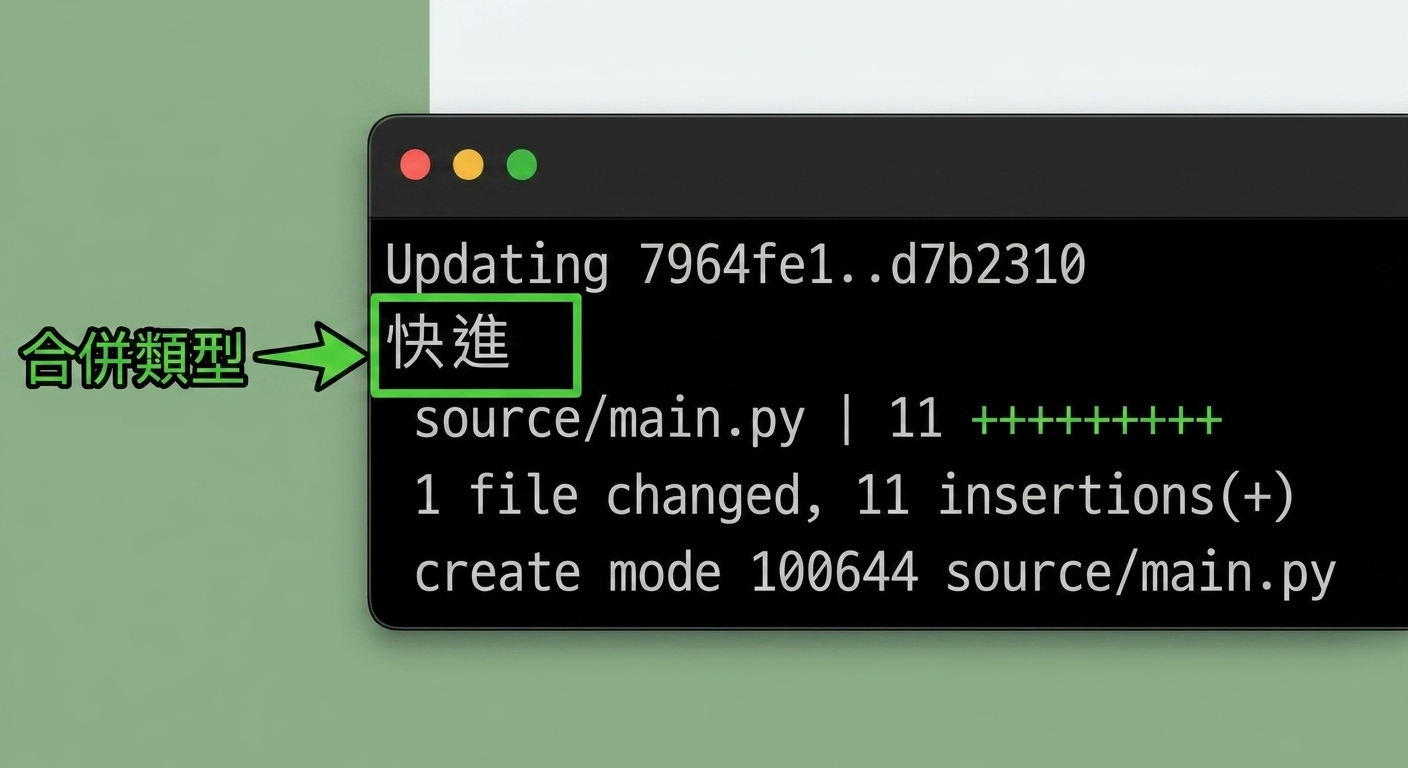
Git merge 輸出

git_merge_output,反白顯示合併類型

  • 線性提交歷史:從 main 分支出來建立 ai-assistant
  • 快轉(fast-forward):將 main 指向 ai-assistant 分支的最後一次提交
Git 中級

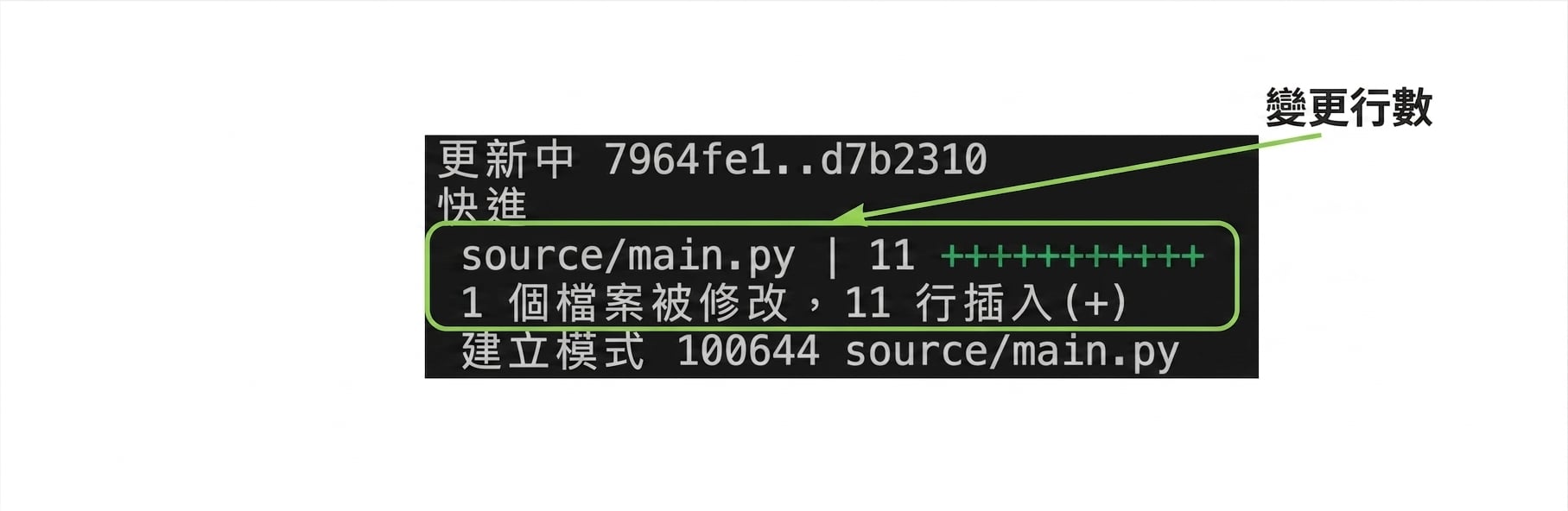
Git merge 輸出

git_merge_output,反白顯示變更行數

Git 中級

Git merge 輸出

git_merge_output,反白顯示最後一行所示新建立的檔名

Git 中級

一起來練習吧!

Git 中級

Preparing Video For Download...