個人存取權杖(PAT)

GitHub 概念入門

George Boorman

Curriculum Manager, DataCamp

身分驗證

  • 可在終端機使用 Git 與 GitHub 互動
git clone https://github.com/george-boorman/bank_marketing
Username for 'https://github.com': george-boorman
Password for 'https://[email protected]':
GitHub 概念入門

驗證失敗


remote: Support for password authentication was removed on August 13, 2021.
remote: Please see https://docs.github.com/en/get-started/getting-started-with-git/about-remote-
repositories#cloning-with-https-urls for information on currently recommended modes of authentication.
fatal: Authentication failed for 'https://github.com/george-boorman/bank_marketing/'
GitHub 概念入門

GitHub 文件

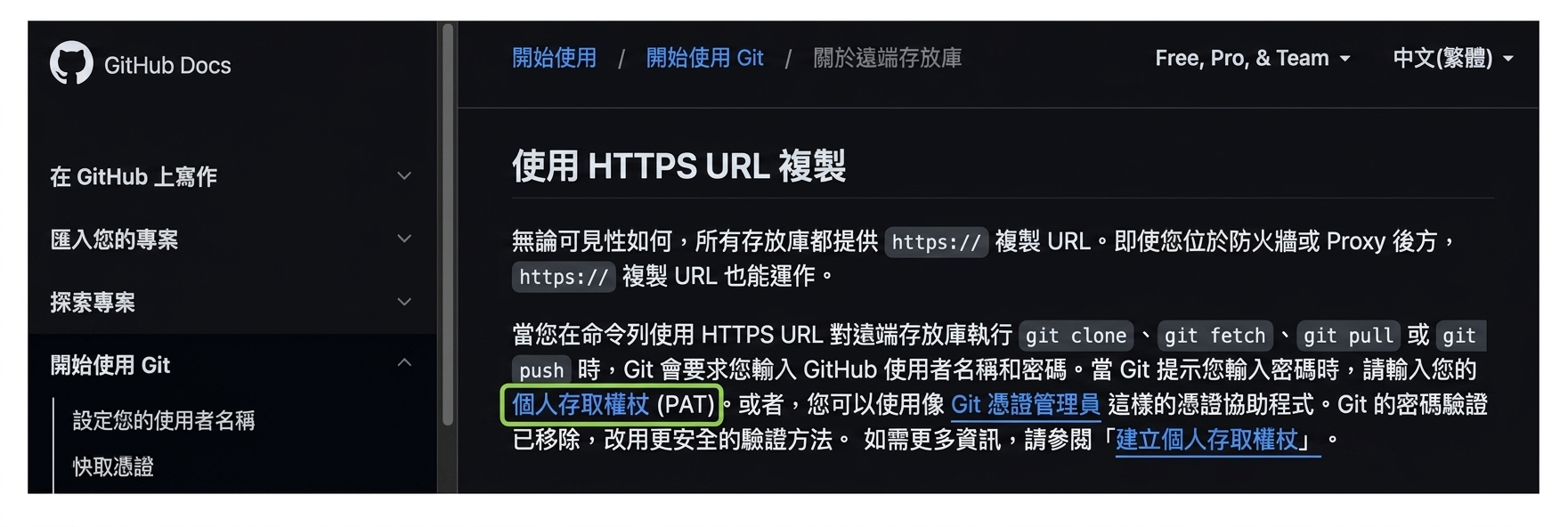
GitHub 文件頁面,說明在執行 git clone、fetch、pull 或 push 到遠端版本庫時,需提供個人存取權杖(PAT)。

1 https://docs.github.com/en/get-started/getting-started-with-git/about-remote-repositories#cloning-with-https-urls
GitHub 概念入門

什麼是個人存取權杖?

  • 個人存取權杖(PAT)

    • 在終端機驗證時取代密碼的替代方案
    • 自 2021 年 8 月起必須使用,不能再用密碼
    • 更安全
  • 在 GitHub 網站內不需要

    • 只在終端機存取遠端版本庫時需要
1 https://docs.github.com/en/authentication/keeping-your-account-and-data-secure/creating-a-personal-access-token
GitHub 概念入門

建立 PAT

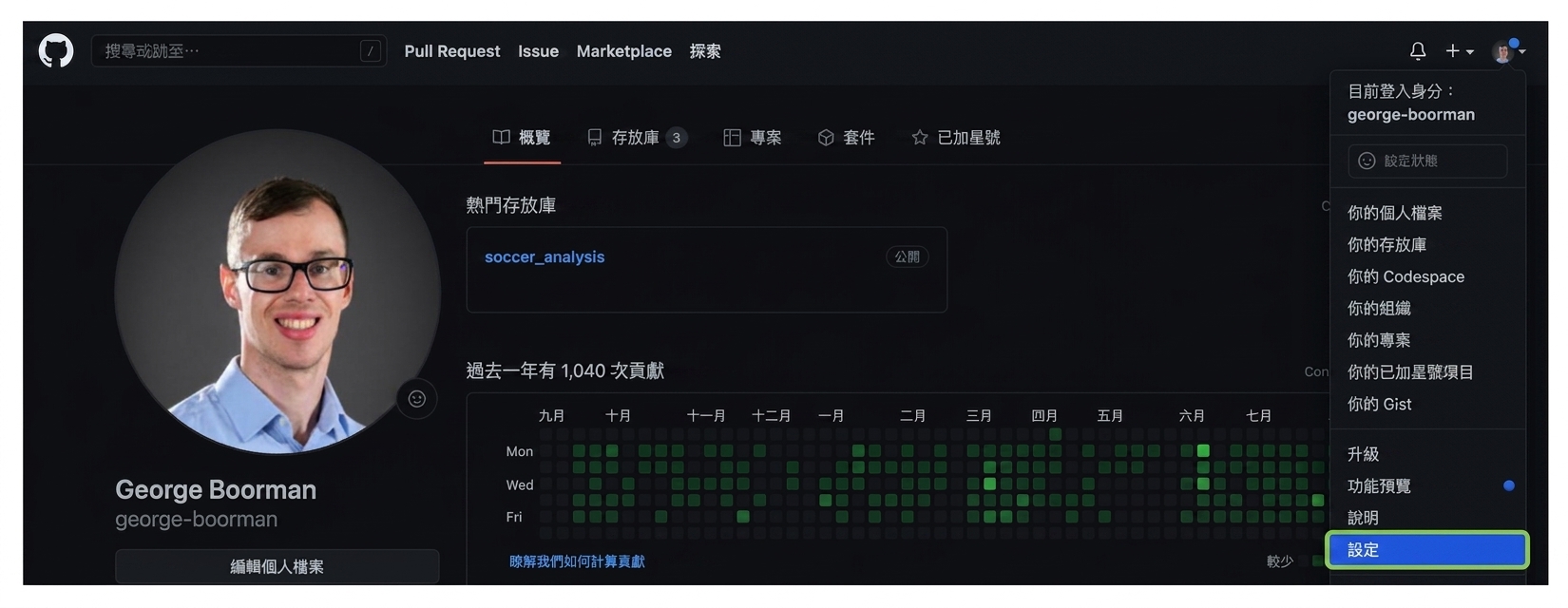
從個人檔案頁進入設定的入口

GitHub 概念入門

建立 PAT

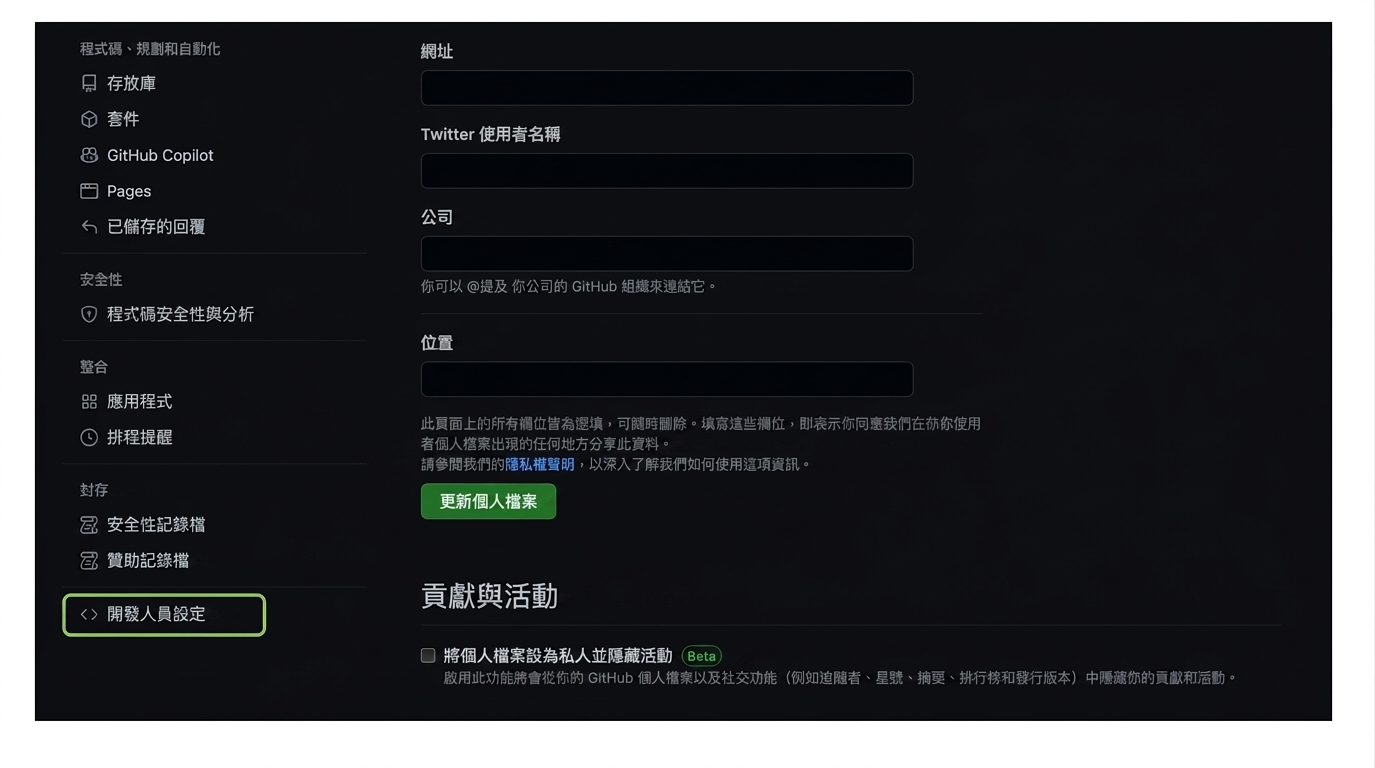
設定頁中的「Developer settings」

GitHub 概念入門

建立 PAT

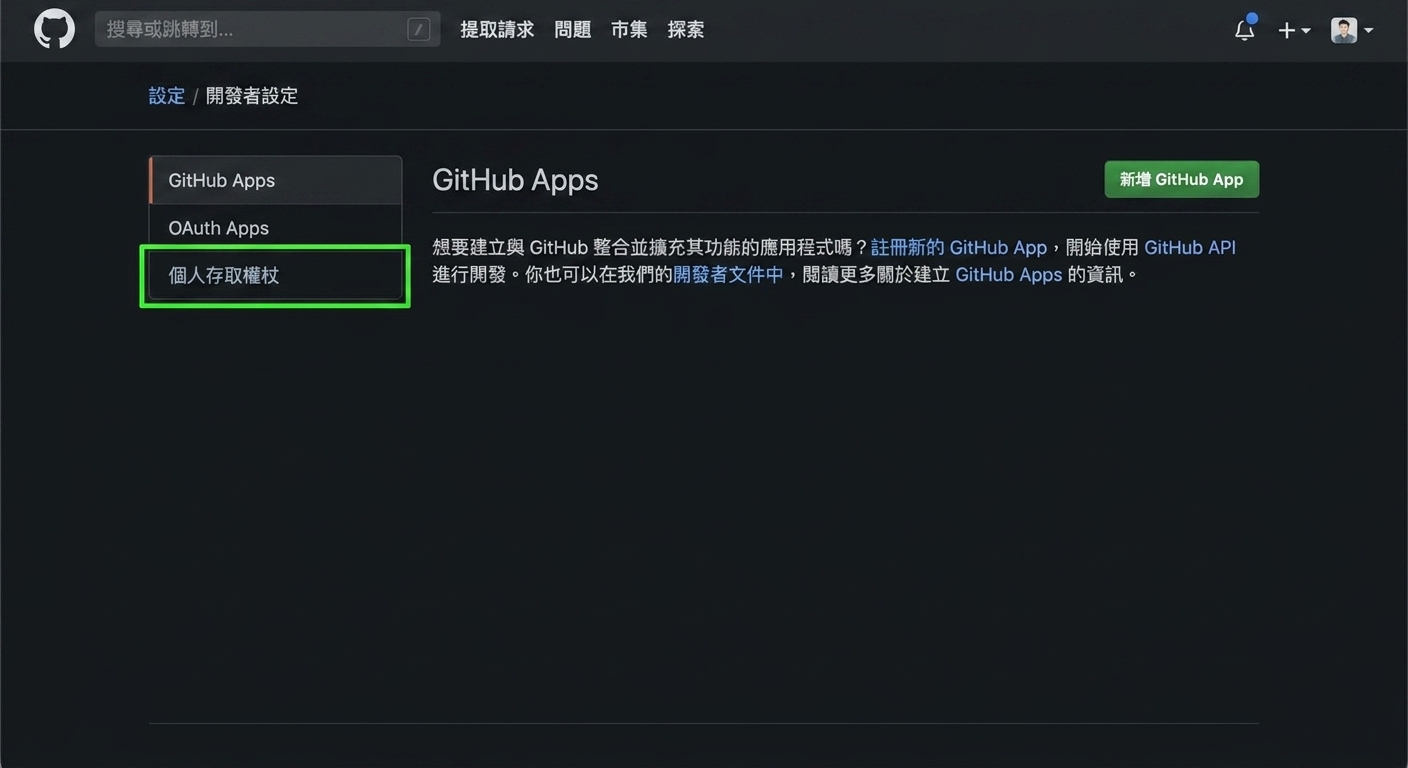
Developer settings 頁面有三個選項:GitHub Apps、OAuth Apps、Personal access tokens

GitHub 概念入門

建立 PAT

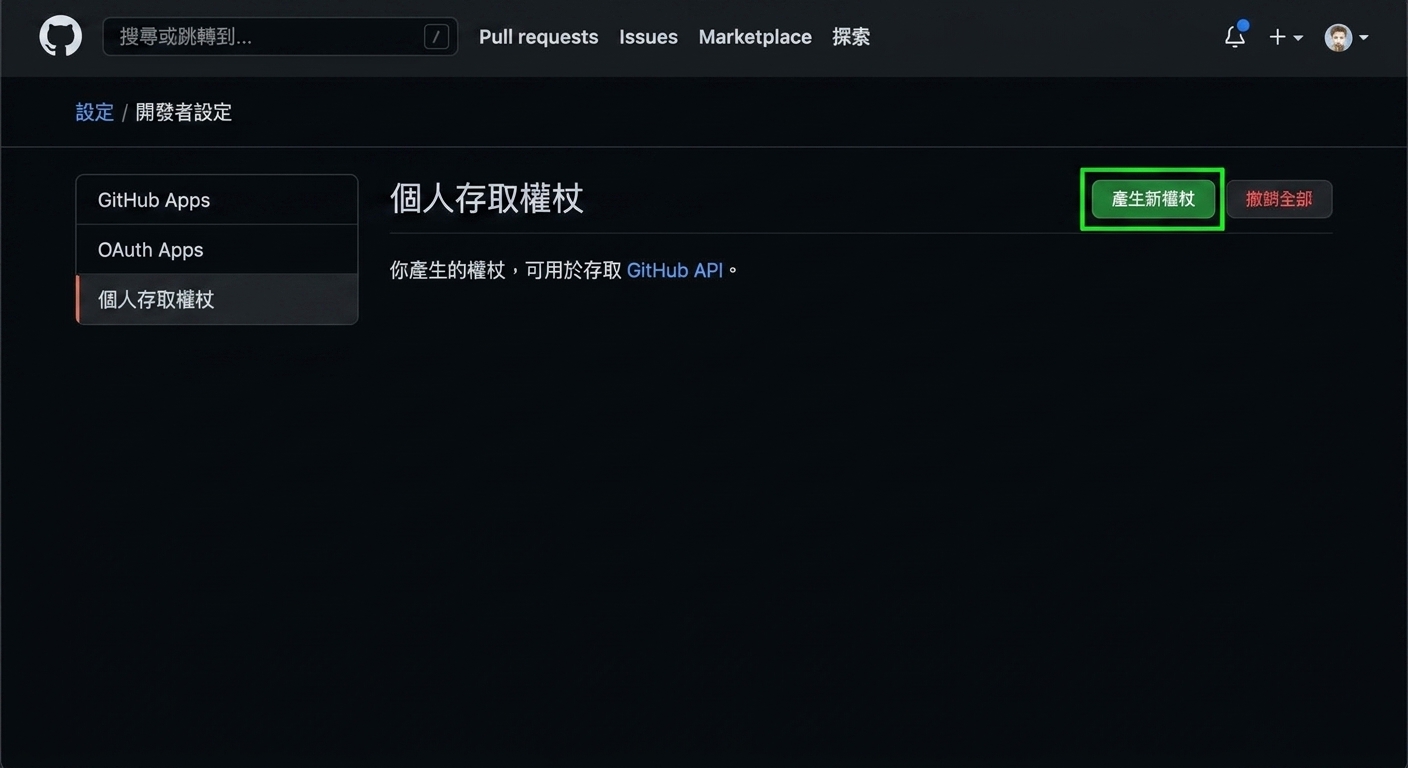
Personal access tokens 區塊,含「Generate new token」按鈕

GitHub 概念入門

建立 PAT

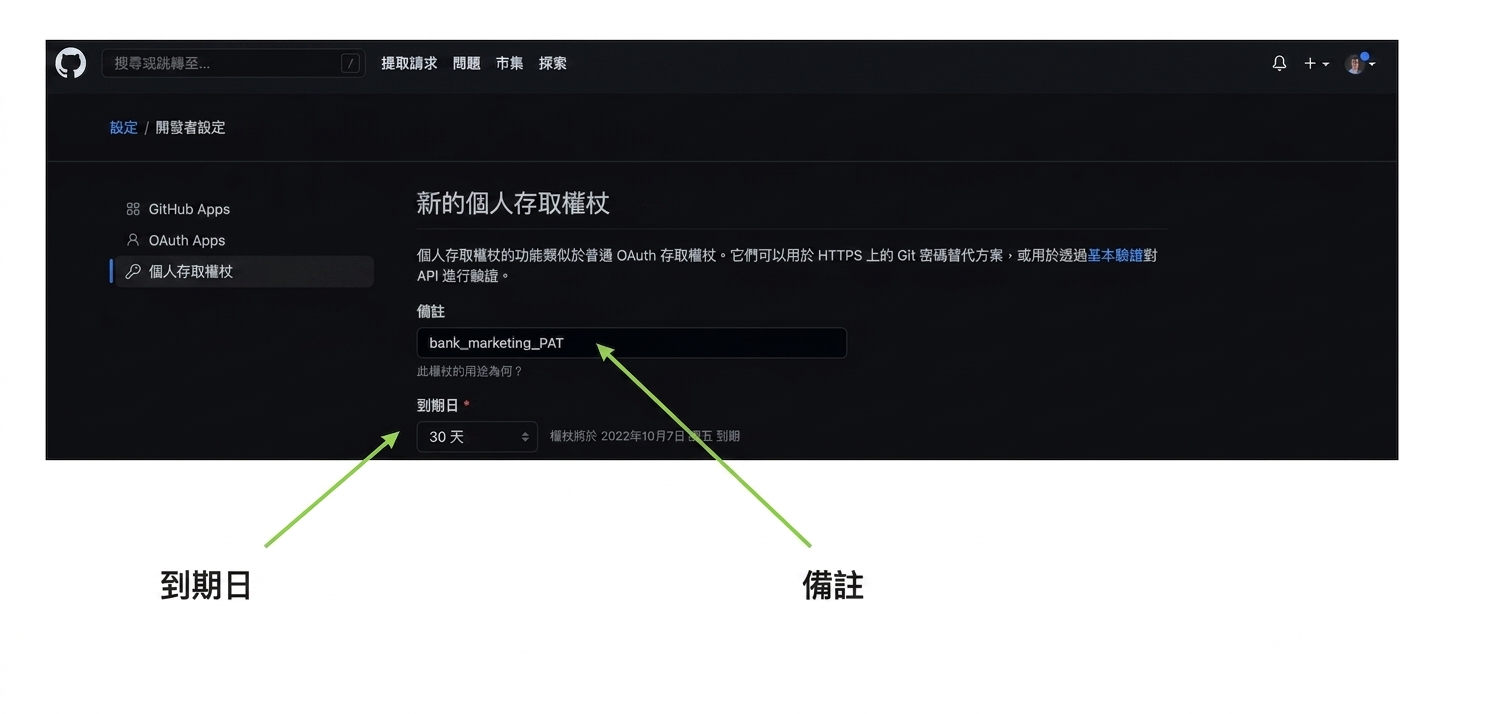
新 PAT 的 Note 與 Expiration 欄位

GitHub 概念入門

建立 PAT

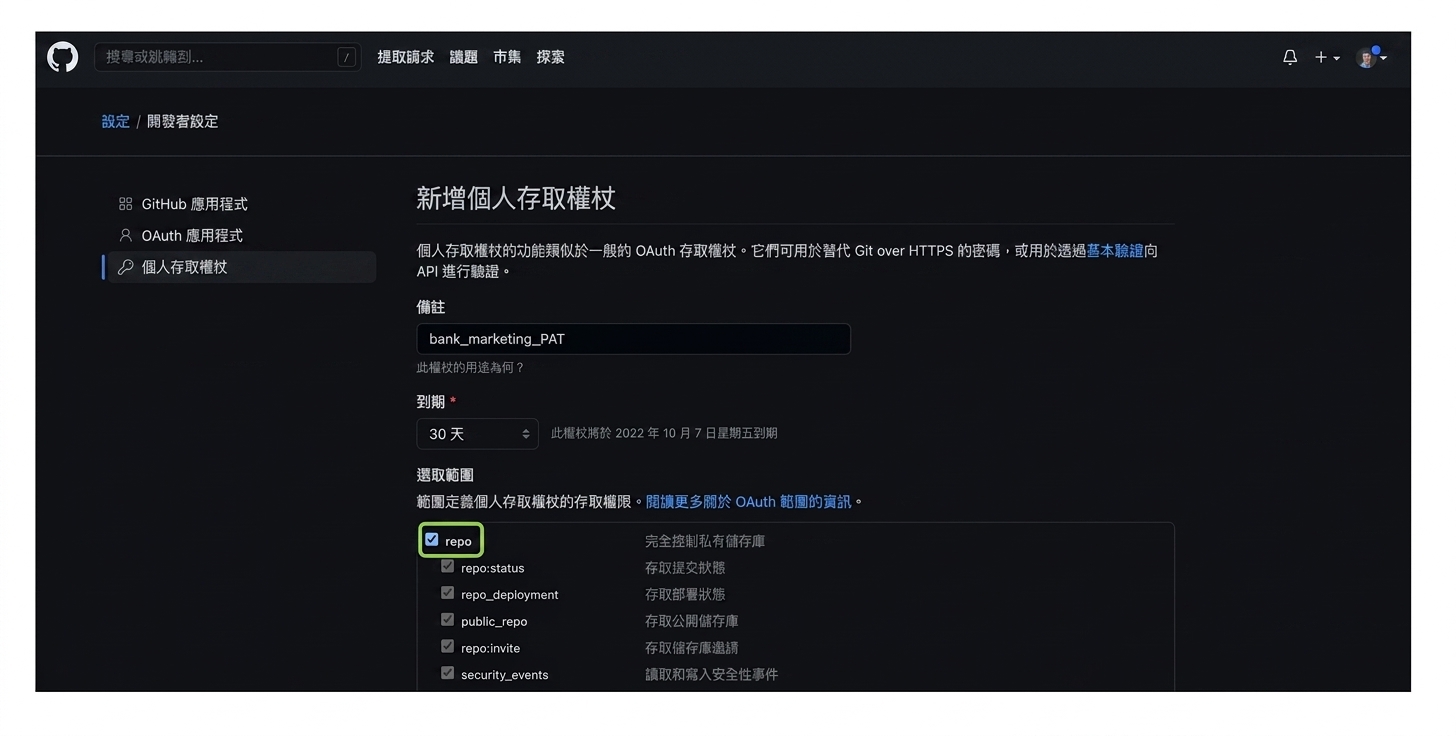
勾選 repo 權限的核取方塊

GitHub 概念入門

建立 PAT

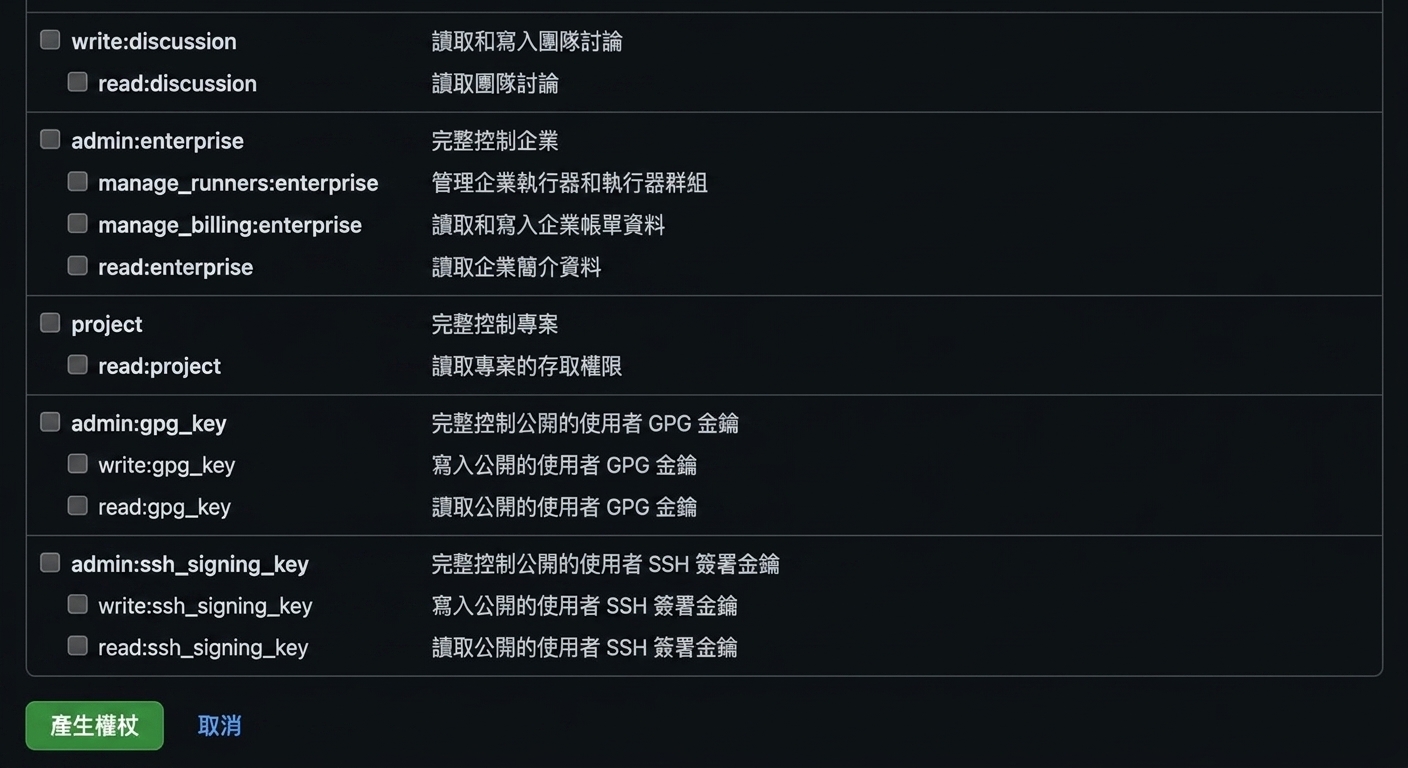
Generate token 按鈕

GitHub 概念入門

使用 PAT

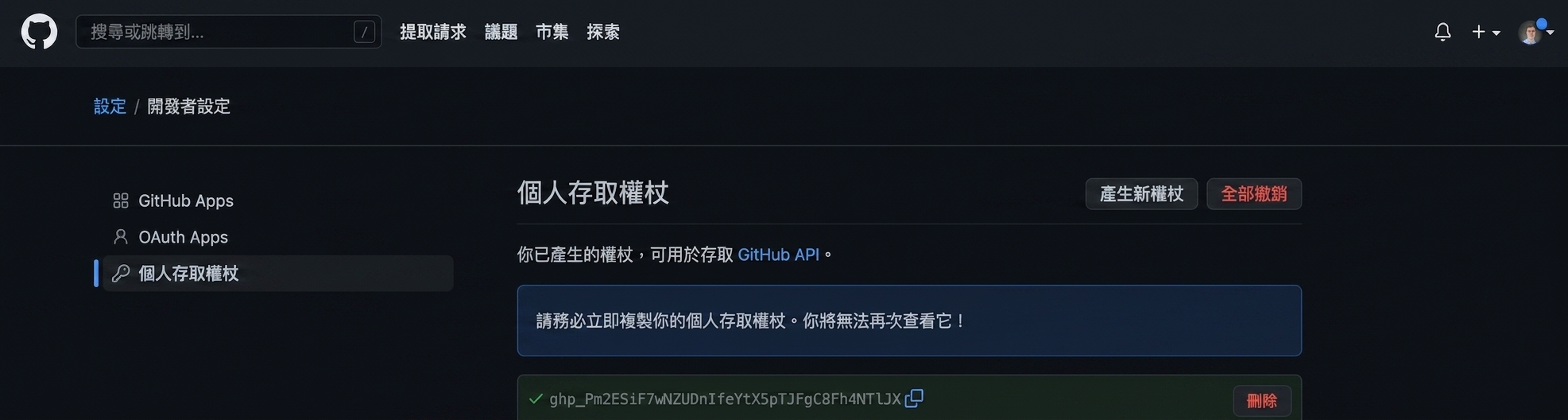
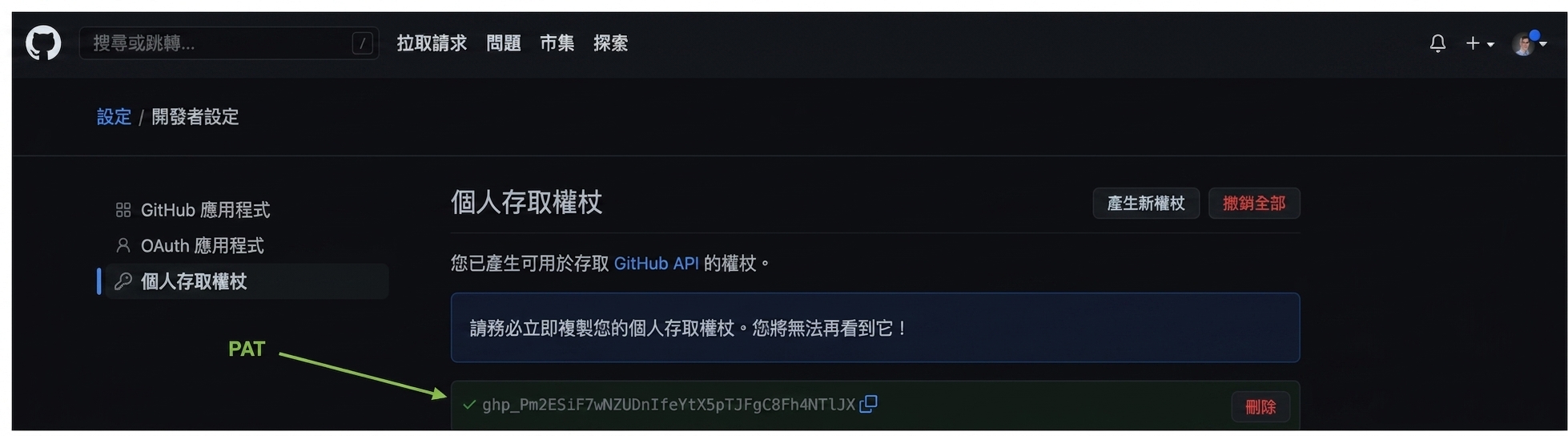
顯示由英文字母與數字組成的 PAT,可供複製

GitHub 概念入門

使用 PAT

以英文字母與數字組成並反白的 PAT,可供複製

  • 不要分享你的 PAT!
GitHub 概念入門

使用 PAT

git clone https://github.com/george-boorman/bank_marketing
Cloning into 'bank_marketing'...
Username for 'https://github.com': george-boorman
Password for 'https://[email protected]':
remote: Enumerating objects: 3, done.
remote: Counting objects: 100% (3/3), done.
remote: Total 3 (delta 0), reused 0 (delta 0), pack-reused 0
ls
bank_marketing
GitHub 概念入門

一起來練習吧!

GitHub 概念入門

Preparing Video For Download...