切分外部資料以供擷取

使用 LangChain 開發 LLM 應用

Jonathan Bennion

AI Engineer & LangChain Contributor

RAG 開發步驟
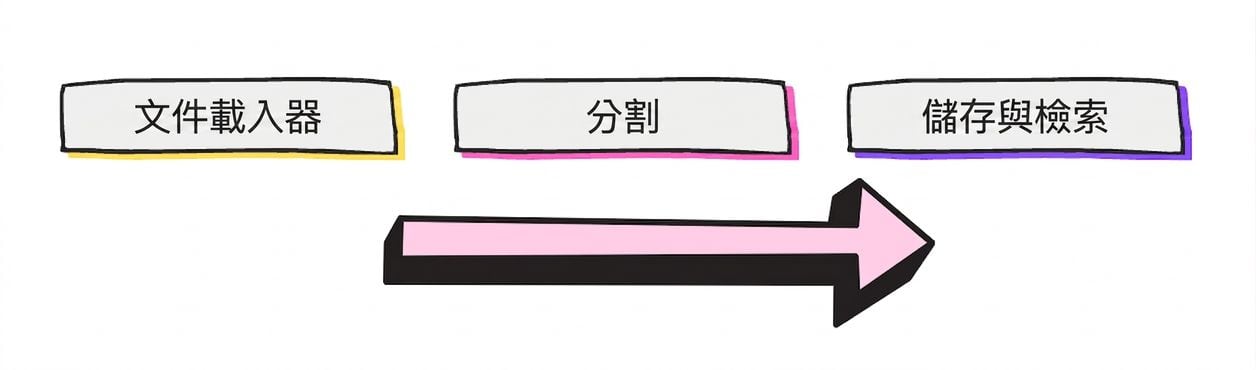
一般 RAG 流程:文件載入器、文件切分器,以及儲存與擷取流程。

  • 文件切分:將文件分成「區塊」
  • 將文件拆成可放入 LLM「脈絡視窗」
使用 LangChain 開發 LLM 應用

思考如何切分…

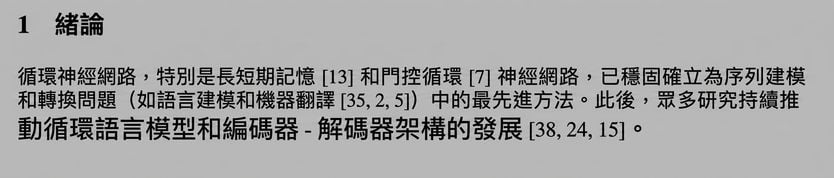
〈Attention is All You Need〉導言第一段。

Line 1:

Recurrent neural networks, long short-term memory [13] and gated recurrent [7] neural networks

Line 2:

in particular, have been firmly established as state of the art approaches in sequence modeling and
1 https://arxiv.org/abs/1706.03762
使用 LangChain 開發 LLM 應用

區塊重疊(chunk overlap)

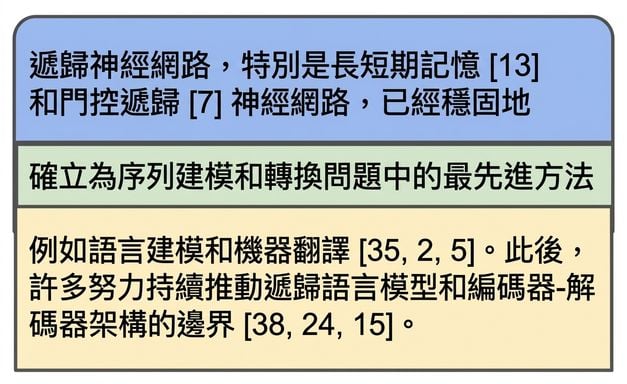
將〈Attention is All You Need〉導言第一段切成兩個區塊,並加入重疊。

使用 LangChain 開發 LLM 應用

哪種文件切分策略最好?

將單字「context」切成單一字母的區塊。


  1. CharacterTextSplitter
  2. RecursiveCharacterTextSplitter
  3. 還有其他多種
1 Wikipedia Commons
使用 LangChain 開發 LLM 應用
quote = '''One machine can do the work of fifty ordinary humans.\nNo machine can do
the work of one extraordinary human.'''
len(quote)
103
chunk_size = 24
chunk_overlap = 3
1 Elbert Hubbard
使用 LangChain 開發 LLM 應用
from langchain_text_splitters import CharacterTextSplitter


ct_splitter = CharacterTextSplitter( separator='.', chunk_size=chunk_size, chunk_overlap=chunk_overlap)
docs = ct_splitter.split_text(quote) print(docs)
print([len(doc) for doc in docs])
['One machine can do the work of fifty ordinary humans',
 'No machine can do the work of one extraordinary human']

[52, 53]
  • 依分隔符切分以小於 chunk_size,但不一定每次都成功
使用 LangChain 開發 LLM 應用
from langchain_text_splitters import RecursiveCharacterTextSplitter


rc_splitter = RecursiveCharacterTextSplitter( separators=["\n\n", "\n", " ", ""], chunk_size=chunk_size, chunk_overlap=chunk_overlap)
docs = rc_splitter.split_text(quote) print(docs)
使用 LangChain 開發 LLM 應用

RecursiveCharacterTextSplitter

  • separators=["\n\n", "\n", " ", ""]
['One machine can do the',
 'work of fifty ordinary',
 'humans.',
 'No machine can do the',
 'work of one',
 'extraordinary human.']
  1. 嘗試以段落切分:"\n\n"
  2. 嘗試以句子切分:"\n"
  3. 嘗試以單字切分:" "
使用 LangChain 開發 LLM 應用

在 HTML 上使用 RecursiveCharacterTextSplitter

from langchain_community.document_loaders import UnstructuredHTMLLoader 
from langchain_text_splitters import RecursiveCharacterTextSplitter


loader = UnstructuredHTMLLoader("white_house_executive_order_nov_2023.html") data = loader.load()
rc_splitter = RecursiveCharacterTextSplitter( chunk_size=chunk_size, chunk_overlap=chunk_overlap, separators=['.'])
docs = rc_splitter.split_documents(data) print(docs[0])
Document(page_content="To search this site, enter a search term [...]
使用 LangChain 開發 LLM 應用

一起來練習吧!

使用 LangChain 開發 LLM 應用

Preparing Video For Download...