標頭與狀態碼

Python API 入門

Chris Ramakers

Engineering Manager

請求與回應的結構
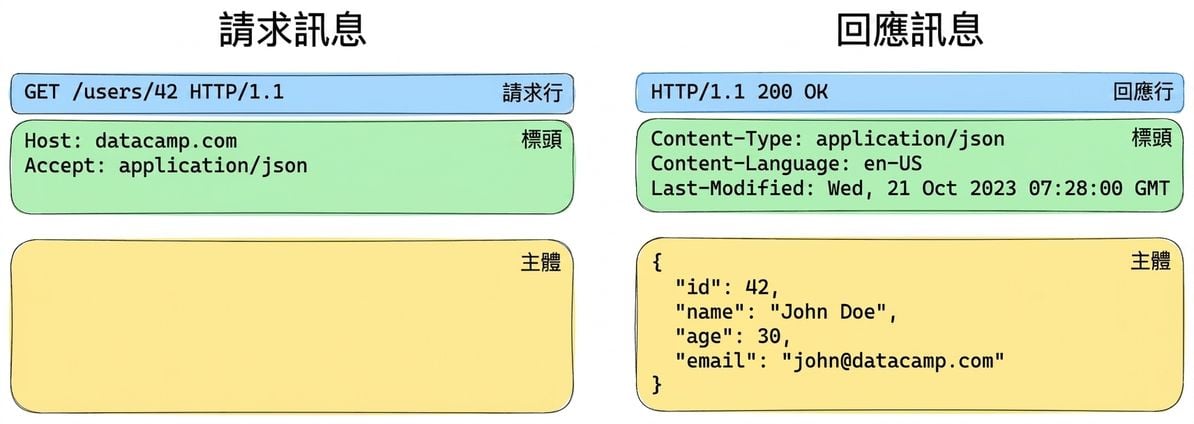
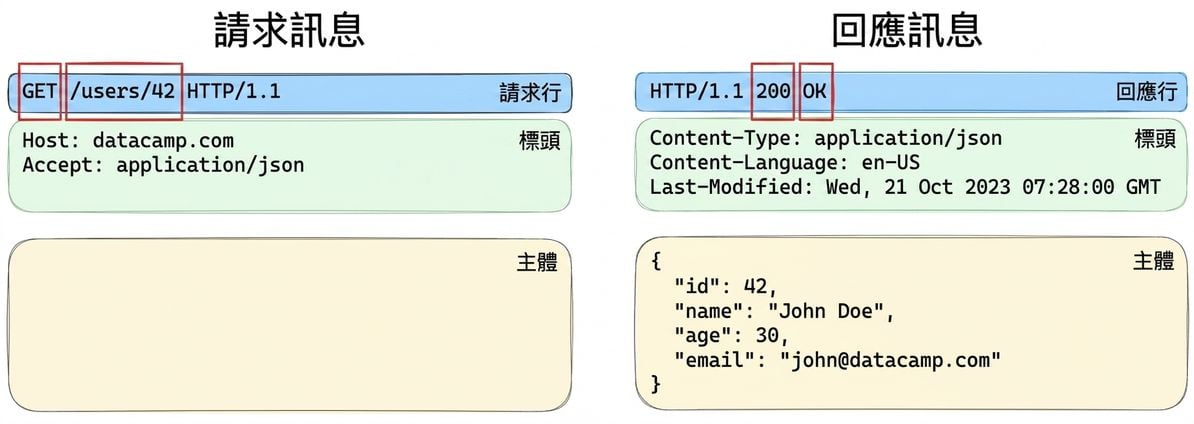
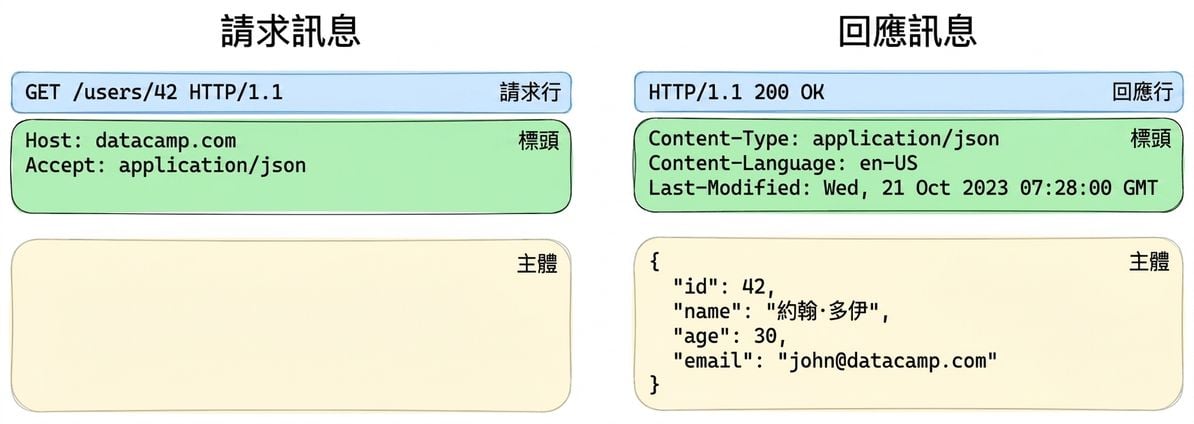
請求與回應訊息範例。請求:GET /users/42,含標頭。回應:200 OK,JSON 內文含使用者資訊。

Python API 入門

起始列(start-line)

請求或回應訊息的三個部分示意,突出起始列

  • 伺服器在回應訊息中一定會包含數字狀態碼
Python API 入門

狀態碼

狀態碼類別

  • 1XX:資訊回應
  • 2XX:成功回應
  • 3XX:重新導向
  • 4XX:用戶端錯誤
  • 5XX:伺服器錯誤

常見狀態碼

  • 200:OK
  • 404:Not Found
  • 500:Internal Server Error
1 完整狀態碼清單請參考 MDN 的狀態碼頁面:https://developer.mozilla.org/en-US/docs/Web/HTTP/Status
Python API 入門

標頭(Headers)

請求或回應訊息的三個部分示意,突出標頭

key1: Value 1
key2: Value 2
Python API 入門

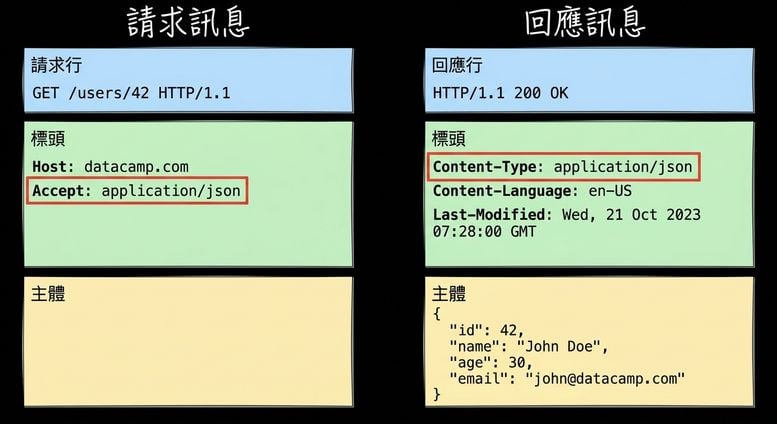
範例:用標頭進行內容協商

請求或回應訊息的三個部分示意,突出標頭

  • 用戶端在請求加入 accept: application/json 標頭
  • 伺服器以 content-type: application/json 標頭回應
Python API 入門

在 requests 中使用標頭

# 在請求中加入標頭
response = requests.get(
  'https://api.datacamp.com', 
  headers={'accept':'application/json'}
)
# 讀取回應標頭
response.headers['content-type']
'application/json'
response.headers.get('content-type')
'application/json'
Python API 入門

在 requests 中使用狀態碼

# 取得狀態碼
response = requests.get('https://api.datacamp.com/users/12')

response.status_code == 200
True
# 使用 requests.codes 查詢狀態碼
response = requests.get('https://api.datacamp.com/this/is/the/wrong/path')

response.status_code == requests.codes.not_found
True
Python API 入門

一起來練習吧!

Python API 入門

Preparing Video For Download...