提升你的查找技巧!

Excel 進階函式

Agata Bak-Geerinck

Product Owner Data, Telenet

從 Excel 到帶領資料團隊!

white spacePicture of the instructor Agata

Excel 進階函式

LOOKUP 函式的威力

回顧 DataCamp:

  • VLOOKUP()-垂直查找
  • HLOOKUP()-水平查找

white space

限制

  • VLOOKUP()-被搜尋值必須在查找值的「右側」
  • HLOOKUP()-被搜尋值必須在查找值的「下方」

white space

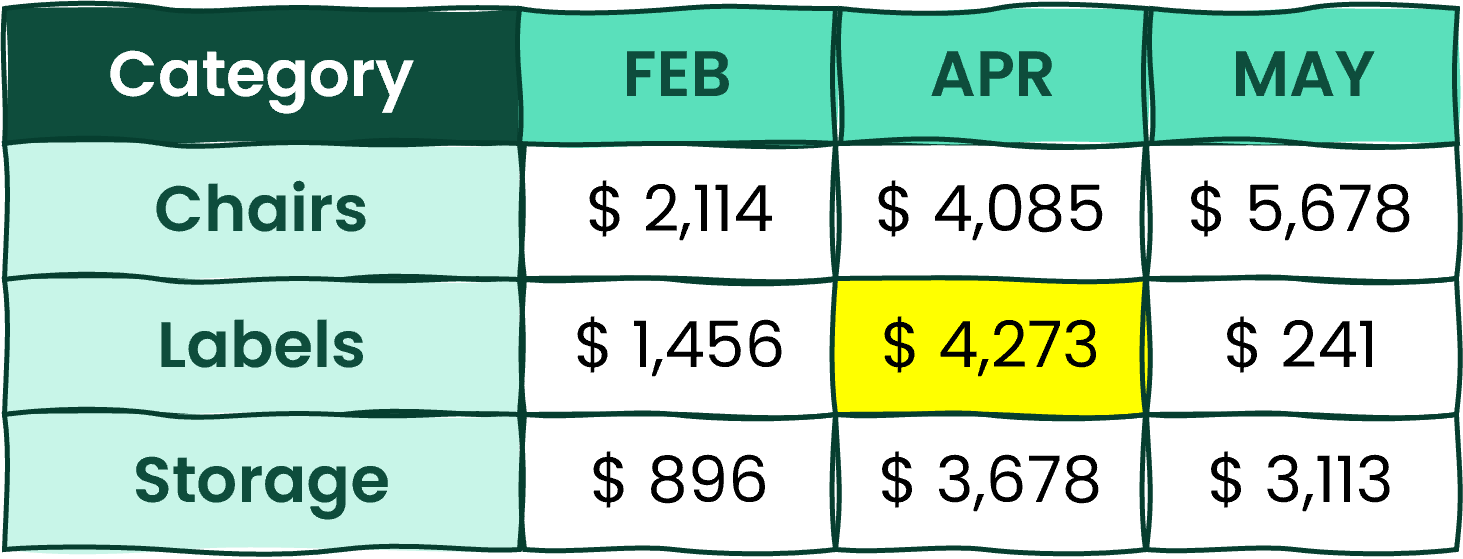
A table with various rows and columns and once cell highlighted in yellow

white space

A table with various rows and columns and once cell highlighted in yellow

Excel 進階函式

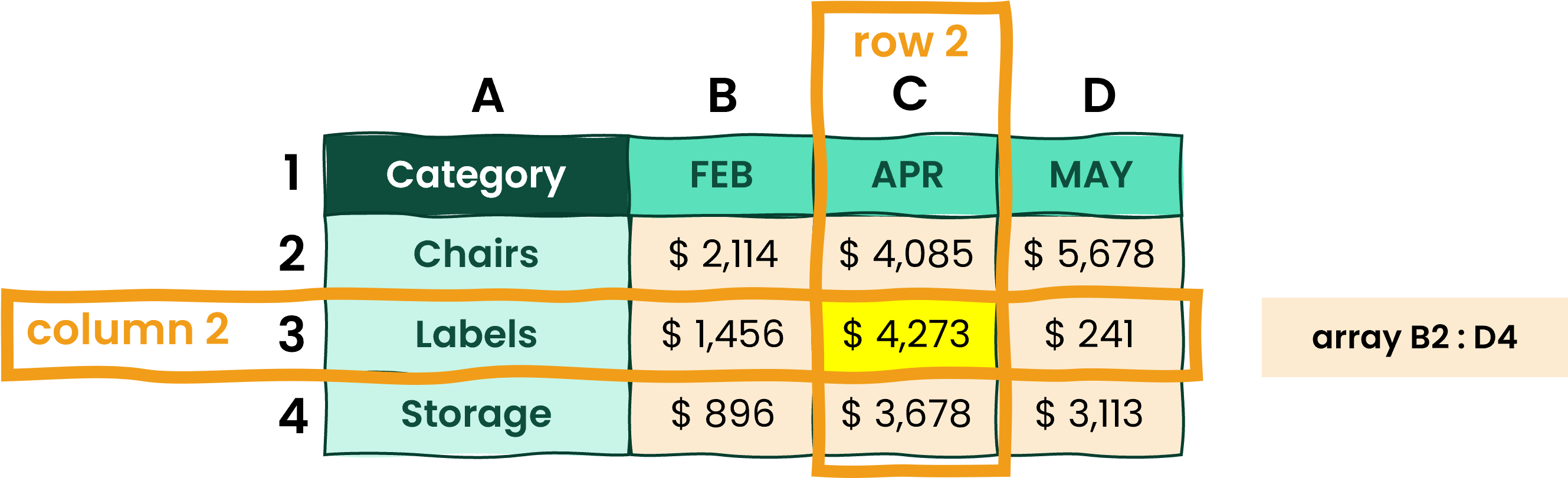
什麼是陣列?

Array-一組列或欄的值,或由多列多欄組成的值集合$^1$

An example of an array

一個 Excel 表格包含:

  • 標題:列與欄名稱
  • 陣列:底層值的集合
1 https://support.microsoft.com/
Excel 進階函式

噹噹噹…XLOOKUP!

XLOOKUP()-可「任意方向」搜尋的查找函式,仰賴陣列運作。

Excel 2021 全新功能!

語法: XLOOKUP(lookup_value, lookup_array, return_array, [if_not_found], [match_mode], [search_mode])

An example of XLOOKUP function

XLOOKUP function with name ranges

Excel 進階函式

2D 查找?用 INDEX()

A Table with 4 columns and 3 rows, to illustrate INDEX function use

white space

Labels 4 月的銷售? = INDEX ( B2:D4, 2, 2)

white space

  • 語法: INDEX(array, row_num, [column_num])
  • 回傳指定陣列中某儲存格的值
Excel 進階函式

2D 查找?用 MATCH()

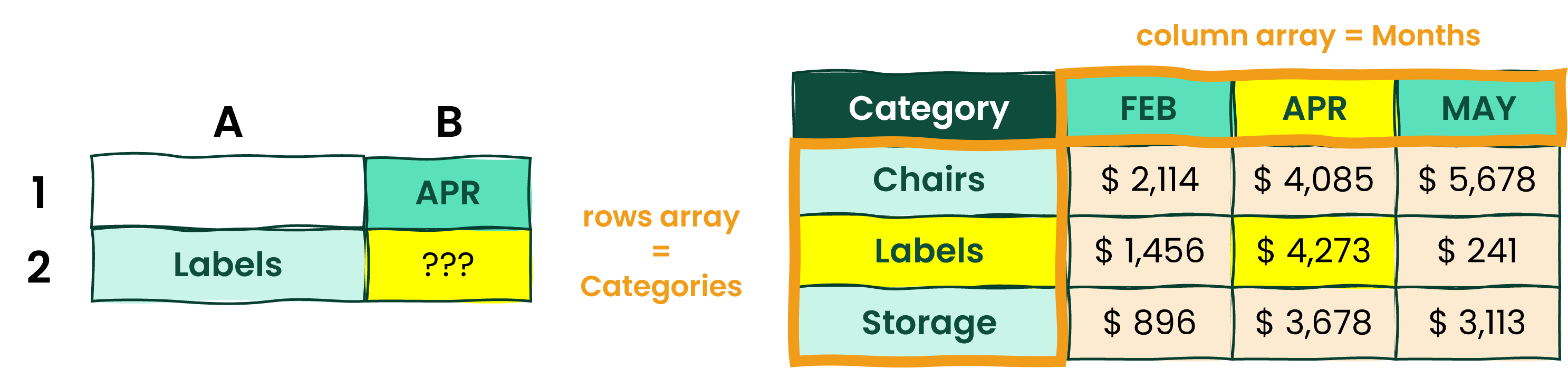
  • 語法: MATCH(lookup_value, lookup_array, [match_type])
  • 找出要參照的列與欄位置

A Table in Excel with 5 columns and 4 rows, to illustrate INDEX and MATCH function use

哪裡有 Labels 4 月的銷售?

= Match ( "Labels", Categories, 0) = 第 2 列

= Match ( "APR", Months, 0) = 第 2 欄

Excel 進階函式

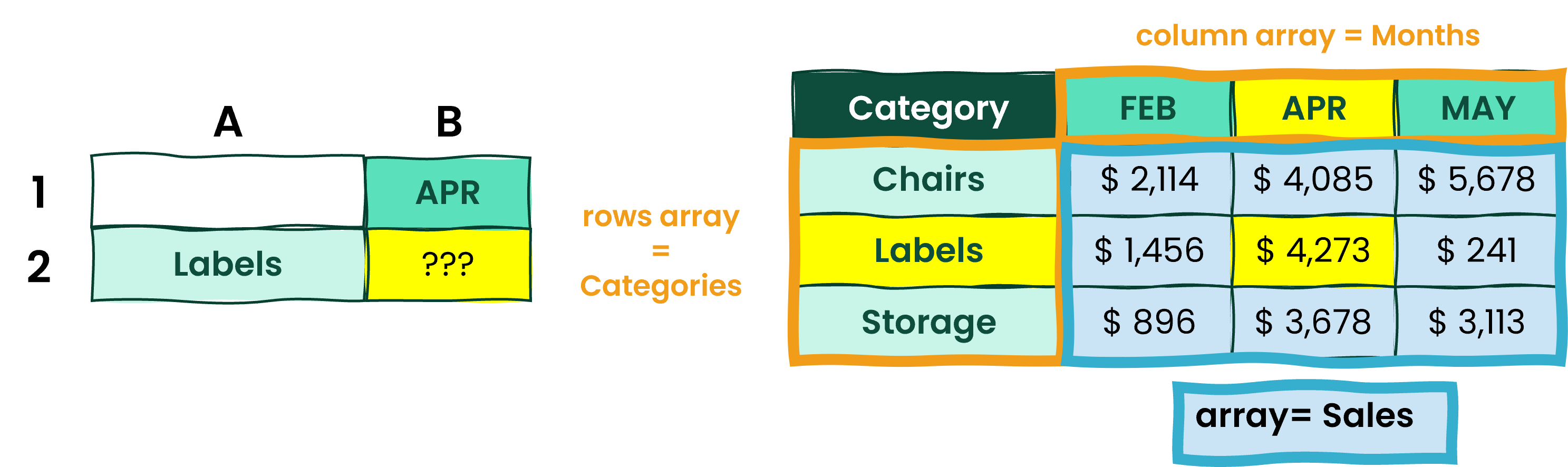
2D 查找?INDEX 搭配 MATCH 天作之合

A Table in Excel with 5 columns and 4 rows, to illustrate INDEX and MATCH function use

= INDEX ( B2:D4, 2, 2)

= INDEX(array, MATCH(rows), MATCH(columns))

= INDEX ( Sales, MATCH( "Labels", Categories, 0), MATCH( "APR", Months, 0) )

Excel 進階函式

來認識資料集!

商業資料集:

Visual explanation of the dataset: USA contour, icon of a shopping basket and of a stack of coins

重點速覽:

  • 訂單資訊
  • 客戶社經資料
  • 產品細節資料
  • 銷售、數量、折扣與利潤

white space

想了解更多,請查看 Metadata sheet

Excel 進階函式

一起來練習吧!

Excel 進階函式

Preparing Video For Download...