用 PyTorch 處理序列

Intermediate Deep Learning with PyTorch

Michal Oleszak

Machine Learning Engineer

序列資料

  • 按時間或空間排序
  • 資料點的順序彼此相依
  • 序列資料範例:
    • 時間序列
    • 文字
    • 音訊波形

電腦螢幕上顯示時間序列。

一本攤開的書。

一組喇叭與開啟音訊處理軟體的電腦螢幕。

Intermediate Deep Learning with PyTorch

用電量預測

  • 任務:根據過去模式預測未來用電量

  • 用電量資料集:

                 timestamp  consumption
0      2011-01-01 00:15:00    -0.704319
1      2011-01-01 00:30:00    -0.704319
...                    ...          ...
140254 2014-12-31 23:45:00    -0.095751
140255 2015-01-01 00:00:00    -0.095751
1 Trindade,Artur. (2015). ElectricityLoadDiagrams20112014. UCI Machine Learning Repository. https://doi.org/10.24432/C58C86.
Intermediate Deep Learning with PyTorch

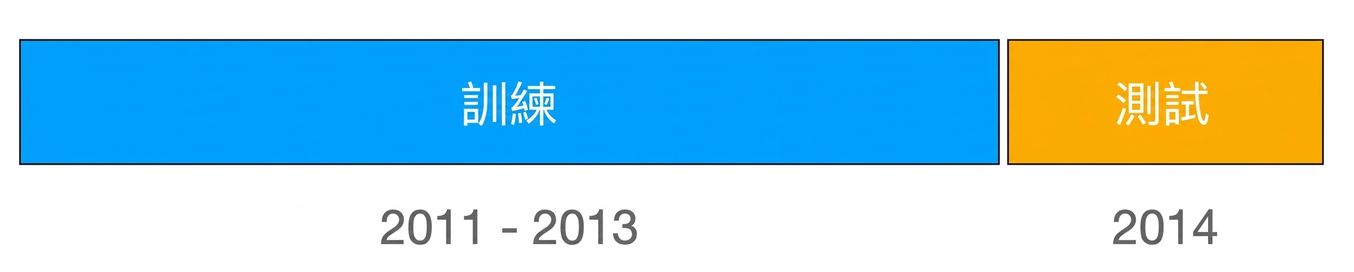
訓練/測試切分

  • 時間序列不可隨機切分!
  • 前視偏誤:模型提早看到未來資訊
  • 解法:依時間切分

以藍色標示 2011–2013 年的訓練集,橘色標示 2014 年的測試集,兩者清楚分隔。

Intermediate Deep Learning with PyTorch

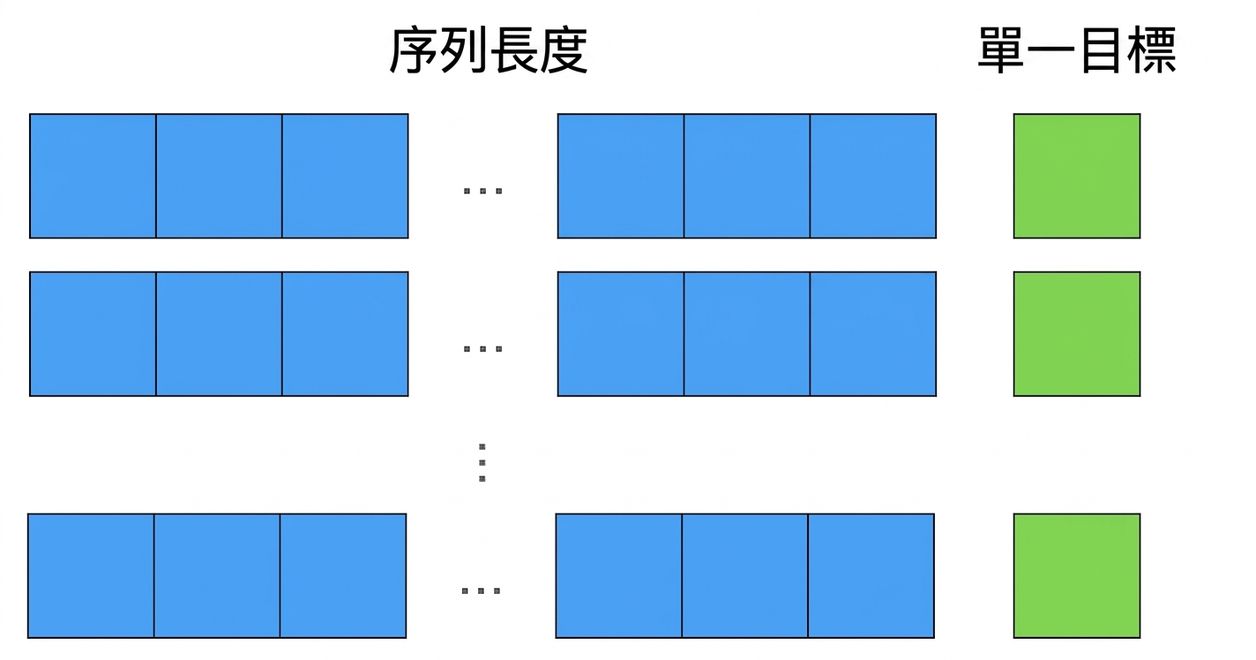
建立序列

  • 序列長度=單一訓練樣本中的資料點數
    • 24 × 4 = 96 → 代表取最近 24 小時
  • 預測下一個資料點

多個等長的藍色輸入序列與綠色目標值分別顯示。

Intermediate Deep Learning with PyTorch

在 Python 建立序列

import numpy as np

def create_sequences(df, seq_length):

xs, ys = [], []
for i in range(len(df) - seq_length):
x = df.iloc[i:(i+seq_length), 1] y = df.iloc[i+seq_length, 1]
xs.append(x) ys.append(y)
return np.array(xs), np.array(ys)
  • 輸入資料與序列長度
  • 初始化輸入與目標清單
  • 逐一走訪資料點
  • 定義輸入與目標
  • 加入到前述清單
  • 以 NumPy 陣列回傳輸入與目標
Intermediate Deep Learning with PyTorch

TensorDataset

建立訓練樣本

X_train, y_train = create_sequences(train_data, seq_length)
print(X_train.shape, y_train.shape)
(34944, 96) (34944,)

轉為 Torch Dataset

from torch.utils.data import TensorDataset

dataset_train = TensorDataset(
    torch.from_numpy(X_train).float(),
    torch.from_numpy(y_train).float(),
)
Intermediate Deep Learning with PyTorch

擴展到其他序列資料

同樣技巧也適用於其他序列:

  • 大型語言模型
  • 語音辨識
Intermediate Deep Learning with PyTorch

一起來練習吧!

Intermediate Deep Learning with PyTorch

Preparing Video For Download...