邊界框

使用 PyTorch 進行影像深度學習

Michal Oleszak

Machine Learning Engineer

什麼是物件辨識?
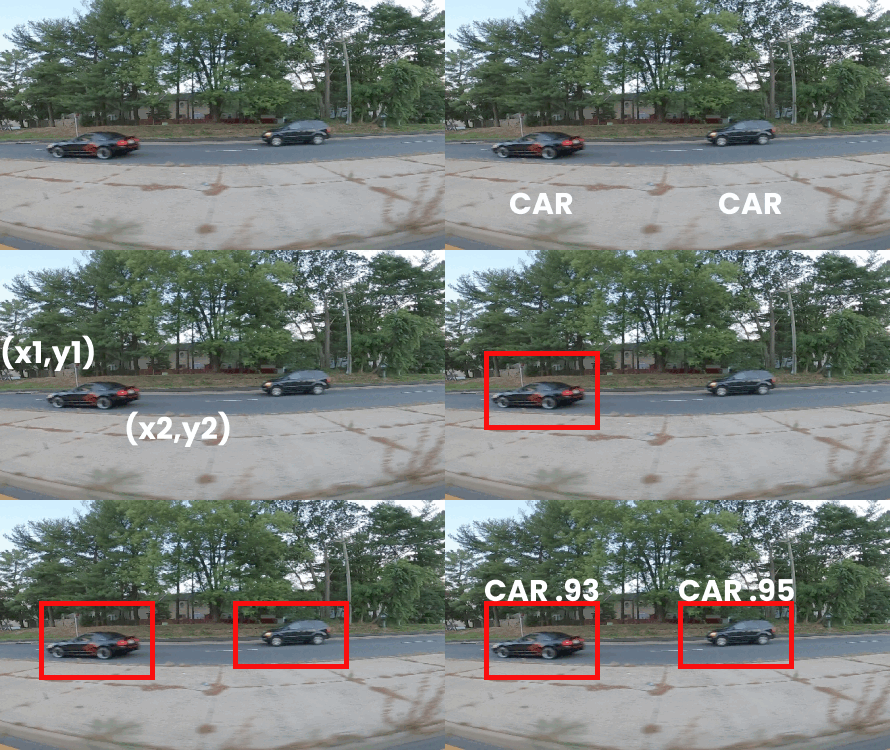
物件辨識 用於在影像中找出物件:

  • 影像中每個物件的位置(邊界框)

  • 每個物件的類別標籤

應用:監控、醫療診斷、交通管理、運動分析

  • 本支影片:用邊界框標註
  • 後續影片:評估與模型


駕駛車輛偵測

使用 PyTorch 進行影像深度學習

邊界框表達方式

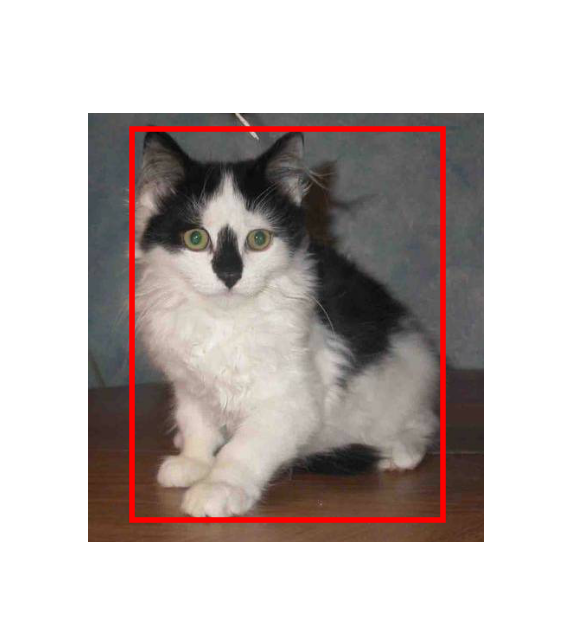
  • 描述物件空間位置的長方形框
  • 訓練資料標註與模型輸出
  • 真值邊界框:物件的精確位置

邊界框座標

使用 PyTorch 進行影像深度學習

邊界框表達方式

  • 描述物件空間位置的長方形框
  • 訓練資料標註與模型輸出
  • 真值邊界框:物件的精確位置
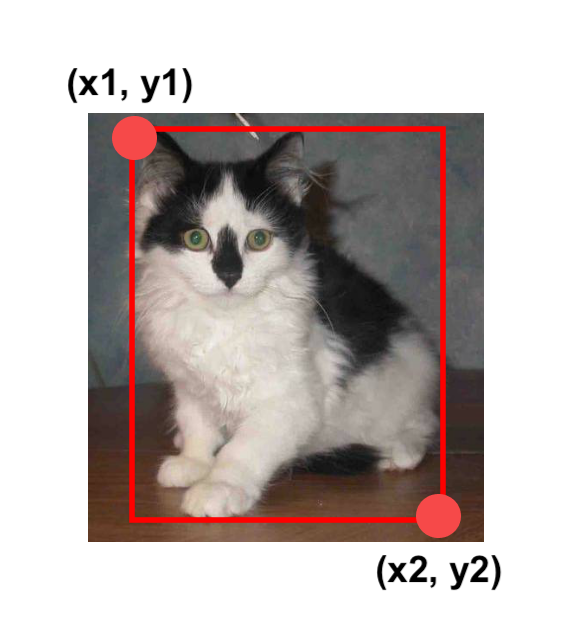
  • 邊界框座標:
    • 左上與右下
    • 邊界框 = (x1, y1, x2, y2)
    • x1 = x_min,x2 = x_max,…

邊界框座標

使用 PyTorch 進行影像深度學習

像素與座標

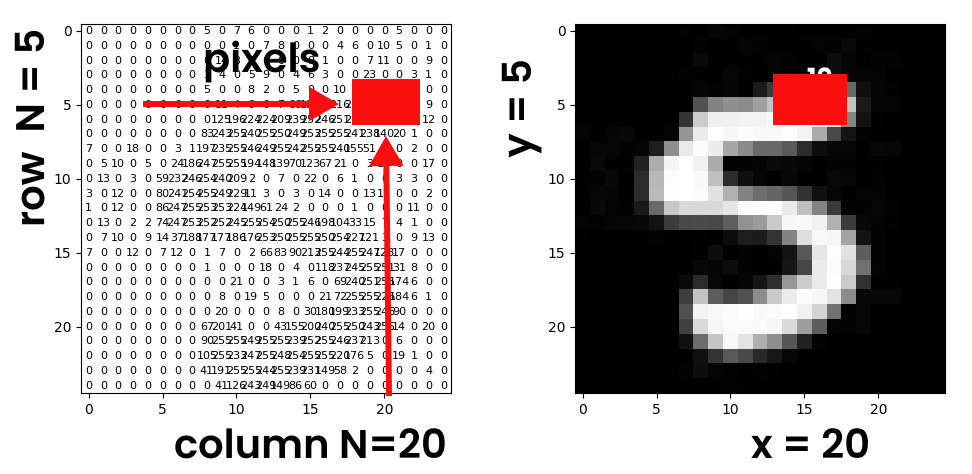
框座標

  • 座標:x 為欄號,y 為列號
  • 原點:(0, 0) 在左上角
使用 PyTorch 進行影像深度學習

將像素轉為張量

使用 ToTensor() 轉換

  • Tensor 型別:
    • torch.float
  • 縮放後的範圍:
    • [0.0, 1.0]
import torchvision.transforms as transforms

transform = transforms.Compose([ transforms.Resize(224), transforms.ToTensor() ]) image_tensor = transform(image)

使用 PILToTensor() 轉換

  • Tensor 型別:
    • torch.uint8(8 位元整數)
  • 未縮放的範圍:
    • [0, 255]
import torchvision.transforms as transforms
transform = transforms.Compose([
            transforms.Resize(224),
            transforms.PILToTensor()
            ])
image_tensor = transform(image)
使用 PyTorch 進行影像深度學習

繪製邊界框

from torchvision.utils import draw_bounding_boxes


bbox = torch.tensor([x_min, y_min, x_max, y_max]) bbox = bbox.unsqueeze(0)
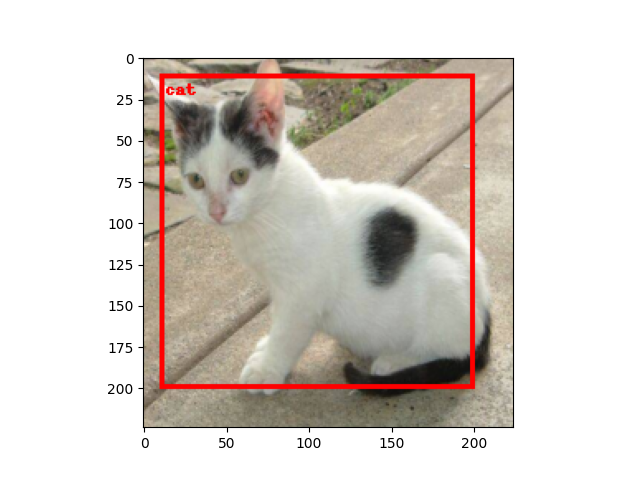
bbox_image = draw_bounding_boxes( image_tensor, bbox, width=3, colors="red" )
transform = transforms.Compose([ transforms.ToPILImage() ]) pil_image = transform(bbox_image) import matplotlib.pyplot as plt plt.imshow(pil_image)
  • 匯入 draw_bounding_boxes
  • 將座標收集為 tensor
  • 擴增維度為二維
  • 轉回影像並繪製

貓與方框

使用 PyTorch 進行影像深度學習

一起來練習吧!

使用 PyTorch 進行影像深度學習

Preparing Video For Download...