使用預訓練模型

使用 PyTorch 進行影像深度學習

Michal Oleszak

Machine Learning Engineer

活用預訓練模型

  • 從零開始訓練模型:

    • 花費時間長
    • 需要大量資料
  • 預訓練模型-已在某任務上訓練好的模型

    • 可直接重用於新任務
    • 需調整以配合新任務(遷移學習)
  • 善用預訓練模型的步驟:

    • 本機儲存與載入模型
    • 下載 torchvision 模型
使用 PyTorch 進行影像深度學習

儲存完整的 PyTorch 模型

  • torch.save()
  • 模型副檔名:.pt.pth
  • .state_dict() 儲存權重
    torch.save(model.state_dict(), "BinaryCNN.pth")
    
使用 PyTorch 進行影像深度學習

載入 PyTorch 模型

  • 建立新模型實例

    new_model = BinaryCNN()
    
  • 載入已儲存的參數

    new_model.load_state_dict(torch.load('BinaryCNN.pth'))
    
使用 PyTorch 進行影像深度學習

下載 torchvision 模型

from torchvision.models import (
    resnet18, ResNet18_Weights
)


weights = ResNet18_Weights.DEFAULT
model = resnet18(weights=weights)
transforms = weights.transforms()
  • 匯入 resnet 架構與權重
  • 取得權重
  • 建立模型並傳入權重
  • 取得所需的資料轉換
使用 PyTorch 進行影像深度學習

準備新的輸入影像

from PIL import Image

image = Image.open("cat013.jpg")

image_tensor = transform(image)
image_reshaped = image_tensors.unsqueeze(0)
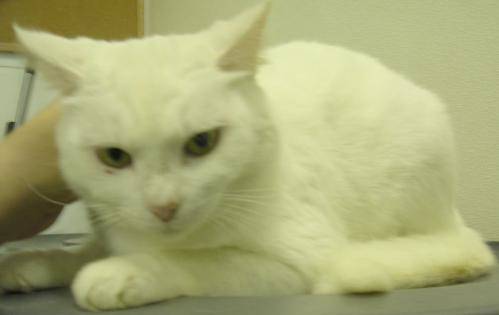
 

貓咪圖片

  • 載入影像
  • 轉換影像
  • 重塑影像
使用 PyTorch 進行影像深度學習

產生新預測

model.eval()


with torch.no_grad():
pred = model(image_reshaped).squeeze(0)
pred_cls = pred.softmax(0)
cls_id = pred_cls.argmax().item()
cls_name = weights.meta["categories"][cls_id]
print(cls_name)
Egyptian cat
  • 推論用評估模式
  • 停用梯度
  • 將影像送入模型並移除批次維度
  • 套用 softmax
  • 取最高機率類別並擷取索引
  • 以索引對應到標籤
  • 印出類別標籤
使用 PyTorch 進行影像深度學習

一起來練習吧!

使用 PyTorch 進行影像深度學習

Preparing Video For Download...