AI 的 GET 與 POST 請求

使用 FastAPI 將 AI 佈署到生產環境

Matt Eckerle

Software and Data Engineering Leader

講師介紹

 

Matt Eckerle


Matt Eckerle

  • 軟體與資料工程主管
  • Inari 企業資料經理
  • 自 2019 年起使用 FastAPI 於 ML
使用 FastAPI 將 AI 佈署到生產環境

課程總覽


  • FastAPI 基礎
  • 請求處理與整合
  • 輸入驗證與安全性
  • 建立並維護可上線的 API


FastAPI 標誌

使用 FastAPI 將 AI 佈署到生產環境

開始之前

✓ 基礎 Python:函式、類別、模組、資料結構

Python 標誌

使用 FastAPI 將 AI 佈署到生產環境

開始之前

✓ 基礎 Python:函式、類別、模組、資料結構

✓ HTTP 與 REST API 概念

Python 與 http 標誌

使用 FastAPI 將 AI 佈署到生產環境

開始之前

✓ 基礎 Python:函式、類別、模組、資料結構

✓ HTTP 與 REST API 概念

✓ 使用 FastAPI 框架

  • 處理 GET 與 POST 請求
  • 使用 Pydantic 模型

✓ 機器學習基礎

Python、http 與 FastAPI 標誌

使用 FastAPI 將 AI 佈署到生產環境

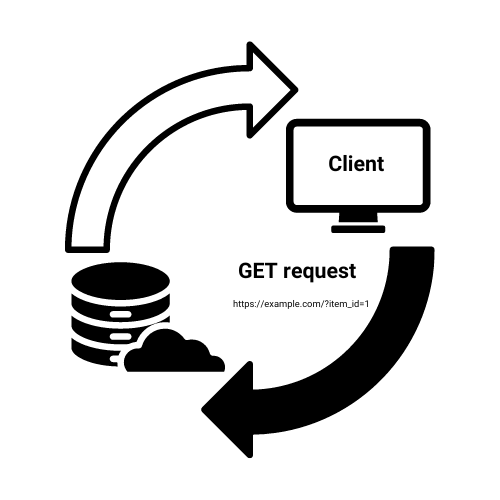
GET 請求說明

  • 用於取得資料
  • 路徑參數:在 URL 中的資訊
  • 不改變伺服器狀態

菜單

GET https://example.com/?item_id=1

理解 GET 請求的示意圖

使用 FastAPI 將 AI 佈署到生產環境

以路徑參數實作 GET

from fastapi import FastAPI

app = FastAPI()

@app.get("/item/{item_id}")
async def read_item(item_id: int):
    return {"item_id": item_id}
  • `@app.get` 裝飾器定義端點。
  • {item_id} 是路徑參數。
  • 型別註記(int)自動驗證。
使用 FastAPI 將 AI 佈署到生產環境

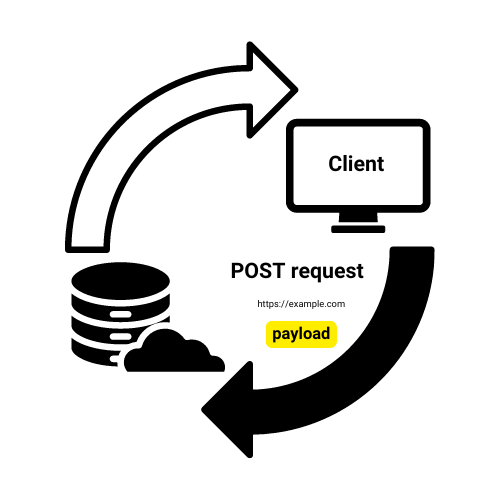
POST 請求說明

  • 用於送資料到伺服器
  • 資料在請求本文(常為 JSON)
  • 可能改變伺服器狀態

餐廳點單

POST https://example.com

理解 POST 請求的示意圖

使用 FastAPI 將 AI 佈署到生產環境

以 JSON 資料實作 POST

from fastapi import FastAPI
from pydantic import BaseModel

app = FastAPI()
db = {}

class Item(BaseModel): name: str price: float
@app.post("/items", status_code=201)
def create_item(item: Item): db[item.name] = item.model_dump() return {"message": f"Created {item.name}"}


  • Pydantic 模型定義資料結構
  • @app.post 宣告 POST 端點
  • 自動解析與驗證 JSON
使用 FastAPI 將 AI 佈署到生產環境

HTTP 狀態碼


  • 200 OK:成功(預設)
  • 404 Not Found:資源不存在
  • 201 Created:物件已建立

HTTP 200 狀態碼,表示請求成功

使用 FastAPI 將 AI 佈署到生產環境

拋出 HTTP 例外

from fastapi import FastAPI, HTTPException
app = FastAPI()

@app.get("/item/{item_id}")
async def read_item(item_id: int):
    if item_id == 4242: #An invalid order number
        raise HTTPException(status_code=404, detail="Item not found")
    return {"item_id": item_id}

@app.post("/items") async def create_item(item: Item): # Simulating item creation return {"message": f"Created {item.name}"}, 201
使用 FastAPI 將 AI 佈署到生產環境

一起來練習吧!

使用 FastAPI 將 AI 佈署到生產環境

Preparing Video For Download...