情境強化的提示

使用 Cursor 進行軟體開發

Francesca Donadoni

AI Curriculum Manager, DataCamp

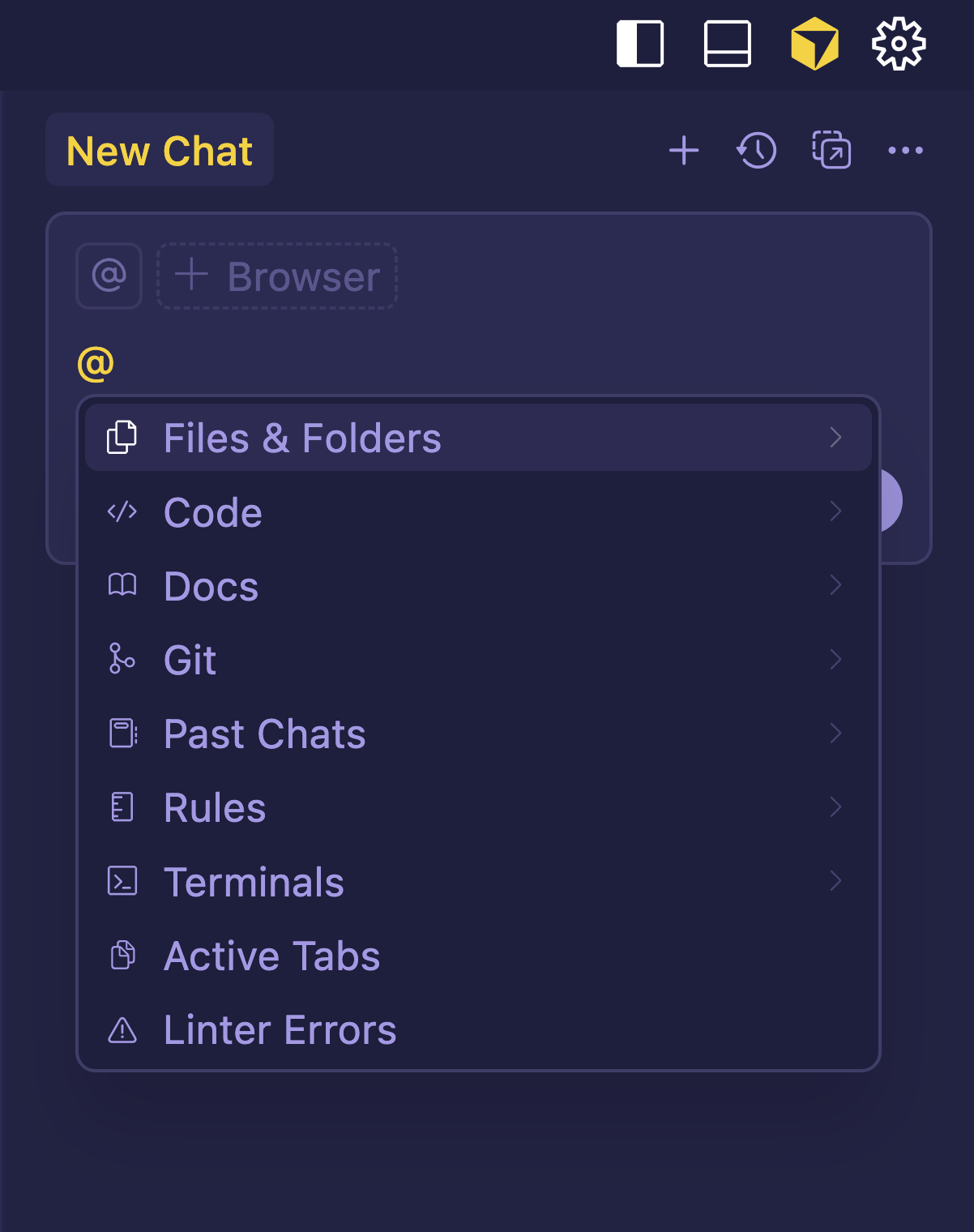
@ References

  • 使用 @ references 來參照
    • 檔案
    • 資料夾
    • 文件
  • 可加入到任一提示中

at references

使用 Cursor 進行軟體開發
使用 Cursor 進行軟體開發

@ References

  • 參照可:
    • 讓 AI 錨定於真實專案資料
    • 指向特定檔案、資料夾或文件

referencing files.png

使用 Cursor 進行軟體開發
使用 Cursor 進行軟體開發

更多 @ References

$$

  • @file:指向特定檔案
  • @folder:總覽資料夾內容
  • @code:標註特定程式碼片段
  • @cursor rules:遵循預先定義的編碼規範
  • @past chats:回顧先前討論或決策
使用 Cursor 進行軟體開發

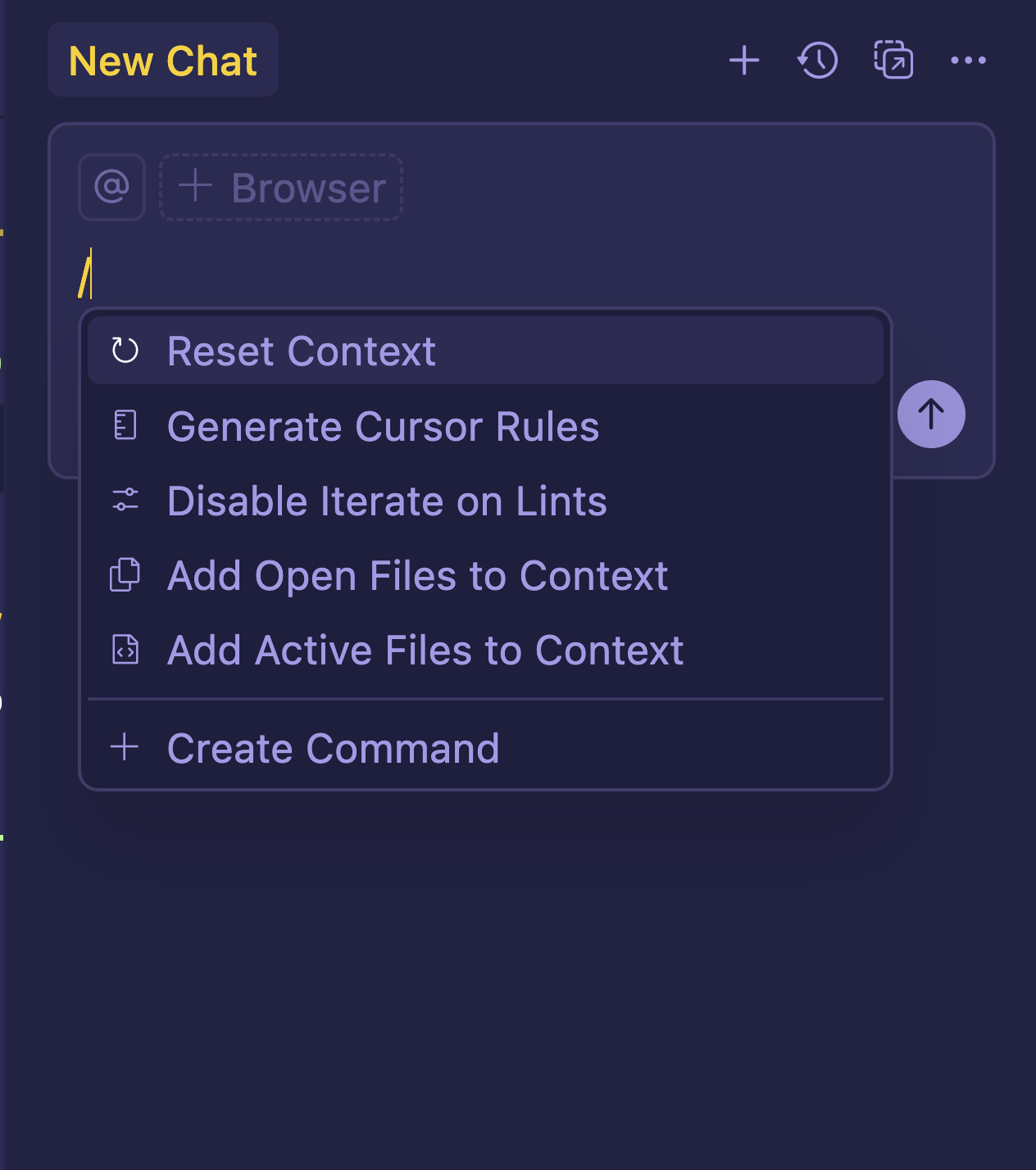
斜線指令

  • 快速掌控脈絡

managing context.png

使用 Cursor 進行軟體開發

斜線指令

$$

  • /Reset Context 將脈絡重設為預設狀態
  • /Generate Cursor Rules 產生規範檔以一致化 AI 行為
  • /Disable Iterate on Lints 停用自動修正 lint
  • /Add Open Files to Context 加入所有已開啟的編輯器分頁
  • /Add Active Files to Context 僅加入目前可見的檔案

slash commands.png

使用 Cursor 進行軟體開發

一起來練習吧!

使用 Cursor 進行軟體開發

Preparing Video For Download...