監控工具

認識 Microsoft Azure 的管理與治理

Maarten Van den Broeck

Senior Content Developer at DataCamp

監控工具總覽

  1. Azure Monitor

    • Application Insights
    • Log Analytics
    • Alerts
  2. Service Health

  3. Advisor

人查看世界地圖與資料儀表板

認識 Microsoft Azure 的管理與治理

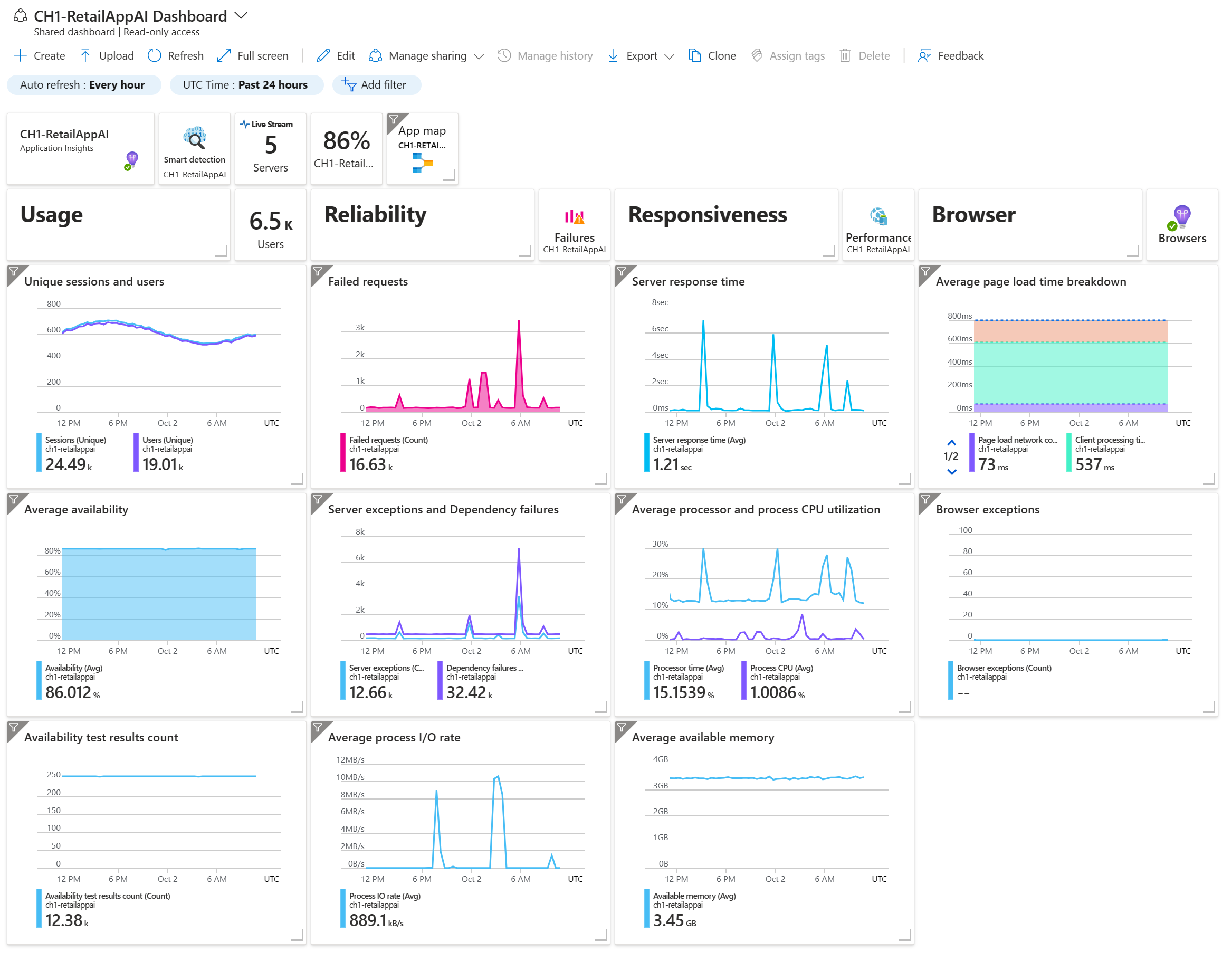
Azure Monitor:Application Insights

用於應用程式效能管理:

  • 偵測、診斷並處理問題
  • 提供效能、可用性與使用狀況洞見

  • 常見任務:

    • 檢視並視覺化效能指標
    • 以 Smart Detection 尋找錯誤與臭蟲
    • 設定即時與自動監控

Azure Monitor Application Insights 畫面擷圖

認識 Microsoft Azure 的管理與治理

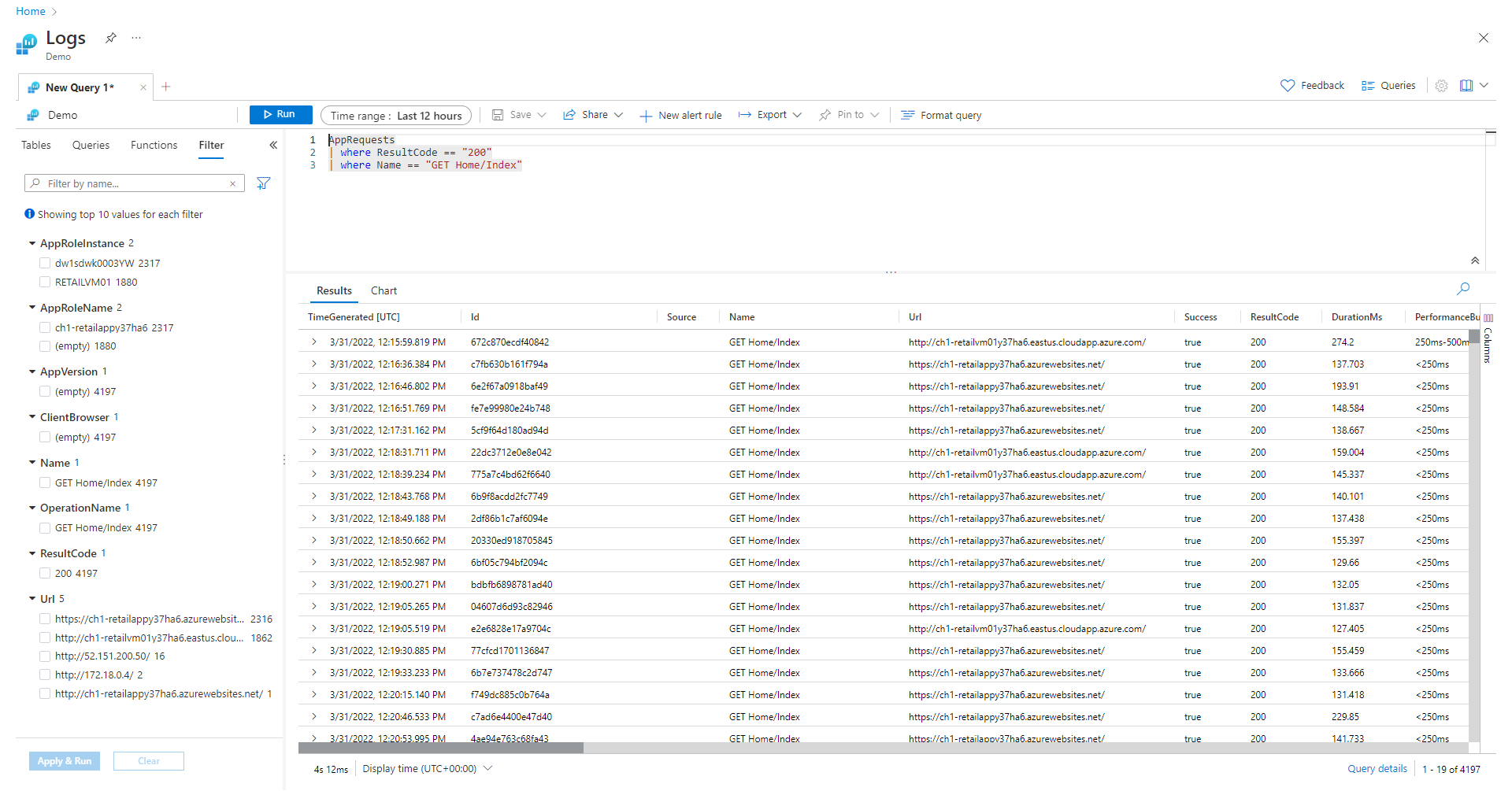
Azure Monitor:Log Analytics

用於系統效能管理:

  • 資源、服務與基礎結構
  • 與 Application Insights 搭配用於應用程式

  • 使用情境:

    • 追蹤資源效能
    • 疑難排解與診斷
    • 容量規劃
    • 確保安全與合規

人員彙整並連結記錄

認識 Microsoft Azure 的管理與治理

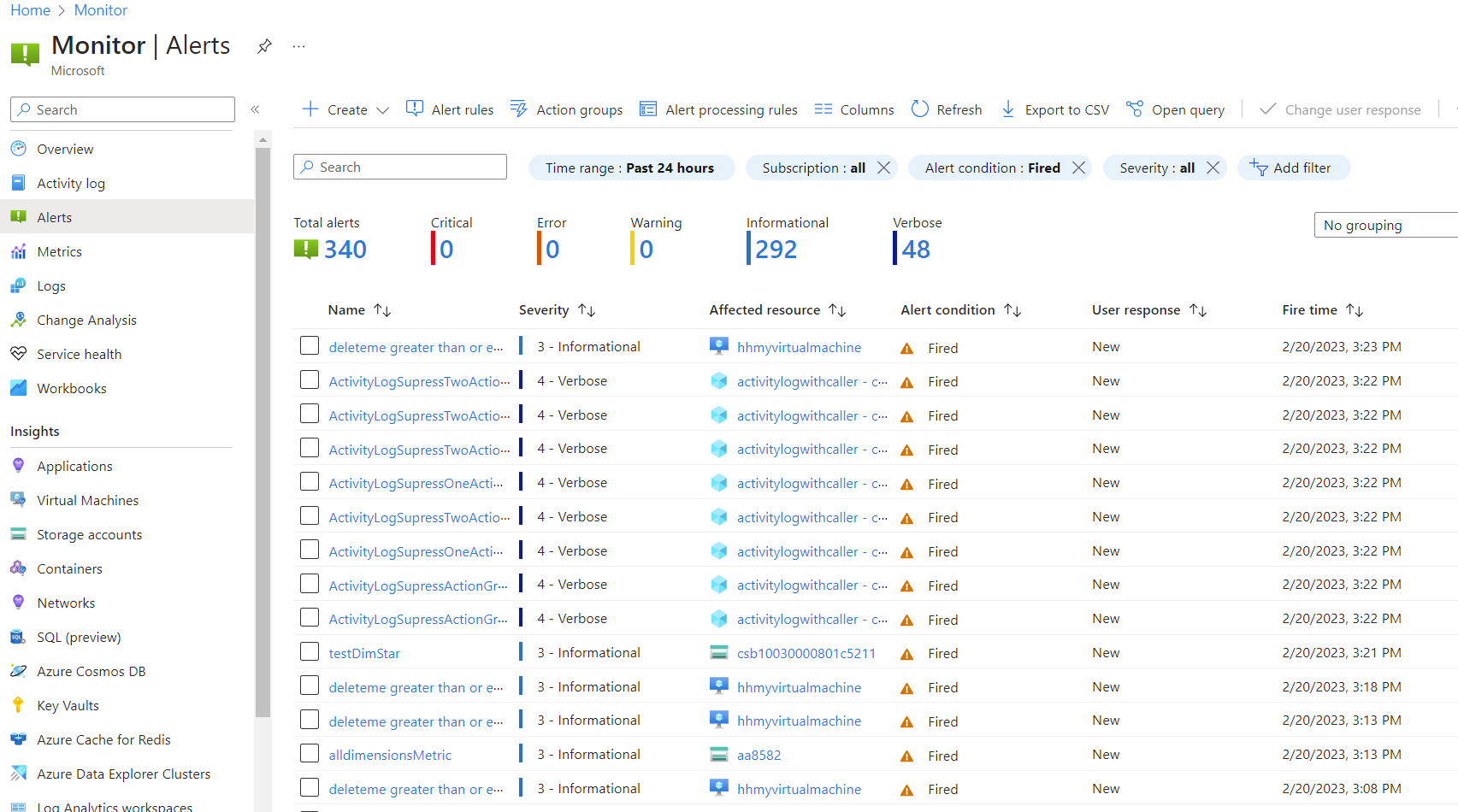
Azure Monitor:Alerts

用於為特定情況設定自動警示:

  • 依特定指標或其組合建立警示
  • 透過多種管道發送通知
  • 問題持續時升級警示
  • 自動修復

Azure Monitor 警示畫面擷圖

認識 Microsoft Azure 的管理與治理

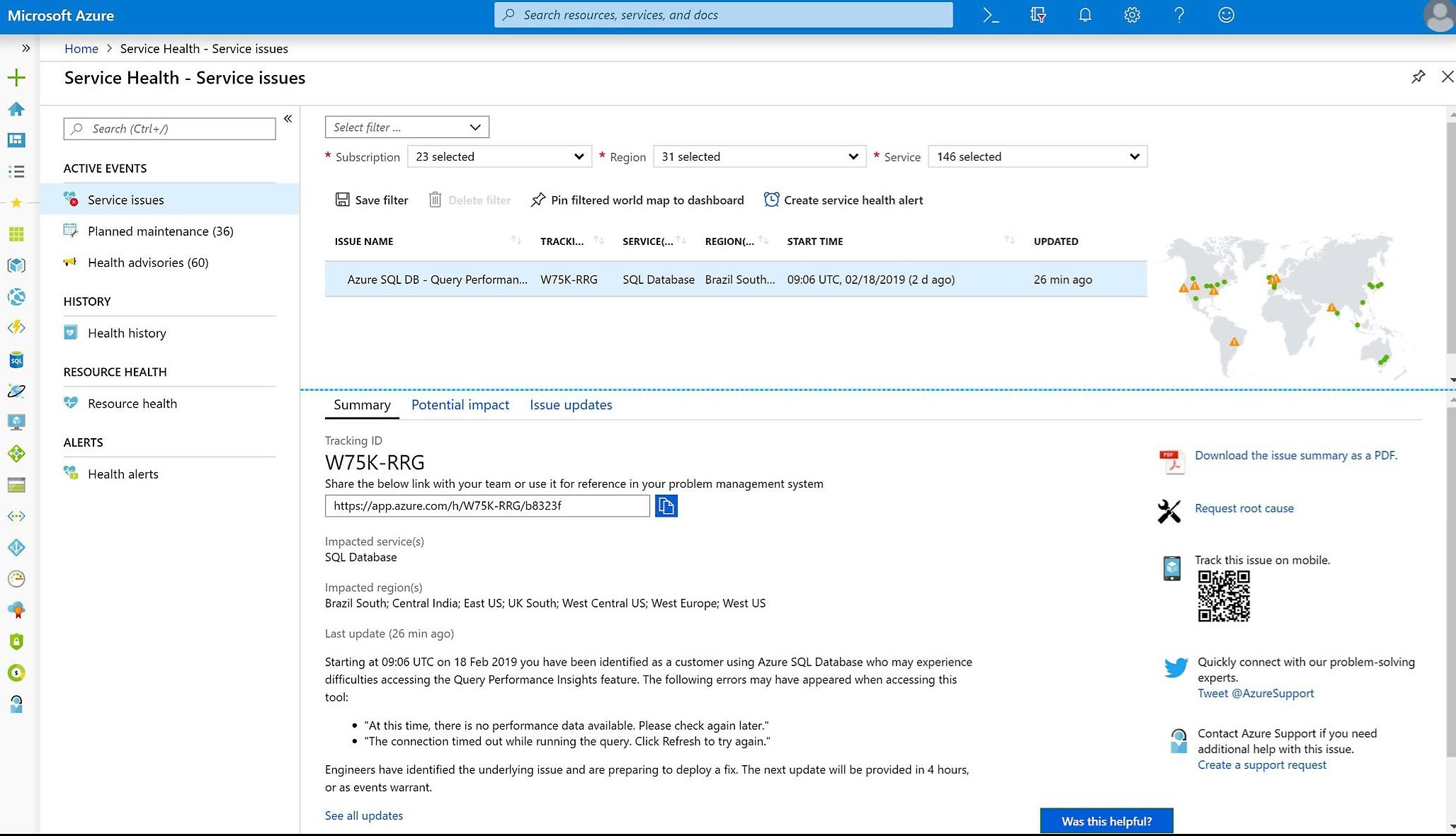
Service Health

用於查看 Azure 雲端服務的整體即時狀態:

  • 已排定維護
  • 中斷與事件
  • 即將推出的更新與變更

Service Health 畫面擷圖

認識 Microsoft Azure 的管理與治理

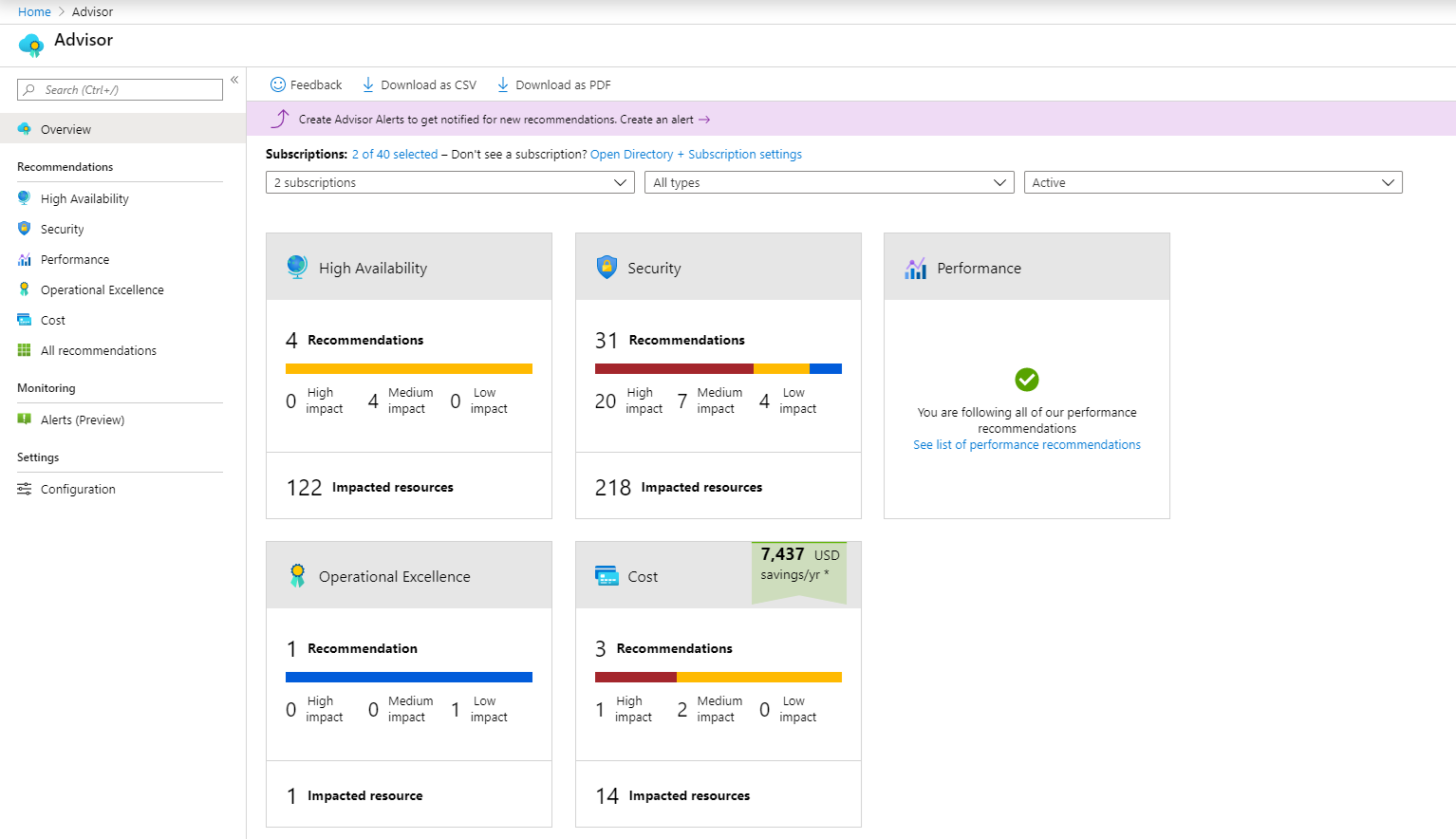
Advisor

用於提供個人化建議以最佳化 Azure 資源:

  • 成本:降低整體 Azure 支出
  • 安全性:找出潛在安全問題
  • 效能:提升速度與回應性
  • 可靠性:確保可用性與韌性
  • 營運卓越:套用資源管理與部署最佳實務

Advisor 儀表板擷圖

認識 Microsoft Azure 的管理與治理

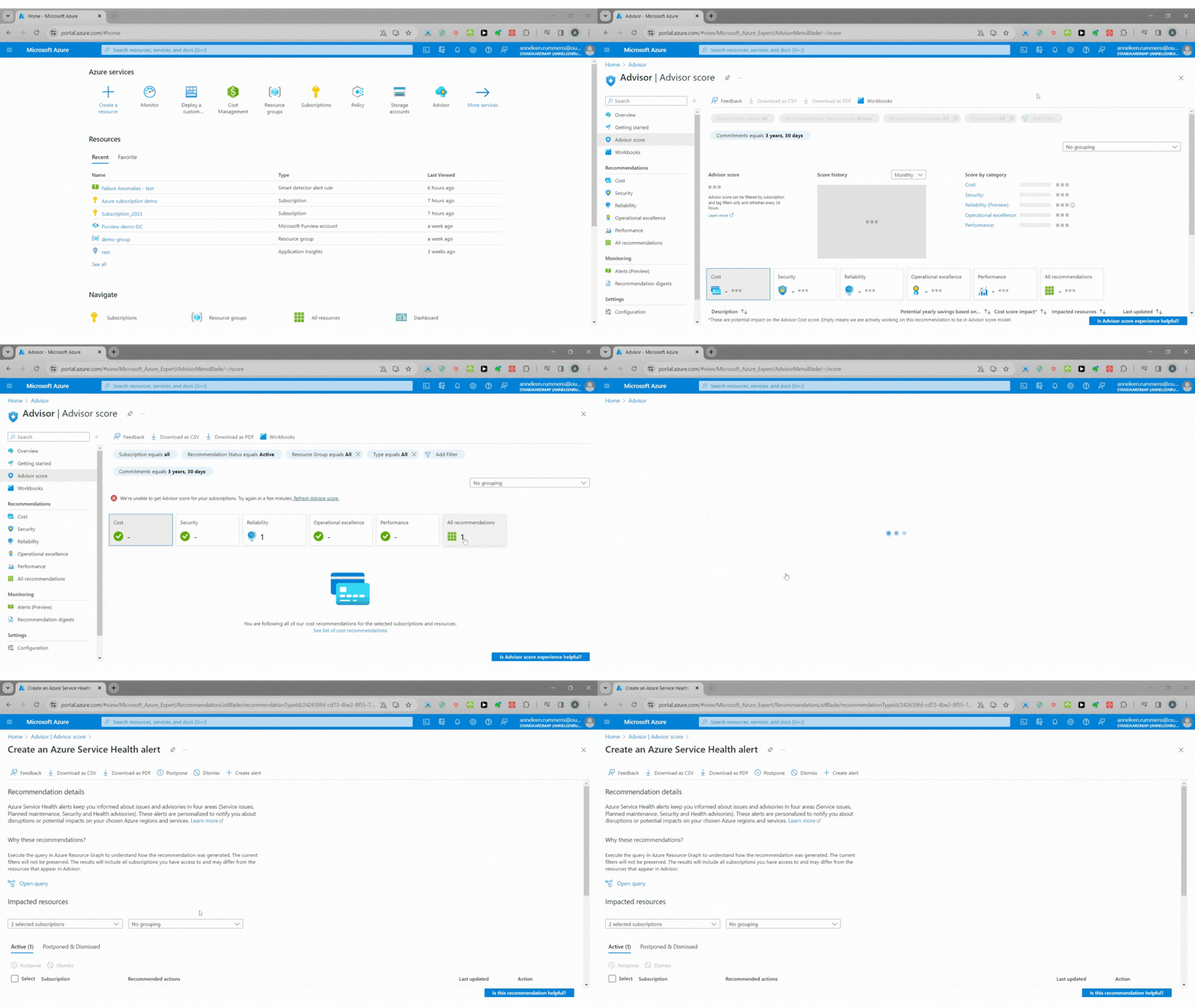
情境:來自 Advisor 的建議

你與你的團隊正在最佳化 Azure 資源的使用,並利用 Azure Advisor 來找出可最佳化的機會。

  • 檢視 Azure Advisor 中各分類以取得具體任務清單
  • 篩選快速修復,延後或忽略不相關建議

使用 Advisor 的 GIF

認識 Microsoft Azure 的管理與治理

一起來練習吧!

認識 Microsoft Azure 的管理與治理

Preparing Video For Download...