執行儲存庫程式碼

Machine Learning 的 CI/CD

Ravi Bhadauria

Machine Learning Engineer

共享儲存庫模型

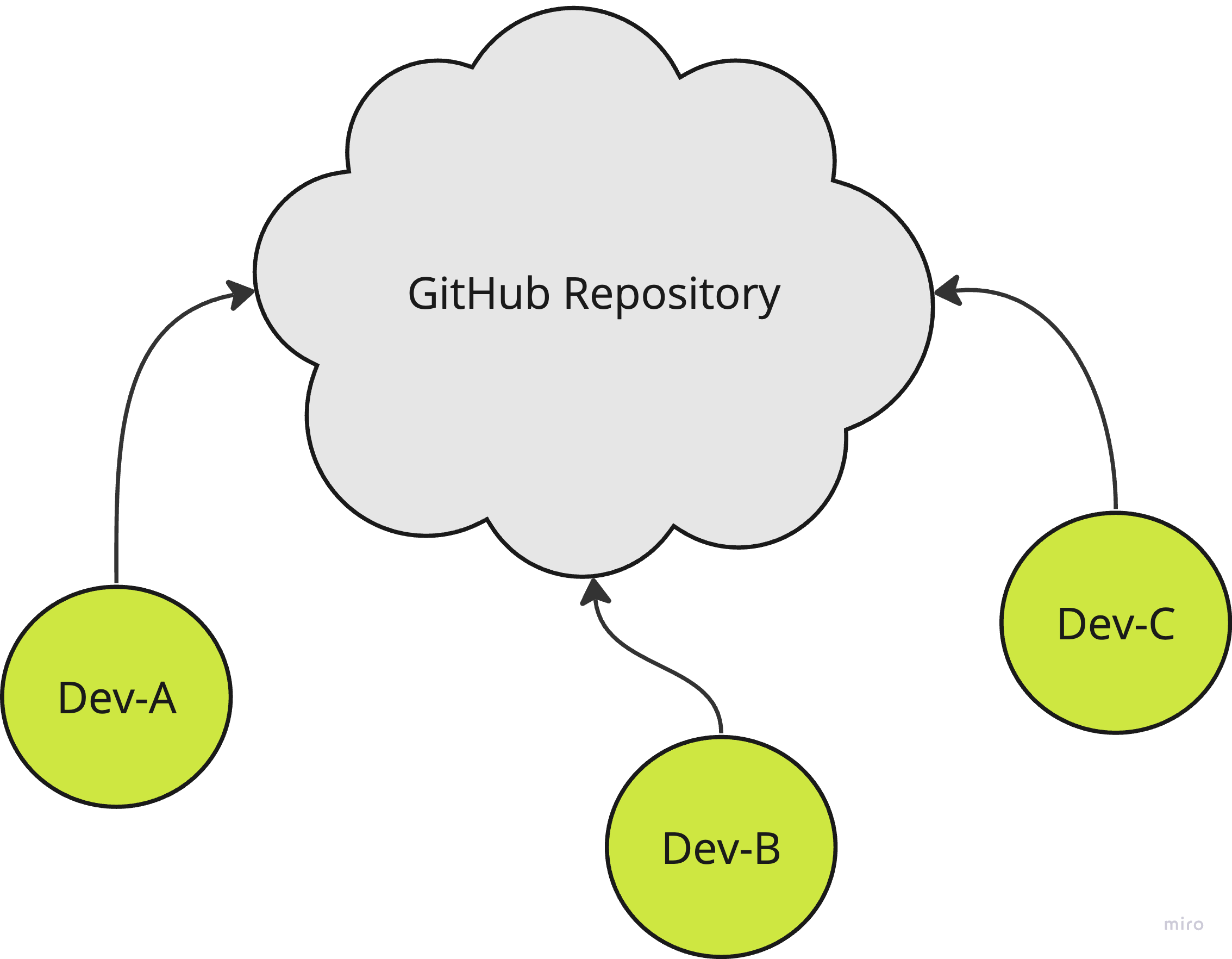
  • 多位協作者在同一個儲存庫上協作
  • 為相關工作建立 Feature/Topic 分支
    • 開立 Pull Request
    • 進行程式碼審查並提出修改建議
    • 將分支程式碼合併到 main 分支
  • 啟用 CI/CD 檢查可提升程式碼品質

多位開發者共同貢獻至單一儲存庫的共享儲存庫模型示意圖

Machine Learning 的 CI/CD

建立功能分支

首頁畫面,標示出分支分頁的示意圖

分支頁面,標示出新分支分頁的示意圖

Machine Learning 的 CI/CD

建立功能分支

儲存庫首頁顯示已切換至作用中功能分支的示意圖

Machine Learning 的 CI/CD

新增儲存庫程式碼

將檔案存為分支中的 hello_world.py

import datetime

def main():
    print("Hello, World!")

    # Get the current time and print it
    current_time = datetime.datetime.now()
    print("Current time:", current_time)

if __name__ == "__main__":
    main()
Machine Learning 的 CI/CD

設定工作流程事件

  • 指定 Pull Request 事件的目標分支
on:
  pull_request:
    branches: [ "main" ]
Machine Learning 的 CI/CD

Actions 語法

steps:
  - name: My Action 
    uses: <org_or_user_name>/<reponame>@<version_number>
    with:
      action-argument: value
Machine Learning 的 CI/CD

設定工作流程的步驟與動作

  • 在工作步驟中取出(checkout)儲存庫
steps:
  - name: Checkout 
    uses: actions/checkout@v3
  • 設定 Python 環境
steps:
  - name: Setup Python
    uses: actions/setup-python@v4
    with:
      python-version: 3.9
Machine Learning 的 CI/CD

整合示範

  • 工作流程在對 main 建立 Pull Request 時觸發
  • build 工作含三個步驟
    • Checkout 取出儲存庫
    • Setup Python 設定 Python 環境
    • Run Python script 執行該 Python 檔案
name: PR

on:
  pull_request:
    branches: [ "main" ]

jobs:
  build:
    runs-on: ubuntu-latest
    steps:
      - name: Checkout
        uses: actions/checkout@v3
      - name: Setup Python
        uses: actions/setup-python@v4
        with:
          python-version: 3.9
      - name: Run Python script
        run: |
          echo hello_world.py 
          python hello_world.py
Machine Learning 的 CI/CD

建立 PR 並觸發工作流程

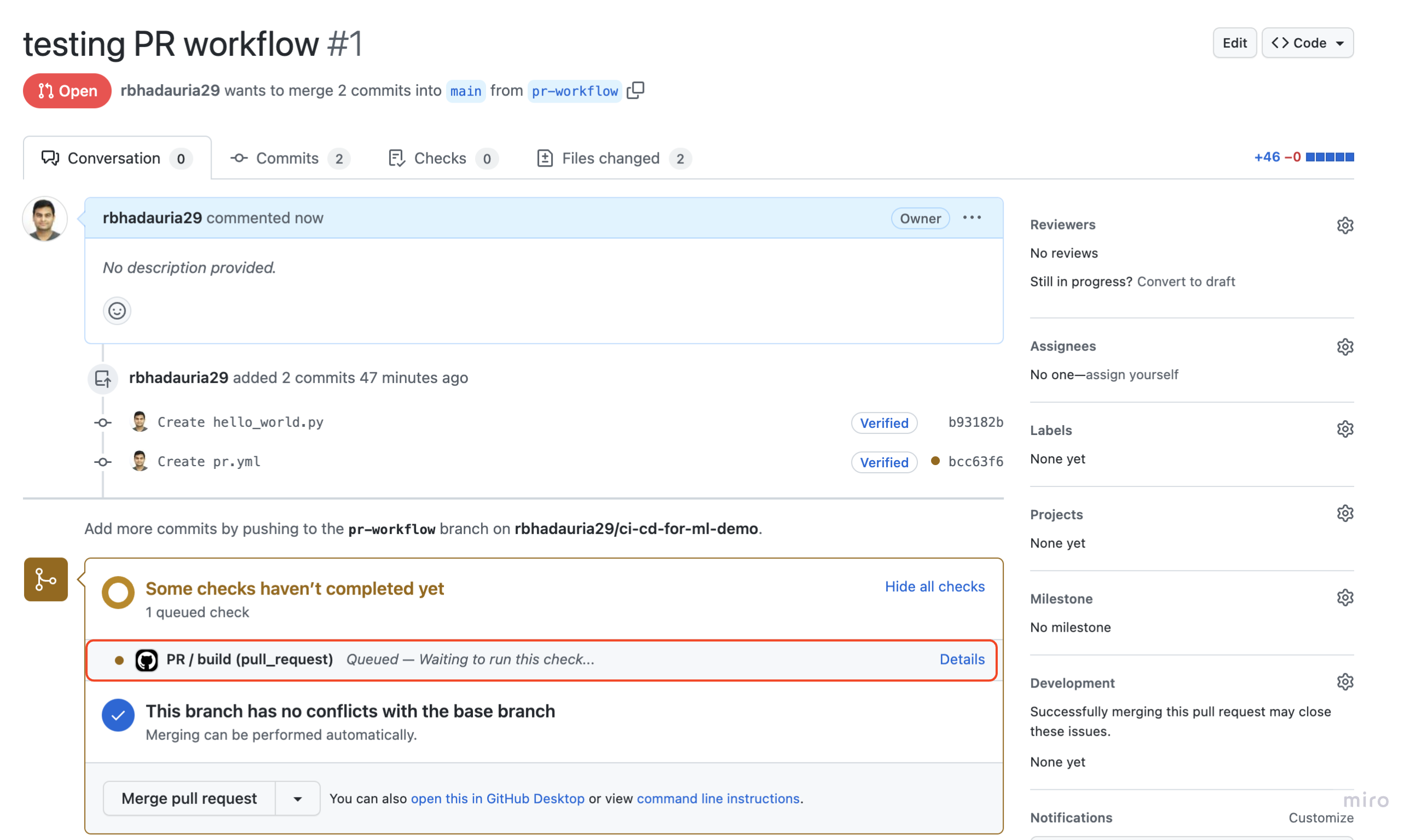
Pull Request 頁面顯示工作流程已啟動的示意圖

Machine Learning 的 CI/CD

查看工作流程日誌

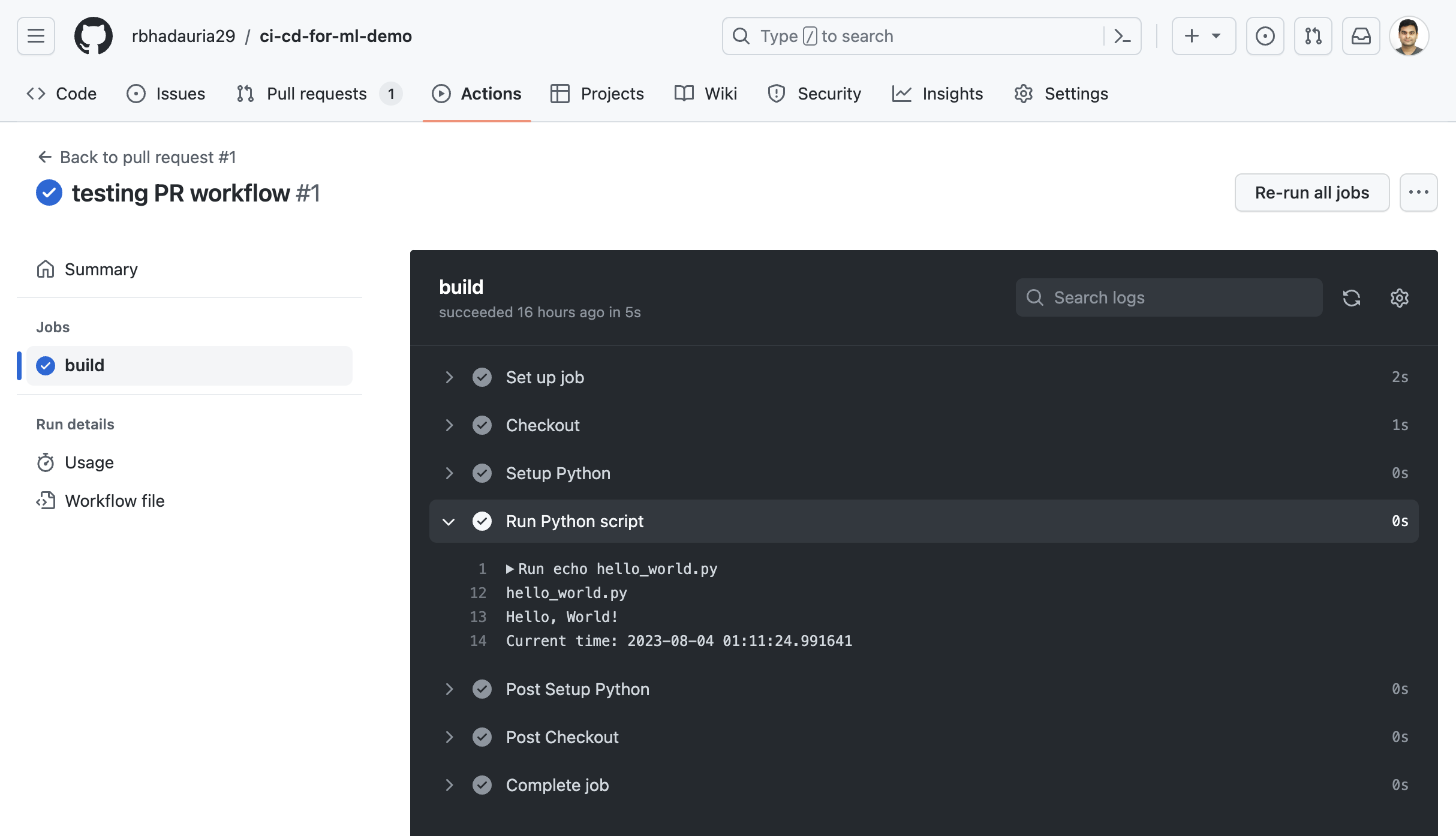
工作流程日誌頁面,顯示包含 Python 指令碼步驟在內的各步驟

Machine Learning 的 CI/CD

一起來練習吧!

Machine Learning 的 CI/CD

Preparing Video For Download...