環境變數與 Secrets

Machine Learning 的 CI/CD

Ravi Bhadauria

Machine Learning Engineer

Contexts(情境)

  • 取得預先定義的變數與資料
    • 工作流程執行
    • 變數
    • runner 環境
    • 作業與步驟
  • 用表達式語法 ${{ context.XXX }} 存取情境
  • 本課使用的情境
    • github:工作流程執行的資訊
    • env:在工作流程中設定的變數
    • secrets:提供給工作流程的名稱與值
    • job:目前作業的資訊
    • runner:機器的資訊
1 https://docs.github.com/en/actions/learn-github-actions/contexts
Machine Learning 的 CI/CD

變數

  • 以純文字儲存非敏感資訊
    • 編譯器旗標、使用者名稱、檔案路徑
  • 宣告為 env 鍵的值
  • 全域/區域範圍取決於定義層級
  • 透過 env 情境以 ${{ env.ENV_VAR }} 存取
name: Greeting on variable day
# Global env
env:
  Greeting: Hello

jobs: greeting_job: runs-on: ubuntu-latest # Local env: scoped to greeting_job env: First_Name: Ravi
steps: - run: | echo "${{ env.Greeting }} \ ${{ env.First_Name }}."
Machine Learning 的 CI/CD

Secrets

  • 以加密方式儲存敏感資訊
    • 密碼、API 金鑰
  • 透過 secrets 情境存取值
    • ${{ secrets.SuperSecret }}
  • 可儲存為輸入或環境變數
steps:
  - name: Hello world action
    env: # Set the secret as an env var
      super_secret: ${{ secrets.SuperSecret }}

with: # Or as an input super_secret: ${{ secrets.SuperSecret }}
  • 列印 secret

    steps:
    - name: Print secret
      run: |
        echo "my secret is \
        ${{ secrets.SuperSecret }}"
    
  • 輸出

工作流程日誌畫面,實際值被 *** 取代

Machine Learning 的 CI/CD

設定 secrets

儲存庫首頁的 Settings 分頁畫面

  • 前往 Security > Secrets and Variables > Actions
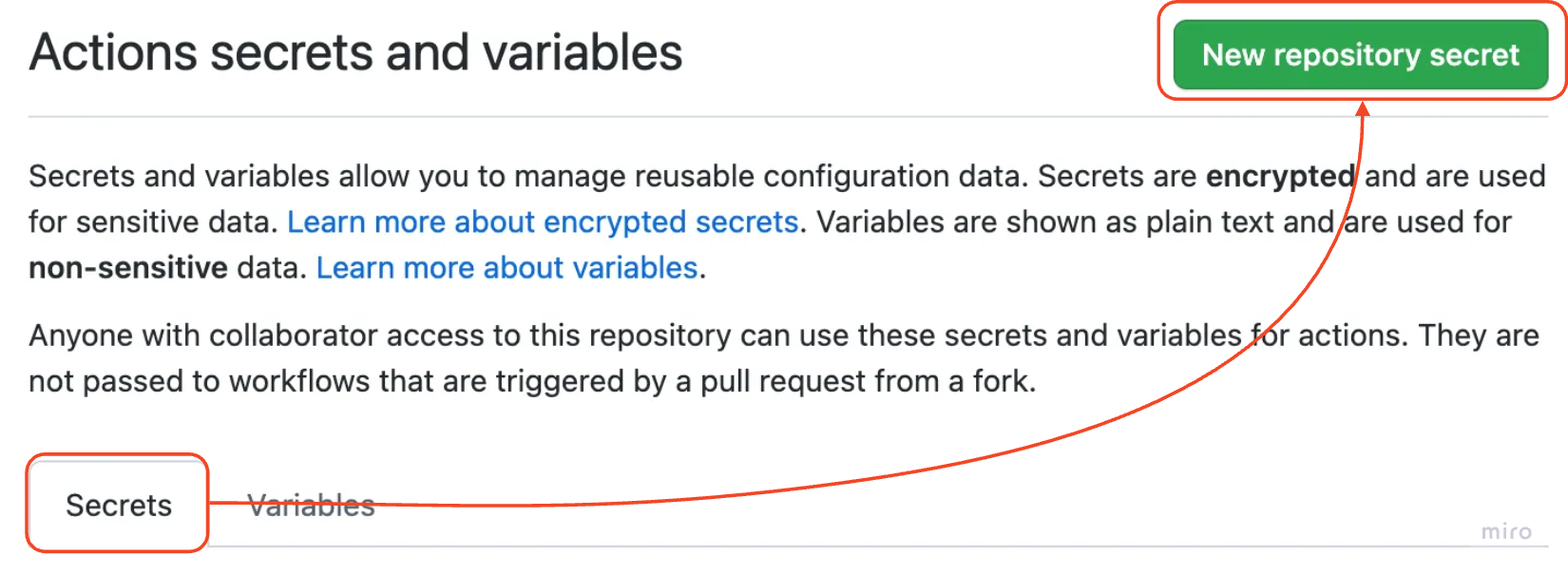
如何選取 secret 分頁

Machine Learning 的 CI/CD

設定 secrets

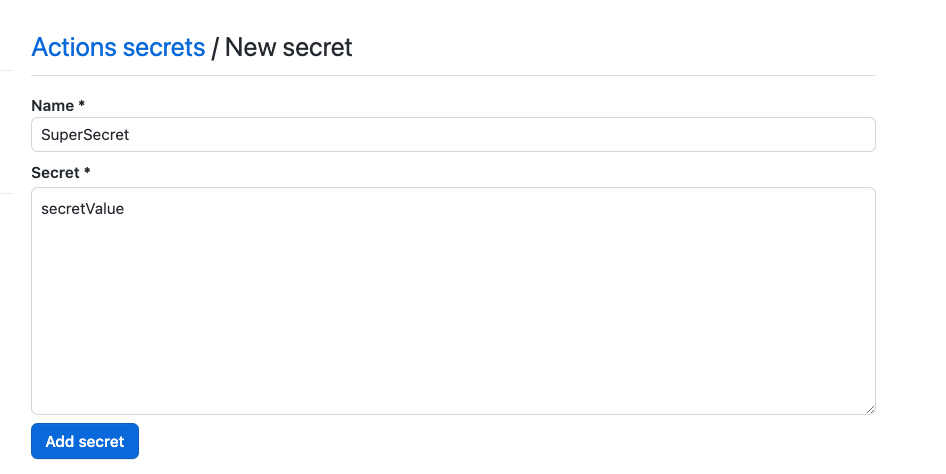
如何設定 secret 的名稱與值

Machine Learning 的 CI/CD

GITHUB_TOKEN secret

  • GitHub Actions 提供的內建 secret
  • 用於執行工作流程動作
    • 下載儲存庫並抓取程式碼
    • 開啟與關閉 issues 與 pull requests
    • 在 issues 與 pull requests 上留言
  • 在每個 GitHub Actions 工作流程中自動可用
    • 透過 ${{ secrets.GITHUB_TOKEN }} 存取
  • 權限可精細調整
Machine Learning 的 CI/CD

範例:在 pull request 留言

  • 授與對 PR 撰寫留言的權限
permissions: 
  pull-requests: write
  • 使用 GITHUB_TOKEN 授權
permissions: 
  pull-requests: write 
steps:
  - name: Comment PR
    uses: thollander/actions-comment-pull-request@v2
    with:
      GITHUB_TOKEN: ${{ secrets.GITHUB_TOKEN }}
      message: |
        Hello world ! :wave:

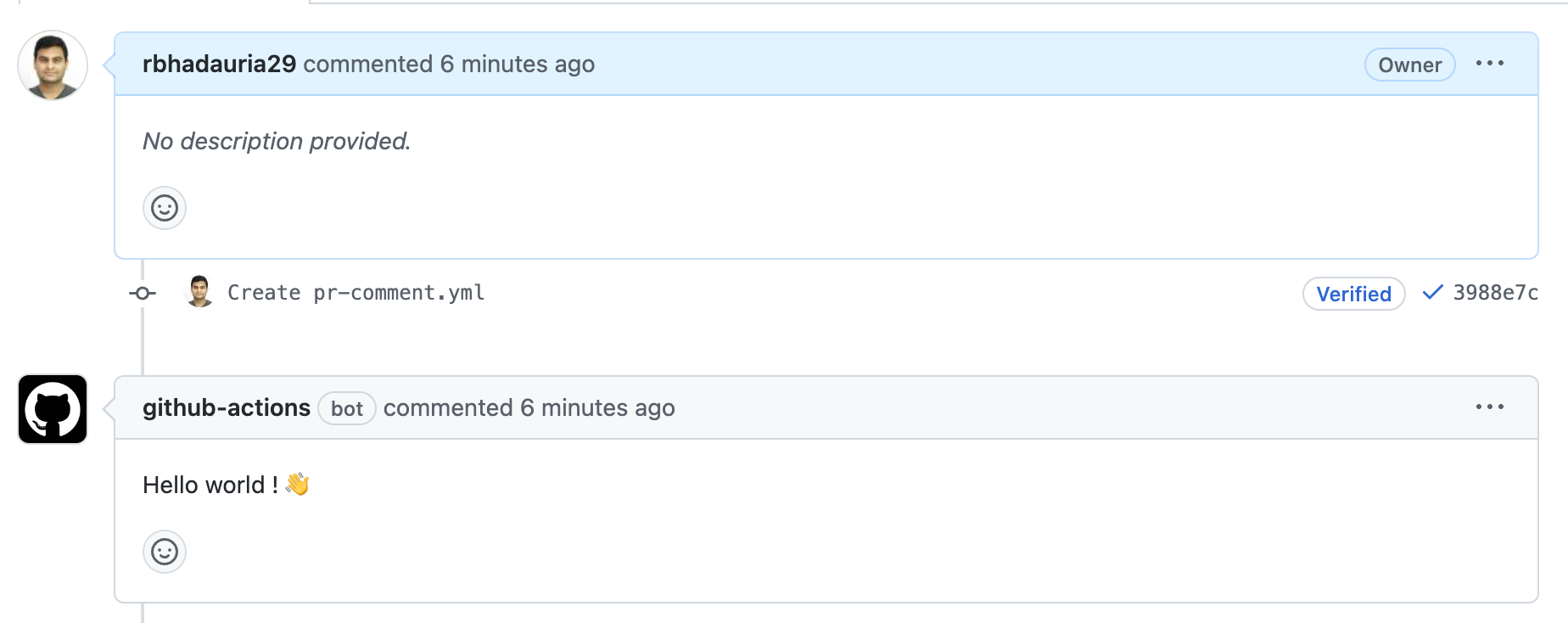
Pull request 頁面片段,顯示 github-actions 機器人自動留言

1 https://gist.github.com/rbhadauria29/6d7fc51944b4fb48425c3c307fec77c6
Machine Learning 的 CI/CD

一起來練習吧!

Machine Learning 的 CI/CD

Preparing Video For Download...