Python 影像處理
Rebeca Gonzalez
Data Engineer
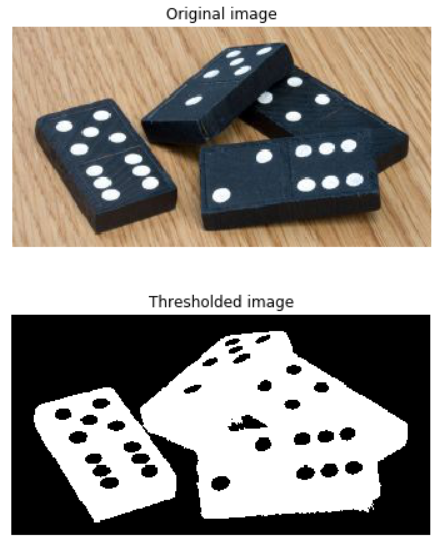
將影像分成前景與背景
把它變成黑白
作法是將每個像素設為:

最簡單的影像分割方法

僅適用於灰階影像

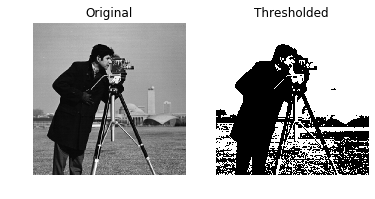
# Obtain the optimal threshold value thresh = 127# Apply thresholding to the image binary = image > thresh# Show the original and thresholded show_image(image, 'Original') show_image(binary, 'Thresholded')

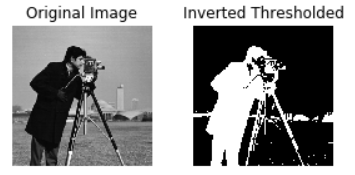
# Obtain the optimal threshold value thresh = 127# Apply thresholding to the image inverted_binary = image <= thresh# Show the original and thresholded show_image(image, 'Original') show_image(inverted_binary, 'Inverted thresholded')

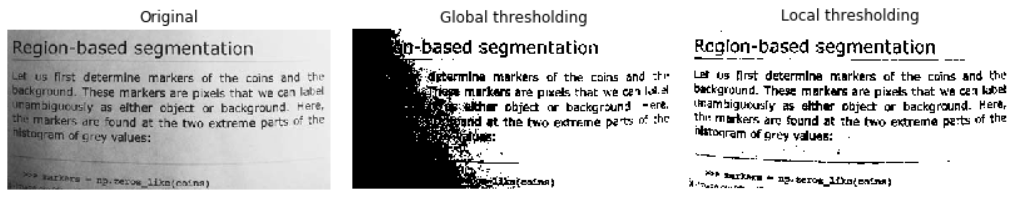
全域或直方圖式:適合背景均勻
區域或自適應:適合背景光照不均

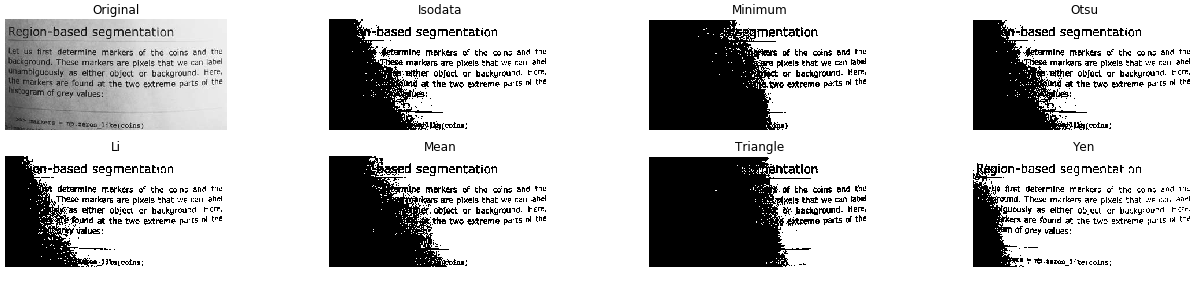
from skimage.filters import try_all_threshold# Obtain all the resulting images fig, ax = try_all_threshold(image, verbose=False)# Showing resulting plots show_plot(fig, ax)

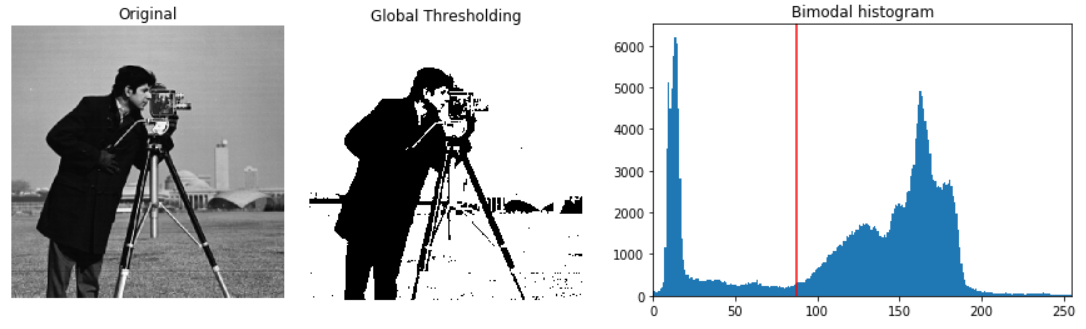
# Import the otsu threshold function from skimage.filters import threshold_otsu# Obtain the optimal threshold value thresh = threshold_otsu(image)# Apply thresholding to the image binary_global = image > thresh
# Show the original and binarized image
show_image(image, 'Original')
show_image(binary_global, 'Global thresholding')
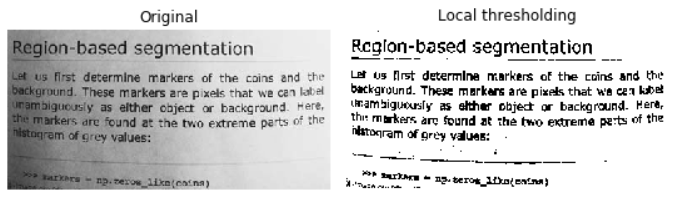
# Import the local threshold function from skimage.filters import threshold_local# Set the block size to 35 block_size = 35# Obtain the optimal local thresholding local_thresh = threshold_local(text_image, block_size, offset=10)# Apply local thresholding and obtain the binary image binary_local = text_image > local_thresh
# Show the original and binarized image
show_image(text_image, 'Original')
show_image(binary_local, 'Local thresholding')
Python 影像處理