Microsoft Graph 入門

為開發人員實作 Azure 安全性

Anushika Agarwal

Cloud Data Engineer

什麼是 Microsoft Graph?

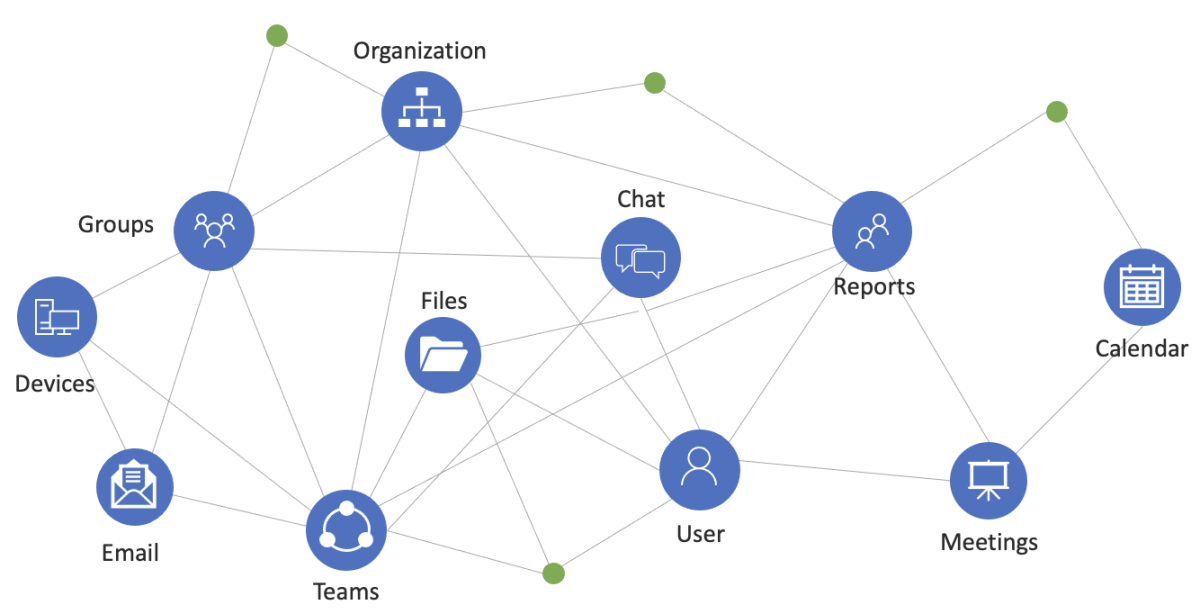
  • 存取 Microsoft 365 資料 的統一 API

  • 所有服務共用單一端點

Microsoft Graph - One endpoint for all services

為開發人員實作 Azure 安全性

範例:PeopleSphere 與 Microsoft Graph

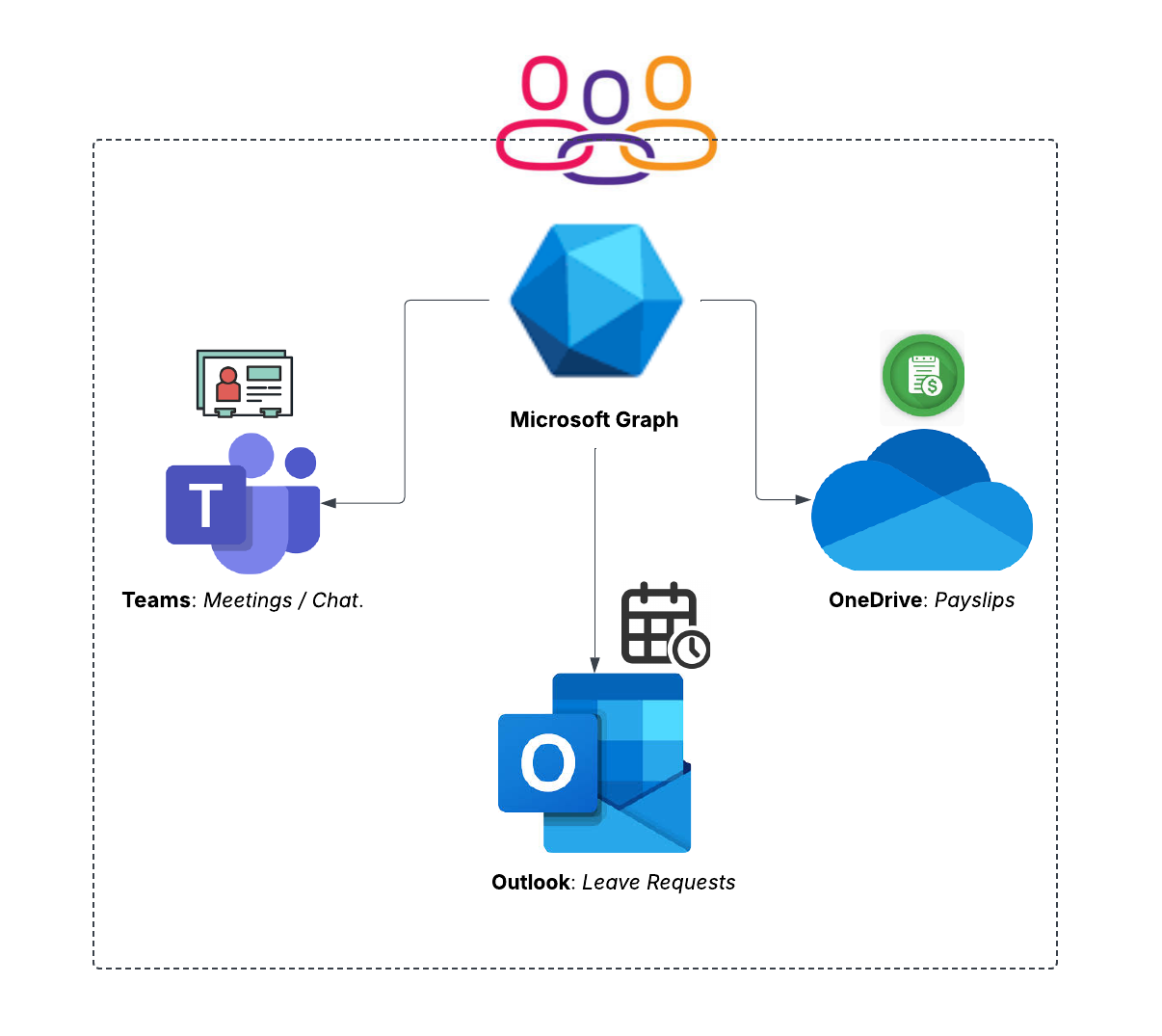
  • PeopleSphere 使用:

    • Outlook 管理請假
    • Teams 舉辦 HR 會議
    • OneDrive 發放薪資單
  • Graph 將它們全部串接

PeopleSphere 如何使用 Microsoft Graph

為開發人員實作 Azure 安全性

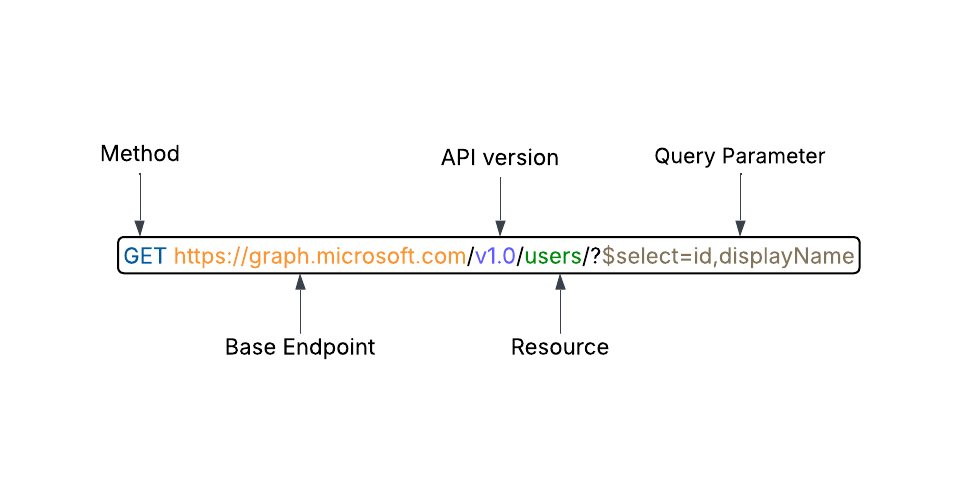
Graph API 呼叫結構

統一 API:以單一端點存取 Microsoft 雲端服務資源 Microsoft Graph API Request
為開發人員實作 Azure 安全性

分解請求

  • 請求組成:

    • 方法GETPOSTPATCH

    • 版本v1.0beta

    • 資源usersgroups

    • 查詢參數:$select$filter

    • 標頭:Authorization、Content-Type

Microsoft Graph API Request

為開發人員實作 Azure 安全性

方法

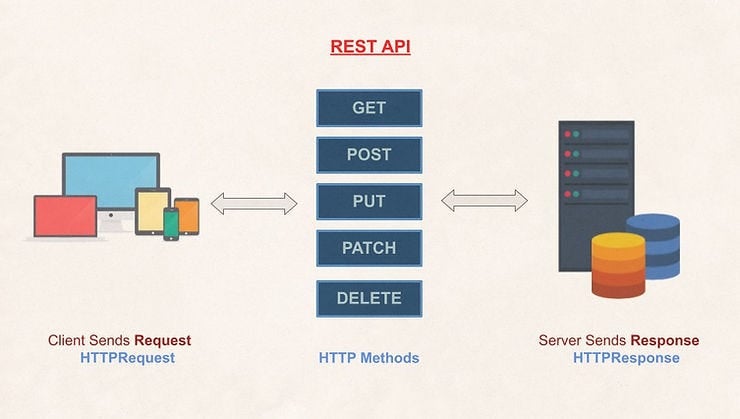
  • 支援的方法:

    • GET:擷取資料

    • POST:新增資料

    • PUT:完整取代資料

    • PATCH:更新既有資料

    • DELETE:刪除資料

為開發人員實作 Azure 安全性

版本:v1.0

  • https://graph.microsoft.com/v1.0/groups

  • 穩定的 API

  • 一般可用的 API
  • 用於正式環境的應用

Versioning - v1.0

為開發人員實作 Azure 安全性

版本:beta

beta

  • https://graph.microsoft.com/beta/groups
  • 預覽,含實驗性功能
  • 不穩定,可能變更
  • 僅供測試,不可用於正式環境

`

Versioning - Beta

為開發人員實作 Azure 安全性

資源

  • 你要互動的特定資料。

  • 範例

    • Users:存取使用者資訊
      • /users/me
    • Groups:操作群組
      • /groups
    • Events:擷取行事曆事件
      • /users/{userId}/events

Users

Groups

Events

為開發人員實作 Azure 安全性

查詢參數

  • 用於篩選、排序或選取特定資料的選項

  • Select

    • 選取特定欄位
    • $select=id,displayName
  • Filter

    • 篩選資料
    • $filter=startswith(displayName, 'John')
  • Top

    • 限制結果數量
    • $top=5

Query Parameters - Select

  Query Parameters - Filter

  Query Parameters - Top

為開發人員實作 Azure 安全性

標頭(Headers)

在 HTTP 請求回應中攜帶中繼資料

標頭分兩類:標準與特定 API

標頭

  • 標準:所有請求通用
    • Authorization:Bearer {access_token}
    • Content-Type:application/json
  • 特定 API:依 API 而異
    • Retry-After:30
    • Location:https://graph.microsoft.com/operationStatus
為開發人員實作 Azure 安全性

一起來練習吧!

為開發人員實作 Azure 安全性

Preparing Video For Download...