為開發人員實作 Azure 安全性
Anushika Agarwal
Cloud Data Engineer
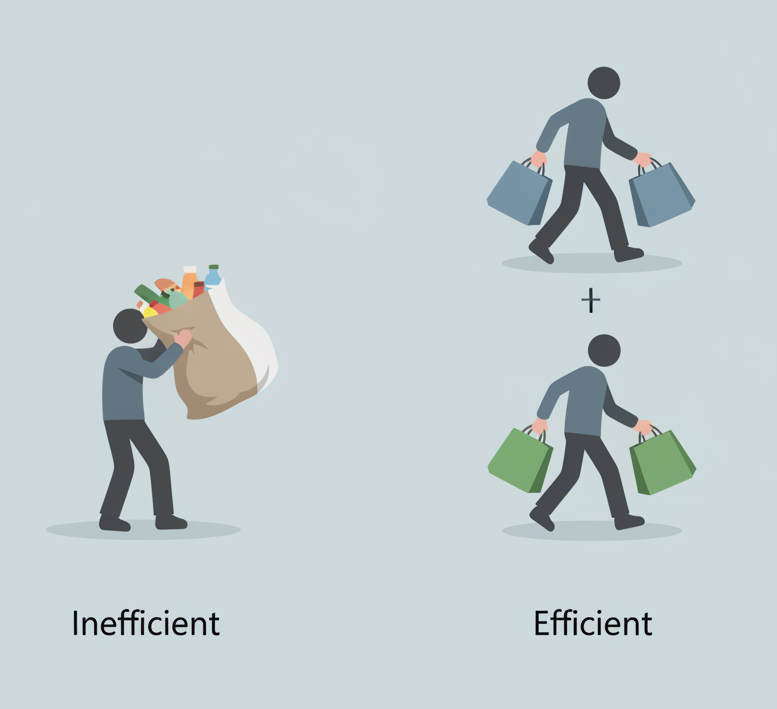
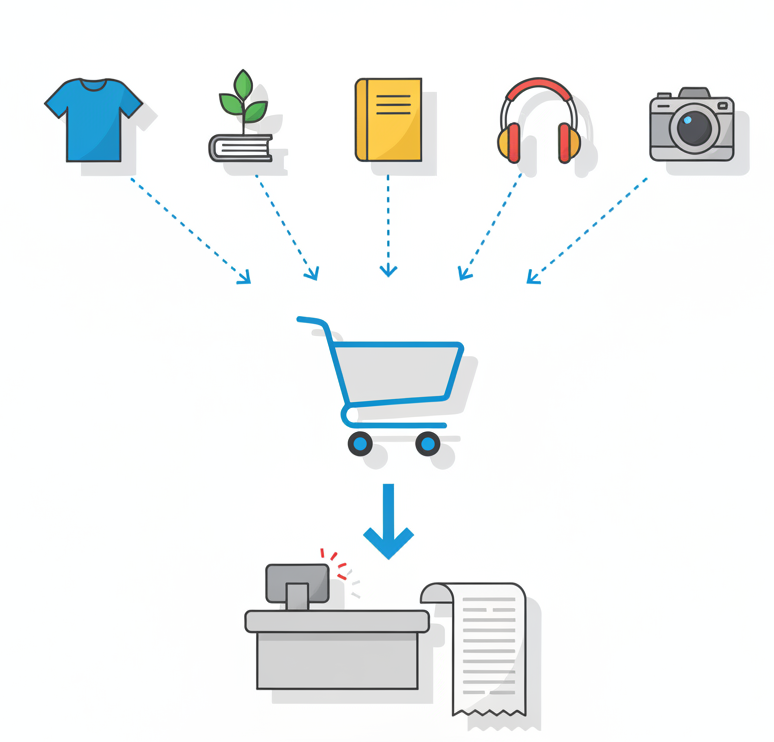
用多趟小搬運提菜
更輕、更快、更安全


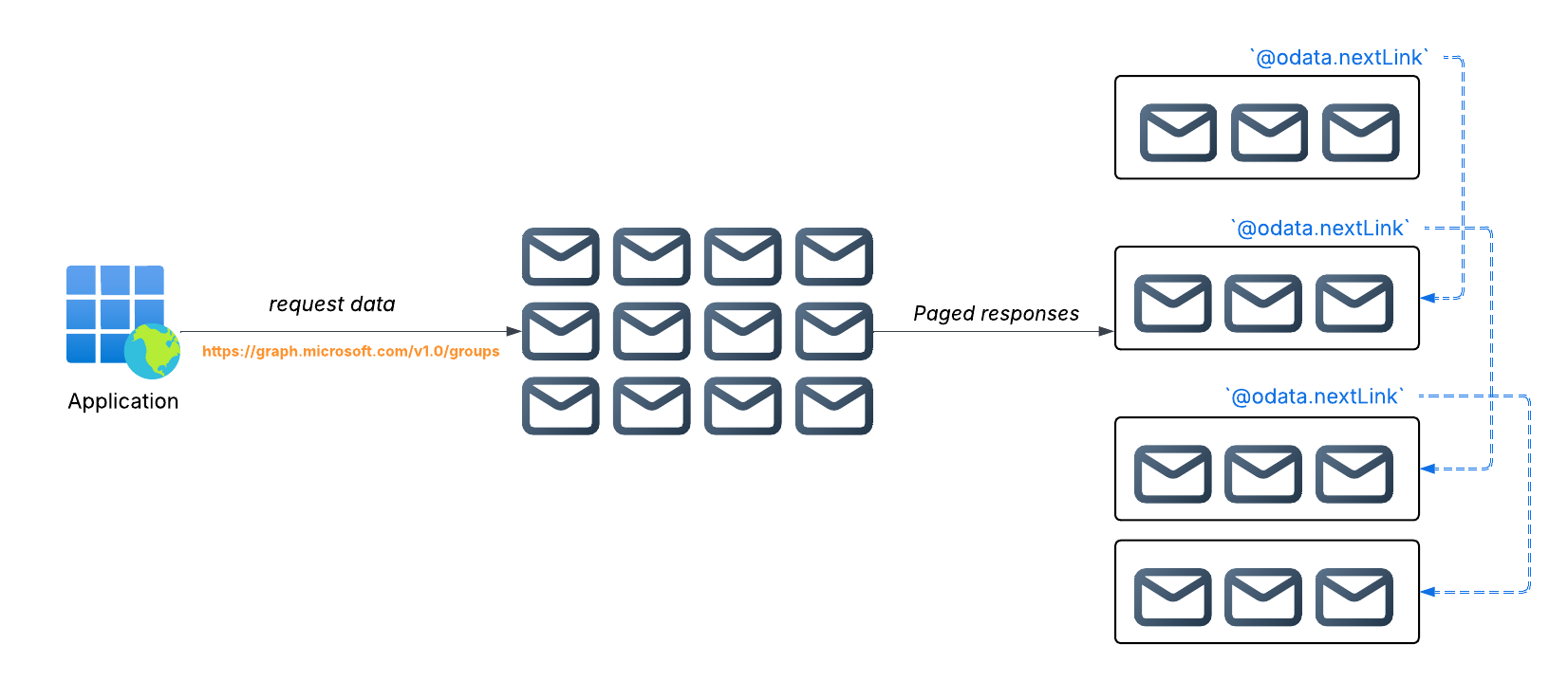
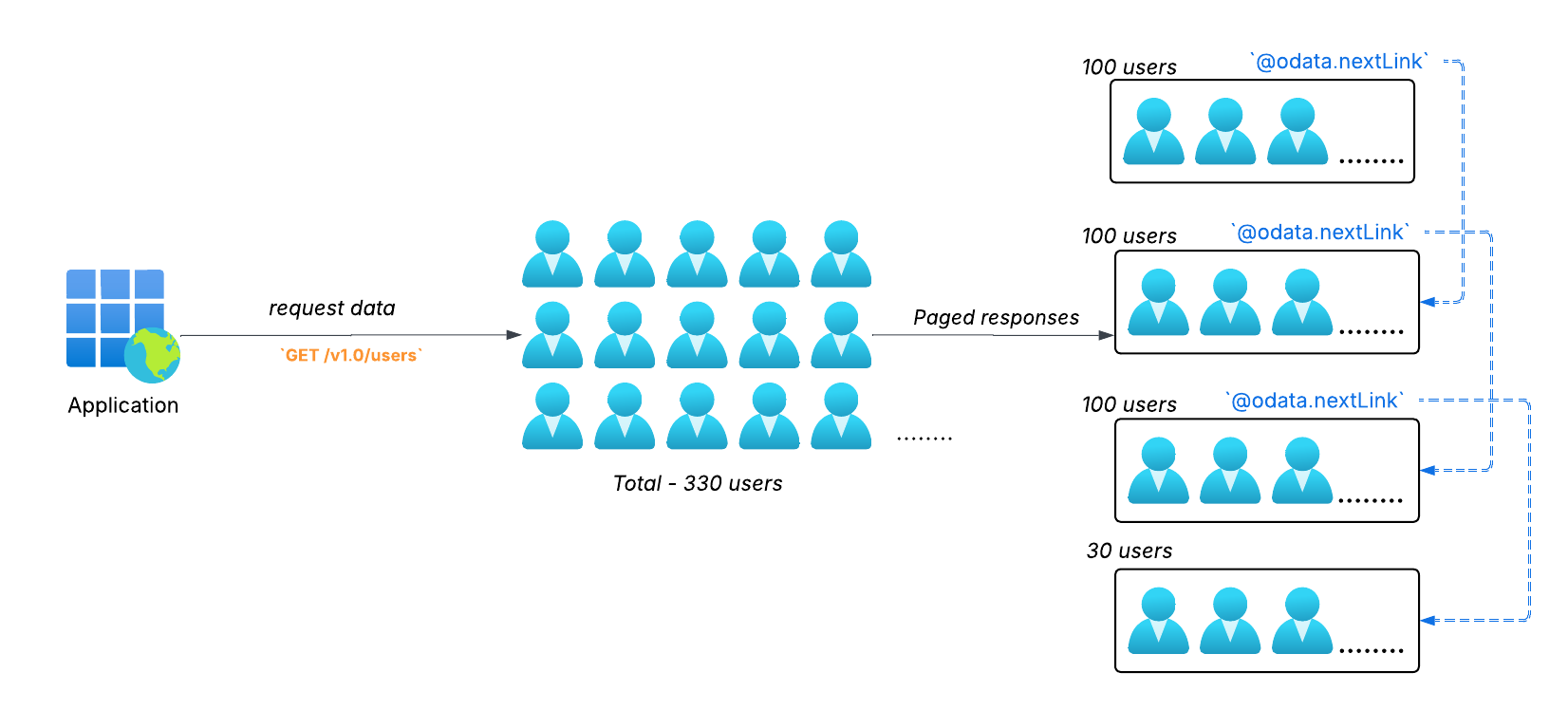
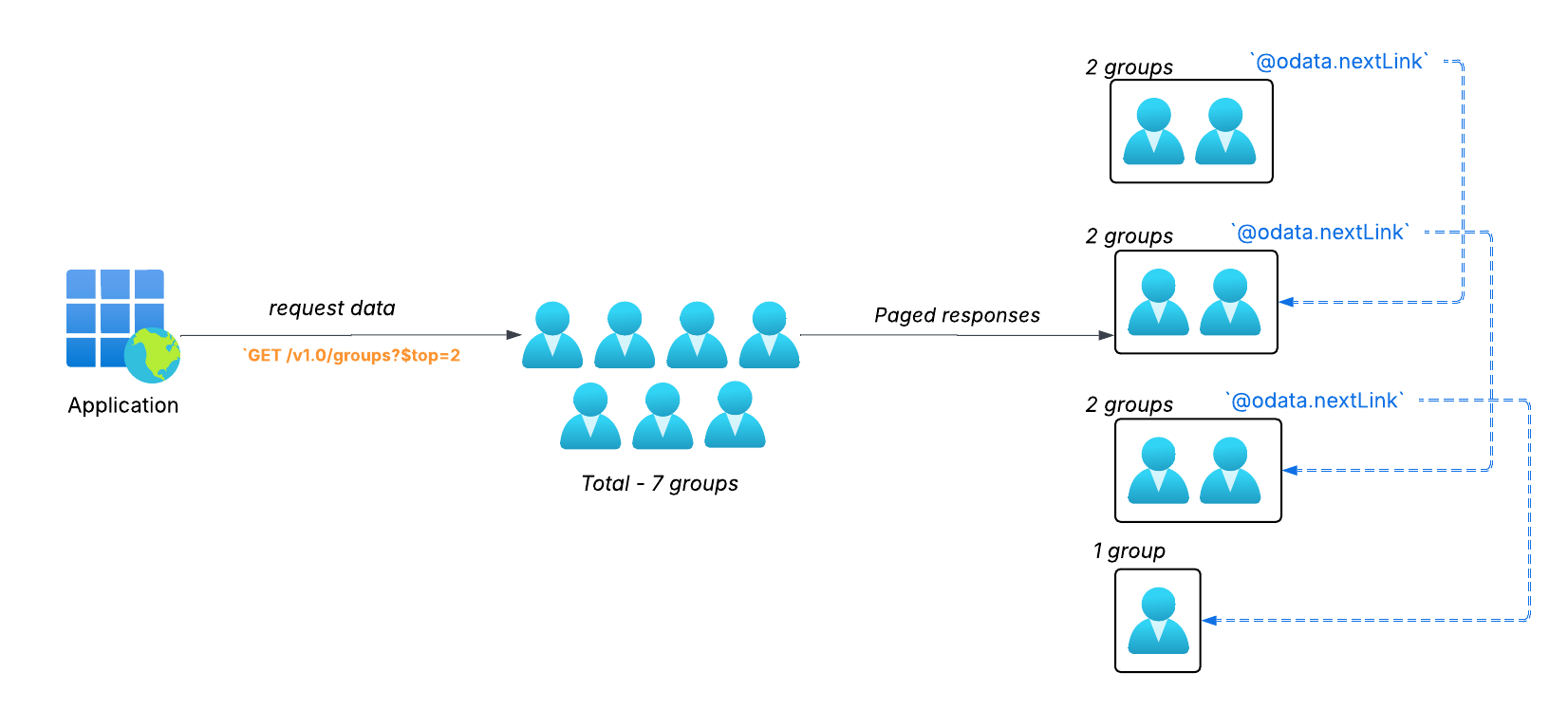
/v1.0/users :(default) 每頁回傳 100 筆

查詢參數
$top:每頁項目數。
$skip:位移量;從前 N 個之後開始

https://graph.microsoft.com/v1.0/groups?$top=2

單一 payload -> 單一回應,含全部結果
優點
限制

端點
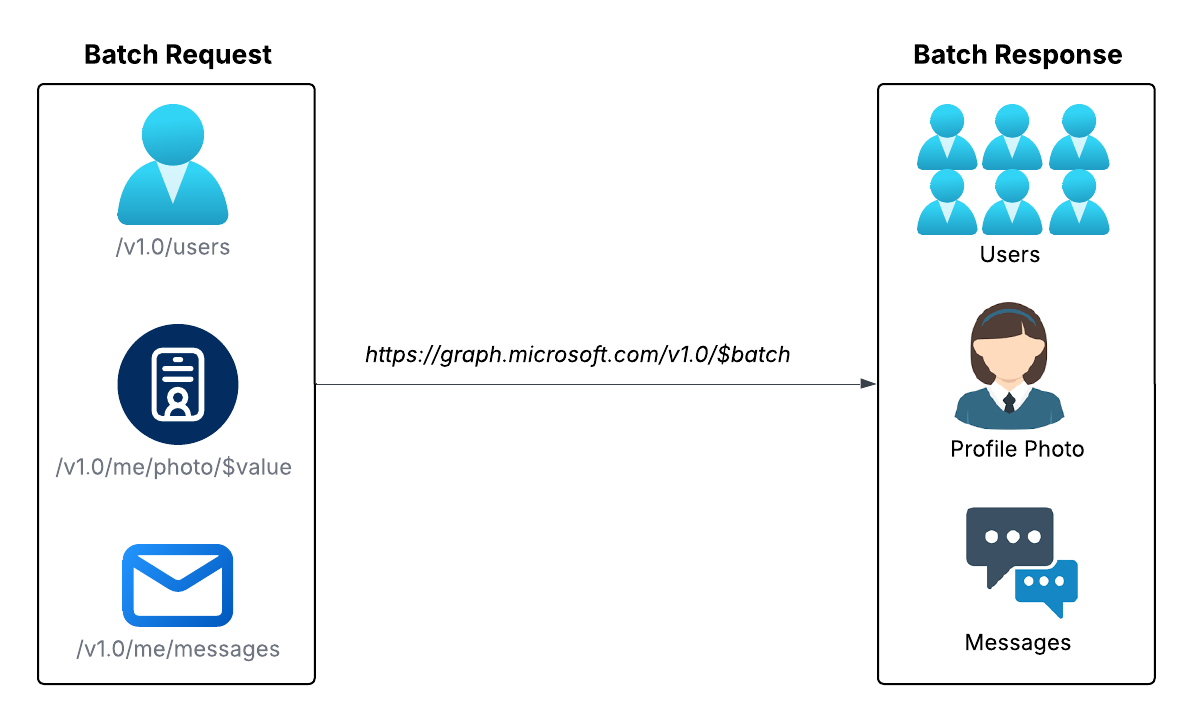
https://graph.microsoft.com/v1.0/$batch使用 $batch,而非像 users 的特定資源

requestsrequests 為陣列(最多 20 個){ "requests":
[ {
"id": "1",
"method": "GET",
"url": "/me/memberOf"
},
{
"id": "2",
"method": "GET",
"url": "/me/planner/tasks"
} ]
}
每個請求項目需包含:
id:用來對應回應的唯一標籤method:(GET/POST/PATCH/DELETE)url:相對路徑標頭:Content-Type: application/json
{ "requests":
[ {
"id": "1",
"method": "GET",
"url": "/me/memberOf"
},
{
"id": "2",
"method": "GET",
"url": "/me/planner/tasks"
} ]
}
{
"responses": [
{ "id": "1",
"status": 200,
"body": { "value": [/* ... */]}},
{
"id": "2",
"status": 403,
"body": { "error": [/* ... */]}}
]
}
每個回應項目包含:
id:對應原始請求
status:該項目的 HTTP 狀態
200:OK 403:Forbiddenheaders:(例如 Content-Type)
body:資料或錯誤物件
{
"responses": [
{ "id": "1",
"status": 200,
"body": { "value": [/* ... */]}},
{
"id": "2",
"status": 403,
"body": { "error": [/* ... */]}}
]
}
為開發人員實作 Azure 安全性