封裝與容器化

端到端機器學習

Joshua Stapleton

Machine Learning Engineer

部署與容器化
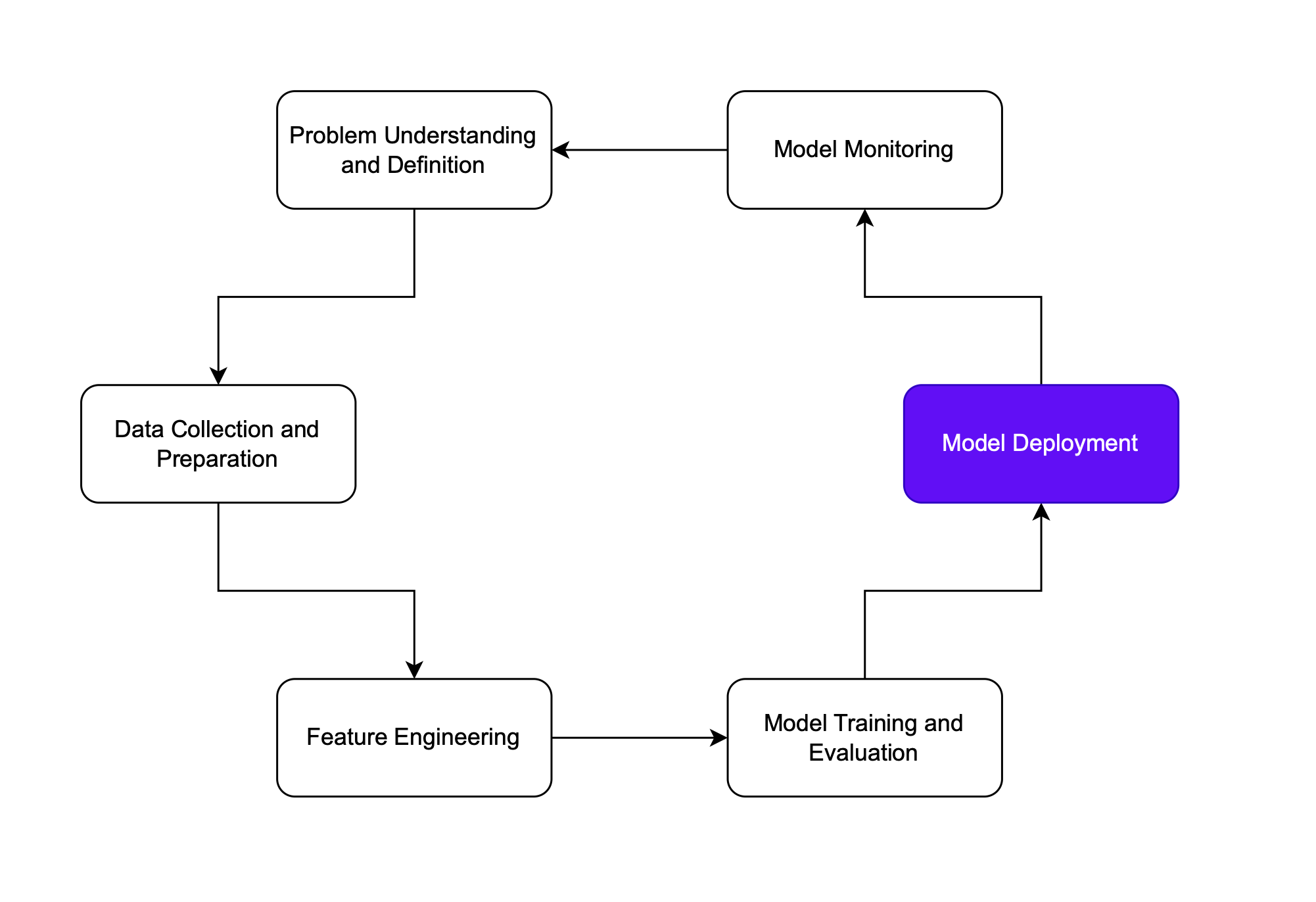
部署

  • 將模型與相依套件封裝成單一單位
  • 可在不同環境執行
  • 事實上的容器化與部署標準框架是 Docker

機器學習生命週期中的部署階段

端到端機器學習

Docker

  • 以容器簡化開發的平台

容器:

  • 將應用程式封裝為可獨立執行的資產
  • 設計為與平台無關
  • Get Docker


DataCamp Docker 課程

Docker 標誌

端到端機器學習

Docker 使用法(1)

Dockerfile:建置容器的指令

# Use an official Python runtime as a parent image
FROM Python:3.7

# Set the working directory in the container to /app WORKDIR /ML_pipeline
# Copy the current directory contents into the container at /app ADD . /ML_pipeline
# Install any needed packages specified in requirements.txt RUN pip install --no-cache-dir -r requirements.txt
端到端機器學習

Docker 使用法(2)

# ... continued
# Make port 80 available to the world outside this container
EXPOSE 80
# Define environment variable
ENV NAME World
# Run app.py when the container launches
CMD ["Python", "ML_pipeline.py"]

建置上方定義的映像檔:

docker build -t heart_disease_model .
端到端機器學習

容器標記(Tagging)

加上標籤:

docker tag heart_disease_model:latest heart_disease_model:1.0
  • 讓映像檔/容器更容易識別與管理。
  • 有助於維護詳盡且穩健的模型登錄。
  • 標記完成後,就能開始部署!

以箭頭呈現的部署

端到端機器學習

最佳實務

Docker 讓封裝模型變得容易,但仍需注意:

  • 重視資安
  • 不要包含敏感資料
  • 僅使用可信任(已驗證開發者)的映像檔

若應用程式含有敏感資訊…

  • 使用環境變數
  • 例如連線字串/密碼

安全鎖

端到端機器學習

一起來練習吧!

端到端機器學習

Preparing Video For Download...