在 MLflow 上記錄實驗

端到端機器學習

Joshua Stapleton

Machine Learning Engineer

MLflow

沒有 MLflow…

  • 許多未追蹤、凌亂的實驗執行
  • 彼此差異大,難以比較
  • 無法重現,甚至遺失

有了 MLflow…

  • 已追蹤、條理清楚的實驗執行
  • 標準化執行可直接比較
  • 可重現的執行
  • 可分享並部署模型
端到端機器學習

建立實驗

mlflow.set_experiment()

  • 設定實驗名稱
  • 提供實驗執行的工作區


用法:

import mlflow

# Set an experiment name, which is a workspace for your runs
mlflow.set_experiment("Heart Disease Classification")
端到端機器學習

執行實驗

# Start a new run in this experiment
with mlflow.start_run():
    # Train a model, get the prediction accuracy
    logistic_model = LogisticRegression()

# Log parameters, eg: mlflow.log_param("n_estimators", logistic_model.n_estimators)
# Log metrics (accuracy in this case) mlflow.log_metric("accuracy", logistic_model.accuracy)
# Print out metrics print("Model accuracy: %.3f" % accuracy)
Model accuracy: 0.96
端到端機器學習

擷取實驗


mlflow.get_run(run_id)

  • 擷取特定執行的中繼資料


mlflow.search_runs()

  • 傳回多次執行的指標 DataFrame

用法:

# Fetch the run data and print params
run_data = mlflow.get_run(run_id)
print(run_data.data.params)
print(run_data.data.metrics)

# Search all runs in experiment
exp_id = run_data.info.experiment_id
runs_df = mlflow.search_runs(exp_id)
{'epochs': '20', 'accuracy': 0.95}
端到端機器學習

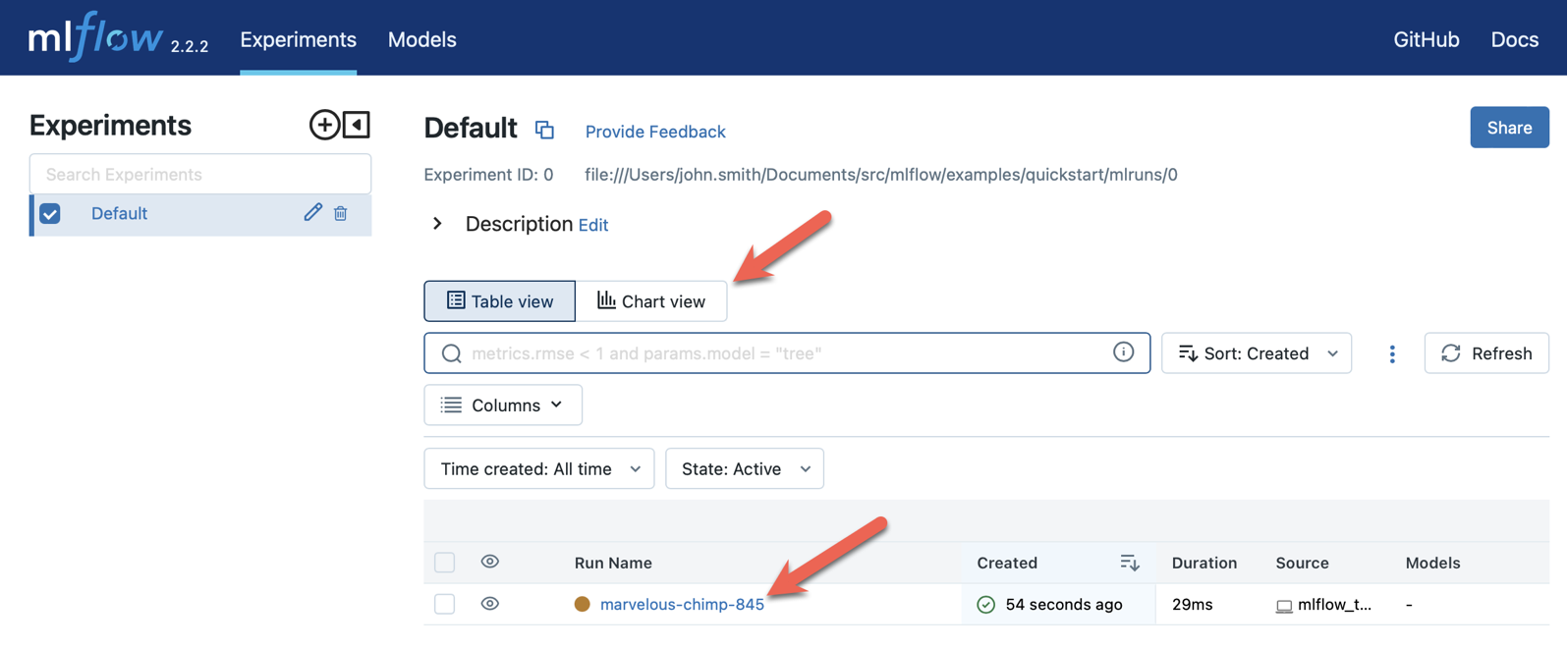
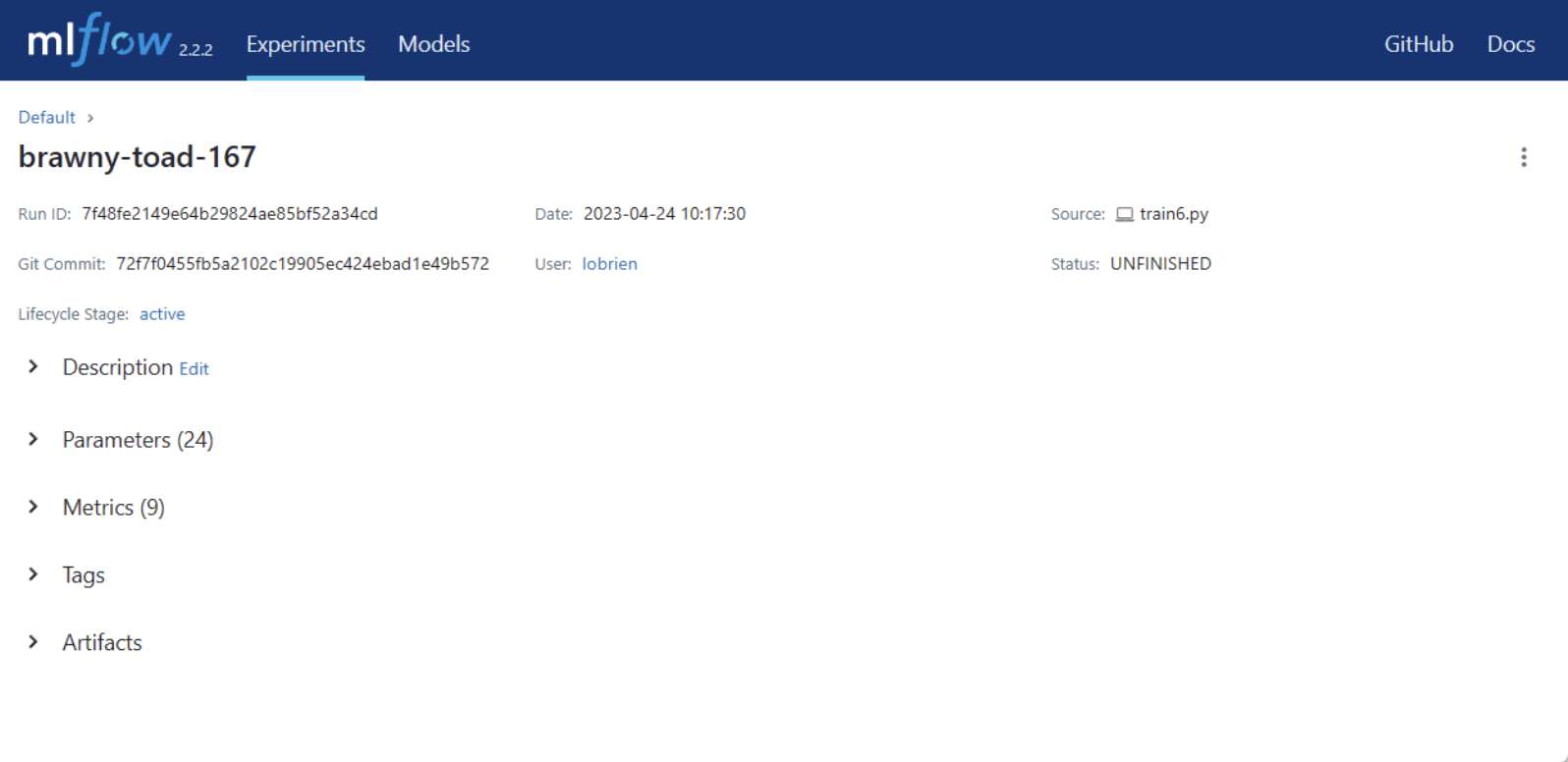
MLflow 介面


MLflow 實驗儀表板


MLflow 範例實驗頁面

端到端機器學習

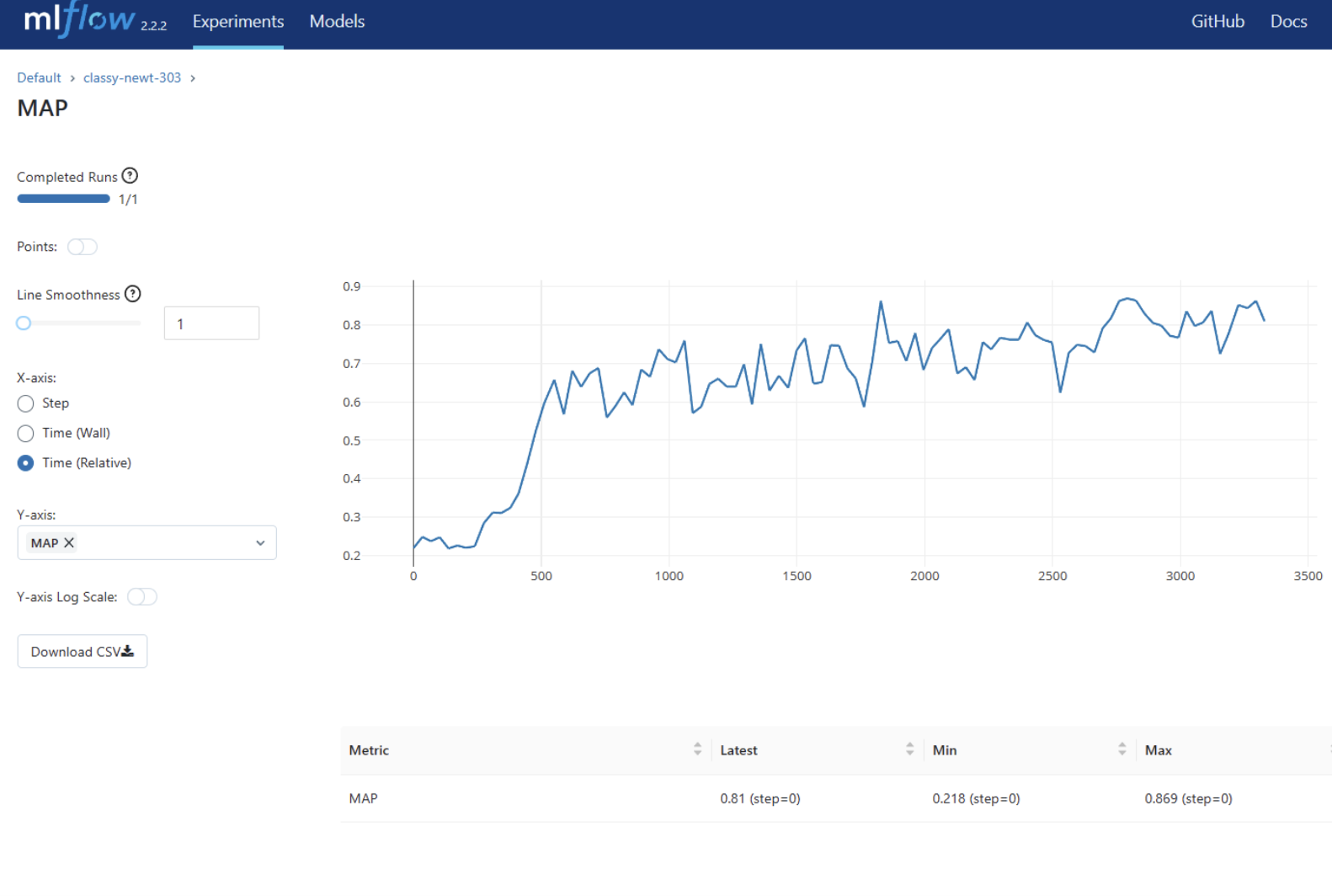
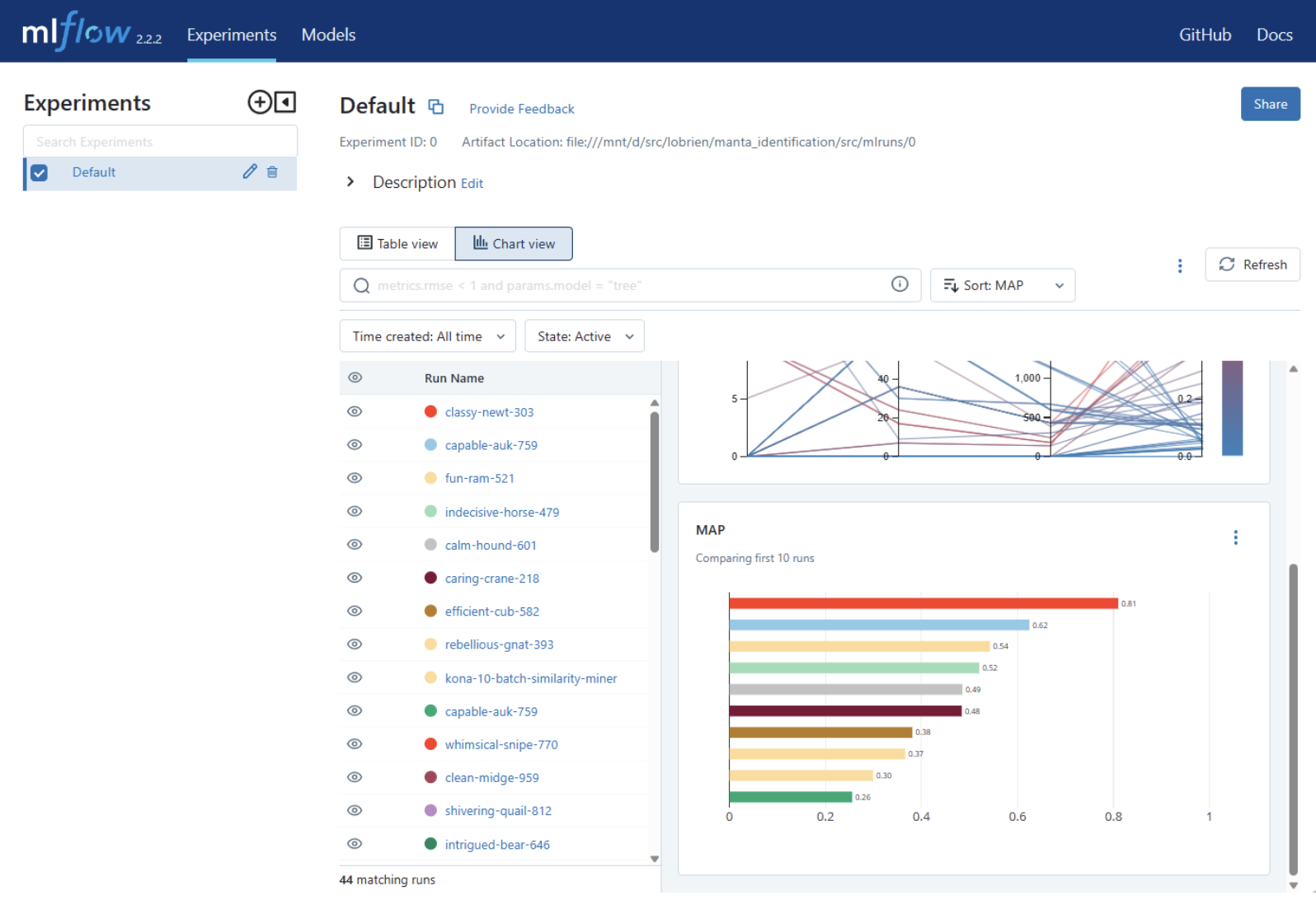
MLflow 介面(續)


顯示指標提升的範例圖


跨執行比較指標的範例

端到端機器學習

MLflow 資源

  • MLflow 簡介 MLflow 簡介
  • MLflow 官方網站 MLflow 官方網站
端到端機器學習

一起來練習吧!

端到端機器學習

Preparing Video For Download...