預設引數

R 函式撰寫入門

Richie Cotton

Data Evangelist at DataCamp

toss_coin() 的小麻煩

toss_coin <- function(n_flips, p_head) {
  coin_sides <- c("head", "tail")
  weights <- c(p_head, 1 - p_head)
  sample(coin_sides, n_flips, replace = TRUE, prob = weights)
}

在函式簽名設定預設值

toss_coin <- function(n_flips, p_head = 0.5) {
  coin_sides <- c("head", "tail")
  weights <- c(p_head, 1 - p_head)
  sample(coin_sides, n_flips, replace = TRUE, prob = weights)
}
R 函式撰寫入門

含預設值的樣板

my_fun <- function(data_arg1, data_arg2, detail_arg1 = default1) {
  # Do something
}
R 函式撰寫入門

其他類型的預設

args(median)
function (x, na.rm = FALSE, ...)
library(jsonlite)
args(fromJSON)
function (txt, simplifyVector = TRUE, simplifyDataFrame = simplifyVector, 
    simplifyMatrix = simplifyVector, flatten = FALSE, ...)
R 函式撰寫入門

NULL 預設值

依慣例,這表示:

函式會對這個引數做特別處理。請閱讀文件。

args(set.seed)
function (seed, kind = NULL, normal.kind = NULL)
R 函式撰寫入門

類別型預設值

  1. 在簽名中傳入字元向量。
  2. 在本體中呼叫 match.arg()
args(prop.test)
function (x, n, p = NULL, alternative = c("two.sided", "less", "greater"), 
  conf.level = 0.95, correct = TRUE)

在本體中

alternative <- match.arg(alternative)
R 函式撰寫入門

用分位數切分向量

cut_by_quantile <- function(x, n, na.rm, labels, interval_type) {
  probs <- seq(0, 1, length.out = n + 1)
  quantiles <- quantile(x, probs, na.rm = na.rm, names = FALSE)
  right <- switch(interval_type, "(lo, hi]" = TRUE, "[lo, hi)" = FALSE)
  cut(x, quantiles, labels = labels, right = right, include.lowest = TRUE)
}
  • x:要切分的數值向量
  • n:將 x 切成幾類
  • na.rm:是否移除遺漏值?
  • labels:各類別的字元標籤
  • interval_type:區間左右哪一側開放?
R 函式撰寫入門

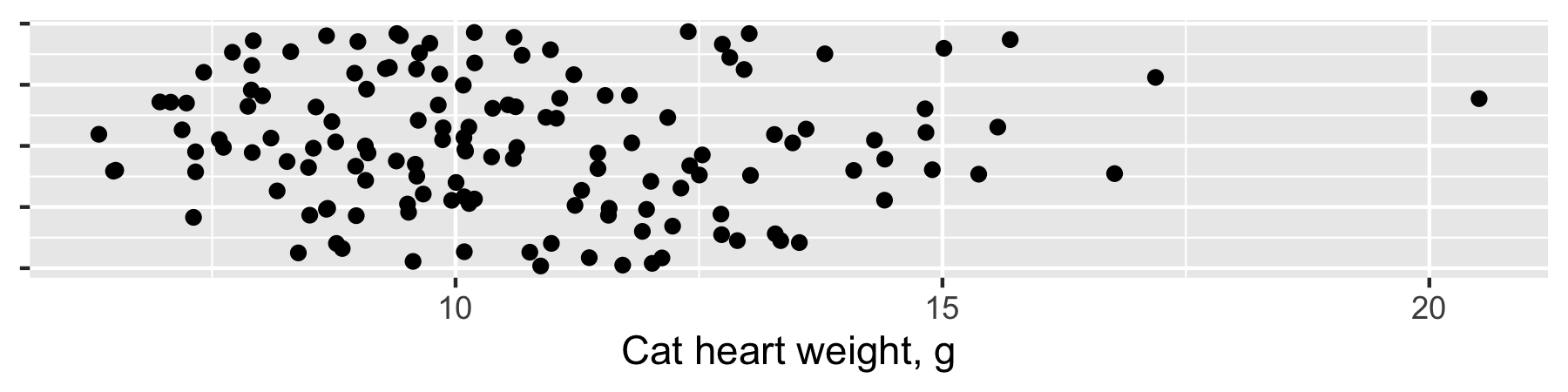
貓的心臟重量

貓心臟重量的條帶圖。範圍為 3 到 20 公克。

quantile(cats$Hwt)
    0%    25%    50%    75%   100% 
 6.300  8.950 10.100 12.125 20.500
1 data(cats, package = "MASS")
R 函式撰寫入門

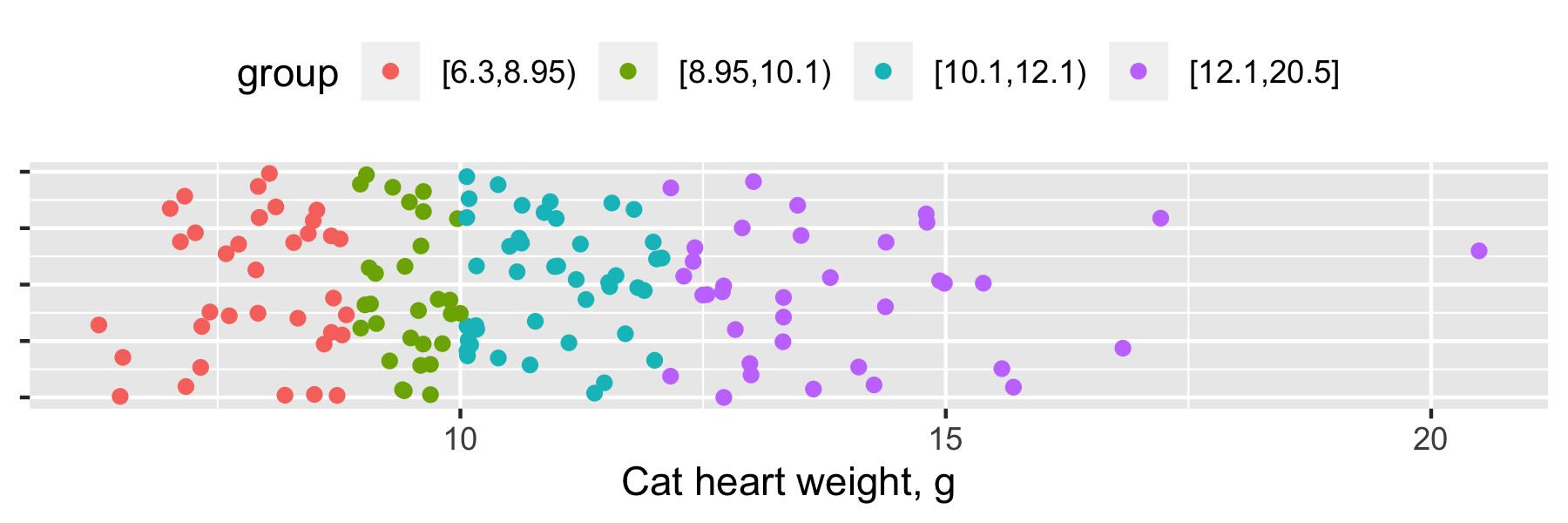
依分位數切分

前一張圖的條帶圖已上色,左起為紅點、綠點、藍綠色,最右為紫色。

cut(x, quantile(x))
R 函式撰寫入門

一起來練習吧!

R 函式撰寫入門

Preparing Video For Download...