保護物件安全

Python 中的 AWS Boto 入門

Maksim Pecherskiy

Data engineer

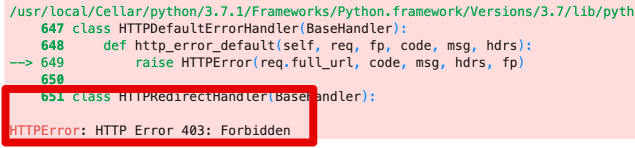
為何在意權限?

df = pd.read_csv('https://gid-staging.potholes.csv')
權限總覽

Python 中的 AWS Boto 入門

為何在意權限?

已允許權限!

# Generate the boto3 client for interacting with S3
s3 = boto3.client('s3', region_name='us-east-1', 
                         aws_access_key_id=AWS_KEY_ID, 
                         aws_secret_access_key=AWS_SECRET)

# Use client to download a file s3.download_file( Filename='potholes.csv', Bucket='gid-requests', Key='potholes.csv')
Python 中的 AWS Boto 入門

AWS 權限系統

IAM

Bucket Policy

ACL

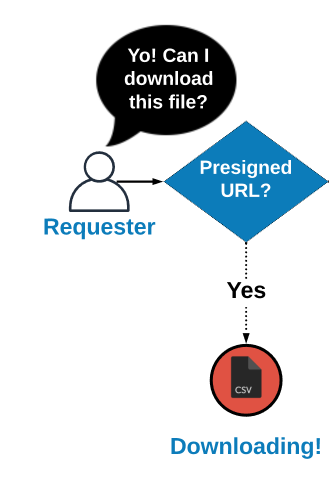
Presigned URL

Python 中的 AWS Boto 入門

AWS 權限系統

IAM

Bucket Policy

ACL

Presigned URL

Python 中的 AWS Boto 入門

ACL

ACL

Python 中的 AWS Boto 入門

ACL

上傳檔案

s3.upload_file(
  Filename='potholes.csv', Bucket='gid-requests', Key='potholes.csv')

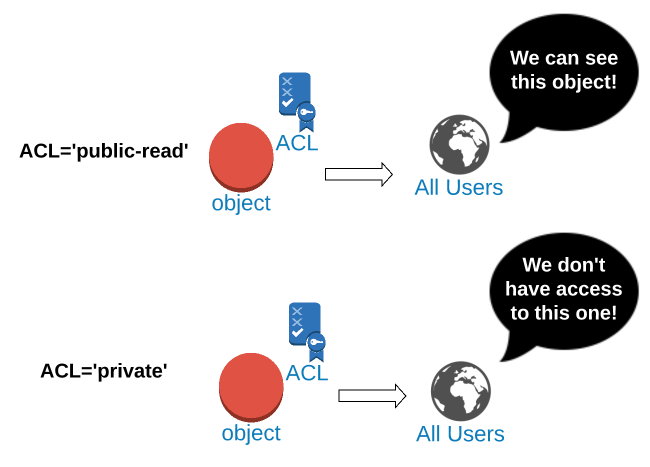
將 ACL 設為 'public-read'

s3.put_object_acl(
  Bucket='gid-requests', Key='potholes.csv', ACL='public-read')
Python 中的 AWS Boto 入門

上傳時設定 ACL

以上傳同時設定 'public-read' ACL

s3.upload_file(
  Bucket='gid-requests', 
  Filename='potholes.csv', 
  Key='potholes.csv', 
  ExtraArgs={'ACL':'public-read'})
Python 中的 AWS Boto 入門

存取公開物件

S3 物件 URL 範本

https://{bucket}.{key}

Key='2019/potholes.csv' 的 URL

https://gid-requests.2019/potholes.csv
Python 中的 AWS Boto 入門

產生公開物件 URL

產生物件 URL 字串

url = "https://{}.{}".format(
  "gid-requests", 
  "2019/potholes.csv")

'https://gid-requests.2019/potholes.csv'

# Read the URL into Pandas
df = pd.read_csv(url)
Python 中的 AWS Boto 入門

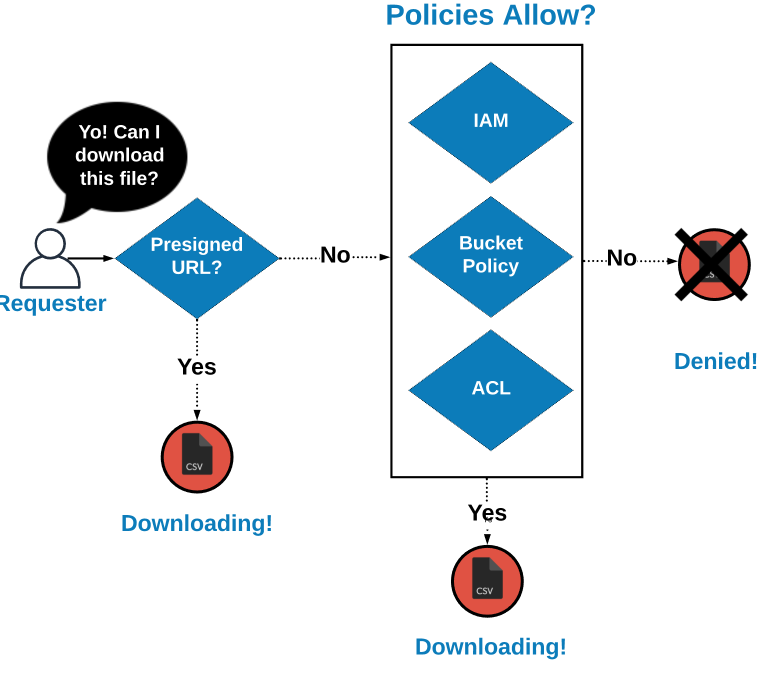
如何決定可存取性

存取決策階層

Python 中的 AWS Boto 入門

如何決定可存取性

存取決策階層

Python 中的 AWS Boto 入門

複習

IAM

Bucket Policy

ACL

預先簽署 URL

Python 中的 AWS Boto 入門

複習

將 ACL 設為 'public-read'

s3.put_object_acl(
  Bucket='gid-requests', Key='potholes.csv', ACL='public-read')

將 ACL 設為 'private'

s3.put_object_acl(
  Bucket='gid-requests', Key='potholes.csv', ACL='private')
Python 中的 AWS Boto 入門

複習

以上傳同時設定 'public-read' ACL

s3.upload_file(
  Bucket='gid-requests', 
  Filename='potholes.csv', 
  Key='potholes2.csv', 
  ExtraArgs={'ACL':'public-read'})
Python 中的 AWS Boto 入門

複習

產生物件 URL 字串

url = "https://{}.{}".format(
  "gid-requests", 
  "2019/potholes.csv")

'https://gid-requests.2019/potholes.csv'

# Read the URL into Pandas
df = pd.read_csv(url)
Python 中的 AWS Boto 入門

一起來練習吧!

Python 中的 AWS Boto 入門

Preparing Video For Download...