使用 Airflow 建置資料管線
Volker Janz
Senior Developer Advocate at Astronomer
@task.bash
def export_data():
    return "cp /data/sales.csv /export/sales_{{ ds }}.csv"
{{ ds }}
YYYY-MM-DD
bash_command
sql
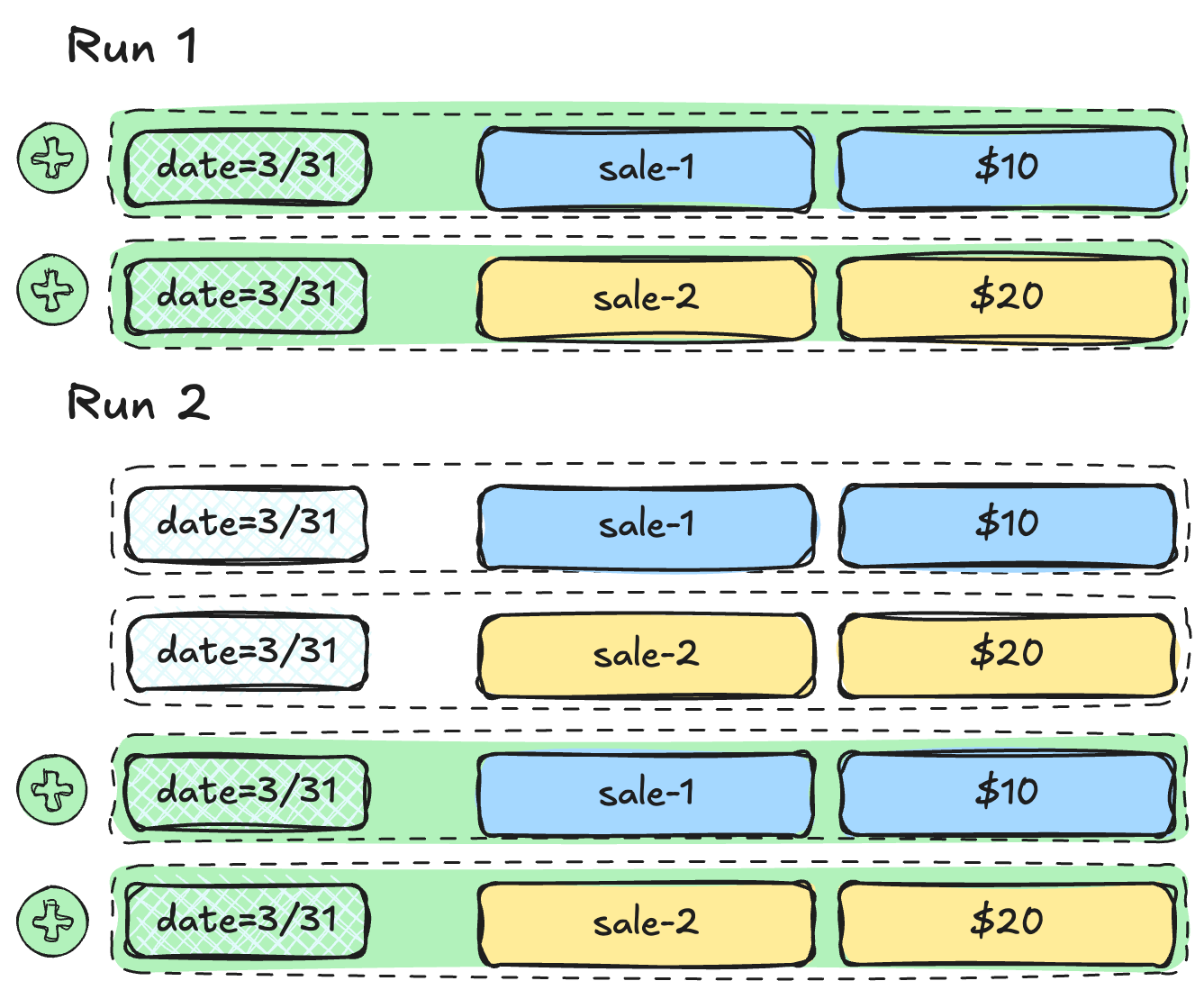
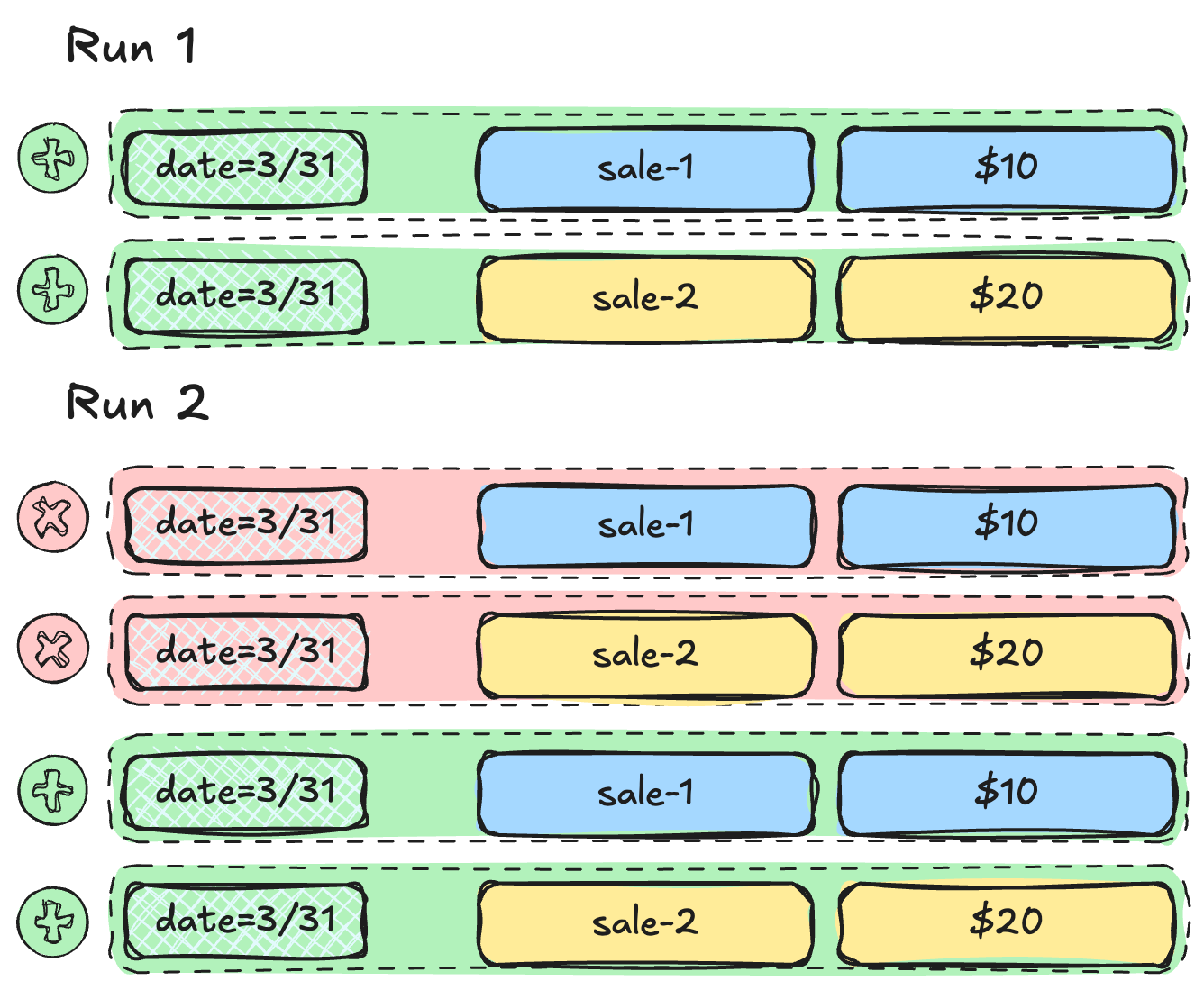
第 1 次執行(3 月 31 日):
第 2 次執行(重跑 3 月 31 日):
staged_rows = SQLExecuteQueryOperator(
    task_id="get_staged_rows",
    conn_id="duckdb_default",
    sql="SELECT * FROM staging WHERE date = '{{ ds }}'",
)

load = SQLInsertRowsOperator(
    task_id="load_sales",
    conn_id="duckdb_default",
    table_name="sales",
    columns=["date", "product", "amount"],
    preoperator="DELETE FROM sales WHERE date = '{{ ds }}';",
    rows=staged_rows.output,
)
staged_rows = SQLExecuteQueryOperator( task_id="get_staged_rows", conn_id="duckdb_default", sql="SELECT * FROM staging WHERE date = '{{ ds }}'", )
load = SQLInsertRowsOperator( task_id="load_sales", conn_id="duckdb_default", table_name="sales", columns=["date", "product", "amount"], preoperator="DELETE FROM sales WHERE date = '{{ ds }}';", rows=staged_rows.output, )
$$
UPSERT
MERGE