具備失敗處理與重試的穩健 DAG

使用 Airflow 建置資料管線

Volker Janz

Senior Developer Advocate at Astronomer

工作為何會失敗
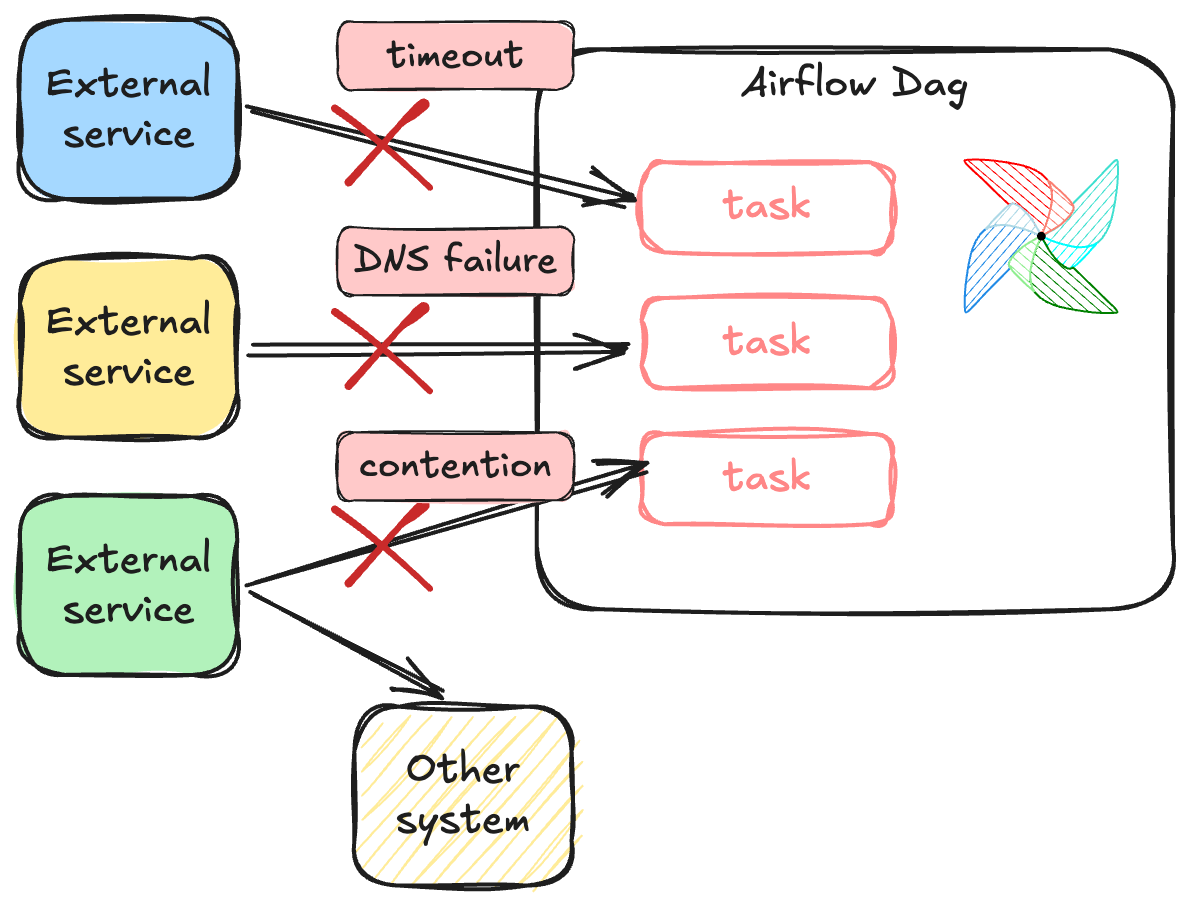
 

工作連線問題


  • API 逾時與速率限制
  • 短暫網路中斷與網域名稱解析延遲
  • 多個工作爭用同一資源
使用 Airflow 建置資料管線

重試(Retries)

@task(
    retries=3,
    retry_delay=timedelta(minutes=2),
)
def fetch_weather():
    response = requests.get("https://api.weather.com/forecast")
    response.raise_for_status()
    return response.json()


  • 失敗時最多重試 3 次
  • 每次嘗試間隔 2 分鐘
使用 Airflow 建置資料管線

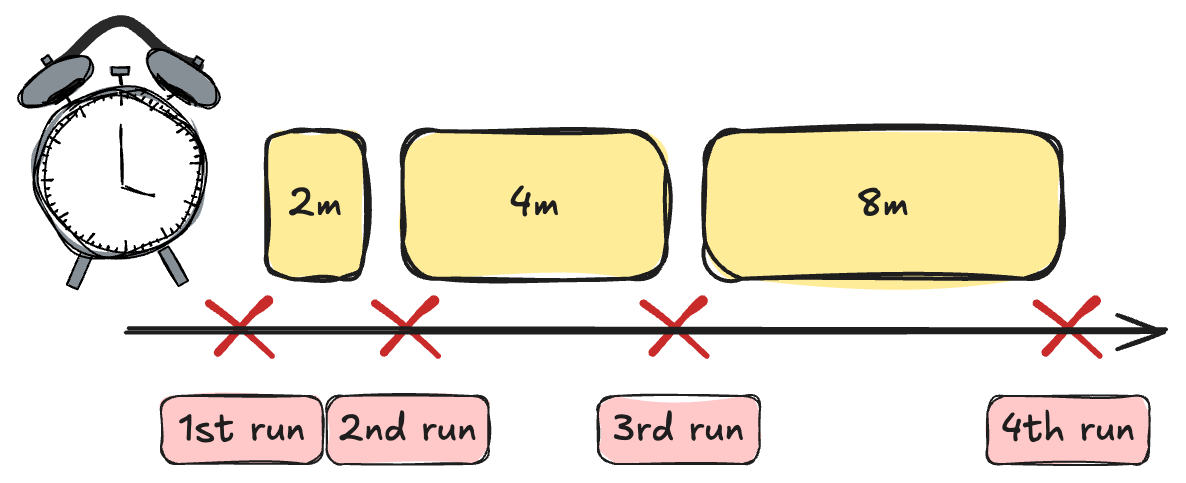
指數退避(Exponential backoff)


@task(
    retries=3,
    retry_delay=timedelta(minutes=2),
    retry_exponential_backoff=2.0,
)
def fetch_weather():
    ...

指數退避


  • 每次重試後延遲時間會加倍
  • 讓外部服務有時間恢復
使用 Airflow 建置資料管線

on_failure_callback

def alert_on_failure(context):
    dag_id = context["dag"].dag_id
    task_id = context["ti"].task_id
    print(f"ALERT: {task_id} in {dag_id} failed!")

@task(on_failure_callback=alert_on_failure)
def fetch_weather():
    ...


  • context dict:dagtiexception、log URL
  • 可轉送到 Slack、PagerDuty 或任何警示工具
使用 Airflow 建置資料管線

Dag 與 Task 層級的回呼

Dag 層級(總攬)

@dag(
    on_failure_callback=alert_team,
)
def my_pipeline():
    ...

Task 層級(特定)

@task(
    on_failure_callback=page_oncall,
)
def critical_step():
    ...


  • Task 層級會覆寫 Dag 層級
  • 兩者並用可分層警示
使用 Airflow 建置資料管線

max_consecutive_failed_dag_runs

@dag(max_consecutive_failed_dag_runs=3)
def monitoring_pipeline():
    ...
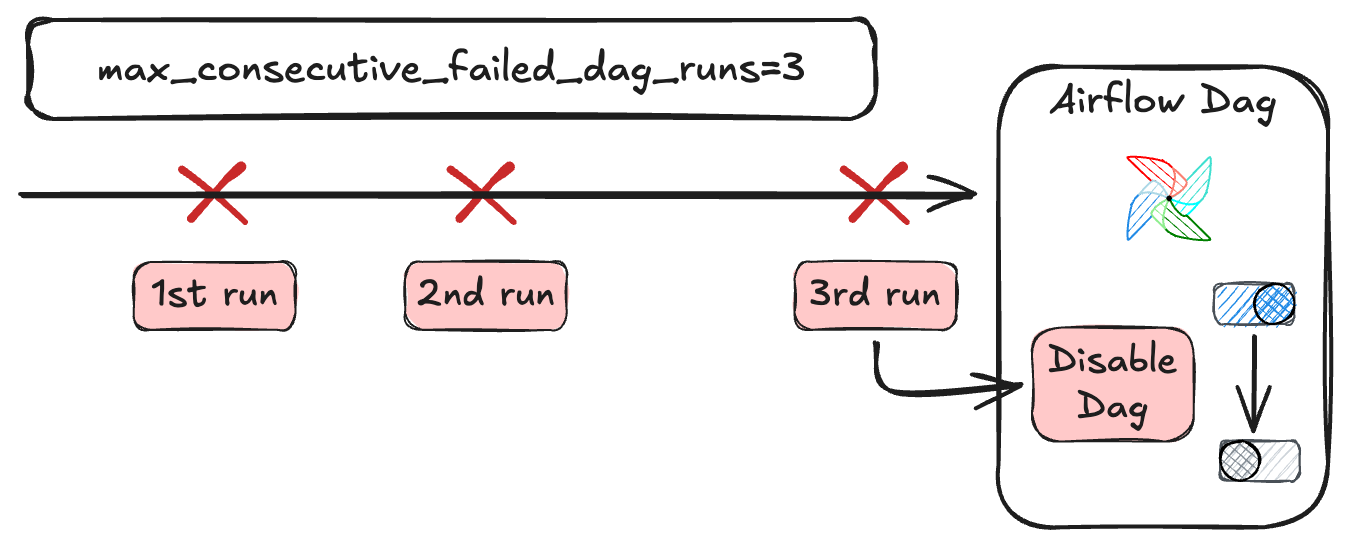
多次 Dag 失敗後自動暫停

  • 避免持續失敗造成的警示疲勞
  • 手動解除暫停後 Dag 才會恢復
使用 Airflow 建置資料管線

整合運用

@dag(
    max_consecutive_failed_dag_runs=3,
    on_failure_callback=alert_team,
)
def weather_pipeline():

    @task(
        retries=3,
        retry_delay=timedelta(minutes=2),
        retry_exponential_backoff=True,
        on_failure_callback=page_oncall,
    )
    def fetch_weather():
        ...
  • 重試 + 退避 處理瞬時失敗
  • 回呼 通知正確的人員
  • 自動暫停 降低雜訊
使用 Airflow 建置資料管線

一起來練習吧!

使用 Airflow 建置資料管線

Preparing Video For Download...