影片生成

使用 Hugging Face 的多模態模型

James Chapman

Curriculum Manager, DataCamp

影片生成

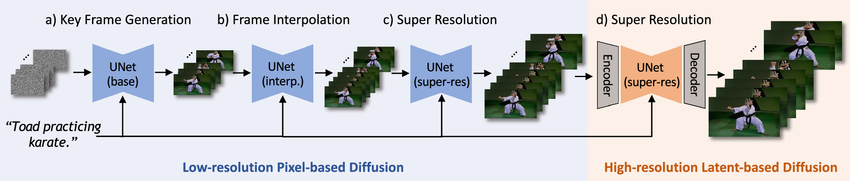
影片生成步驟

1 https://link.springer.com/article/10.1007/s11263-024-02271-9
使用 Hugging Face 的多模態模型

影片生成

import torch
from diffusers import CogVideoXPipeline


pipe = CogVideoXPipeline.from_pretrained( "THUDM/CogVideoX-2b", torch_dtype=torch.float16 )
pipe.enable_model_cpu_offload() pipe.enable_sequential_cpu_offload()
pipe.vae.enable_slicing() pipe.vae.enable_tiling()

CogVideoX 模型範例影片:提示為太空人與外星生物握手

1 https://huggingface.co/THUDM/CogVideoX-2b
使用 Hugging Face 的多模態模型

影片生成

prompt = "A majestic lion in a sunlit African savanna, sitting regally 
on a rock formation. Golden sunlight illuminates its magnificent mane, 
then a big smile appears on its face"

video = pipe(
    prompt=prompt,

num_inference_steps=20,
num_frames=20,
guidance_scale=6,
generator=torch.Generator(device="cuda").manual_seed(42), ).frames[0]
使用 Hugging Face 的多模態模型

影片生成

from diffusers.utils import export_to_video
from moviepy.editor import VideoFileClip


video_path = export_to_video(video, "output.mp4", fps=8) video = VideoFileClip(video_path)
video.write_gif("video.gif")

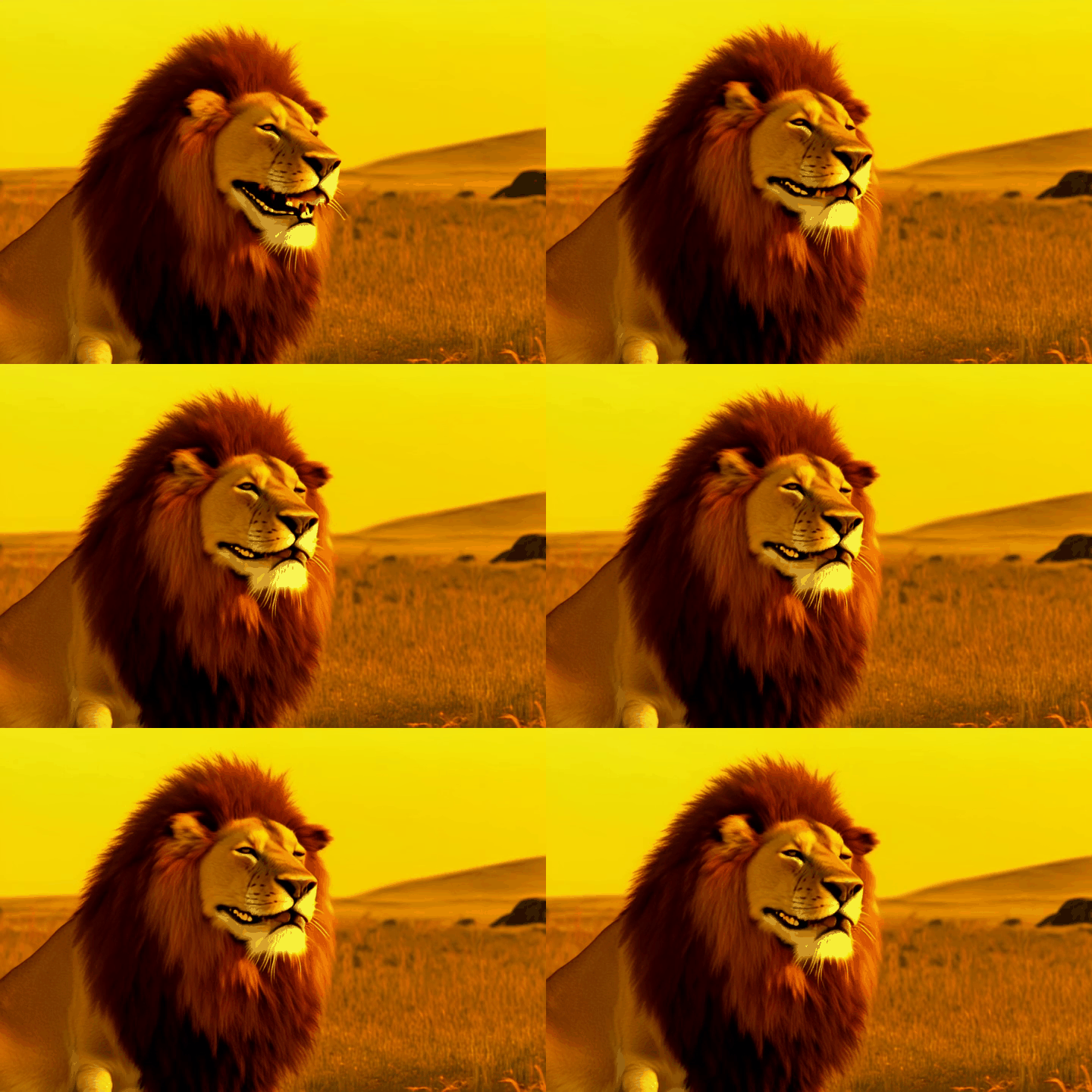
前述提示產生的獅子微笑 GIF

使用 Hugging Face 的多模態模型

量化分析

  • 影片較難嚴格遵循提示
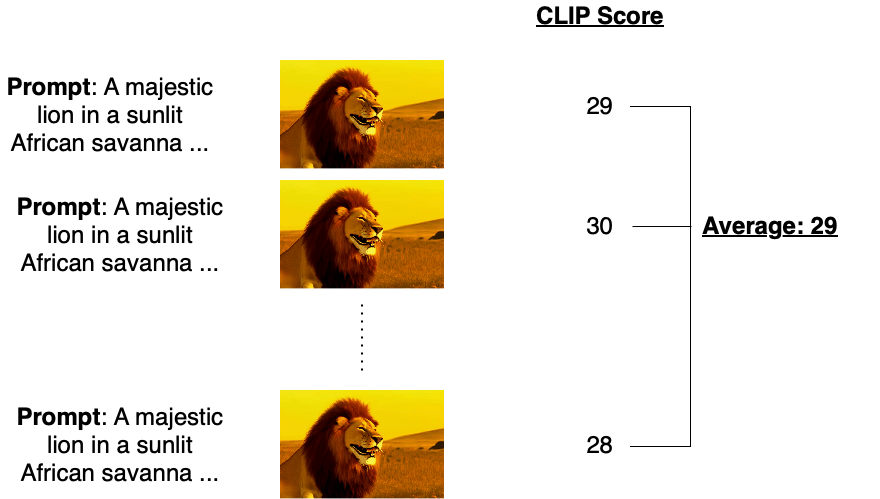
  • 可用 CLIP 作為策略:

CLIP 影片分數比較方法示意圖

使用 Hugging Face 的多模態模型

量化分析

from diffusers.utils import load_video
from torchmetrics.functional.multimodal import clip_score
from functools import partial

frames = load_video(video_path) clip_score_fn = partial(clip_score, model_name_or_path="openai/clip-vit-base-patch16")
scores = [] for frame in frames: frame_int = np.array(frame).astype("uint8") frame_tensor = torch.from_numpy(frame_int).unsqueeze(0).permute(0, 3, 1, 2)
score = clip_score_fn(frame_tensor, [prompt]).detach() scores.append(float(score)) avg_clip_score = round(np.mean(scores), 4) print(f"Average CLIP score: {avg_clip_score}")
Average CLIP score: 30.6274
使用 Hugging Face 的多模態模型

一起來練習吧!

使用 Hugging Face 的多模態模型

Preparing Video For Download...