零樣本影像分類

使用 Hugging Face 的多模態模型

James Chapman

Curriculum Manager, DataCamp

CLIP
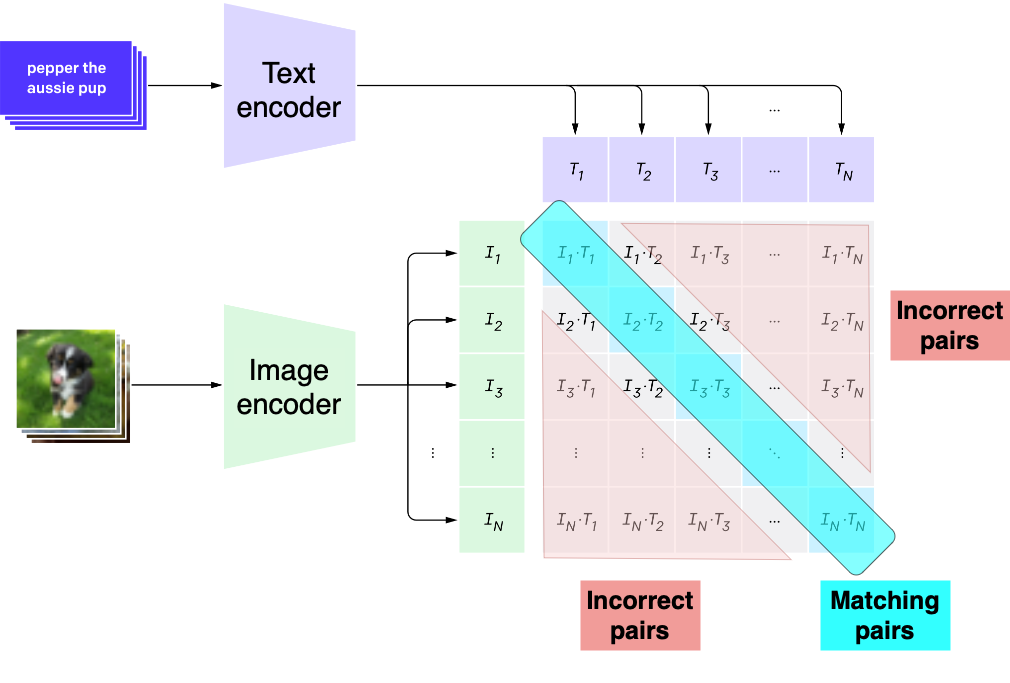
  • 對比式語言-影像預先訓練(Contrastive Language-Image Pre-training)
  • 為影像與文字計算相似度
  • 以 4 億組影像-文字配對訓練
  • 兩個編碼器:
    • 影像編碼器
    • 文字編碼器
  • 影像與文字越匹配,向量越相近

CLIP 的文字與影像編碼示意圖

1 https://openai.com/index/clip/
使用 Hugging Face 的多模態模型

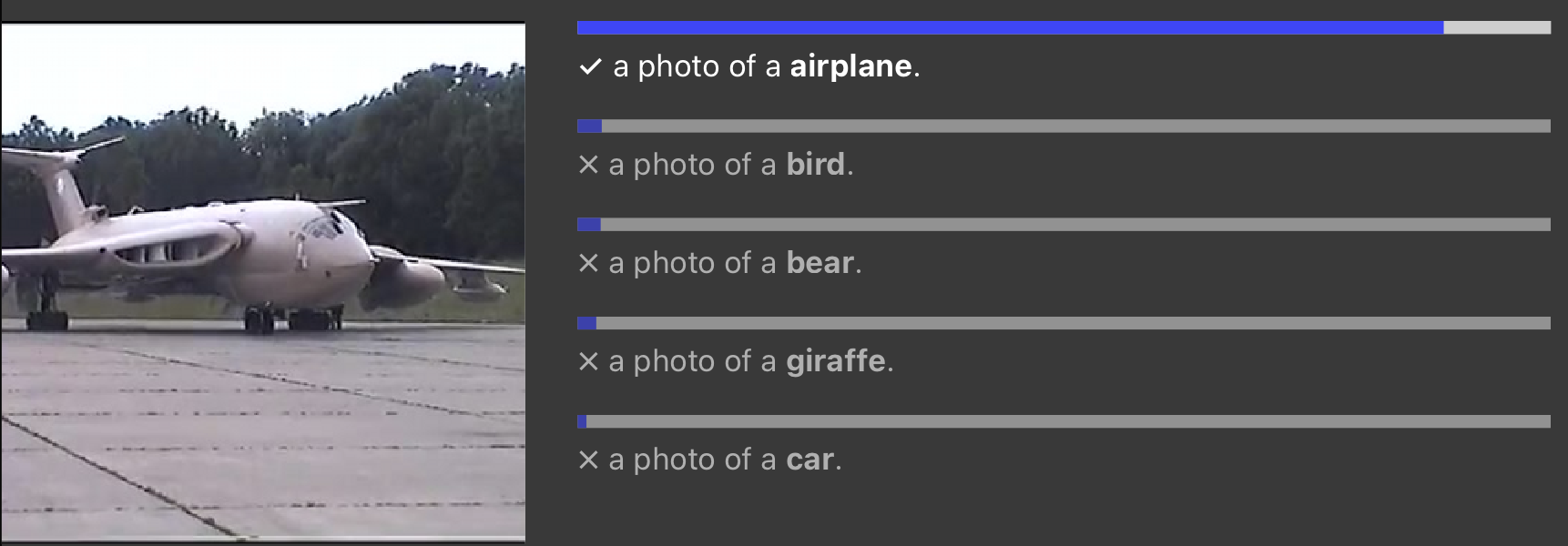
零樣本學習

  • 執行模型未受訓的任務

零樣本學習對飛機的排名

1 https://openai.com/index/clip/
使用 Hugging Face 的多模態模型

情境:產品分類

from datasets import load_dataset
import matplotlib.pyplot as plt

dset = "rajuptvs/ecommerce_products_clip"
dataset = load_dataset(dset)

print(dataset["train"][0]["Description"])
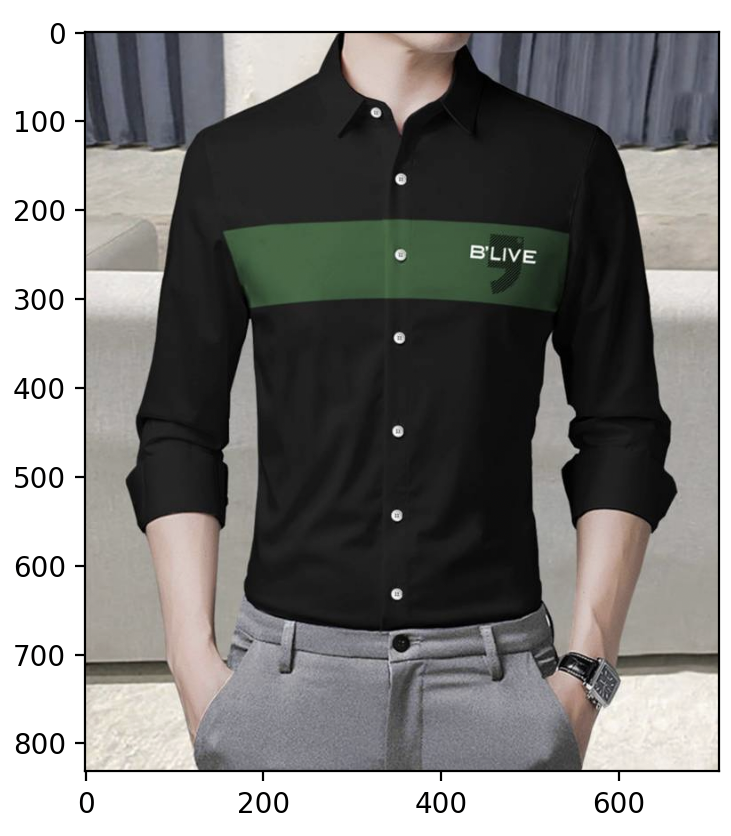
plt.imshow(dataset["train"][0]["image"]) plt.show()
Blive High quality premium Full sleeves printed 
Shirt direct from the manufacturers.Gives you 
a clean and classy look while also 
making you feel comfortable.Trusted 
brand online and no compromise on quality.

資料集中一件襯衫的圖片

使用 Hugging Face 的多模態模型

用 CLIP 做零樣本學習

model = CLIPModel.from_pretrained("openai/clip-vit-base-patch32")
processor = CLIPProcessor.from_pretrained("openai/clip-vit-base-patch32")


categories = ["shirt", "trousers", "shoes", "dress", "hat", "bag", "watch"]
inputs = processor(text=categories, images=dataset["train"][0]["image"], return_tensors="pt", padding=True) outputs = model(**inputs)
probs = outputs.logits_per_image.softmax(dim=1)
categories[probs.argmax().item()]
shirt
使用 Hugging Face 的多模態模型

CLIP 分數

  • 比較影像編碼與描述編碼的相似度
  • 範圍從 100(完全一致)到 0(毫不相符)
from torchmetrics.functional.multimodal import clip_score


image = dataset["train"][0]["image"] description = dataset["train"][0]["Description"]
from torchvision.transforms import ToTensor image = ToTensor()(image)*255
score = clip_score(image, description, "openai/clip-vit-base-patch32")
print(f"CLIP score: {score}")
CLIP score: 28.495952606201172
使用 Hugging Face 的多模態模型

一起來練習吧!

使用 Hugging Face 的多模態模型

Preparing Video For Download...