輸入元件

使用 R 的 Shiny 建立網頁應用程式

Kaelen Medeiros

Data Scientist

輸入範例

Shiny 提供多種輸入元件可選用。

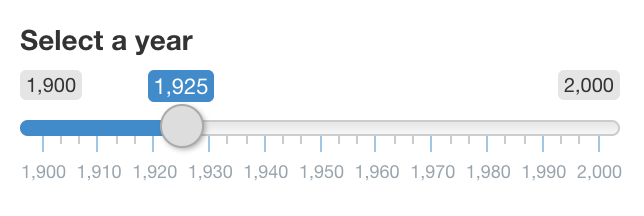
使用滑桿從 1900 到 2000 選年份

下拉選單選擇 dogs 或 cats

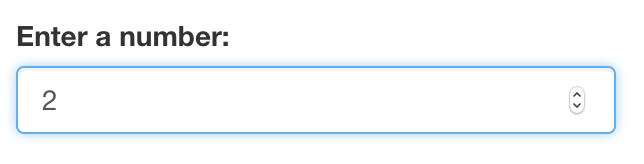
數值輸入,目前為 2

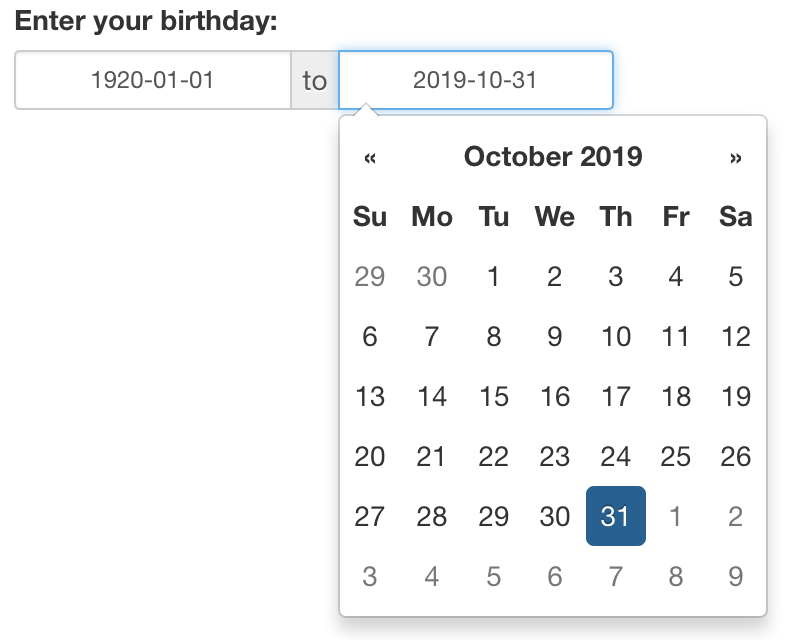
日期區間輸入,輸入 1920 到現在之間的生日

使用 R 的 Shiny 建立網頁應用程式

輸入函式

selectInput("inputId", 
            "label", 
            choices = c("A", "B", "C"))
sliderInput("inputId",
            "label",
            value = 1925,
            min = 1900,
            max = 2000)
?dateRangeInput
help(checkboxInput)
使用 R 的 Shiny 建立網頁應用程式

輸入該放哪裡

ui <- fluidPage(
  textInput("name", "Enter a name:"),
  selectInput("animal", "Dogs or cats?", choices = c("dogs", "cats")),
  textOutput("greeting"),
  textOutput("answer")
)

server <- function(input, output, session) { output$greeting <- renderText({ paste("Do you prefer dogs or cats,", input$name, "?") }) output$answer <- renderText({ paste("I prefer", input$animal, "!") }) }
使用 R 的 Shiny 建立網頁應用程式

一起來練習吧!

使用 R 的 Shiny 建立網頁應用程式

Preparing Video For Download...