使用 DVC 進行資料版本控管入門
Ravi Bhadauria
Machine Learning Engineer
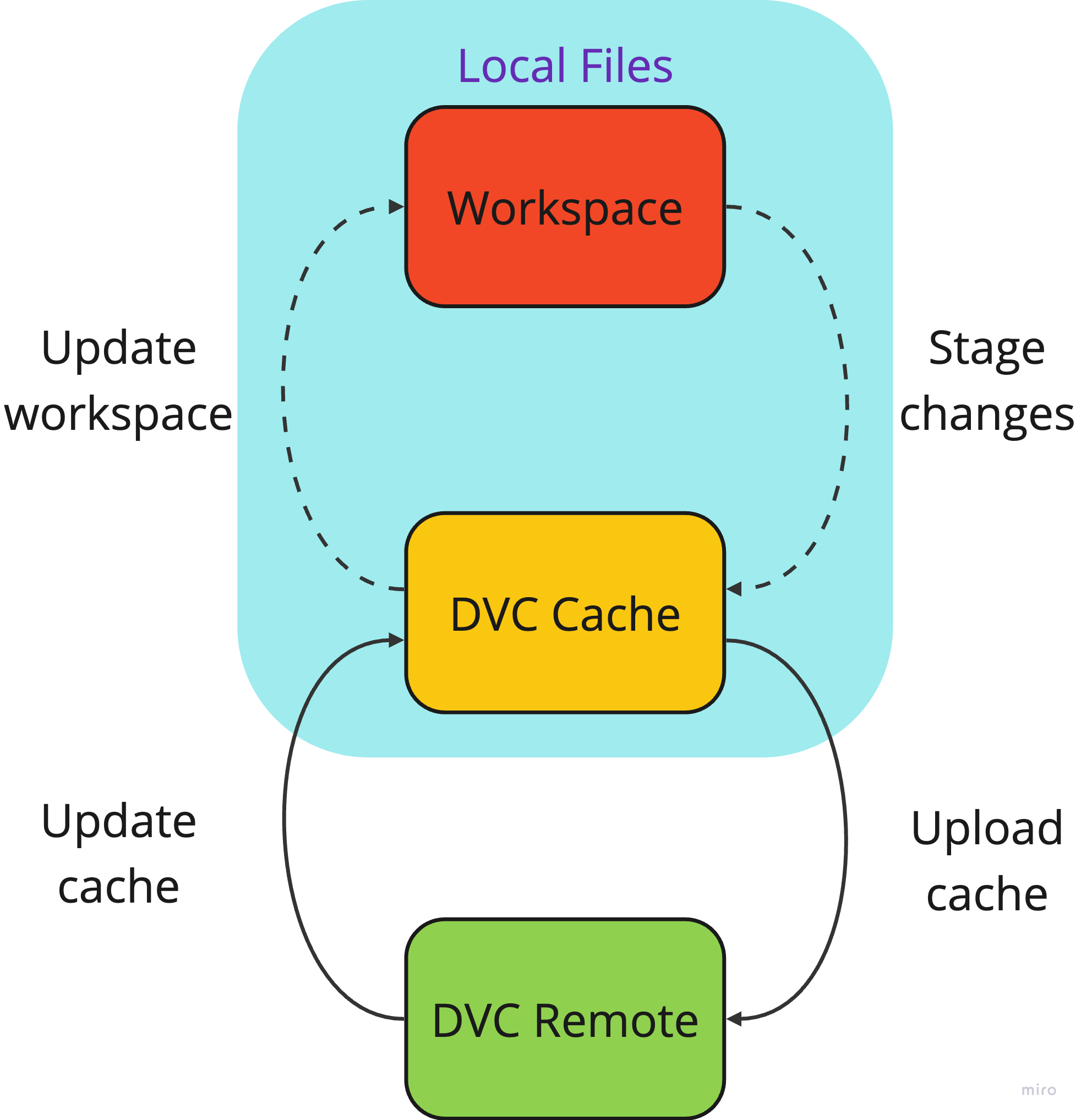
dvc init
/path/to/my-project
.dvc
/path/to/my-project/.dvc/cache
dvc add
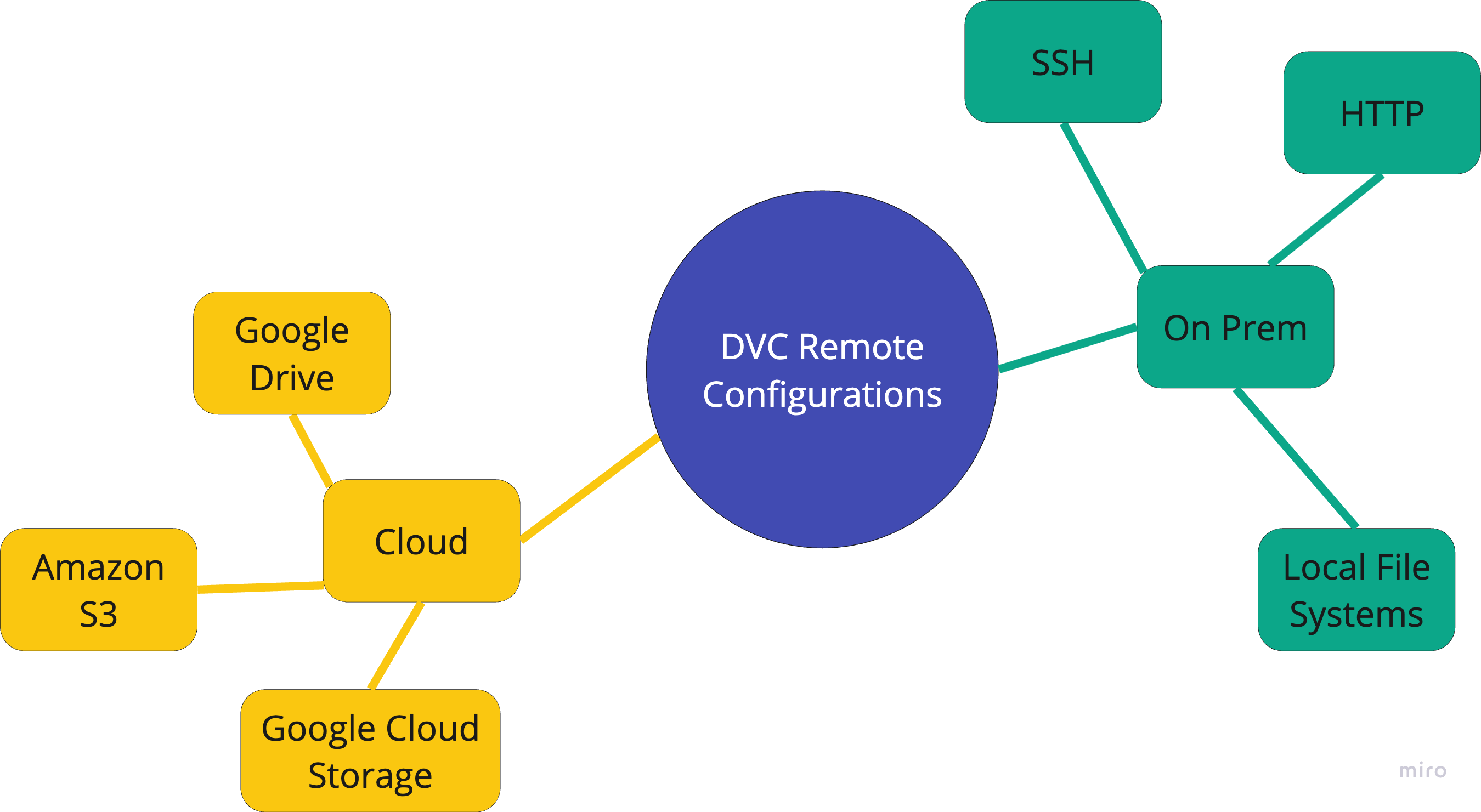
設定遠端
dvc remote add <name> <location>
S3 bucket
$ dvc remote add s3_remote \
   s3://mys3bucket
 ['remote "s3_remote"']
     url = s3://mys3bucket
$ dvc remote add gcp_remote \
   gs://myGCPbucket
$ dvc remote add azure_remote \
   azure://mycontainer/path
$ dvc remote add mylocalremote /tmp/dvc
-d
$ dvc remote add -d mylocalremote /tmp/dvc
.dvc/config
core
[core]
remote = mylocalremote
$ dvc remote list
s3_remote    s3://mys3bucket
local_remote /tmp/dvcremote
 ['remote "s3_remote"']
     url = s3://mys3bucket
 ['remote "local_remote"']
     url = /tmp/dvcremote
dvc remote modify
$ dvc remote modify s3_remote connect_timeout 300
 ['remote "s3_remote"']
     url = s3://mys3bucket
     connect_timeout = 300
dvc remote add
dvc remote list