程式碼組織與重構

使用 DVC 進行資料版本控管入門

Ravi Bhadauria

Machine Learning Engineer

原型 vs. 上線程式碼

  • 原型開發可快速迭代
  • 但不適合上線環境
    • 未測試,容易出錯
    • 非模組化且重複程式碼多
    • 往往不可重現
使用 DVC 進行資料版本控管入門

良好上線程式碼的特性

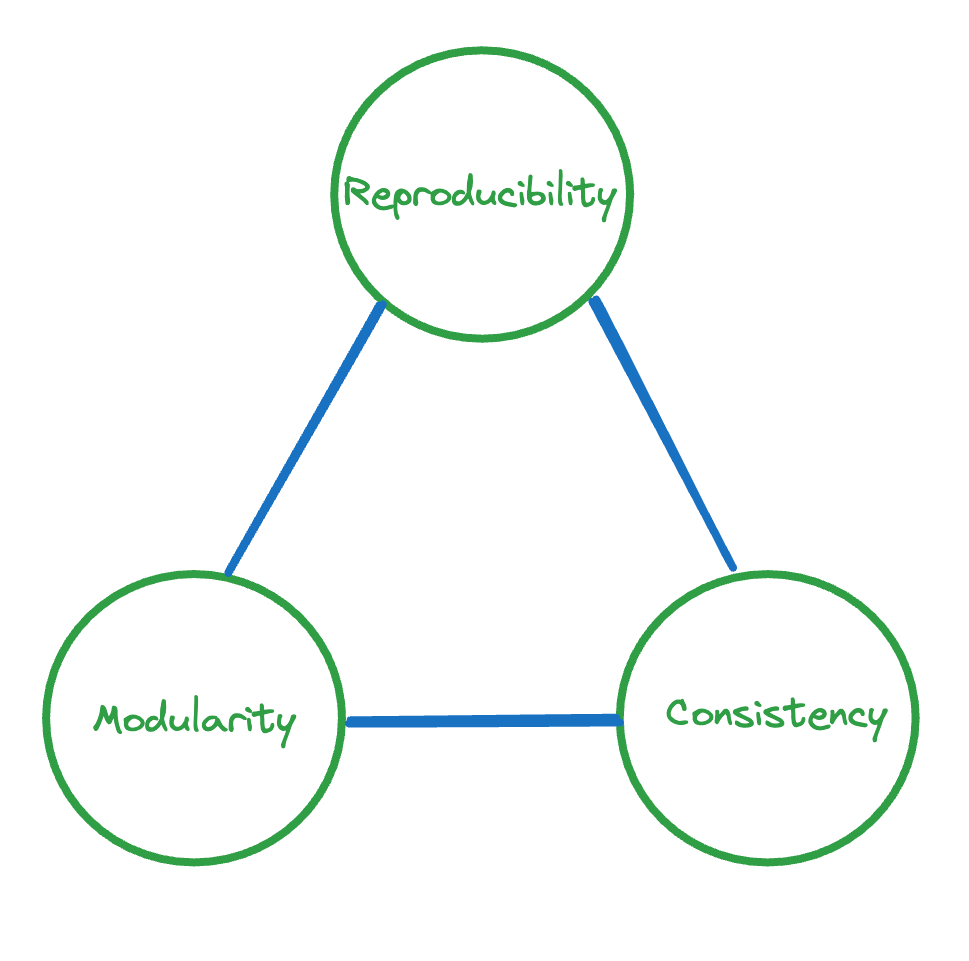
  • 可重現:可在不同環境與時間產生相同輸出

  • 模組化:以獨立、可測試的模組撰寫

  • 一致性:參數有單一資訊來源

    • 使用組態/參數檔

顯示上線程式碼三個特性的示意圖

使用 DVC 進行資料版本控管入門

組態檔與 YAML

  • 檔案需使用支援的格式

    • YAML、JSON、TOML、Python
    • 預設為 params.yaml
  • 本章使用 YAML

    • YAML Ain't Markup Language
    • 提供跨語言/應用程式的標準資料交換格式
    • 格式簡潔易讀
    • 副檔名可為 .yaml.yml
1 https://dvc.org/doc/command-reference/params#description
使用 DVC 進行資料版本控管入門

YAML 語法

  • 以字典指定參數

    • 鍵與值以 : 分隔
  • 註解以 # 開頭

  • 資料型別:

    • 整數、小數、字串
  • 資料結構:

    • 陣列
    • 巢狀字典
  • 縮排很重要

# Key-value pairs
a: 1
b: 1.2
c: "String value"
# Arrays
a: [1, 2.2, 3, 4.8]
b:
  - 5
  - "String value"
# Nested dictionaries
a:
  b: "Some value"
  c: "Some other value"
使用 DVC 進行資料版本控管入門

組態檔範例

# Data preprocessing paramters
preprocess:
  ...
  target_column: RainTomorrow
  categorical_features:
    - Location
    - WindGustDir
    - ...

# Model training/evaluation paramters train_and_evaluate: rfc_params: n_estimators: 2 ...
使用 DVC 進行資料版本控管入門

模組化函式範例

# In model.py
def evaluate_model(model, X_test, y_test):
    """Evaluate a model on a test set and return metrics."""
    y_pred = model.predict(X_test)
    precision = precision_score(y_test, y_pred)
    ...
    return { "accuracy": accuracy, "precision": precision,
        "recall": recall, "f1_score": f1 }
# In entry-point code (train_and_evaluate.py)
from model import evaluate_model
metrics = evaluate_model(model, X_test, y_test)
使用 DVC 進行資料版本控管入門

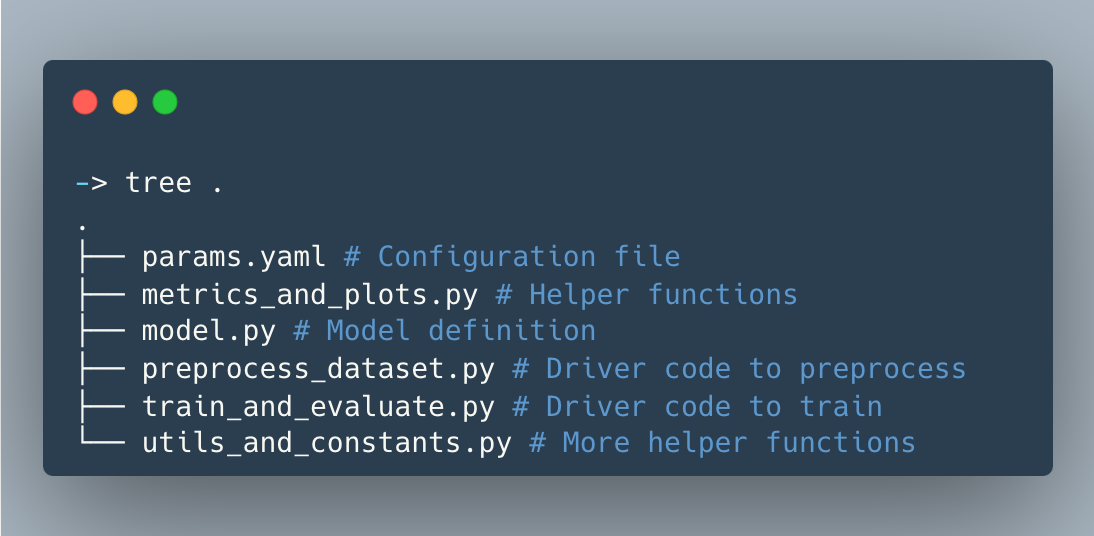
專案程式碼版型範例

機器學習儲存庫中的程式碼結構示意圖

使用 DVC 進行資料版本控管入門

一起來練習吧!

使用 DVC 進行資料版本控管入門

Preparing Video For Download...