使用 Dash 與 Plotly 建立儀表板
Alex Scriven
Data Scientist
$$
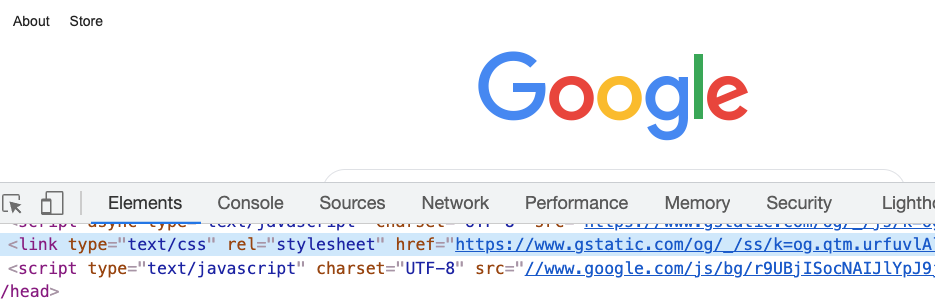
多數網站都有 CSS 檔案;
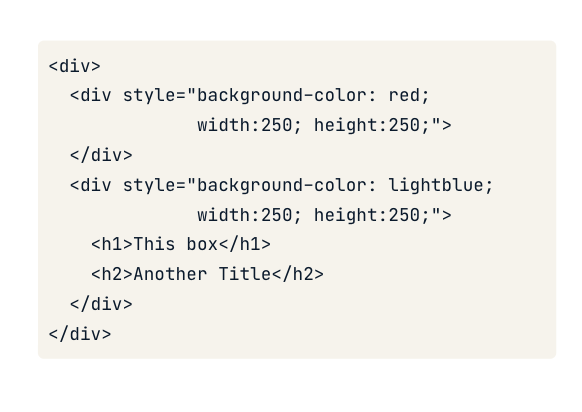
style 屬性
CSS 也可直接用在 HTML 元素上
style 屬性"property:value; property:value;"

<h1>Welcome to the website!</h1>
<h2 style="font-size:50px;color:red">
Enjoy your stay!
</h2>

我們可以在實際網站上即時編輯部分 CSS

Dash 元件的 style 參數
先前在 Dash 元件中的程式碼:
app.layout = [
html.H1('Welcome to the website!'),
html.H2('Text',
style={'font-size':'50px',
'color':'red'})
]
CSS 可設定以下內容:
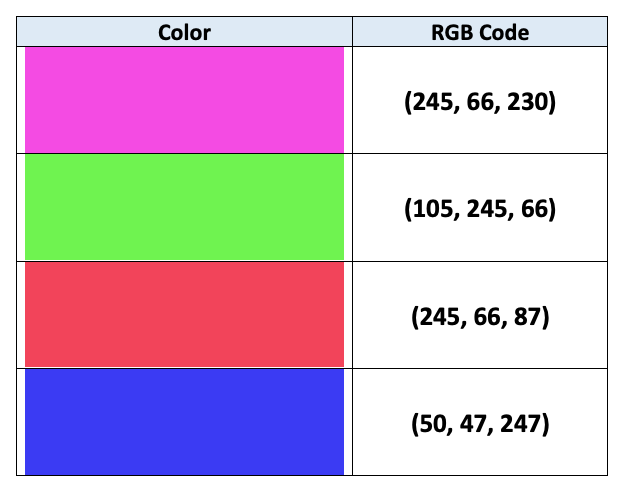
background-color)color)
兩者都可接受字串(例如 'red')或 RGB 代碼(例如 'rgb(0,0,255)' 表示藍色)

CSS 可用 width 與 height 設定大小
app.layout = [
# Add & resize the company logo
html.Img(src=logo_link,
style={'width':'250px', 'height':'250px'})
]
app.layout = [
# Add & resize the company logo
html.Img(src=logo_link,
style={'width':'50%', 'height':'50%'})
]
使用 Dash 與 Plotly 建立儀表板