import matplotlib.pyplot as plt

# Initialize figure and setup title
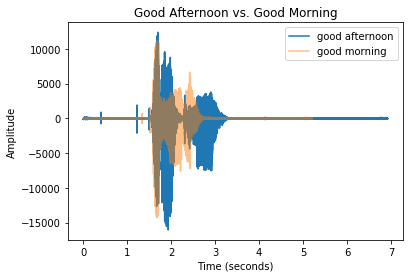
plt.title("Good Afternoon vs. Good Morning")

# x and y axis labels
plt.xlabel("Time (seconds)")
plt.ylabel("Amplitude")

# Add good morning and good afternoon values
plt.plot(time_ga, soundwave_ga, label ="Good Afternoon")
plt.plot(time_gm, soundwave_gm, label="Good Morning",
         alpha=0.5)

# Create a legend and show our plot
plt.legend()
plt.show()