HTTP 請求的本質

R 的網頁爬蟲

Timo Grossenbacher

Instructor

Hypertext Transfer Protocol (HTTP)
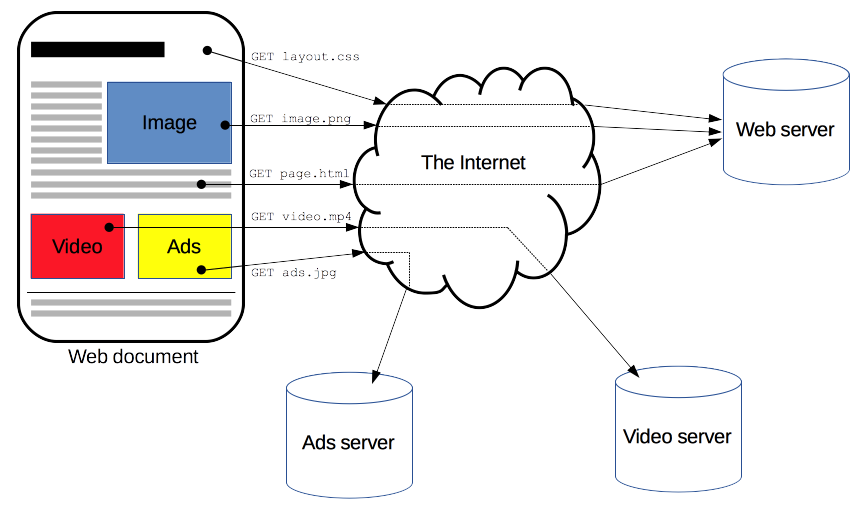
瀏覽器如何與伺服器通訊的示意圖

1 https://developer.mozilla.org/en-US/docs/Web/HTTP/Overview
R 的網頁爬蟲

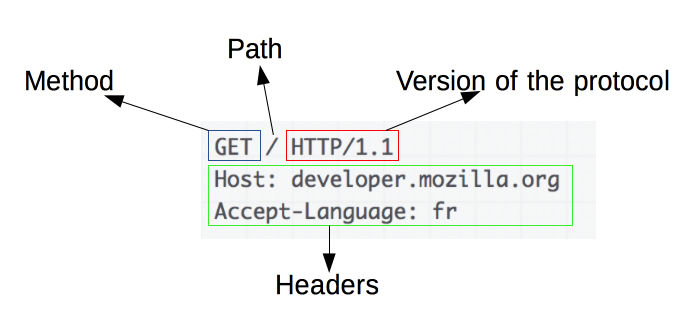
請求的結構

請求會送到伺服器

一個請求範例

常見狀態碼:200(OK)、404(NOT FOUND)、3xx(重新導向)、5xx(伺服器錯誤)

回應會從伺服器返回
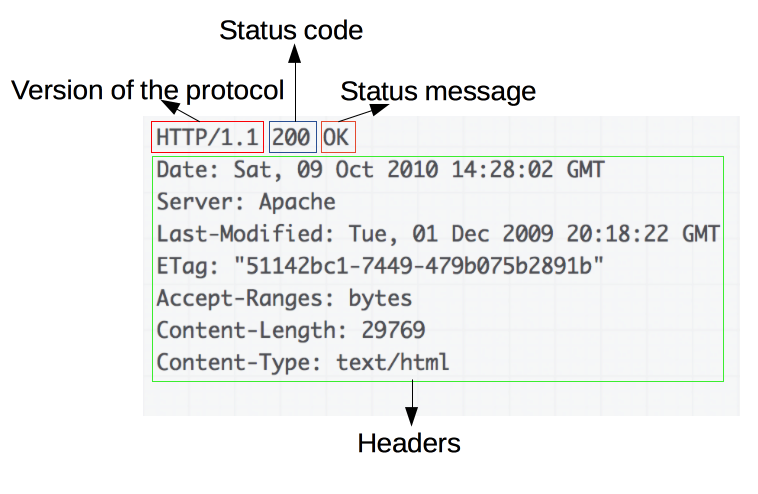
對應的回應

1 https://developer.mozilla.org/en-US/docs/Web/HTTP/Overview
R 的網頁爬蟲

請求方法:GET 與 POST

  • GET:用於擷取資源,不提交資料(GET /index.html
  • POST:用於傳送資料到伺服器,例如送出頁面表單後
POST /test HTTP/1.1
Host: foo.example
Content-Type: application/x-www-form-urlencoded
Content-Length: 27

field1=value1&field2=value2

POST 請求也會收到回應!

1 https://developer.mozilla.org/en-US/docs/Web/HTTP/Methods/POST
R 的網頁爬蟲

使用 httr 發送 HTTP 請求

library(httr)
GET('https://httpbin.org')
Response [https://httpbin.org/]
  Date: 2020-09-19 13:02
  Status: 200
  Content-Type: text/html; charset=utf-8
  Size: 9.59 kB
<!DOCTYPE html>
<html lang="en">

<head>
    <meta charset="UTF-8">
    ...
R 的網頁爬蟲

使用 httr 發送 HTTP 請求

library(httr)
response <- GET('https://httpbin.org')
content(response)
{html_document}
<html lang="en">
[1] <head>\n<meta http-equiv="Content-Type" content="text/html; charset=UTF ...
[2] <body>\n    <a href="https://github.com/requests/httpbin" class="github ...
R 的網頁爬蟲

一起來練習吧!

R 的網頁爬蟲

Preparing Video For Download...