為訓練前處理文字

使用 PyTorch 高效訓練 AI 模型

Dennis Lee

Data Engineer, Amazon

文字轉換:為模型準備資料

  • 文件摘要
  • 同義改寫識別
  • MRPC 資料集:句子配對與標籤

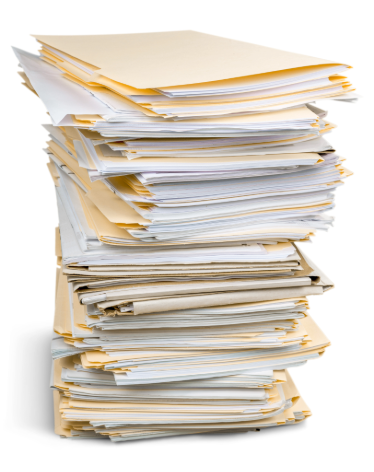
需要審閱的一大疊文件。

使用 PyTorch 高效訓練 AI 模型

資料集結構

from datasets import load_dataset
dataset = load_dataset("glue", "mrpc")
print(dataset)
DatasetDict({
    train: Dataset({
        features: ['sentence1', 'sentence2', 'label', 'idx'],
    })
    validation: Dataset({
        features: ['sentence1', 'sentence2', 'label', 'idx'],
    })
    test: Dataset({
        features: ['sentence1', 'sentence2', 'label', 'idx'],
    })
})
使用 PyTorch 高效訓練 AI 模型

操作文字資料集

  • 巢狀字典:train/validation/test 切分
  • 存取 train 切分的例子:
dataset["train"]
  • 在切分內存取資料集特定的欄位
  • MRPC 欄位:sentence1sentence2label
dataset["train"]["sentence1"]
  • 載入預先訓練的 tokenizer
tokenizer = AutoTokenizer.from_pretrained("distilbert-base-cased")
使用 PyTorch 高效訓練 AI 模型

定義編碼函式

  • 定義函式以編碼資料集中的樣本
  • 呼叫 tokenizer;從訓練樣本取出 sentence1sentence2
  • truncation:若超過最大長度(512 個 token)則截斷
  • padding:以 0 補齊較短序列,使輸入長度一致
def encode(example):

return tokenizer( example["sentence1"], example["sentence2"],
truncation=True,
padding="max_length", )
使用 PyTorch 高效訓練 AI 模型

調整欄位名稱格式

  • mapencode 套用到 train 切分的每個樣本
train_dataset = dataset["train"].map(encode, batched=True)
  • label 重新命名為 labels
train_dataset = train_dataset.map(
    lambda examples: {"labels": examples["label"]}, batched=True
)
  • 查閱 Hugging Face 文件,確認模型對欄位的需求
使用 PyTorch 高效訓練 AI 模型

儲存與載入檢查點

  • 將資料集放到可用的 GPU 上
dataloader = DataLoader(train_dataset, batch_size=32, shuffle=True)
dataloader = accelerator.prepare(dataloader)
  • 適用於任何 PyTorch 資料集(torch.utils.data.Dataset)於 DataLoader
  • 儲存前處理文字的狀態(checkpoint)
checkpoint_dir = Path("preprocess_checkpoint")
accelerator.save_state(checkpoint_dir)
  • 需要繼續訓練時載入該 checkpoint
accelerator.load_state(checkpoint_dir)
使用 PyTorch 高效訓練 AI 模型

一起來練習吧!

使用 PyTorch 高效訓練 AI 模型

Preparing Video For Download...