整合所有文字來源

案例研究:使用 R 的 Shiny 建置網頁應用程式

Dean Attali

Shiny Consultant

整合所有文字來源

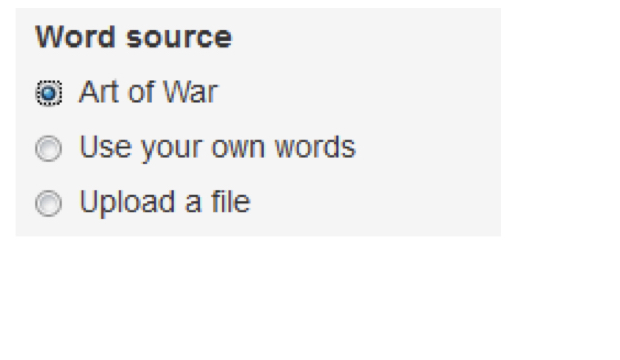
  • 詞雲的 3 種資料來源

    • 文字物件:artofwar
    • 使用者文字:textAreaInput()
    • 文字檔:fileInput()
  • 下一步:同時支援上述來源

    • 用單選按鈕選擇文字來源

案例研究:使用 R 的 Shiny 建置網頁應用程式

單選按鈕:複習

radioButtons(
    "time_of_day", "Choose your favorite time of day",
    choices = c("Morning", "Afternoon", "Evening"),
    selected = "Afternoon"
)

案例研究:使用 R 的 Shiny 建置網頁應用程式

單選按鈕:進階

radioButtons(
    "time_of_day", "Choose your favorite time of day",
    choices = c("I'm a morning person!" = "Morning",
                "Love my afternoons"    = "Afternoon",
                "Night owl here!"       = "Evening"),
    selected = "Afternoon"
)

str(input$time_of_day)
chr "Afternoon"
案例研究:使用 R 的 Shiny 建置網頁應用程式

條件式面板

  • 依輸入值顯示/隱藏 UI 元件
conditionalPanel(condition, ...)
  • condition 類似 R 程式碼,但把 input$<id> 改成 input.<id>
  • ... 可放任何 UI
案例研究:使用 R 的 Shiny 建置網頁應用程式

條件式面板

ui <- fluidPage(
  radioButtons("time_of_day",
               "Choose your favorite time of day",
               ...),

  plotOutput("morning_only_plot")
)
ui <- fluidPage(
  radioButtons("time_of_day",
               "Choose your favorite time of day",
               ...),

  conditionalPanel(
    condition = "input.time_of_day == 'Morning'",
    plotOutput("morning_only_plot")
  )
)
案例研究:使用 R 的 Shiny 建置網頁應用程式

一起來練習吧!

案例研究:使用 R 的 Shiny 建置網頁應用程式

Preparing Video For Download...