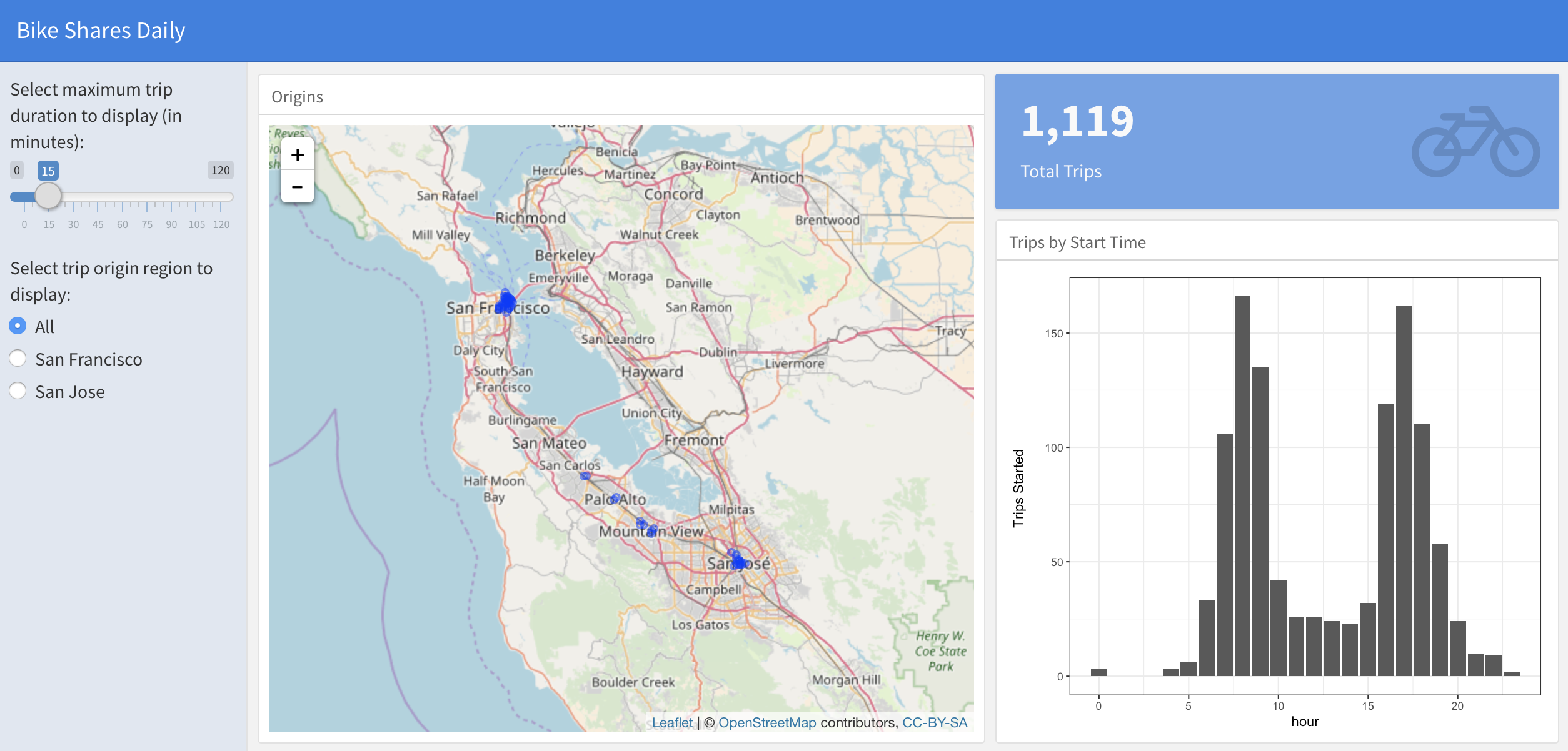
反應式 dataframe 模式

使用 flexdashboard 建立儀表板

Elaine McVey

Director of Data Science

建立側邊欄

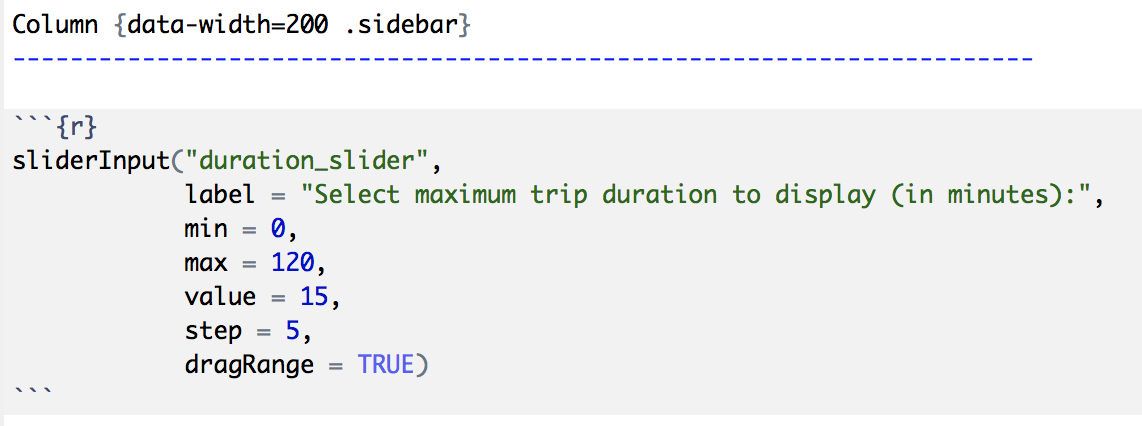
Column {data-width=200 .sidebar}
使用 flexdashboard 建立儀表板

建立側邊欄

alt text

使用 flexdashboard 建立儀表板

加入使用者輸入

alt text

使用 flexdashboard 建立儀表板

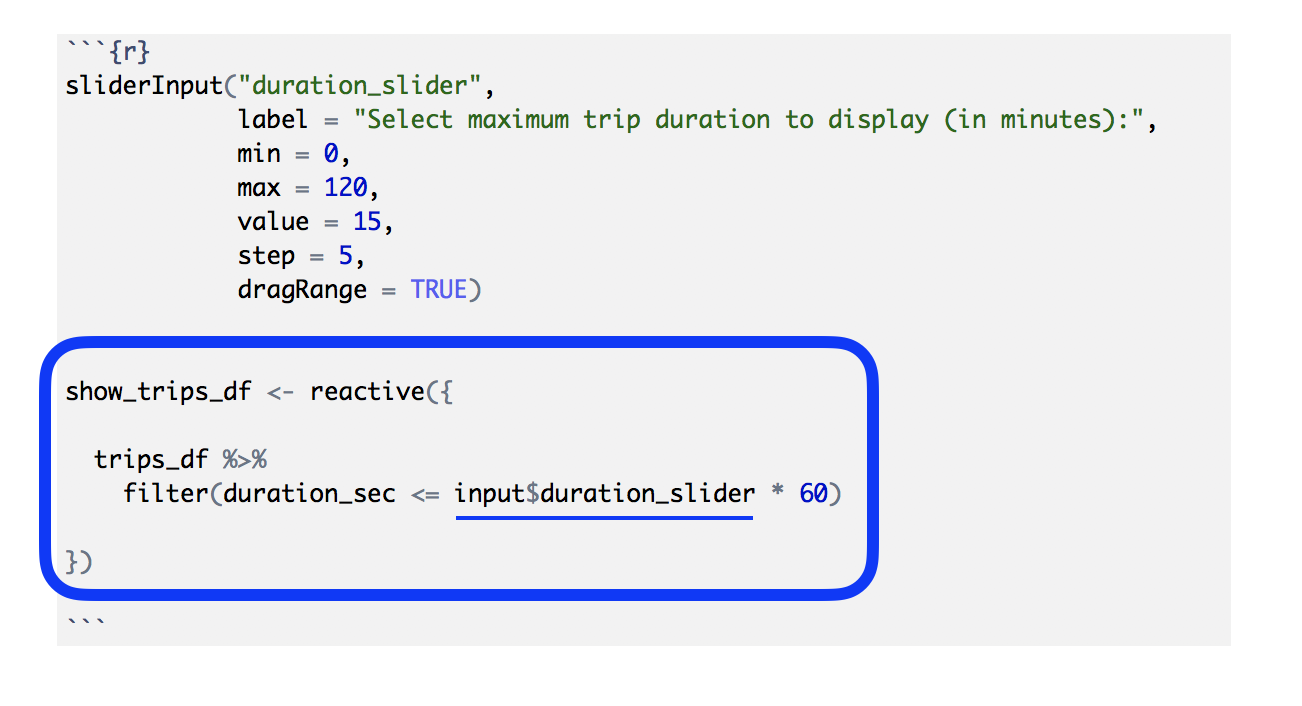
讓 dataframe 變為反應式

alt text

使用 flexdashboard 建立儀表板

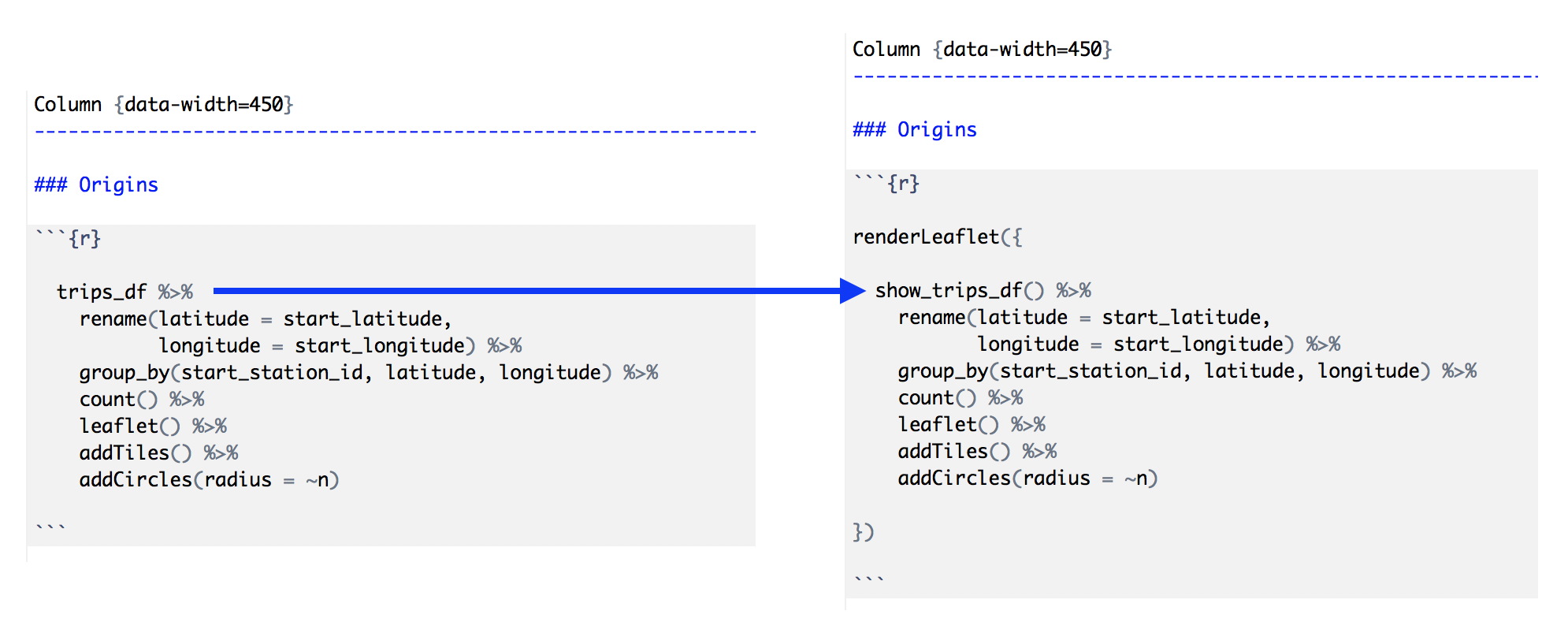
使用反應式 dataframe

alt text

使用 flexdashboard 建立儀表板

讓儀表板元件具反應性

alt text

使用 flexdashboard 建立儀表板

反應式 dataframe 模式步驟

  1. 建立側邊欄欄位(用 .sidebar)。
  2. 在側邊欄加入使用者輸入(用 xyzInput() Shiny 小工具)。
  3. 建立會對輸入反應的「dataframe」(用 reactive())。
  4. 將儀表板元件程式碼中的 dataframe 換成反應式版本。
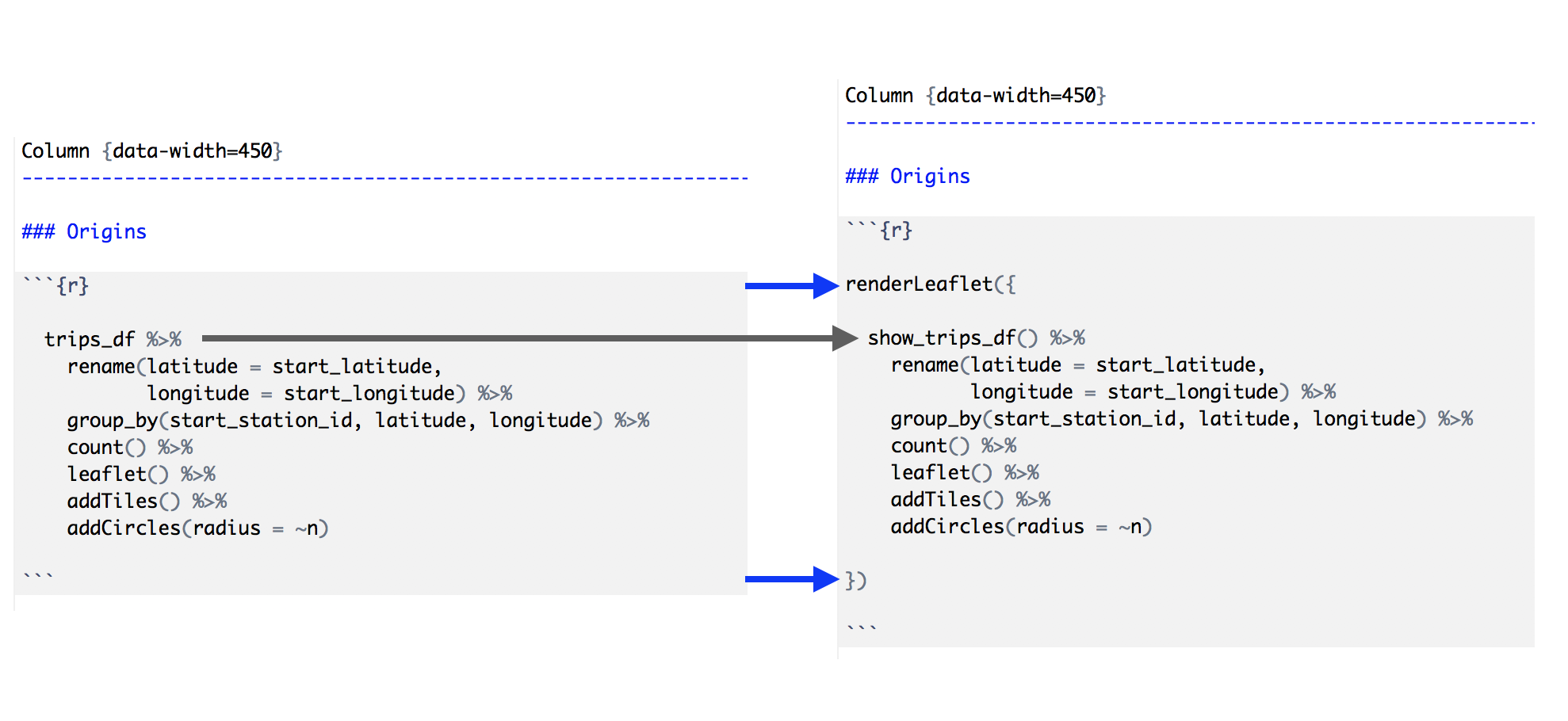
  5. 以對應的 Shiny 版本包住每個儀表板輸出(renderXyz())。
使用 flexdashboard 建立儀表板

一起來練習吧!

使用 flexdashboard 建立儀表板

Preparing Video For Download...